
Download Slack for Mac Without the App Store: DMG, PKG or App Store?
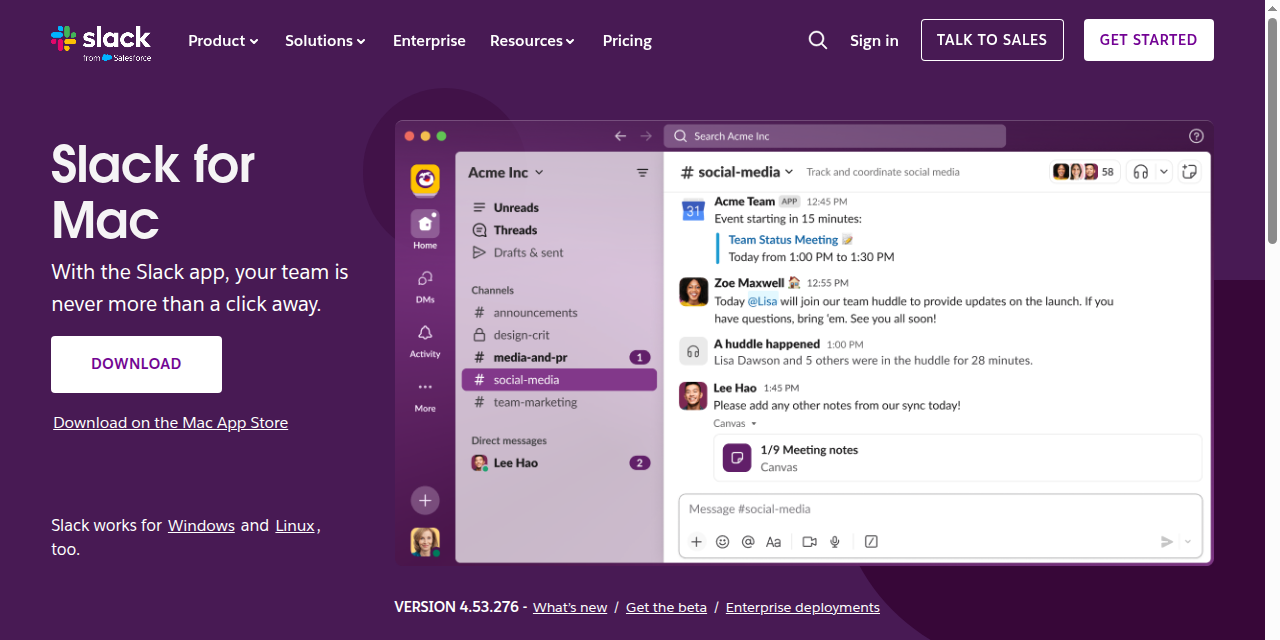
Click Download, not Download on the Mac App Store, on slack.com/downloads/mac and you get the universal DMG. We downloaded all four direct installers for 4.53.276, measured them, checked their signatures and read the code paths that differ in the App Store build.
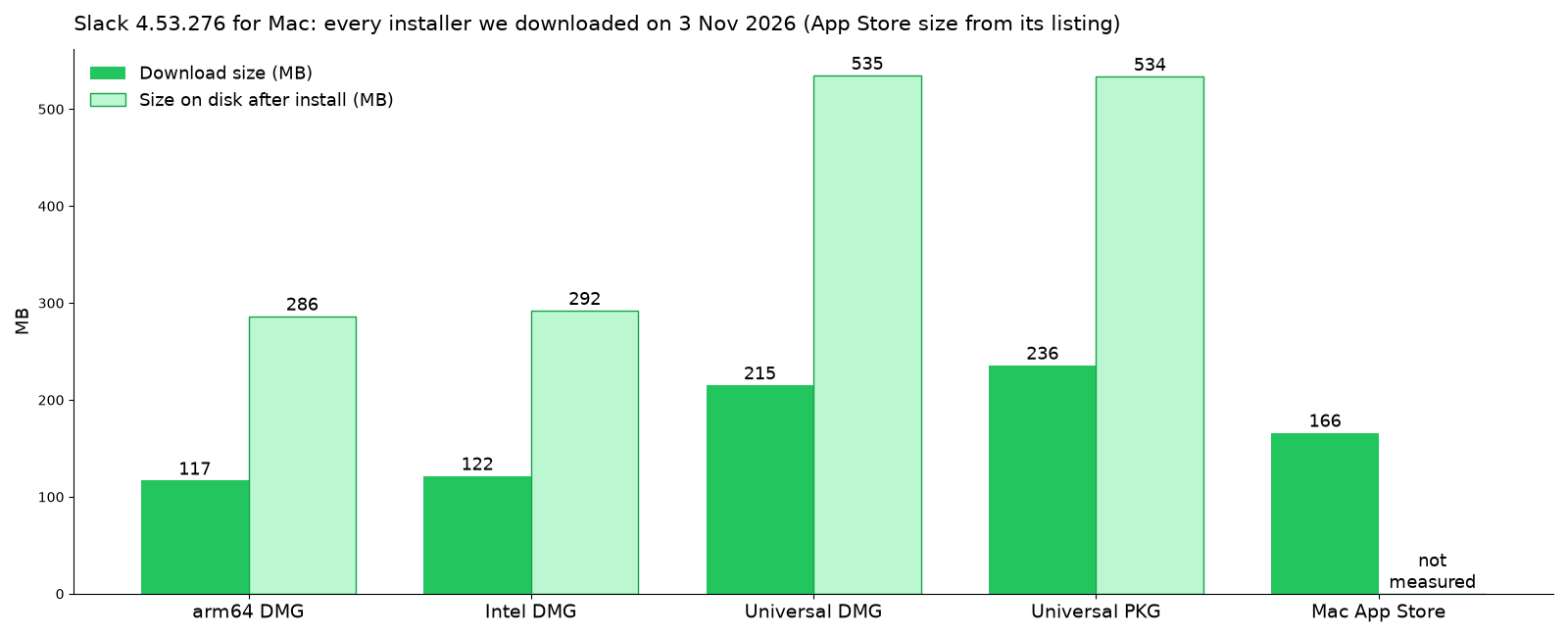
To download Slack for Mac without the App Store, open slack.com/downloads/mac and click the big Download button, not the Download on the Mac App Store link under it. You get Slack-4.53.276-macOS.dmg, a disk image you open and drag to Applications. That button gives the universal build for both Intel and Apple silicon, which is 215 MB. Slack also serves a 117 MB Apple-silicon-only image and an installer package for admins. On 3 November 2026 we downloaded all four direct installers of version 4.53.276, checked each with lipo, codesign and pkgutil, and read the parts of Slack's code that behave differently in the App Store build.
Which file to download
Each link below redirected to a file on downloads.slack-edge.com when we fetched it. The Download button on the Mac page loads the universal link through /downloads/instructions/mac.
| Link | File you get | Download | On disk | Runs on |
|---|---|---|---|---|
slack.com/ssb/download-osx-silicon | arm64 DMG | 117 MB | 286 MB | Apple silicon |
slack.com/ssb/download-osx | x64 DMG | 122 MB | 292 MB | Intel, or Apple silicon through Rosetta |
slack.com/ssb/download-osx-universal (the Download button) | universal DMG | 215 MB | 535 MB | both |
slack.com/ssb/download-osx-universal-pkg | universal PKG | 236 MB | 534 MB | both |
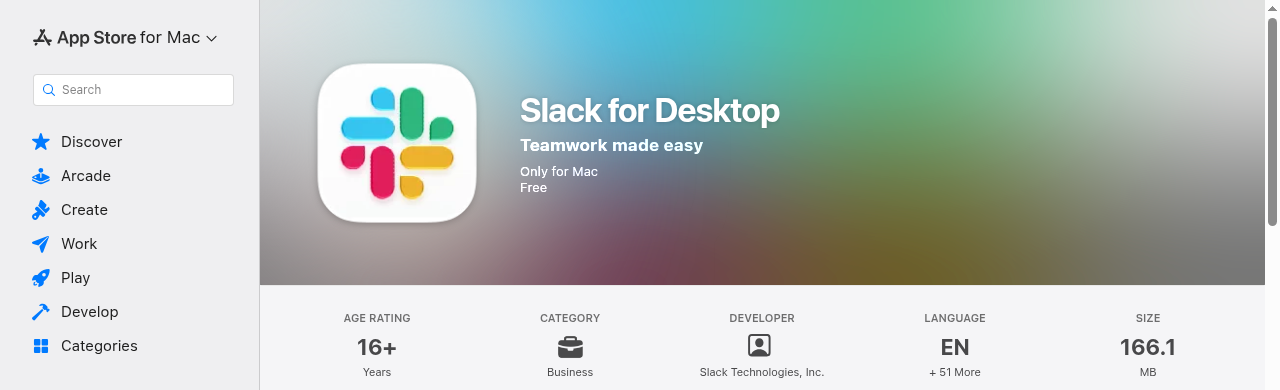
| Mac App Store, listed as Slack for Desktop | App Store build | 166 MB | not measured | both |
All four direct builds need macOS 13.0 or later (LSMinimumSystemVersion), and so does the App Store listing. On an Apple silicon Mac, the arm64 image is the one to pick: it is the same app with the Intel half left out. Note that the plain download-osx link, the one many older guides give, now sends the Intel build.
Is the direct download safe
Yes, if it comes from slack.com. All three disk images hold an app signed with "Developer ID Application: SLACK TECHNOLOGIES L.L.C. (BQR82RBBHL)", and spctl accepted each one as "Notarized Developer ID". The PKG is signed with Slack's Developer ID Installer certificate and notarized too, with a signing time of 29 October 2026 at 20:36 UTC. lipo -archs printed arm64 for the arm64 build, x86_64 for the Intel one and x86_64 arm64 for the universal app.
What is different in the App Store build
The App Store and direct download builds share one code base, and the code checks process.mas to switch behaviour. In Slack 4.52.182 these are the paths that differ:
| Area | Direct download (DMG or PKG) | Mac App Store build |
|---|---|---|
| Updates | Downloads and installs them itself, checking every hour | The App Store updates it; Check for Updates… opens the App Store's Updates page |
| Default sign-in | In your web browser | A native macOS sign-in window |
| Restart actions | Clear Cache and Restart, and Slack reopens after a crash | Clear Cache and Exit; you reopen Slack yourself |
| Sandbox | No com.apple.security.app-sandbox entitlement in any of the three DMGs | Sandboxed, as the App Store requires; files live in ~/Library/Containers/com.tinyspeck.slackmacgap |
| Download folder | Any folder you pick | Chosen through a sandbox bookmark |
| Virtual cameras | Reads the camera plug-ins in /Library/CoreMediaIO/Plug-Ins/DAL | Skips that folder |
| Crash reports | Electron's native crash reporter runs | Not started |
Both builds run the same Slack client for channels, DMs and huddles; we did not compare those feature by feature. If you are on a work Mac that installs software for you, keep whichever build IT gave you. The update path is the practical difference, and our guide on updating Slack on a Mac covers both.
Never appear "away" on Slack again
Cloud-based. No downloads. Works 24/7 even when your laptop is off.
Install the DMG
- Open the downloaded
Slack-4.53.276-macOS.dmg. - Drag Slack onto the Applications folder in the window that opens.
- Eject the disk image and open Slack from Applications.
Do not run Slack from the disk image itself. The code turns updates off for a copy that runs from /Volumes/Slack.app and asks "Move Slack to Applications?" with a Move & Restart Slack button.
The PKG, for admins
The PKG is one component package with no install scripts. Its PackageInfo sets install-location="/Applications" and auth="root", holds 708 files and installs 521,137 KB. That makes it the file to push with an MDM or sudo installer -pkg Slack-4.53.276-macOS.pkg -target /. To stop the installed app from updating itself, set AutoUpdate to false in a configuration profile, because Slack ignores a plain defaults write of that key.
Homebrew
brew install --cask slack installs the same direct download build. On 3 November the cask pointed at the arm64 DMG on Apple silicon and the x64 DMG on Intel, at version 4.53.276. The cask is marked auto_updates, so Slack updates itself and brew upgrade leaves it alone unless you add --greedy. Plain brew install slack finds the same cask, and Slack's developer CLI is a separate cask; both are covered in installing Slack with Homebrew.
FAQ
Can I switch from the App Store build to the DMG without signing in again?
Probably. When the direct download build starts and finds no data of its own, its code copies the App Store build's cookies and local storage out of ~/Library/Containers/com.tinyspeck.slackmacgap. The code names this step "migrate MAS to DDL". We did not run a switch ourselves. Quit the App Store copy, delete it, then install the DMG.
Which version am I running?
Choose Slack > About Slack. If /Applications/Slack.app/Contents/_MASReceipt exists, it is the App Store build.
Is there a Slack app for older Macs?
Not in the current release. 4.53.276 needs macOS 13.0 or later from every source.
Stop Jiggling Your Mouse.
Join hundreds of remote workers who never worry about their Slack status. Set it up once, stay green forever.
Related Articles
How to Resolve or Close a Slack Thread (and Who Can Lock One)
Slack has no Resolve or Close button for threads. We checked every thread menu as a member, found the admin-only lock in Slack's code, and tested the workarounds that do work: a checkmark, a to-do you mark complete, and muting replies.
How to Search for Images in Slack, Including Text Inside Them
To find an image in Slack, search, switch the results from Messages to Files and set File type to Images, or type type:images. We tested 6 images: Slack also found words written inside PNGs, but not inside JPGs.
Lock Icon Next to a Slack Channel? What the Lock and Grey Text Mean
A padlock next to a Slack channel means it is private. Grey text with a crossed-out bell means you muted it. We made a private, muted, archived and unread channel and screenshot each one in the sidebar.