
Slack Channel Name Rules: 45 Names Tested in the App and the API
Slack channel names take lowercase letters, numbers, hyphens, underscores and letters from other scripts, up to 80 characters. We sent 45 names to the Slack app and the API and recorded every error.
A Slack channel name can be up to 80 characters long. It may contain lowercase letters, numbers, hyphens (-) and underscores (_), plus letters from other scripts such as Japanese, Korean or accented Latin. It may not contain capital letters, spaces, periods, other punctuation or emoji. On 7 October 2026 we tried 45 names in a free-plan test workspace, typing some into Slack's Create a channel dialog and sending the rest to the API with conversations.create and conversations.rename. The tables below are what Slack returned for each one.
The rules in one table
| Rule | What we saw |
|---|---|
| Length | 80 characters passed, 81 failed, in the app and the API |
| Capital letters | The app lowercases them as you type; the API refuses them (invalid_name_specials) |
| Spaces | The app turns each space into a hyphen as you type; the API refuses them |
| Periods and punctuation | Refused everywhere: . ! ' # % : and the em dash |
| Hyphens and underscores | Allowed anywhere, also at the start and doubled (-w7-leading, w7--double) |
| Numbers | Allowed, even a name made only of digits (12345) |
| Letters from other scripts | Allowed: w7-日本語, w7-한글, w7-ünïcode |
| Emoji | Refused: invalid_emoji_not_allowed in the API, a vague error in the app |
| Names in use | Refused: other channels, archived channels, private channels, and here, everyone, channel |
What the Create a channel dialog does as you type
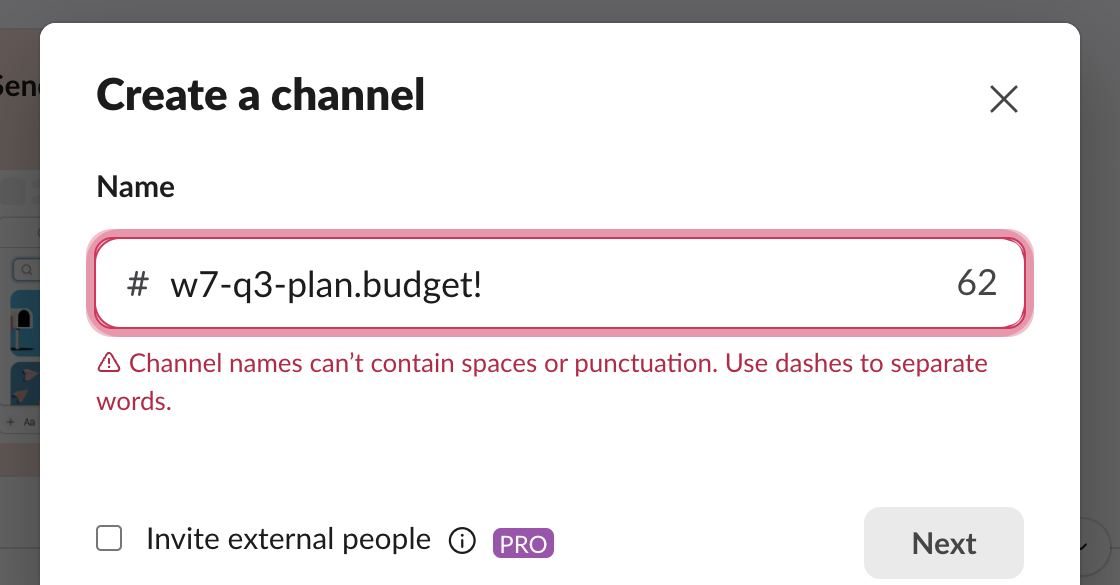
The dialog fixes two things for you and flags the rest. We typed W7 Q3 Plan.Budget! and the box showed w7-q3-plan.budget! before we pressed anything else: capitals became lowercase and each space became a hyphen. The period and the exclamation mark stayed, and the red line under the box read "Channel names can't contain spaces or punctuation. Use dashes to separate words." The Next button stays grey until the name is valid.
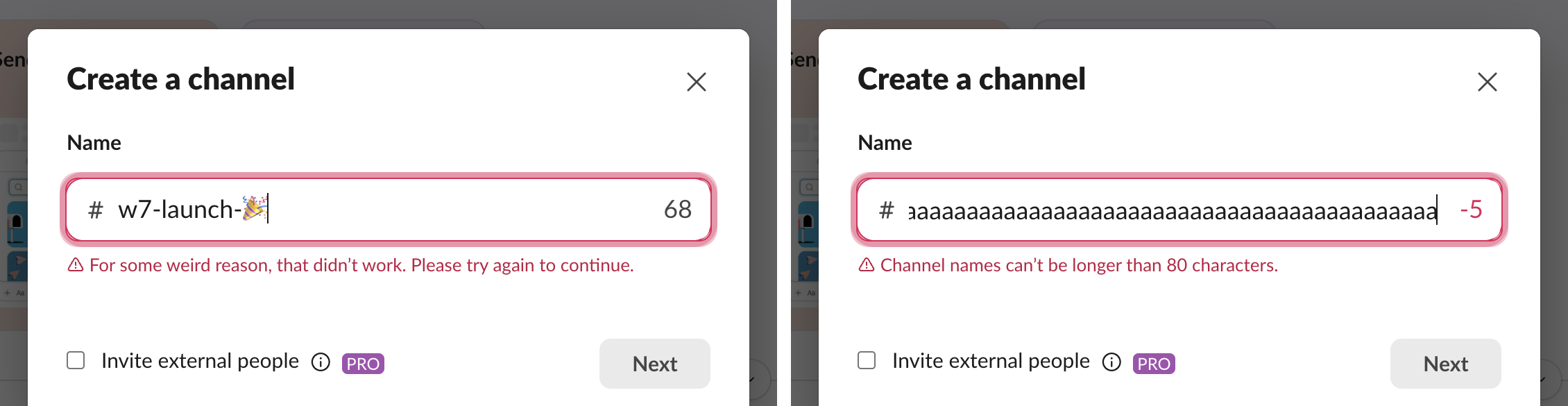
The number at the right of the box counts down from 80. At 85 characters it read -5 in red with "Channel names can't be longer than 80 characters." An emoji counts as 2 in that counter: w7-launch-🎉 is 11 characters on screen and the counter showed 68, not 69. With the emoji in the name, the error was "For some weird reason, that didn't work. Please try again to continue.", which does not say the emoji is the problem. Delete the emoji and the error goes away.
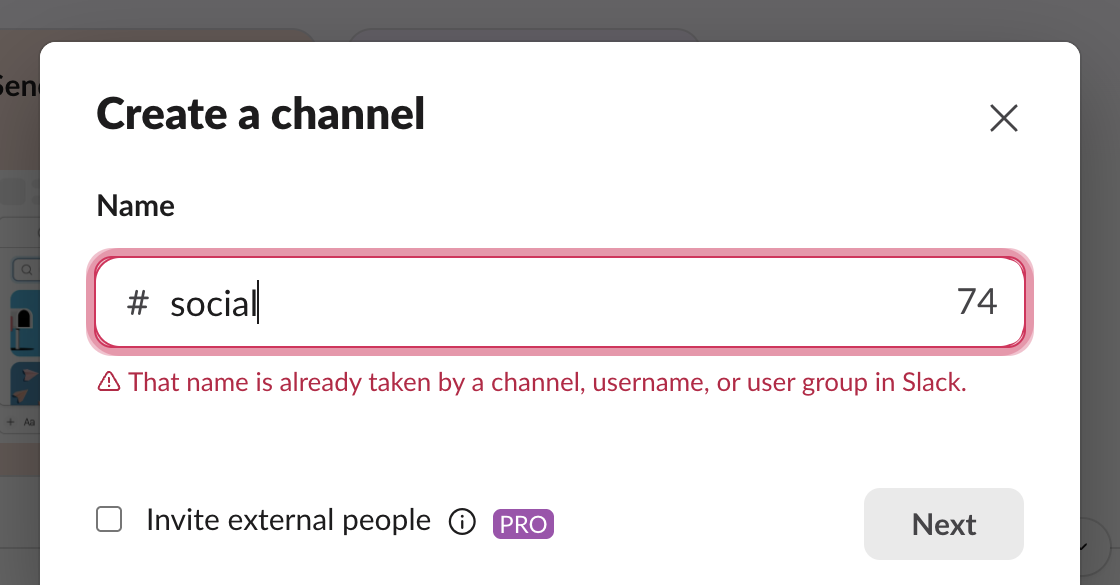
A name already in use gets its own line: "That name is already taken by a channel, username, or user group in Slack."
Every name we sent to the API
These went to conversations.create with the signed-in user's session, one call per name. The API does not fix anything for you: a name the dialog would have lowercased comes back as an error.
| Name sent | Result |
|---|---|
w7-Upper-Case | invalid_name_specials |
W7ALLCAPS | invalid_name_specials |
w7 space name | invalid_name_specials |
w7.period | invalid_name_specials |
w7!bang, w7'quote, #w7hash, w7%percent | invalid_name_specials |
w7—emdash (em dash) | invalid_name_specials |
w7-emoji-:tada: (emoji code) | invalid_name_specials |
w7-emoji-🎉 (emoji character) | invalid_emoji_not_allowed |
| empty string | invalid_name_required |
w7- + 77 letters (80 characters) | ok |
w7- + 78 letters (81 characters) | invalid_name_maxlength |
w7- + 77 × 日 (80 characters, 234 bytes) | ok |
w7- + 78 × 日 (81 characters) | invalid_name_maxlength |
w7_underscore | ok |
-w7-leading | ok |
w7--double | ok |
12345 | ok |
w7-日本語, w7-한글 | ok |
w7-ünïcode | ok, stored with name_normalized: "w7-unicode" |
w7-ÜNÏCODE | invalid_name_specials |
social (an existing channel) | name_taken |
here, everyone, channel | name_taken |
general (this workspace calls its general channel #all-slack) | ok |
x | ok |
The 80-character limit counts characters, not bytes: 80 Japanese characters passed even though they take 234 bytes in UTF-8. Capital letters are refused in every script we tried, including Ü.
Never appear "away" on Slack again
Cloud-based. No downloads. Works 24/7 even when your laptop is off.
Names that are taken without a channel you can see
Three results surprised us.
Accented names block their plain twin. Slack stores a name_normalized copy with the accents removed. After w7-ünïcode existed, creating w7-unicode returned name_taken, although no channel with that exact name was in the list.
Archived channels keep their names. We archived w7-archive-demo and then tried to create a new channel with that name: name_taken. To reuse the name, rename or delete the archived channel first. Our guide to archiving a Slack channel shows the archive and delete steps.
Deleted and renamed channels free their names at once. We deleted w7-한글 in the app and created w7-한글 again a minute later: ok. We renamed w7-rename-demo to w7-renamed, and creating a new w7-rename-demo straight after worked too.
here, everyone and channel are taken because Slack uses them as mentions (@here, @everyone, @channel). general was free in our workspace, because Slack named its default channel #all-slack when the workspace was made.
Private channels block public ones. We made a private channel w7-priv and then asked for a public w7-priv: name_taken. Members who cannot see the private channel get the same error and no hint why.
Changing a channel name
Renaming follows the same rules. conversations.rename returned invalid_name_specials for W7-Rename and for w7 renamed, name_taken for social, and invalid_name_maxlength for 81 characters. In the app, click the channel name, then Edit next to Channel name on the About tab.
Each rename posts a line in the channel ("has renamed the channel from ... to ..."), and conversations.info keeps the old names in previous_names. Renaming a channel to the name it already has returned ok, posted "has renamed the channel from "w7-renamed" to "w7-renamed"" and added a second w7-renamed to previous_names. A script that sets a name on a schedule should compare first.
The channel ID stayed the same after each rename, so anything that stores the ID keeps working. A bot that posts by channel name needs the new name; see Slack channel_not_found for that error.
FAQ
Can a Slack channel name have capital letters?
No. The app lowercases them as you type, and the API refuses them with invalid_name_specials. The sidebar always shows the name in lowercase.
What do people use instead of spaces and periods?
Hyphens, mostly: team-design, proj-q3-launch. Slack's own dialog suggests the prefixes help-, proj- and team- when the name box is empty.
Is there a minimum length?
One character is enough: the name x was accepted. Only an empty name failed, with invalid_name_required.
Can the general channel be archived to free its name?
No. Archiving the workspace's general channel (here #all-slack) returned cant_archive_general.
Stop Jiggling Your Mouse.
Join hundreds of remote workers who never worry about their Slack status. Set it up once, stay green forever.
Related Articles
Slack Bot Scopes: The Scope Each API Method Needs, Measured on 44 Methods
We gave a Slack bot one scope, called 44 common Web API methods, and read the needed field of every missing_scope error. Then we added the scopes and called them again. The table shows which scope clears each method.
Slack File Size Limit: 1 GB Is Exactly 1,073,741,824 Bytes, Tested
We uploaded files of 50 MB, exactly 1 GiB and 1 GiB plus one byte to Slack through its upload API. The limit is 1,073,741,824 bytes, and a failed upload can still leave a broken file behind.
Slack Dark Mode: Where the Setting Is, and Which Custom Emoji Disappear
Slack's dark mode is under Preferences > Appearance > Color Mode, with Light, Dark and System. We switched modes in Slack web with three test emoji and measured which ones vanish.