
Slack Sign In on Mobile With a QR Code: Where It Is and What the Code Holds
Click your workspace name in Slack on a computer and choose Sign in on mobile to get a QR code for the phone app. We decoded the code to see what it holds and opened it three times to see whether it changes.
To sign in to Slack on your phone with a QR code, open Slack on a computer where you are already signed in, click the workspace name at the top left, and choose Sign in on mobile. Slack shows a QR code. On the phone, open the Slack app, tap your team icon at the top of the home tab, tap Add a workspace, then Sign in to another workspace, then Scan QR Code. On October 26, 2026 we opened this code in Slack's web app on our Free test workspace, decoded it, and opened it again to see how long one code lasts. We did not scan it with a phone.
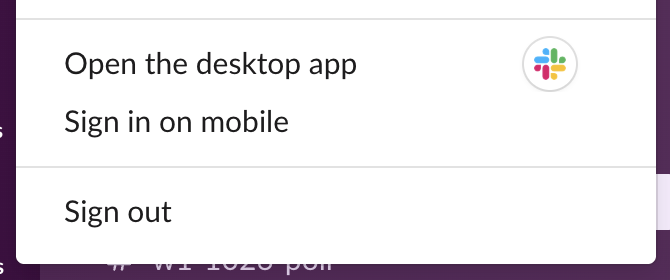
The Sign in on mobile screen
The dialog shows the code, the address you are signing in as, and the four phone steps. We blurred the code and the address, for the reason in the next section:
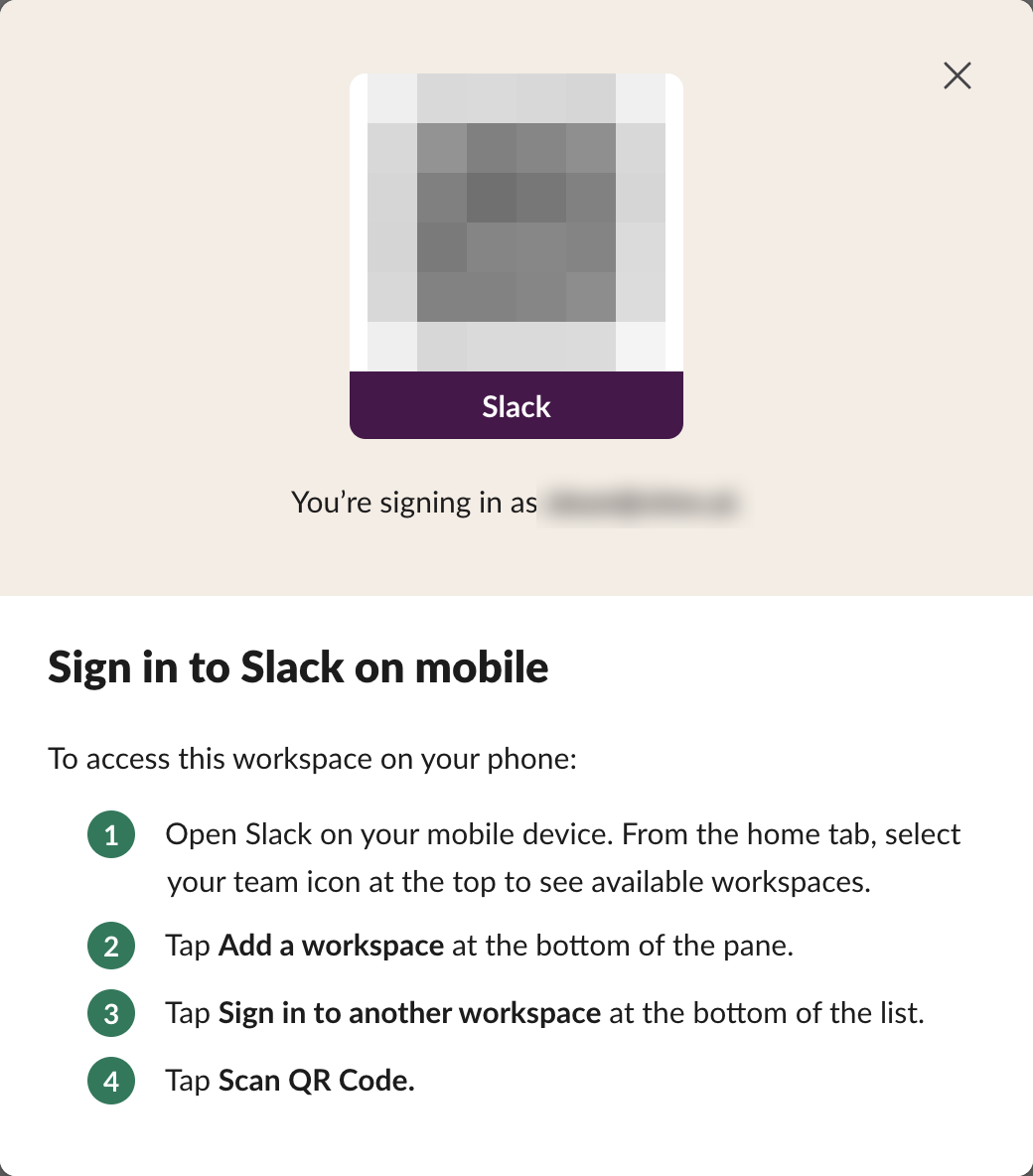
We used Slack in a browser; the code comes from the computer side, and the phone side scans it from inside the Slack app, so install the app first if you do not have it.
What the QR code contains
We read the code from the page with a QR decoder. It is a single web link of 196 characters:
https://app.slack.com/t/slack-0yr1948/login/z-app-<14 digits>-<14 digits>-<64 hex characters>?src=qr_code&user_id=U0B7L4YK420&team_id=T0B7JBCDKC1slack-0yr1948 is the workspace URL, user_id and team_id name the account and the workspace, and the long z-app- part is a sign-in token. In other words, the code is a login link for your account. Anyone who scans it before you do could sign in as you, so do not post a screenshot of it in a channel, a ticket or a guide.
Never appear "away" on Slack again
Cloud-based. No downloads. Works 24/7 even when your laptop is off.
Does the code change or expire?
We opened the dialog four times and compared the decoded links:
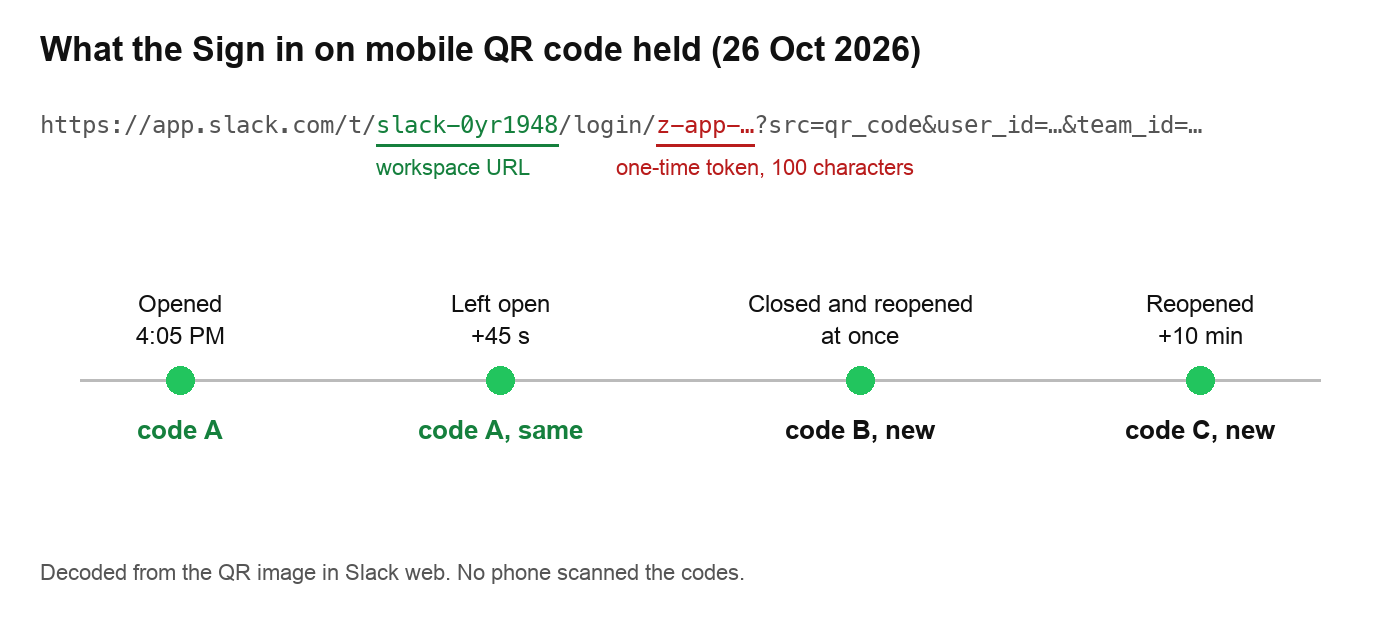
- • While the dialog stayed open, the code did not change.
- • Each time we closed and reopened it, Slack made a new code. Only the last two parts of the token changed. The workspace, the user and the first number stayed the same.
- • The phone app has no Scan QR Code option. Make sure the Slack app is up to date. The steps above are the ones Slack's own dialog listed on October 26.
- • You have no computer signed in. Sign in on the phone with your email or with Google or Apple instead. Slack's web sign-in page offered the same three options in our test, and if you do not know which workspace to pick, find your workspace URL first.
- • Slack keeps signing you out on the phone. That is a session problem, not a QR problem. Why Slack keeps logging you out covers the usual causes.
Because no phone scanned the codes, we could not check whether an older code still works after a new one is made. Open the dialog right before you scan, and close it when you are done.
If the QR code does not work
Once the phone is signed in too, does Slack show when you are on mobile explains what teammates can see.
FAQ
Is the Slack QR code the same as a magic link? Both sign you in without a password. The QR code holds a login link made for one account on one workspace, created on a computer that is already signed in.
Is it safe to share a picture of the QR code? No. The code we decoded contained a sign-in token for our account. Blur it, as we did above.
Stop Jiggling Your Mouse.
Join hundreds of remote workers who never worry about their Slack status. Set it up once, stay green forever.
Related Articles
Slack Export Viewer: Open a Slack Export ZIP in Your Browser (2 Free Tools Tested)
A Slack export is a ZIP of JSON files. We exported our Free workspace, looked inside the ZIP, and opened it with slack-export-viewer and slackdump view to compare how each shows threads, reactions and apps.
Slack Analytics on the Free Plan: What Owners Can See and Export
On a Free workspace, Admin > Analytics shows one overview page and an Export button with daily message counts. Channel, file and member analytics need a paid plan. We opened every tab and read the CSV.
How to Make a Poll in Slack: Emoji Polls, Poll Apps and What We Found
Slack has no poll button. Post the question with one emoji per option and let people react, or install a poll app. We ran an emoji poll, counted it with Slack's API, and tried to install Simple Poll on a Free workspace.