
Slack Status for Bereavement: Short Statuses to Copy
A Slack status for bereavement only needs to say you are away, until when, and who to contact: 'Out on family leave until Monday. Urgent: Dana.' You do not have to give the reason. 20 short statuses for bereavement leave, a funeral, a family or medical emergency, and coming back.
A Slack status for bereavement only needs three facts: you are away, when you expect to be back, and who to contact. For example: 🗓️ "Out on family leave until Monday. Urgent: Dana." You do not have to say why. Set Remove status after to your return date, check Pause notifications, and Slack stays quiet until then. If you do not know when you will be back, "until further notice" is fine.
Below are 20 short statuses to copy, the emoji that fit, and the steps. If you cannot face Slack at all, ask your manager to tell the team; nobody expects a status from you.
We build Slack Green, a tool for Slack presence. For this, you only need Slack's own settings below.
Bereavement statuses to copy
All are well under Slack's 100-character status limit. Change the names and dates.
Private, no reason given
🗓️ Out on family leave until Monday. Urgent: [name].
🗓️ Away this week for personal reasons. Back [date].
🏠 Out of office until further notice. [Name] is covering.
🔕 Offline for a few days. [Name] has my projects.
Bereavement leave
🕊️ On bereavement leave until [date]. Urgent: [name].
🕊️ On bereavement leave this week. Not checking Slack.
🤍 Away on bereavement leave. [Name] is covering for me.
🤍 On compassionate leave, back [date].
Funeral
🗓️ Out today for a funeral. Back tomorrow.
🕊️ Out Thursday and Friday for a family funeral. Urgent: [name].
✈️ Travelling for a family funeral, back [date].
🗓️ Out this afternoon for a family service. Online tomorrow.
Family or medical emergency
🏠 Out for a family emergency. [Name] is covering.
🏠 Family emergency, offline today. Back when I can.
🔕 Dealing with a family matter, limited access until [date].
🏥 Out for a medical emergency in the family. Urgent: [name].
Coming back
🌿 Back part-time this week. Replies may be slow.
🌿 Back from leave, catching up slowly. Thank you for your patience.
📥 Back today, working through messages. Ping me if urgent.
🤍 Back from leave. Thank you for covering for me.
"Compassionate leave" is the common term in the UK, Australia and Ireland; "bereavement leave" in the US and Canada. Both are fine.
Emoji for a bereavement status
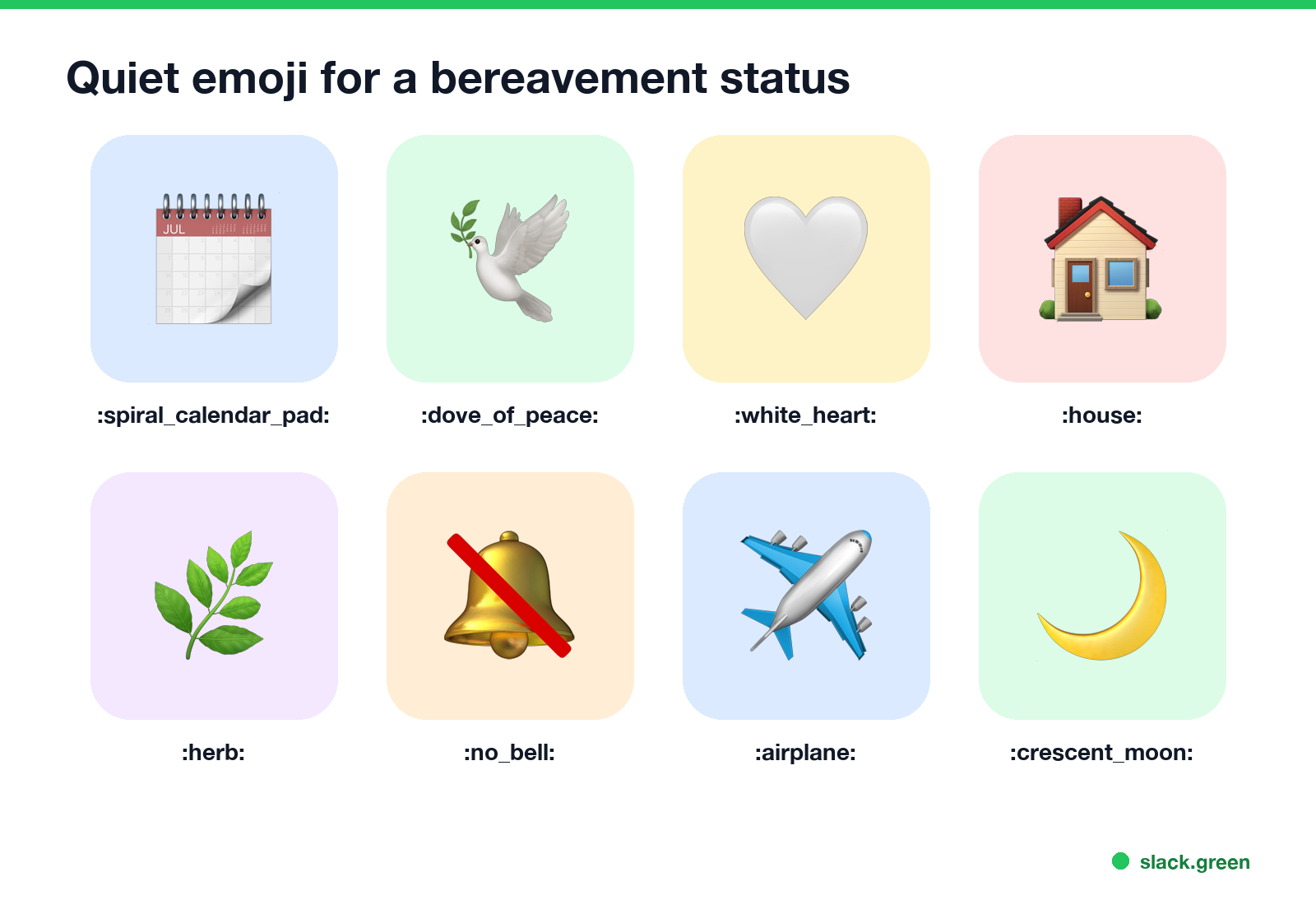
| Emoji | Code | Says |
|---|---|---|
| 🗓️ | :spiral_calendar_pad: | Away on set dates, nothing more |
| 🕊️ | :dove_of_peace: | Bereavement, gently |
| 🤍 | :white_heart: | Quiet, personal |
| 🏠 | :house: | At home, family matter |
| 🌿 | :herb: | Back, taking it slow |
| 🔕 | :no_bell: | Not reading messages |
| ✈️ | :airplane: | Travelling for a service |
🗓️ is the most private choice, because it looks like any other time off. Avoid the default 💬 by picking an emoji; Slack shows 💬 when you set text with no emoji.
What to put in, and what to leave out
Never appear "away" on Slack again
Cloud-based. No downloads. Works 24/7 even when your laptop is off.
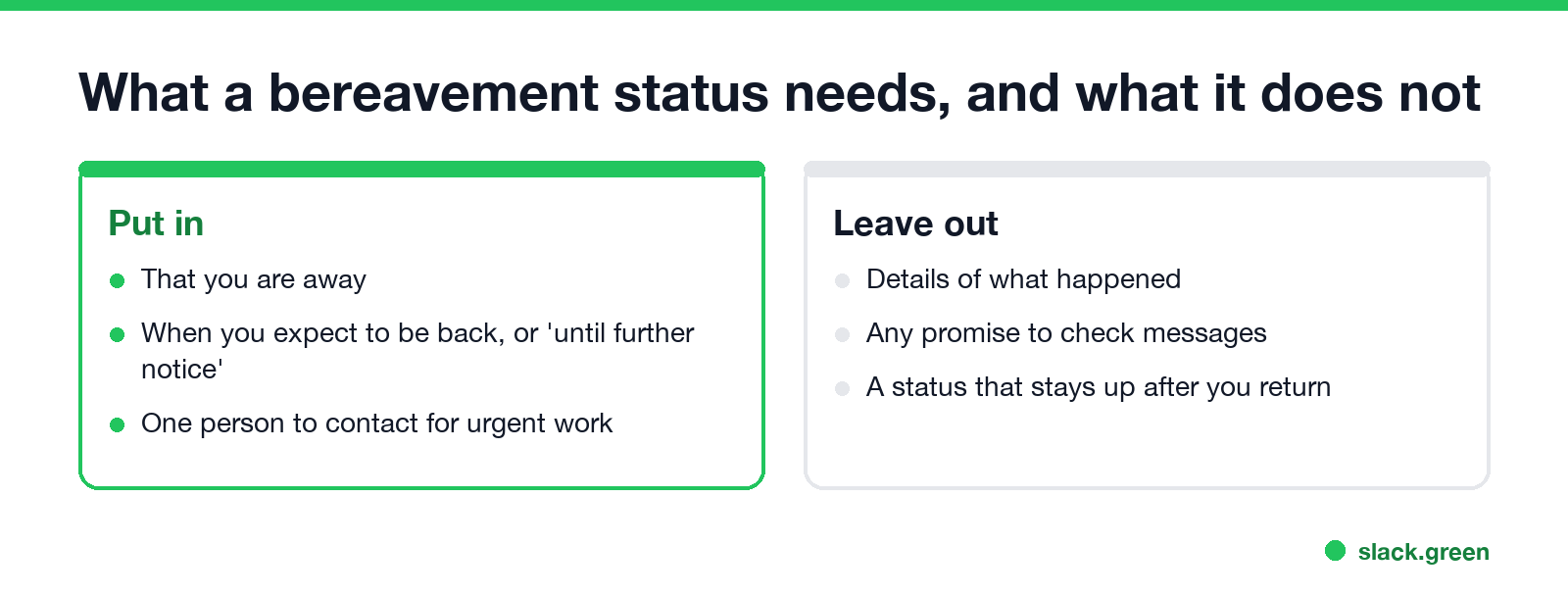
- • Do not promise to check messages. "Not checking Slack" is kinder to yourself and clearer for others than "checking occasionally".
- • Name one person. Ask them first, then put their name in the status.
- • Keep the reason private if you like. "Family leave" or "personal reasons" is complete.
- • Let it clear by itself. A leave status still showing after you return confuses people.
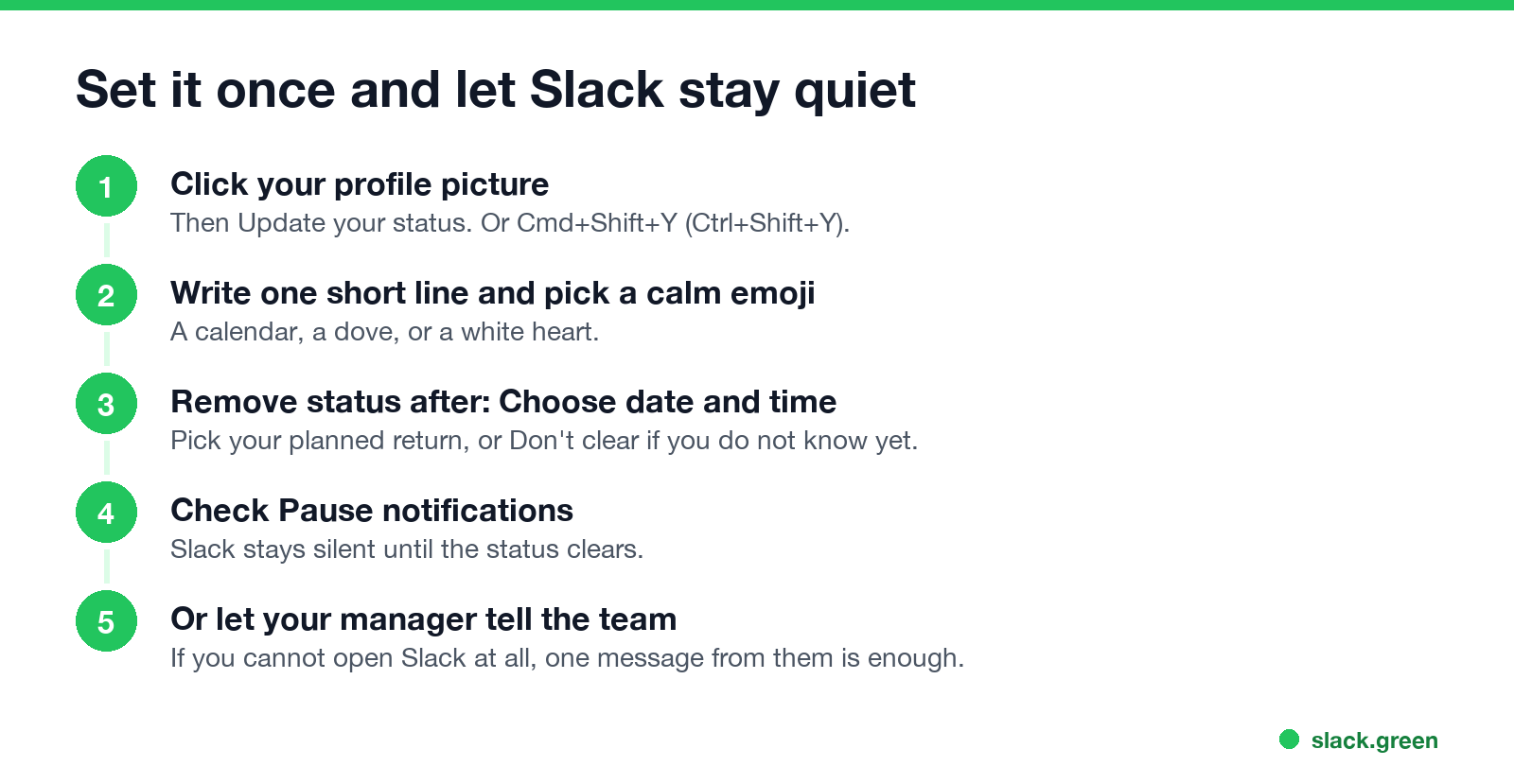
- Click your profile picture, then Update your status. On a phone, tap your profile picture, then the status field.
- Paste a status and pick an emoji.
- Under Remove status after, choose Choose date and time and pick your return date. If you do not know it, choose Don't clear and remove it when you are back.
- Check Pause notifications. Slack's help says this turns off notifications until your status clears.
- Click Save.
Your status tells people in Slack only. If your company records leave in an HR system, log it there as well, and tell your manager directly.
How to set it so Slack stays quiet
If the leave starts on a set day, such as a funeral later in the week, schedule the status ahead of time. Steps are in how to schedule a Slack status, and the clearing options are in Slack status clear after. For longer leave, also set up an out of office message in Slack.
When a coworker is on bereavement leave
If you are the coworker, send one short message and expect no reply: "I'm so sorry. Take all the time you need; I've got [project]." Keep work questions away from them and route them to whoever is covering. Which reactions and words fit sad news is in Slack emoji for condolences.
FAQ
Never appear "away" on Slack again
Cloud-based. No downloads. Works 24/7 even when your laptop is off.
What should my Slack status say for bereavement leave? That you are away, until when, and who to contact. "On bereavement leave until [date]. Urgent: [name]."
Do I have to say it is bereavement? No. "Out on family leave" or "Away for personal reasons" is enough.
What is a good Slack status for a funeral? "Out today for a funeral. Back tomorrow." Or keep it private with "Out today, back tomorrow."
What status for a family emergency? "Out for a family emergency. [Name] is covering." Add a return date when you know it.
How do I stop Slack notifications while I am away? Check Pause notifications when you set the status. Slack stays silent until the status clears.
Stop Jiggling Your Mouse.
Join hundreds of remote workers who never worry about their Slack status. Set it up once, stay green forever.
Related Articles
Slack Emoji for Approved, Perfect and Sounds Good
The Slack emoji for approved is ✅ :white_check_mark:. For perfect, use 💯 :100: or 🤌 :pinched_fingers:; for sounds good or sure, 👍 :+1: or 👌 :ok_hand:. Every code checked in Slack, what each one means to readers, custom LGTM and SGTM emoji, and a pinned legend for approval channels.
Slack Emoji for OOO, PTO and Days Off
The usual Slack emoji for OOO is 🌴 :palm_tree:, with ✈️ :airplane: for travel and 🗓️ :spiral_calendar_pad: for planned PTO. Enterprise's built-in Out of office status uses ⛔. Codes for vacation, upcoming PTO, sick days, holidays and outages, custom :ooo: and :pto: emoji, and statuses to copy.
Slack Webhook curl Example, Plus Python and Node.js
Send a Slack message with one curl command: POST a JSON body with a text field to your incoming webhook URL, and Slack answers ok. Tested examples for curl, jq, Block Kit, Python with retries and Node.js, how to escape quotes and new lines, and what 400 invalid_payload and 429 mean in code.