
Slack Emoji for OOO, PTO and Days Off
The usual Slack emoji for OOO is 🌴 :palm_tree:, with ✈️ :airplane: for travel and 🗓️ :spiral_calendar_pad: for planned PTO. Enterprise's built-in Out of office status uses ⛔. Codes for vacation, upcoming PTO, sick days, holidays and outages, custom :ooo: and :pto: emoji, and statuses to copy.
The usual Slack emoji for OOO is 🌴 :palm_tree:. Slack's own suggested "Vacationing" status uses it, so coworkers read it as "away" at a glance. For travel use ✈️ :airplane:, for planned PTO that is not a holiday use 🗓️ :spiral_calendar_pad:, and for a sick day 🤒 :face_with_thermometer:. On Enterprise plans, Slack's built-in Out of office status uses ⛔ :no_entry:. Whatever the emoji, add the return date in the text and set the status to clear on that day.
We build Slack Green, and our free Slack emoji maker makes the custom :ooo: and :pto: emoji below. More status wording is in our Slack status generator.
Slack emoji codes for OOO and PTO
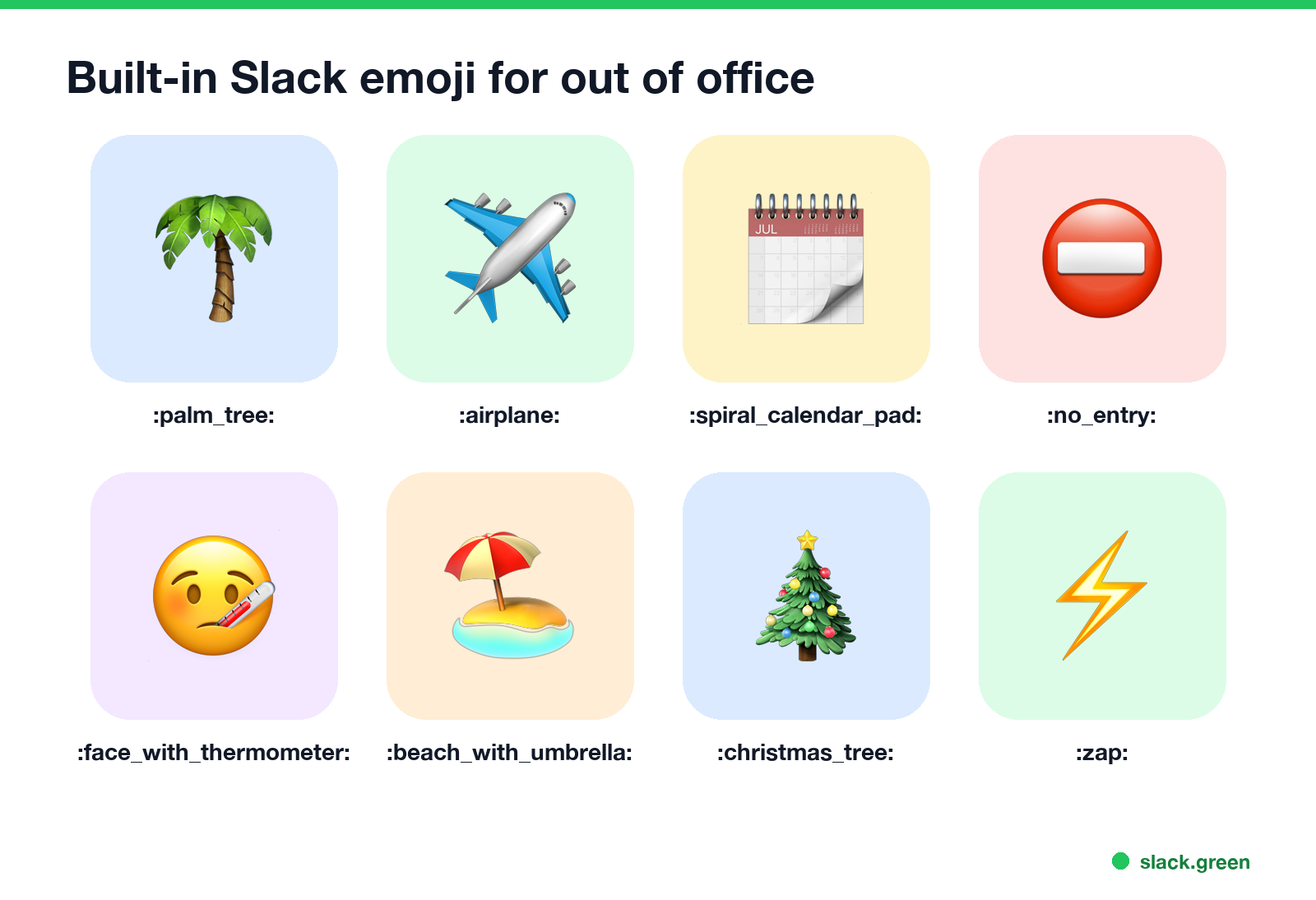
| Emoji | Code | Use for |
|---|---|---|
| 🌴 | :palm_tree: | Vacation, general OOO |
| 🏖️ | :beach_with_umbrella: | Beach holiday |
| ✈️ | :airplane: | Travelling, on a flight |
| 🗓️ | :spiral_calendar_pad: | Planned PTO, private reason |
| ⛔ | :no_entry: | Out of office (Slack Enterprise's default) |
| 🤒 | :face_with_thermometer: | Sick day |
| 🏠 | :house: | Personal day at home |
| 👶 | :baby: | Parental leave |
| 🎄 | :christmas_tree: | Winter holidays |
| ⚡ | :zap: | Power outage |
| 🔌 | :electric_plug: | Offline, no power or internet |
| 📵 | :no_mobile_phones: | Not reachable at all |
For the reason you are away, the emoji can say more than the text. 🗓️ keeps it private; 🌴 says holiday.
Statuses for OOO, PTO and days off
All fit Slack's 100-character status limit. Change the dates and names.
🌴 On PTO until Mon 6 Oct. Urgent: [name].
🌴 OOO this week, not checking Slack. Back [date].
✈️ Travelling today, online after landing (about 6 PM).
🗓️ Day off today. Back tomorrow.
🗓️ PTO next week (6-10 Oct). Send me anything you need by Friday.
🤒 Out sick today. [Name] is covering.
🎄 Office closed for the holidays. Back 2 Jan.
⚡ Power outage at home, working from my phone. Slow replies.
🔌 Internet down, back online as soon as it is fixed.
The "upcoming PTO" one works best a week before you go, with the status set to clear when the time off starts. Then schedule the real OOO status for the days you are away.
Custom emoji for time off
Never appear "away" on Slack again
Cloud-based. No downloads. Works 24/7 even when your laptop is off.
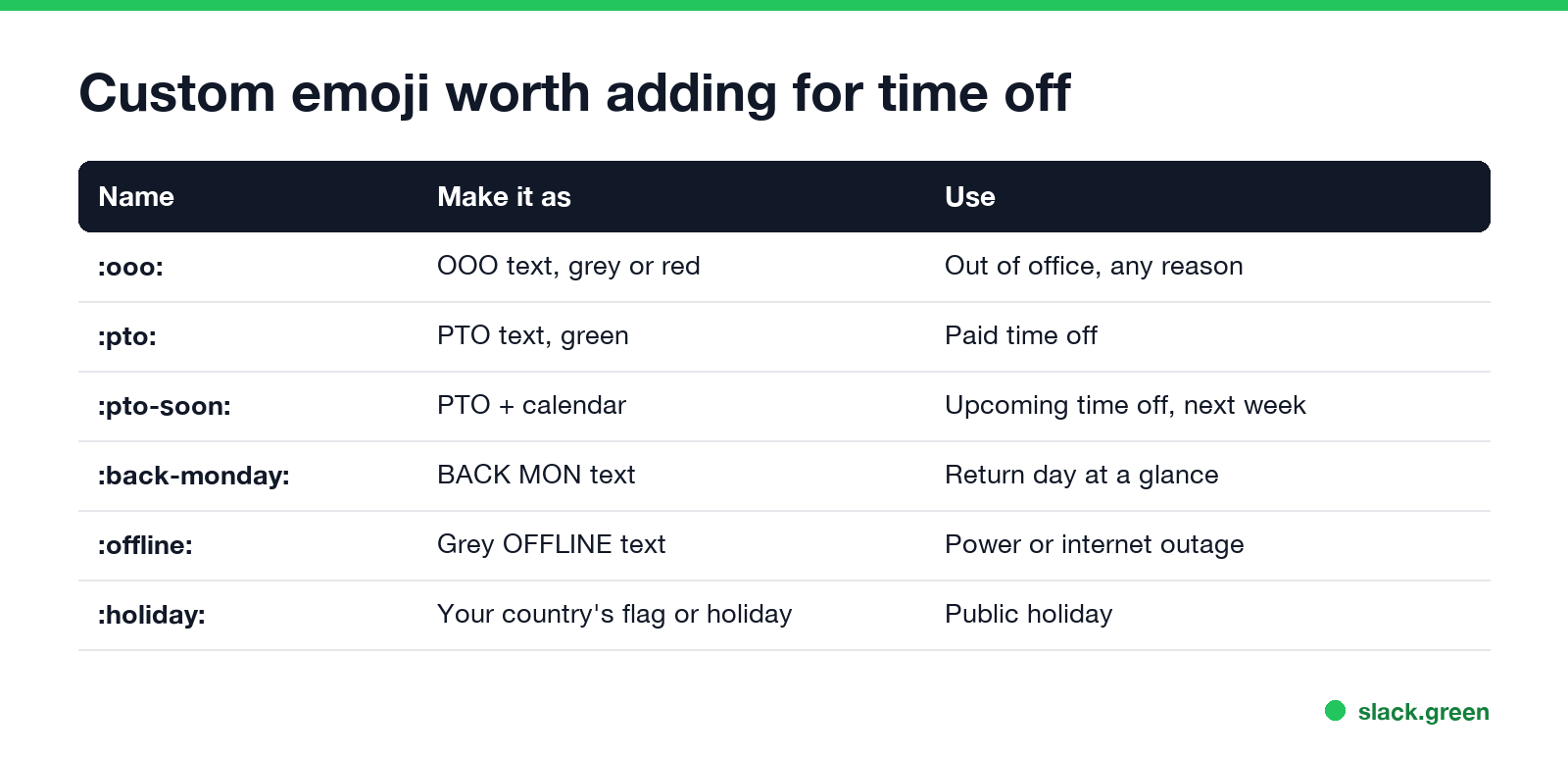
Text emoji read faster than pictures at status size. The ones teams add most often:
| Name | Make it as | Use |
|---|---|---|
:ooo: | OOO text | Out of office, any reason |
:pto: | PTO text | Paid time off |
:pto-soon: | PTO with a small calendar | Upcoming time off |
:back-monday: | BACK MON text | Return day at a glance |
:offline: | OFFLINE text | Power or internet outage |
Make them in the Slack emoji maker with Text to emoji, then upload them; steps are in how to add custom emoji to Slack. Many of these already exist in public packs; see Slack emoji packs.
Set an OOO emoji that clears itself
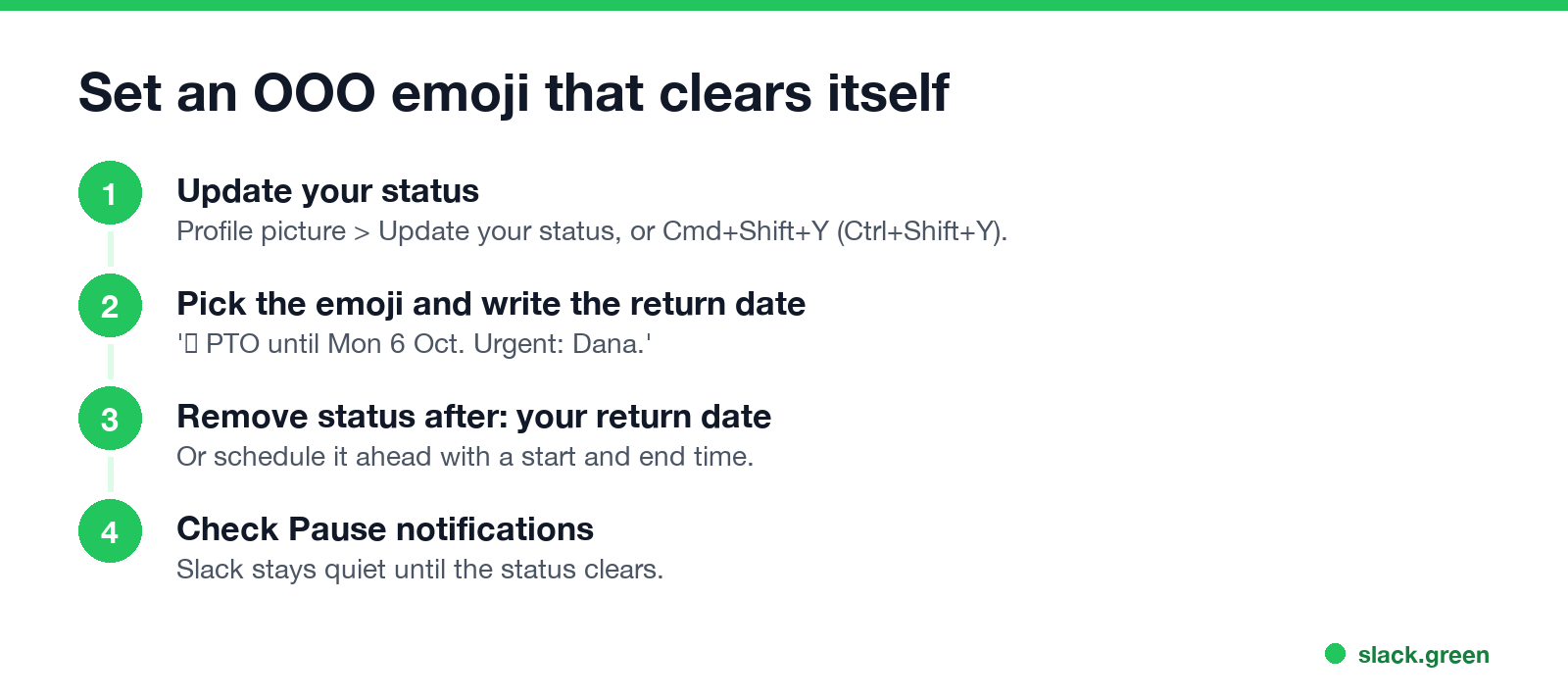
- Click your profile picture, then Update your status, or press Cmd+Shift+Y (Ctrl+Shift+Y on Windows).
- Pick the emoji and type the status with your return date.
- Under Remove status after, choose your return date. To set it ahead of time, choose Choose a start and end time in the duration menu; the steps are in how to schedule a Slack status.
- Check Pause notifications if you do not want alerts while away.
- Click Save.
On Enterprise plans you can use Slack's out of office feature, which also sends automatic replies; on other plans the status is what people see. Both are in Slack out of office message. For sick days, see Slack status for sick days.
The emoji does not change your dot
An OOO status tells people you are away, but your presence dot still follows activity: green while Slack is in use, away after 10 minutes without input in the Slack window. On your working days, Slack Green keeps the dot green during the hours you set.
FAQ
Never appear "away" on Slack again
Cloud-based. No downloads. Works 24/7 even when your laptop is off.
What is the Slack emoji for OOO?
🌴 :palm_tree: for vacation, or ⛔ :no_entry:, which Slack Enterprise's Out of office status uses.
What emoji should I use for PTO in Slack?
🌴 for a holiday, 🗓️ :spiral_calendar_pad: to keep the reason private.
What is a good Slack emoji for upcoming PTO? 🗓️ with the dates, such as "PTO next week (6-10 Oct)".
What Slack emoji means power outage?
⚡ :zap: or 🔌 :electric_plug:, with a line saying replies will be slow.
Can I make an OOO emoji in Slack?
Yes. Make a text emoji such as :ooo: and upload it as a custom emoji.
Stop Jiggling Your Mouse.
Join hundreds of remote workers who never worry about their Slack status. Set it up once, stay green forever.
Related Articles
Slack Emoji for Approved, Perfect and Sounds Good
The Slack emoji for approved is ✅ :white_check_mark:. For perfect, use 💯 :100: or 🤌 :pinched_fingers:; for sounds good or sure, 👍 :+1: or 👌 :ok_hand:. Every code checked in Slack, what each one means to readers, custom LGTM and SGTM emoji, and a pinned legend for approval channels.
Slack Webhook curl Example, Plus Python and Node.js
Send a Slack message with one curl command: POST a JSON body with a text field to your incoming webhook URL, and Slack answers ok. Tested examples for curl, jq, Block Kit, Python with retries and Node.js, how to escape quotes and new lines, and what 400 invalid_payload and 429 mean in code.
Slack Markdown File Preview: How to Read .md Files in Slack
Slack shows an uploaded .md file as raw text, with the # and ** characters visible. To read it formatted, paste the rendered text into a canvas, create the canvas from markdown with the API, or send it in a markdown block. HTML files and Mermaid diagrams do not render either; the workarounds are below.