
Slack Outlook Calendar Integration: Setup, Status Sync and Fixes
The Outlook Calendar app for Slack connects a Microsoft 365 calendar to Slack: event reminders, join buttons, invitations you can answer in Slack, and Status Sync, which sets In a meeting, Working remotely or Out of Office from your calendar. How to set it up, why the status sometimes does not update, and what to do on on-premise Exchange.
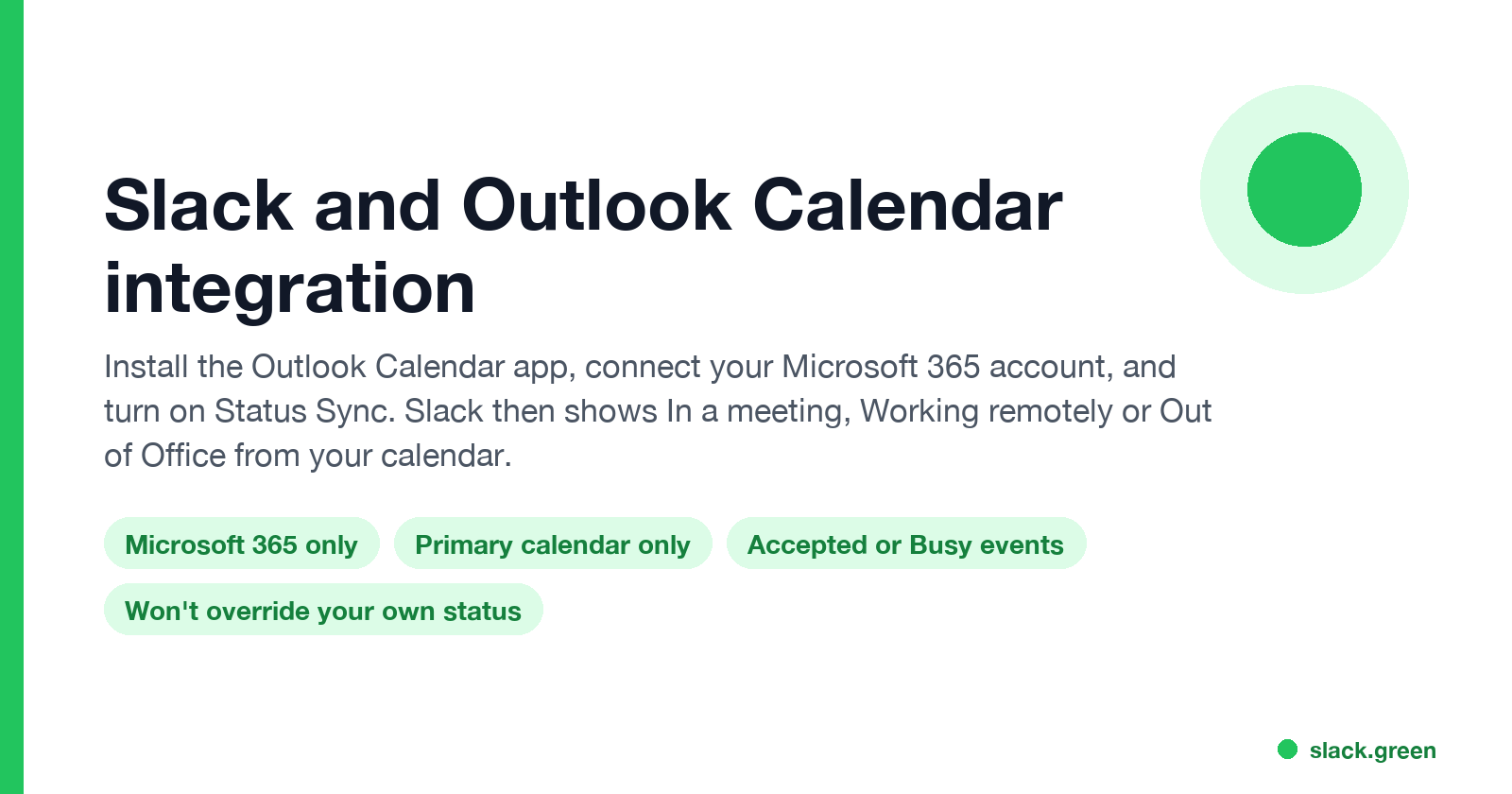
To connect Outlook Calendar to Slack, install the Outlook Calendar app from the Slack Marketplace, open it in Slack, click Connect an account, and sign in with your Microsoft 365 account. Then open the app's Home tab, go to Settings, and turn on Status Sync. From then on Slack sets your status to In a meeting, Working remotely or Out of Office from your calendar, and sends reminders with a join button for Teams, Zoom or huddle links. Slack's help article says the app works only with Office 365; on-premise Exchange is not supported.
Status Sync changes the text and emoji next to your name. It does not change your green or grey dot, which follows Slack's own rule: away after 10 minutes without input in the Slack window. A meeting in Teams or Zoom is time without input, so your dot usually goes grey during the call. Slack Green keeps the dot active during the hours you set, from the cloud, and your calendar status keeps working next to it.
How to connect Outlook Calendar to Slack
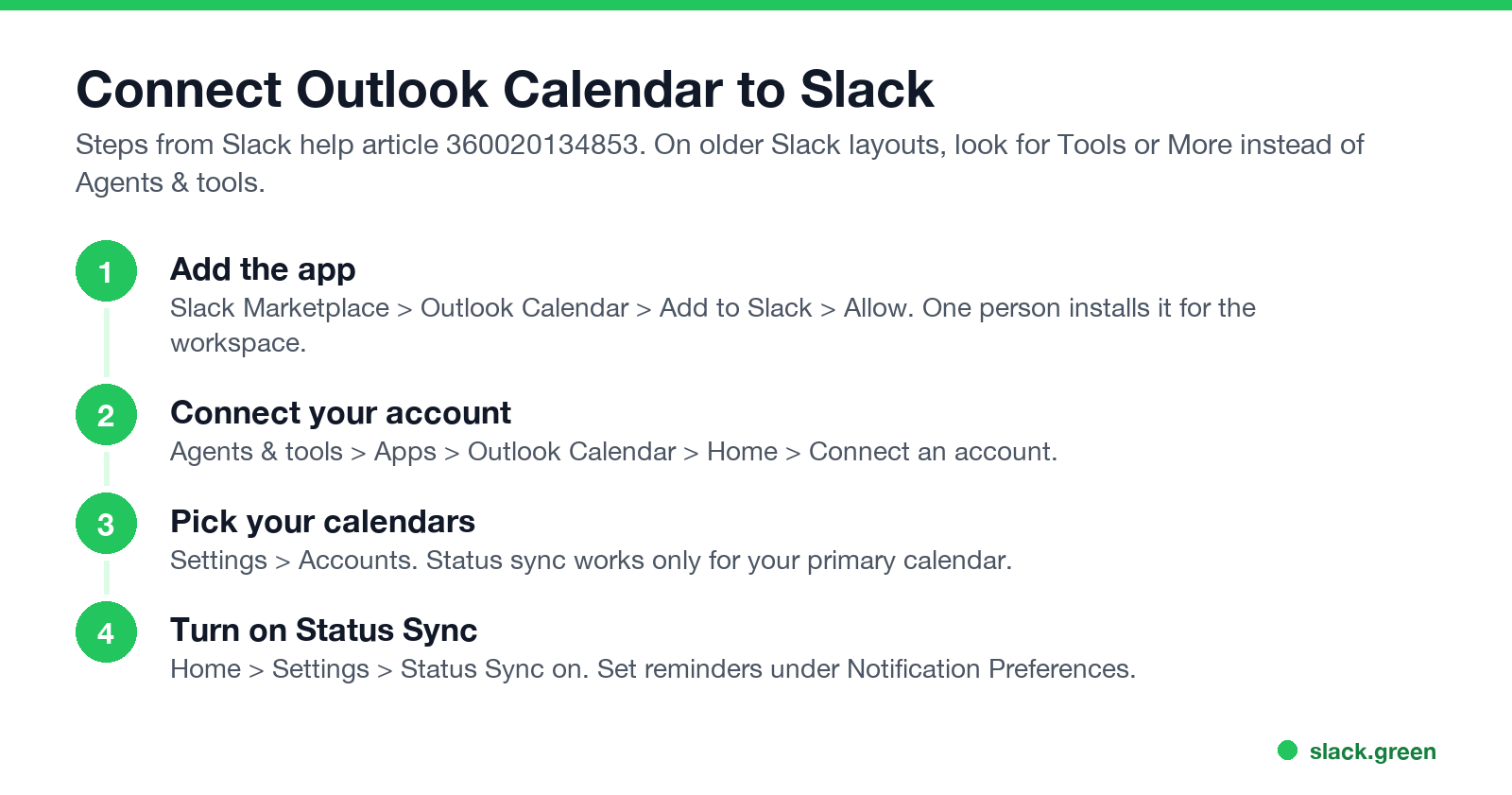
One person installs the app for the workspace. If your workspace requires app approval, an admin approves it first.
- Open the Outlook Calendar page in the Slack Marketplace and click Add to Slack, then Allow.
- In Slack, click Agents & tools in the sidebar (on older layouts, Tools or More), select Apps, and open Outlook Calendar.
- On the app's Home tab, click Connect an account and sign in with your work Microsoft account.
- Click Connect Calendar, or Settings if you connected one before, and pick calendars under Accounts. You can add several, but status sync works only for your primary calendar.
- In Settings, turn on Status Sync. Under Notification Preferences, choose which reminders you get and how early.
- • Status Sync. Slack sets In a meeting, Working remotely or Out of Office from your calendar. The status does not include the meeting name.
- • Reminders with a join button. Events with a Teams, Zoom or huddle link get a button to join once the meeting starts. In Preferences, Notifications, Calendar notifications, choose whether these show in the sidebar or as system notifications.
- • Invitations and changes. Accept or decline invites, and see updates and cancellations, from the app's Messages tab.
- • Your schedule. The Home tab shows Today, Tomorrow, or any date. On paid plans you can get a daily schedule message at a time you choose.
- • Create events. Click Create event on the Home tab, pick people and a free time slot, and share the invite in a channel or DM.
- • Channel notifications. Add the app to a channel to post a shared calendar's events there.
After you connect, turn off Outlook's own desktop and email reminders if you do not want each alert twice.
What the integration does
Slack status not updating from Outlook: causes and fixes
Never appear "away" on Slack again
Cloud-based. No downloads. Works 24/7 even when your laptop is off.
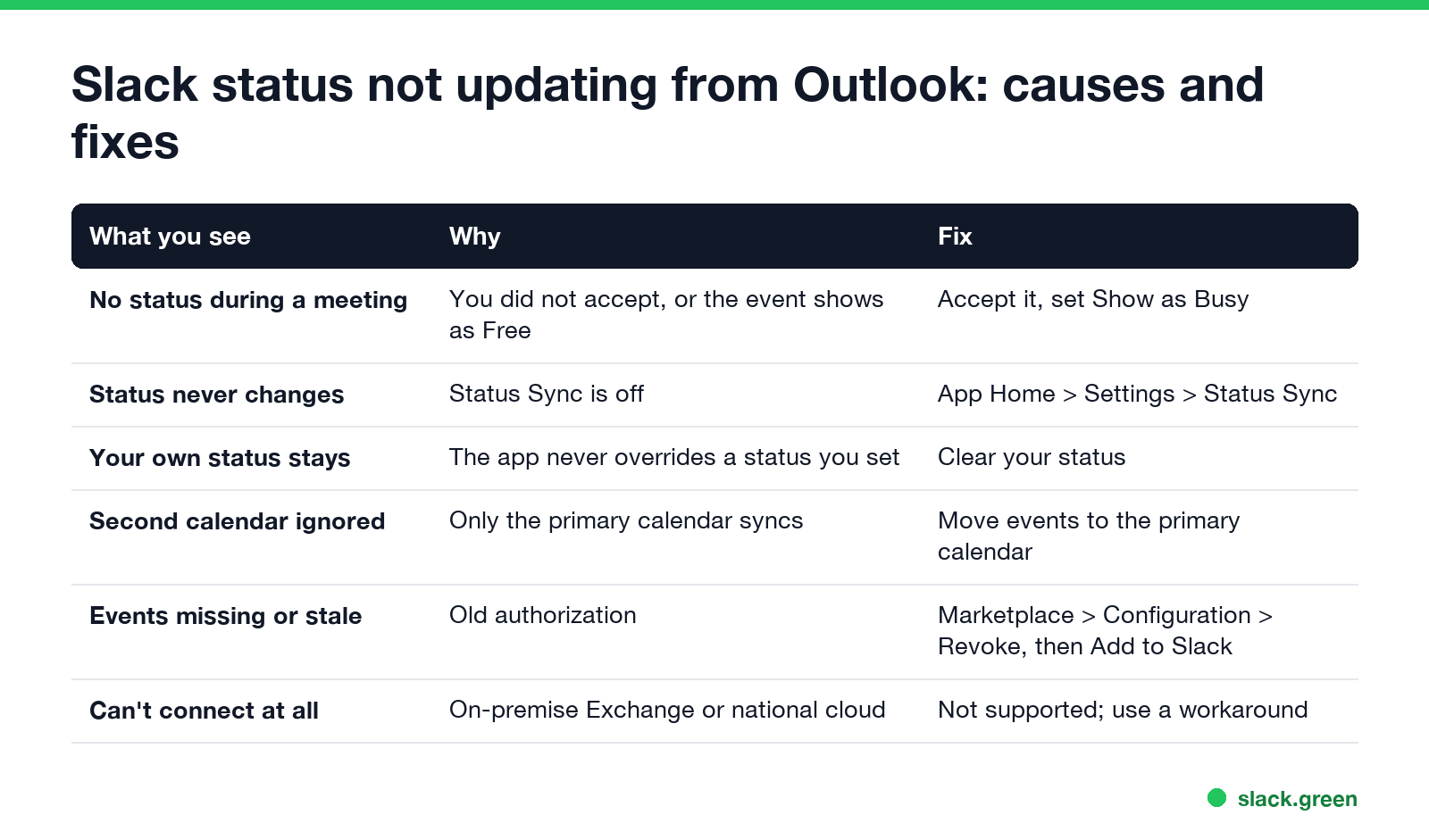
Slack's help page lists the rules that explain almost every "Slack is not showing my Outlook meeting" report:
| What you see | Why | Fix |
|---|---|---|
| No status during a meeting | Only events you accepted, or that mark you Busy, trigger a status | Accept the invite, or set the event to Show as Busy |
| Status never changes | Status Sync is off | App Home, Settings, turn Status Sync on |
| Your own status stays | The app "won't override any status you've set yourself" | Clear your status before the meeting |
| Events on a second calendar ignored | Only the primary calendar syncs | Put meetings on your primary calendar |
| Events missing or out of date | The authorization went stale | Marketplace, Configuration tab, Revoke, then Add to Slack again |
| Two events at once | Slack uses the longer one, or the one that starts earlier | Nothing to fix |
| Cannot connect | On-premise Exchange, or a Microsoft national cloud such as US Government | Not supported; see the workaround below |
A common one is the leftover manual status. If you set "Lunch" and forgot to clear it, Status Sync leaves it alone all afternoon. Setting an expiry on manual statuses avoids this; see how to schedule a Slack status.
Slack for Outlook is a different app
People searching "Slack for Outlook not working" often mean the Slack for Outlook add-in, which sends an email from Outlook into a Slack channel or DM. It does not touch your calendar or status. Slack also gives each channel an email address on paid plans, so you can forward messages without the add-in. The calendar features all come from the Outlook Calendar app.
On-premise Exchange or no admin approval: set status yourself
If your calendar is on on-premise Exchange, or your admin will not approve the app, you can set the status from a script or a Power Automate flow through Slack's users.profile.set method. It needs a user token with the users.profile:write scope:
curl -X POST https://slack.com/api/users.profile.set \
  -H "Authorization: Bearer $SLACK_USER_TOKEN" \
  -H "Content-Type: application/json; charset=utf-8" \
  -d '{"profile":{"status_text":"In a meeting","status_emoji":":spiral_calendar_pad:","status_expiration":0}}'
Set status_expiration to a Unix timestamp to have Slack clear the status at the end of the meeting. The Google Calendar version of this integration, and other ways to automate your status, are in sync Slack status with Google Calendar.
Outlook status and Slack status are separate
Never appear "away" on Slack again
Cloud-based. No downloads. Works 24/7 even when your laptop is off.
Your Outlook and Teams presence (Available, Busy, Away) does not flow into Slack, and Slack's dot does not flow into Outlook. The calendar app copies meetings, not presence. If you want the Microsoft side green too, see how to keep your Outlook status green. If you run Teams and Slack side by side, keep Teams and Slack active covers both.
FAQ
Can Slack update my status from my Outlook calendar?
Yes. Install the Outlook Calendar app, connect your Microsoft 365 account, and turn on Status Sync in the app's Settings.
Why is Slack not showing that I am in a meeting?
The event is not accepted, shows you as Free, sits on a non-primary calendar, or you have a manual status set. The app does not override a status you set yourself.
Does the Outlook Calendar app work with on-premise Exchange?
No. Slack supports it for Office 365 only. On-premise Exchange and Microsoft national clouds are not supported.
Does Slack show the meeting name in my status?
No. It shows In a meeting, Working remotely or Out of Office, without the event title.
Does a calendar status keep my Slack dot green?
No. The status text and the green dot are separate. Your dot still goes away after 10 minutes without input in the Slack window.
Stop Jiggling Your Mouse.
Join hundreds of remote workers who never worry about their Slack status. Set it up once, stay green forever.
Related Articles
How to Keep Skype Status Active: Skype for Business Idle Timers
To keep your Skype for Business status active, open Options, Status, and raise both idle timers, Inactive and then Away, from 5 minutes to as much as 360 minutes each. Consumer Skype shut down on May 5, 2025 and Skype for Business Online in 2021, so for most people the real question is now Teams. What still works, status icons, Outlook, and status not updating.
Is It Legal for My Employer to Monitor Me? US, EU and UK Rules
In the US it is mostly legal for an employer to monitor company devices, accounts and premises, often without asking. The limits are state notice laws in New York, Connecticut and Delaware, consent rules for audio recording and biometrics, bans on cameras in restrooms, and your personal devices. The EU, UK and parts of Canada and Australia add notice and proportionality rules.
Can My Employer See My Personal Email on My Work Computer?
Your employer cannot sign in to your Gmail, and doing so without permission can break the Stored Communications Act. But on a work computer, screenshot and keystroke monitoring, browser history, HTTPS inspection and Outlook's local cache can all expose personal email. Work email is fully visible, deleted messages included. Case by case, with what to do.