
Slack Workspace Icon: Size, Crop and Transparency, Tested on a Real Workspace
We uploaded six workspace icons to a test Slack workspace: 100 px, 1024 px, a wide image, a transparent PNG and two oversize files. What Slack accepted, what it stored, and how to remove an icon.
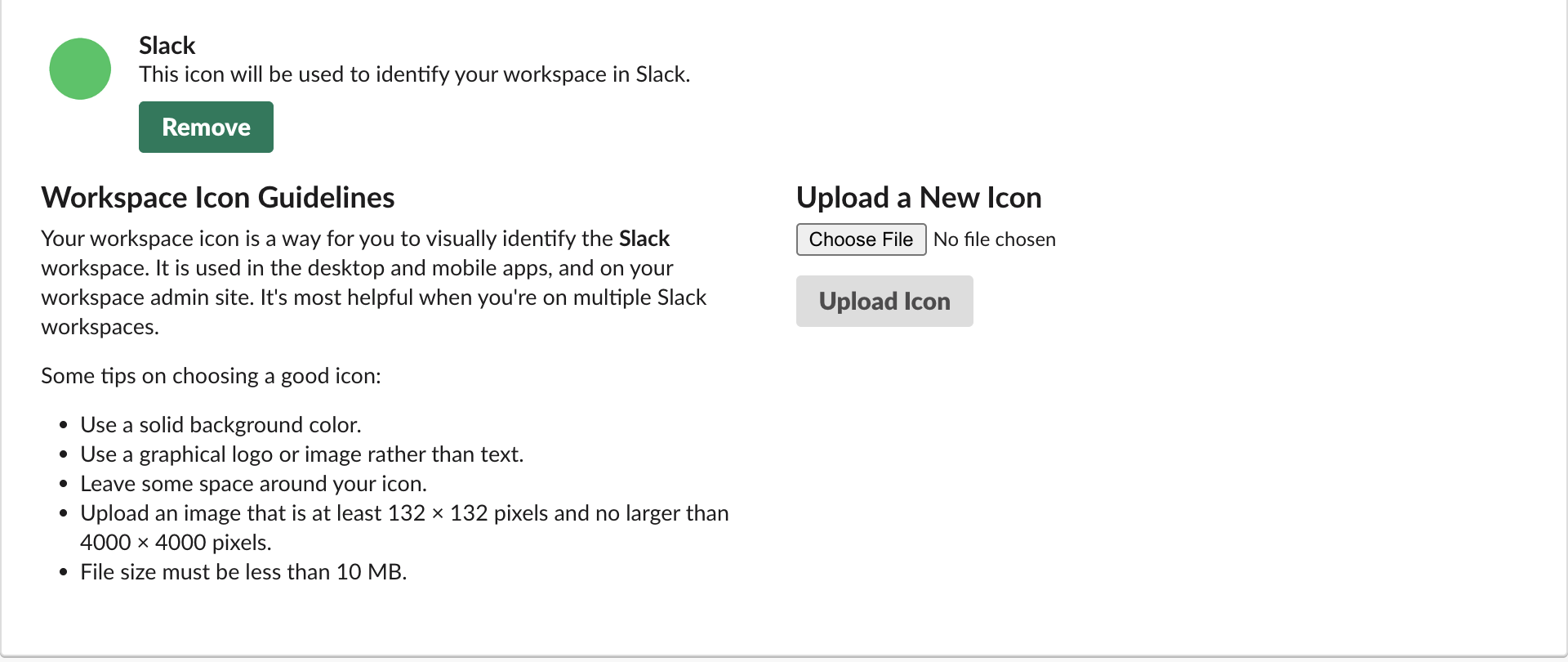
To change a Slack workspace icon, click Admin in the left rail, then Edit workspace > Workspace icon. Choose a square image, click Upload Icon, adjust the square crop box, and click Crop Icon. Slack's page asks for at least 132 x 132 pixels, no more than 4000 x 4000, and under 10 MB. On 7 October 2026 we uploaded test icons to our free-plan workspace and read back what Slack stored through the team.info API. A square image of 512 px or more is enough: Slack serves the icon at sizes from 34 to 230 px, and the largest size the apps get is 230 x 230.
What happened to each file we uploaded
| File we chose | Page check | Saved? | Stored original | Notes |
|---|---|---|---|---|
| 100 x 100 PNG | passed | yes | 100 x 100 | Below the 132 px guideline, accepted anyway; the 230 px copy is upscaled |
| 512 x 512 PNG | passed | crop step only | We cancelled at the crop box | |
| 1024 x 1024 PNG | passed | yes | 1021 x 1021 | The default crop box was a few pixels inside the edge |
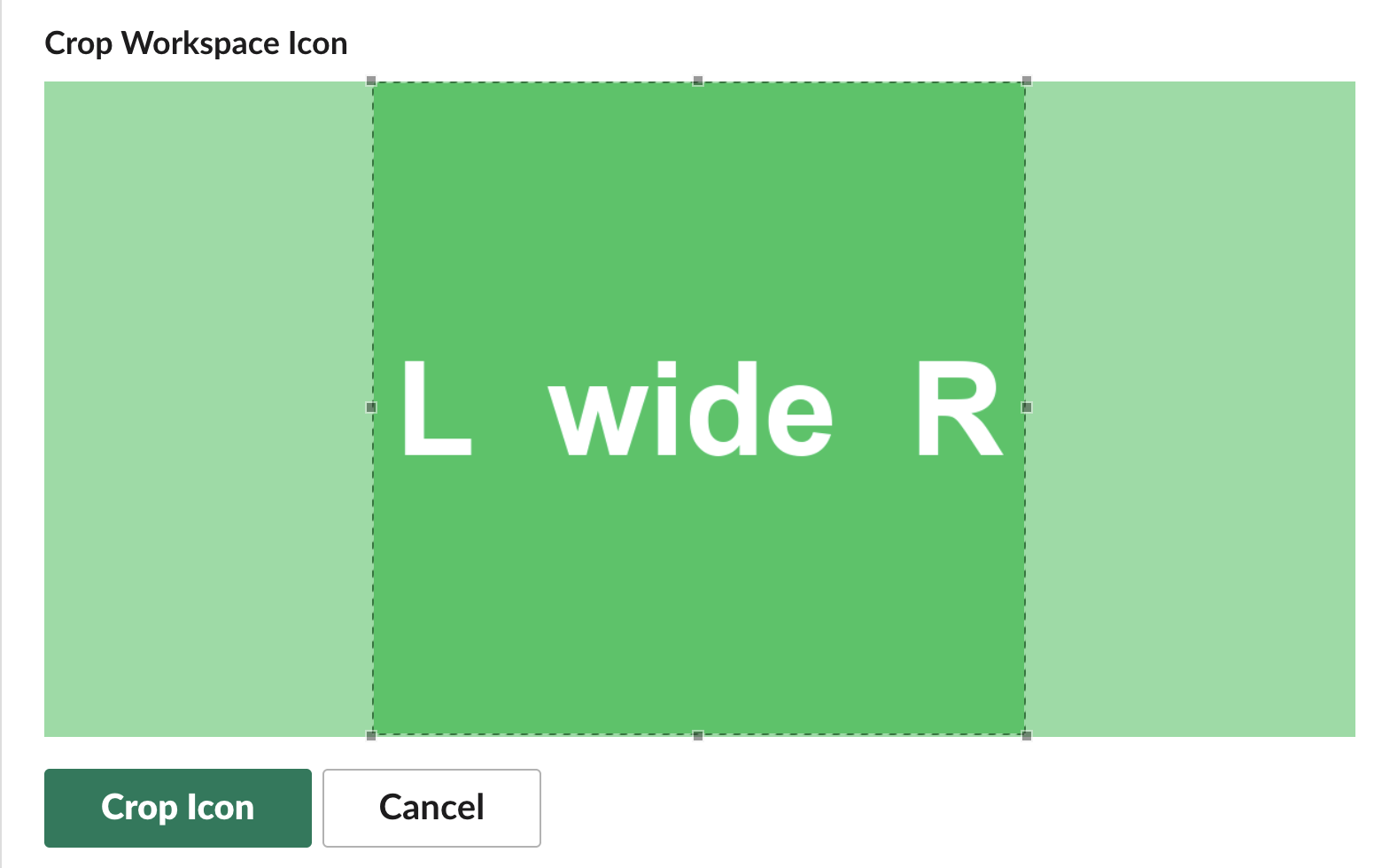
| 1200 x 600 PNG (wide) | passed | yes | 598 x 598 | Crop box: a square in the middle, full height |
| 512 x 512 transparent PNG | passed | yes | 511 x 511, no transparency | Transparent pixels became white |
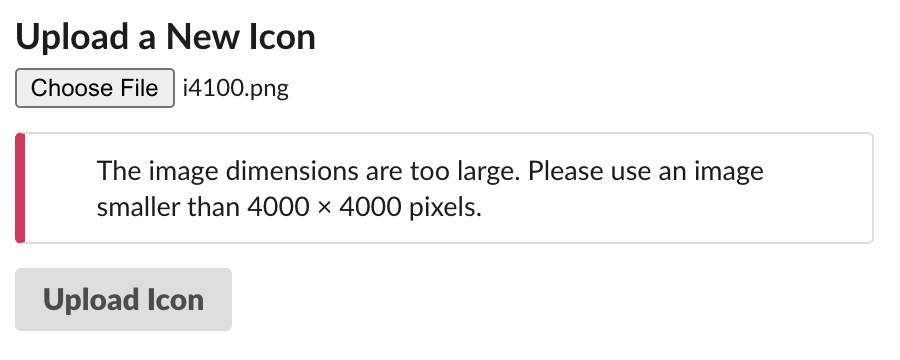
| 4000 x 4000 PNG | passed | not saved | Upload Icon stayed active | |
| 4100 x 4100 PNG | failed | no | "The image dimensions are too large. Please use an image smaller than 4000 × 4000 pixels." |
For every saved icon, team.info returned seven URLs: image_34, image_44, image_68, image_88, image_102, image_132 and image_230, each at exactly that pixel size. The same file name ending in _original.png held the cropped square at the size we cropped it. URLs ending in _512 or _1024 returned 403. So a 4000 px logo gains you nothing over a 512 px one in the Slack apps, and a 100 px image looks soft at the 230 px size.
We did not test the 10 MB limit. Our 10.8 MB test file was too large to pass through our browser automation, so that line rests on Slack's own page text.
Wide logos and transparent PNGs
The crop step only makes squares. For our 1200 x 600 image the box covered the middle 600 pixels, full height, and we could move it sideways but not make it wider. If your logo is wide, place it on a square canvas with space around it before uploading, or the crop will cut the ends off.
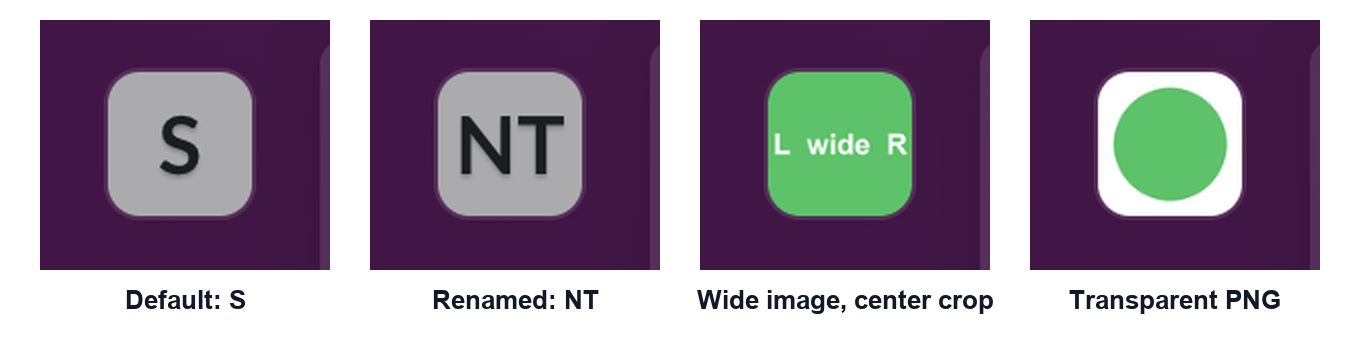
Transparency does not survive. Our green circle on a transparent background came back as a green circle on white in every stored size, so in the dark left rail it showed as a white tile (fourth tile in the first image). If you want the icon to blend with a dark sidebar, fill the background with your brand color yourself.
The rail also rounds the corners of the tile, so text that runs to the edge gets clipped, as the "L wide R" test shows. Slack's own guidelines on the upload page say the same thing in other words: use a solid background, a graphic rather than text, and leave some space around the icon.
Never appear "away" on Slack again
Cloud-based. No downloads. Works 24/7 even when your laptop is off.
How fast the new icon shows, and how to remove it
team.info returned the new icon URLs at our first check, about 13 seconds after we clicked Crop Icon. An open Slack web tab swapped the rail tile without a reload in both uploads we watched. If a new icon is not updating in your app, reload it (Cmd+R or Ctrl+R in the desktop app, F5 in a browser); we only watched Slack web, so we cannot say how long the desktop app waits on its own.
The workspace icon page has a Remove button under the current icon once a custom one is set. Clicking it showed "Your workspace icon has been reset." and team.info went back to the exact default it had before our tests (image_default: true, the same stock image URLs). The open tab was slower here: it showed an empty tile until we reloaded it, then the grey letter tile came back.
A workspace with no uploaded icon gets a grey tile with letters from the workspace name. When we renamed our workspace from "Slack" to "Northwind Test 1007", the tile changed from S to NT within seconds, while team.info kept reporting the same stock image. Our workspace rename test has the details.
FAQ
Can members change the workspace icon? The icon page sits under Admin, and our owner account could open it. We had no member-only account to test with.
Is the workspace icon the same as an app or bot icon?
No. The workspace icon marks the whole workspace in the rail and the workspace switcher. A bot's picture is set per app, or per message with icon_url and icon_emoji; our bot icon test covers that.
Stop Jiggling Your Mouse.
Join hundreds of remote workers who never worry about their Slack status. Set it up once, stay green forever.
Related Articles
Slack API in Postman: A 16-Request Collection We Ran With Newman, and the Errors It Catches
How to call the Slack Web API from Postman with a bearer token and variables, plus a 16-request collection we ran against a real workspace with newman: 16 requests, 17 assertions, 0 failures, and the five mistakes it checks.
Slack Spell Check Not Working: The Setting, and the Grammarly Conflict We Measured
Slack has one spell check switch, under Preferences > Language & region. In our test browser it was on, yet Slack web showed no red underlines: the Grammarly extension had set spellcheck to false on the message box. How to check yours.
Slack Block Kit Input Block: Modal Fields, state.values and Inline Errors, Tested
We opened a modal with seven input blocks in a test workspace and captured every payload: what Slack checks before your app sees anything, the exact view_submission state.values, response_action errors, dispatch_action, and input blocks in messages.