
Slack Bot Icon and Name Per Message: icon_emoji, icon_url and username, Tested
icon_emoji, icon_url and username only work with the chat:write.customize scope, and Slack ignores them silently without it. We tested every case on 2 October 2026, plus webhooks and the app icon upload limits.
To give one Slack bot message its own name and icon, pass username plus icon_emoji or icon_url to chat.postMessage. The bot token needs the chat:write.customize scope, and you have to reinstall the app after adding it. Without that scope Slack posts the message anyway and drops the overrides, with no error and no warning. To change the bot's icon everywhere, upload an app icon on the app's Basic Information page instead: it must be a square between 512 and 2000 pixels.
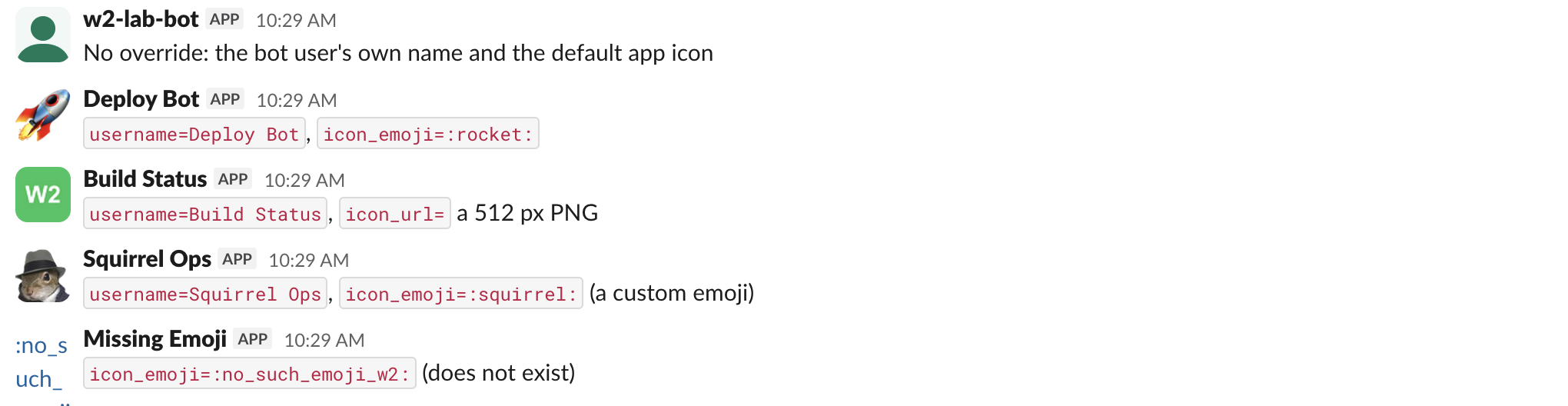
We tested each case on 2 October 2026 with a throwaway app in a test workspace, reading back every response. Here is what the overrides look like when they work:
Without chat:write.customize nothing changes
Our first install had chat:write but not chat:write.customize. We sent six messages: no override, username only, icon_emoji with a custom emoji, icon_emoji with a standard emoji, icon_url, and all three together.
curl -s https://slack.com/api/chat.postMessage \
  -H "Authorization: Bearer $SLACK_BOT_TOKEN" \
  -d channel=C0C6ZRH1Z8Q \
  -d text="no customize: all three" \
  -d username="Deploy Bot" \
  -d icon_emoji=":rocket:" \
  -d icon_url="https://example.com/icon.png"
All six returned "ok": true with no warning. The returned message has no username or icons field and still carries the bot user (trimmed):
{
  "user": "U0C65AARWAW",
  "type": "message",
  "bot_id": "B0C63G345V4",
  "app_id": "A0C5Z82NNGK",
  "text": "no customize: all three",
  "bot_profile": {
    "name": "w2-lab-1002",
    "icons": {"image_48": "https://a.slack-edge.com/80588/img/plugins/app/bot_48.png"}
  }
}
Adding the scope to the app settings (we did it with apps.manifest.update) was not enough. A message sent right after, before reinstalling, was still plain. After we reinstalled through OAuth, the overrides worked. The bot token string did not change on reinstall; only its scopes did, so you do not have to swap tokens in your config.
If icon_emoji is not working, check the x-oauth-scopes response header of any API call made with the token. Ours read ...,app_mentions:read,incoming-webhook before the reinstall and ...,incoming-webhook,chat:write.customize after it.
What each override did, with the scope
| What we sent | ok | What Slack stored and showed |
|---|---|---|
username=Deploy Bot | true | Name "Deploy Bot", default icon |
icon_emoji=:squirrel: (custom emoji) | true | The custom emoji as the avatar |
icon_emoji=:shipit: (an alias) | true | Stored as :shipit: |
icon_emoji=rocket (no colons) | true | Stored as rocket, worked the same |
icon_emoji=:no_such_emoji_w2: | true | No error. The avatar is the literal text of the name |
icon_url to a 512 px PNG | true | Slack copied it to its own storage: icons.image_48 on slack-files2/bot_icons/... |
icon_url to a URL that returns 404 | true | icons empty, default icon |
icon_emoji and icon_url together | true | The emoji won, the URL was dropped |
username of 81 characters | true | Cut to 50 characters, "warnings": ["username_too_long"] |
Two side effects to know about. With the scope, every message that uses an override becomes "subtype": "bot_message" with no user field, and when you set an icon but no username, the name becomes the app name (w2-lab-1002) instead of the bot user's display name (w2-lab-bot). Code that filters messages by user will miss them, so match on bot_id or app_id. The response for an icon_url post:
{
  "subtype": "bot_message",
  "text": "customize: icon_url",
  "username": "w2-lab-1002",
  "icons": {
    "image_48": "https://s3-us-west-2.amazonaws.com/slack-files2/bot_icons/2026-10-01/12194188672711_48.png"
  },
  "type": "message",
  "bot_id": "B0C63G345V4",
  "app_id": "A0C5Z82NNGK"
}
A custom emoji is the cheapest way to get a recognisable per-message icon. You can draw one in our Slack emoji maker; if it then shows as text, custom emoji not showing covers the upload side.
Never appear "away" on Slack again
Cloud-based. No downloads. Works 24/7 even when your laptop is off.
Incoming webhooks ignore all of it
We posted to the app's incoming webhook with username, icon_emoji, icon_url and channel, one at a time. Each request returned HTTP 200 ok, and each message came out with the app's own name and icon in the webhook's channel. The channel override was ignored too: the message went to the channel picked at install, not the one we named. We repeated it after adding chat:write.customize, with the old webhook URL and with the new one the reinstall created. Same result. To set a name or icon per message, post with chat.postMessage and a bot token instead; how to create a Slack webhook covers what the webhook itself can do.
Change the bot icon everywhere
Upload an app icon under Basic Information, Display Information. We tried four files:
| File | Result |
|---|---|
| 400 x 400 PNG | Refused |
| 600 x 300 PNG | Refused |
| 2100 x 2100 PNG | Refused |
| 512 x 512 PNG | Accepted and saved at once, no Save Changes needed |
Each refused file showed the same line in orange:
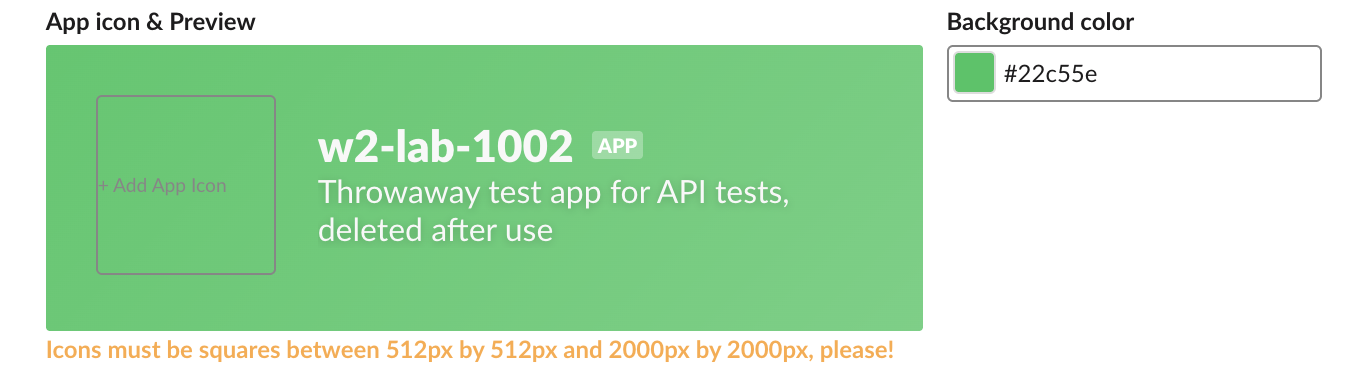
After the upload, bots.info returned the new icon in three sizes, image_36, image_48 and image_72, on avatars.slack-edge.com. The new icon also replaced the old one on messages the bot had already posted:
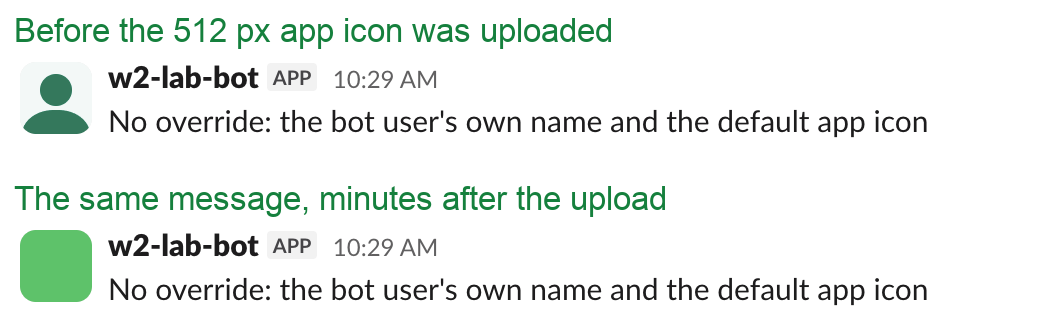
Messages sent with icon_emoji or icon_url kept their own icons. To find the bot's IDs for these calls, see Slack bot user ID.
FAQ
Can I set a bot icon with the app manifest?
No. We added an icon field to display_information and apps.manifest.validate refused it with invalid_manifest: "invalid additional property: icon". The manifest takes background_color, but the icon itself has to be uploaded on Basic Information.
Stop Jiggling Your Mouse.
Join hundreds of remote workers who never worry about their Slack status. Set it up once, stay green forever.
Related Articles
Slack API Pagination: next_cursor, the Last Page and invalid_cursor, Tested
Slack paginates list methods with a cursor: pass response_metadata.next_cursor back as cursor until it is empty. We paged 27 real messages on 2 October 2026 and broke the cursor five ways to see which ones fail.
Slack RTM API Deprecated: What rtm.connect Returns for a New App, and the Socket Mode Fix
A Slack app created today cannot use the RTM API. We called rtm.connect and rtm.start with every token a new app gets on 2 October 2026, tried to request the rtm:stream scope, and ran the same bot over Socket Mode.
Slack as_user: What It Does Now, Tested With Bot and User Tokens
We sent chat.postMessage with as_user=true, as_user=false and no as_user, with a bot token and a user token. as_user=true changed nothing, as_user=false was rejected, and only the user token posted under the person's name.