
Does Slack Compress Images? We Uploaded a PNG, JPEG, HEIC and MP4 to Check
We uploaded four files to Slack and downloaded them again. The PNG and MP4 came back byte for byte, the JPEG came back re-encoded without its EXIF, and the chat only ever shows a 1024 px preview.
Slack does not shrink the file you share, but it does change some of them. On 9 October 2026 we uploaded four files from Slack web on the Free plan and downloaded them again with the API. The 6000 x 4000 PNG and the 30-second 1080p MP4 came back byte for byte. The 12 MP JPEG came back at full size but re-encoded, 11% smaller, with its EXIF and GPS data removed. The HEIC kept its pixel size but lost its camera data. What you see in the channel is a different file again: a preview scaled to 1024 px wide.
What came back when we downloaded our uploads
We uploaded each file with Slack's file upload API, then downloaded it from url_private_download and compared it with the source:
| File | Uploaded | Downloaded | Same file? | What changed |
|---|---|---|---|---|
| PNG, 6000 x 4000 | 47,056,812 bytes | 47,056,812 bytes | Yes, same SHA-256 | Nothing |
| JPEG, 4000 x 3000, 12 MP, with EXIF and GPS | 6,166,837 bytes | 5,490,169 bytes | No | Re-encoded: same size in pixels, pixel values off by 3.2 on average (0 to 255 scale), EXIF and GPS gone |
| HEIC, 4000 x 3000 | 6,170,686 bytes | 6,170,125 bytes | No | Camera maker, model and date gone, 561 bytes smaller |
| MP4, 1920 x 1080, 30 s, 8 Mbit/s | 30,087,008 bytes | 30,087,008 bytes | Yes, same SHA-256 | Nothing |
The JPEG result is the one to know. Our source had five EXIF tags: camera make, model, date, orientation and a GPS position. The downloaded file had none. The quantization tables and chroma subsampling were the same as the source, so the quality setting did not drop, but the pixels were not identical, and the file was 676,668 bytes smaller. If you share a photo to keep it as an archive copy, the JPEG you get back from Slack is not the original file. If you share it to hide where it was taken, Slack removed the GPS in our test, but do not count on that for other file types.
For a JPEG you need byte for byte, put it in a zip file first. We zipped the same JPEG, uploaded the zip, and downloaded it: same SHA-256, and the JPEG inside matched our source exactly, EXIF and GPS included.
What the channel shows: a 1024 px preview
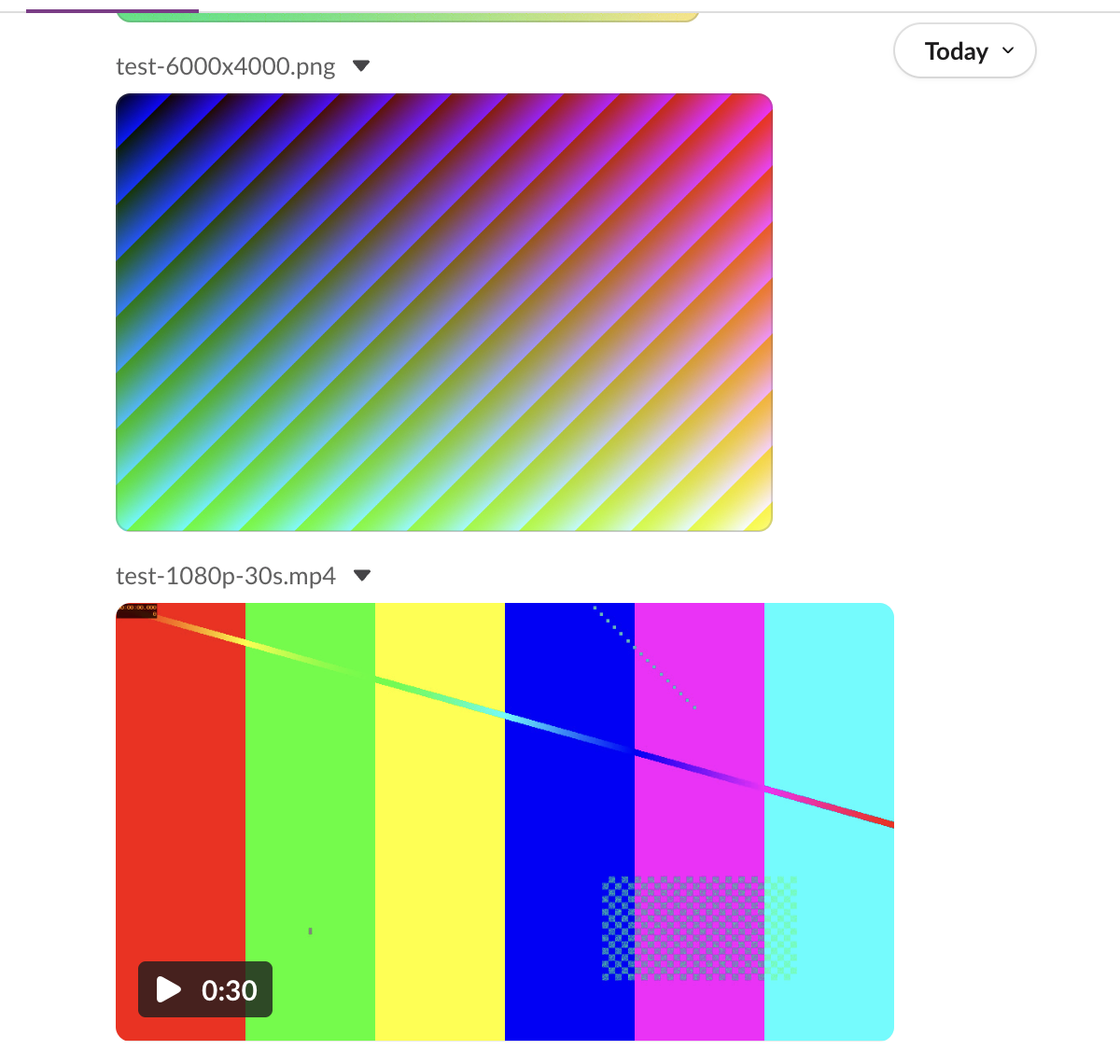
Slack made ten preview sizes for each image, from thumb_64 to thumb_1024. In the channel, Slack web loaded the 1024 px PNG preview (test-6000x4000_1024.png, 1024 x 683) and drew it 352 px wide. When we clicked the image, the viewer first loaded the 720 px preview, then the full 6000 x 4000 original.
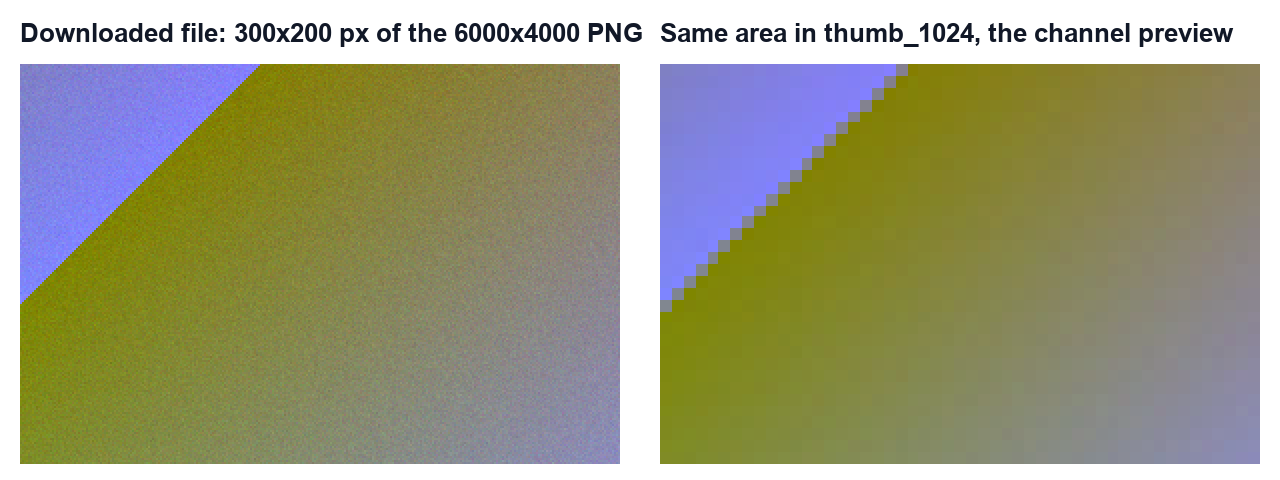
So a screenshot of the chat looks softer than the file. Zoom into the same spot of the two and the difference is clear:
The previews of our JPEG and HEIC were 1024 x 768. The JPEG's preview was a JPEG of 126,773 bytes. The HEIC's preview was a PNG of 1,658,855 bytes, so browsers that cannot draw HEIC still show a picture. None of the three 1024 px previews had EXIF data.
Never appear "away" on Slack again
Cloud-based. No downloads. Works 24/7 even when your laptop is off.
Videos: the file is kept, playback is a stream
Our MP4 downloaded unchanged. For playback, files.info listed an HLS stream (file.m3u8) for it, 1920 x 1080 at 29.97 frames per second, with a peak bitrate of 6,188,036 bit/s. Our source was 8 Mbit/s. So the stream is Slack's own encode at a lower bitrate and the full 1080p size, while the file people download is yours.
Slack also made a poster image, thumb_video, at 1920 x 1080, and read the duration as 30,030 ms. For size limits on uploads, see our Slack file size limit tests.
How to share an image at full quality
- Send PNG for screenshots and graphics. Our PNG came back identical.
- Zip JPEG photos when the exact file matters, such as for print or forensics.
- Tell people to open the file. The chat preview is 1024 px; clicking it loads the original.
- On the phone, check the upload settings. Older guides describe an image quality option in Slack's mobile app. We tested the web app only.
Bots that post pictures with an image block point to a URL instead of uploading a file; that page covers its limits.
Stop Jiggling Your Mouse.
Join hundreds of remote workers who never worry about their Slack status. Set it up once, stay green forever.
Related Articles
Can You Have a GIF Profile Picture on Slack? We Uploaded One
We set a 12-frame animated GIF as a Slack profile photo and downloaded every size Slack made. All of them were still images, frame 1 only.
How to Clear Slack Search History (Recent Searches)
Slack keeps your recent searches on its servers, so they follow you to every device. We found where to delete them, and the one way the delete button worked for us.
How to Move a Slack Message to Another Channel (Slack Can Only Copy It)
Slack has no Move option for messages. We forwarded a message, a thread and a file to a new channel, deleted the original, and checked what the copy kept.