
Can You Embed HTML or Video in a Slack Canvas? We Tested 8 Links
A Slack canvas cannot embed raw HTML or an iframe. Paste a link and choose Card instead: YouTube played inside the card and Spotify showed its player, while Vimeo and Google Sheets did not. Tested October 29, 2026.
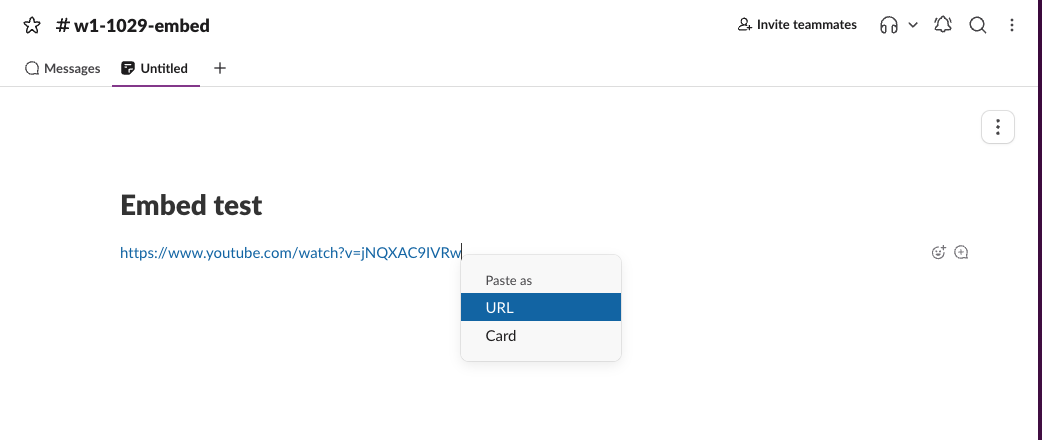
You cannot embed raw HTML or an iframe in a Slack canvas. When we pasted iframe code into a canvas on October 29, 2026, it stayed as plain text. What a canvas does embed is a link: paste the URL, choose Card in the small "Paste as" menu, and Slack builds a preview card. For YouTube that card played the video inside the canvas, and for Spotify it showed Spotify's own player. Other links gave a title card, an error or a grey placeholder, as the table below shows.
How to embed a link in a canvas
- Copy the link.
- Click on an empty line in the canvas and paste.
- In the Paste as menu that opens next to the link, pick Card. Pick URL to keep a plain link.
What each kind of link turned into
We pasted eight things into one channel canvas in a Free workspace, in Slack for web, and chose Card each time the menu offered it:
| What we pasted | Paste as menu | Result in the canvas |
|---|---|---|
| YouTube video link | URL or Card | Card with title, channel and thumbnail; the play button loaded YouTube's player in the card |
| Spotify track link | URL or Card | Card with Spotify's embedded player |
| Web page (one of our tool pages) | URL or Card | Card with page title, description and image |
| GitHub repository | URL or Card | Card with the repo title and description |
| Vimeo video link | URL or Card | "Unable to create preview." |
| Google Sheets link | URL or Card | Grey placeholder card, and a note "Only visible to you" asking to install the Google Drive app |
| iframe code as plain text | No menu | The code as text; only the src URL became a link |
| iframe code as HTML (from a web page) | No menu | Nothing added |
So "embed" in a canvas means a link card. A card is a preview of the page, not the live page: a dashboard card will not refresh its numbers, and you cannot click around inside a web page from the canvas.
YouTube plays inside the card
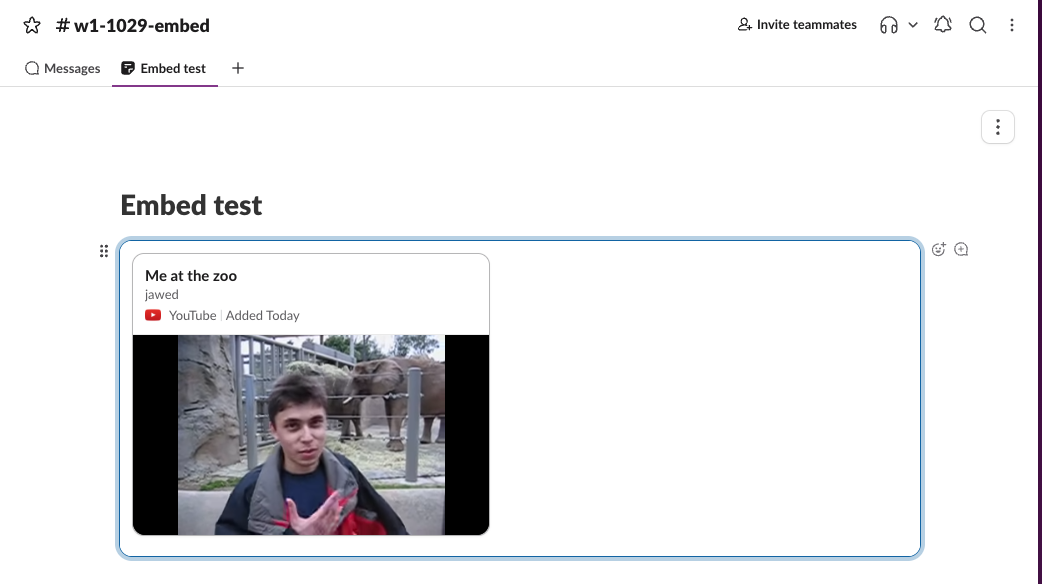
The card first showed a thumbnail with two buttons: play and open in a new tab. Play swapped the thumbnail for YouTube's embedded player inside the card, and the card stayed after we reloaded the canvas. That is the closest thing to a video embed a canvas has.
Vimeo, Google Sheets and GitHub
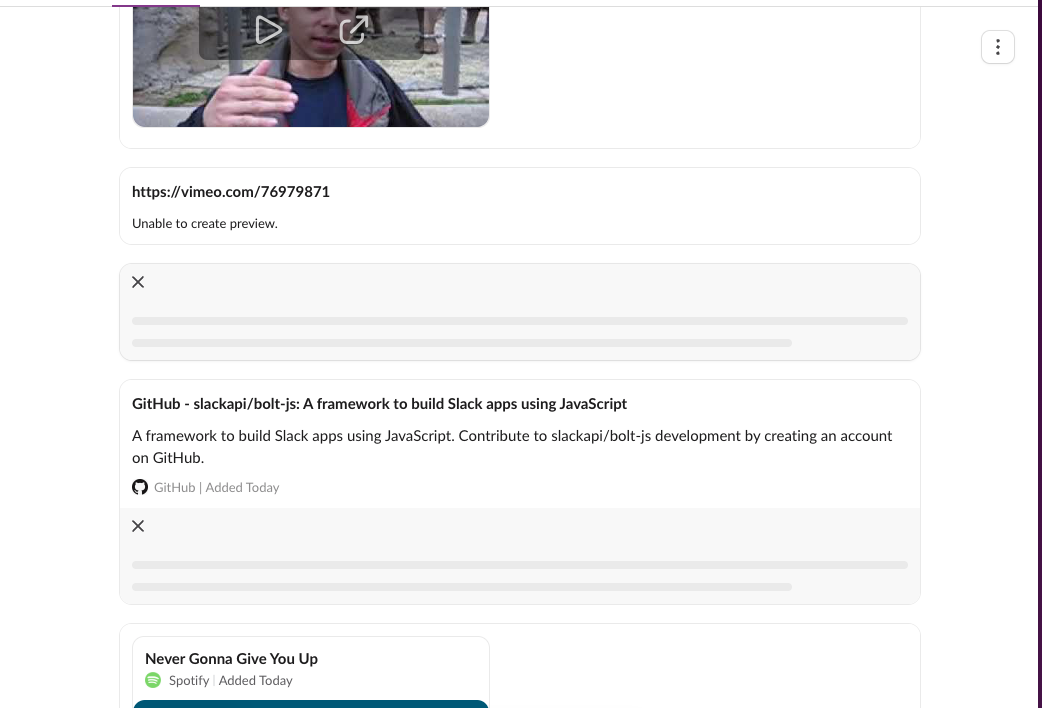
The Vimeo link was a public video, and the card still said "Unable to create preview." The Google Sheets link was a public sample sheet; the card stayed grey because our workspace has no Google Drive app, which is what the "Only visible to you" note offered to install. If your workspace has the Google Drive app, expect a file preview instead; we did not install it to check.
Spotify, a web page and iframe code
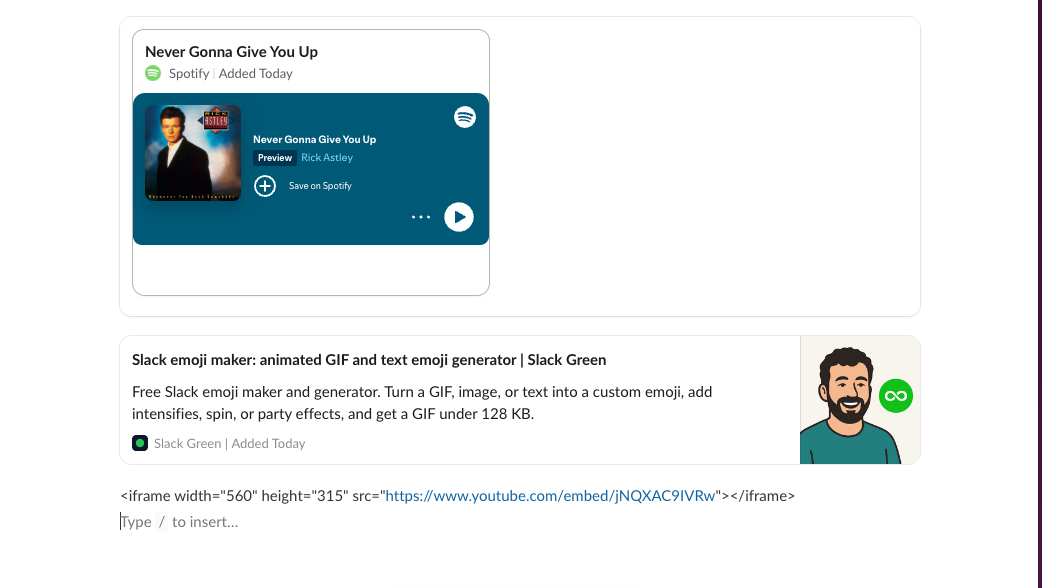
The Spotify card held Spotify's player with a play button; we did not press play. The web page card is the same preview a message shows under a link, built from the page's title, description and image tags (see Slack link previews for how a bot controls them in messages). The iframe line at the bottom is exactly what we pasted. Slack did not run it.
Never appear "away" on Slack again
Cloud-based. No downloads. Works 24/7 even when your laptop is off.
What the insert menu offers instead
Typing / on an empty canvas line opens the insert menu. In our workspace it listed:
There is no Embed, HTML or Web page item. For a video that is not on YouTube, upload the file with File or record a clip with Record video clip. For a chart, paste a screenshot with Image and put the live link under it. The other blocks are in Slack canvas formatting, and finished layouts that use them are in Slack canvas examples.
FAQ
Can I embed a Jira or Looker dashboard in a Slack canvas?
Not as a live view. Paste the dashboard link and choose Card; you get a preview card at best. A service that needs its own Slack app may show only a grey placeholder, as Google Sheets did in our test.
Do canvas embeds work on the mobile app?
Our canvas vs lists comparison found that the mobile app edits canvas text but cannot add embeds. Add the cards from a computer.
Can a Slack app add HTML to a canvas through the API?
No HTML. The canvas API takes Markdown, as our Slack canvas API guide shows, and a bot reads a canvas back as HTML.
Stop Jiggling Your Mouse.
Join hundreds of remote workers who never worry about their Slack status. Set it up once, stay green forever.
Related Articles
Slack General Channel: What You Can and Cannot Change (Tested)
Slack's general channel (#all-<workspace> in new workspaces) can be renamed and limited to admins, but not archived, deleted, left or made private. We tried each as the workspace owner on October 29, 2026.
Slack Canvas Examples: 3 Canvases to Copy, Plus Slack's 18 Templates
Three Slack canvas examples you can paste in as Markdown (weekly update, meeting notes, onboarding checklist), the 18 templates Slack offers on the Free plan, and what broke when we pasted each one on October 29, 2026.
Slack Canvas Shortcuts: Keyboard Keys, the / Menu and Dates
Slack canvases have their own keyboard shortcuts: Cmd + Option + 1 to 3 for headings, Cmd + Shift + 7, 8 and 9 for lists and checklists, and / for an insert menu that adds dates and reminders. We pressed every formatting shortcut in a real canvas on October 28, 2026.