
Discord Status Copy and Paste: 40 Aesthetic, Funny and Gaming Lines
40 Discord statuses you can copy and paste: aesthetic lines with stars and moons, funny ones, gaming ones, kaomoji and fill-in templates. Every line is under Discord's 128-character limit, and a short script checks your own before you paste it.
To use one of these Discord statuses, copy the line, click your profile icon in Discord (lower left on desktop, lower right on mobile), choose Add Status or Edit Status, paste it and pick an emoji. A custom status can be up to 128 characters, and it clears after one day unless you change Clear After. Below are 40 lines in five styles. We ran every one through the checker script at the end of this page: all 40 are under the limit and use no fancy-font letters.
We build Slack Green, which keeps a Slack status green from our servers during the hours you set. Discord and Slack statuses work the same way, so if you also need work statuses, our free status generator writes them by situation and tone.
Aesthetic Discord statuses to copy
⋆。˚ ☁︎ ˚。⋆ just vibing ⋆。˚ ☾ ˚。⋆
♡ soft hours only ♡
✧・゚: *✧・゚:* do not perceive me *:・゚✧*:・゚✧
˗ˏˋ ☕ ˎˊ˗ coffee first, questions later
🌙 ˚₊‧ night owl mode ‧₊˚ 🌙
₊˚⊹♡ in my own little world ♡⊹˚₊
🍓 ‧₊˚ sweet dreams, slow replies
☾ ⋆*・゚:⋆*・゚: lost in thought
The small symbols (⋆ ˚ 。 ☾ ♡ ✧ ₊) are ordinary Unicode characters, so they show on Windows, macOS, iPhone and Android. Put the words in the middle so they survive when a member list cuts the status short.
Funny Discord statuses to copy
🐢 replying at my own pace
🥔 currently a potato
🔋 social battery: 3%
🫠 melting, please hold
📵 touching grass, back soon
🍕 will trade replies for pizza
🧠 404: brain not found
😴 professional napper, amateur human
Gaming Discord statuses to copy
Never appear "away" on Slack again
Cloud-based. No downloads. Works 24/7 even when your laptop is off.
🎮 grinding, do not disturb
🏆 one more game (it is never one more)
⚔️ in a raid, back in 40
🎧 queueing ranked, wish me luck
👾 afk, the boss won
🕹️ carrying the team (allegedly)
💀 hardstuck and happy
🛡️ duo? dm me
Kaomoji Discord statuses to copy
(。•́︿•̀。) not today
(づ。◕‿‿◕。)づ free hugs
( ˘▽˘)っ♨ tea time
(ง •̀_•́)ง locked in
(╯°□°)╯︵ ┻━┻ patch notes dropped
┬─┬ノ( º _ ºノ) calm again
(っ˘ω˘ς ) sleepy
ʕ •ᴥ•ʔ just a lil guy
Kaomoji are faces built from characters, such as (╯°□°)╯︵ ┻━┻ for a table flip. They take more characters than an emoji, so keep the words after them short.
Discord status templates to fill in
🎧 now playing: [song] by [artist]
📍 [city] ⋅ [time zone] ⋅ [pronouns]
💬 dms open for [topic]
🔨 building [project], day [n]
📚 studying [subject] until [time]
🎂 [age] today!
🌍 [language] / [language]
✨ [your motto here]
Replace the text in brackets. For a music status, write the song and the artist, not the lyrics: a full verse runs past 128 characters and is someone else's text. If you want Discord to show what you are listening to by itself, connect Spotify under User Settings, Connections.
Discord status ideas by style
Never appear "away" on Slack again
Cloud-based. No downloads. Works 24/7 even when your laptop is off.
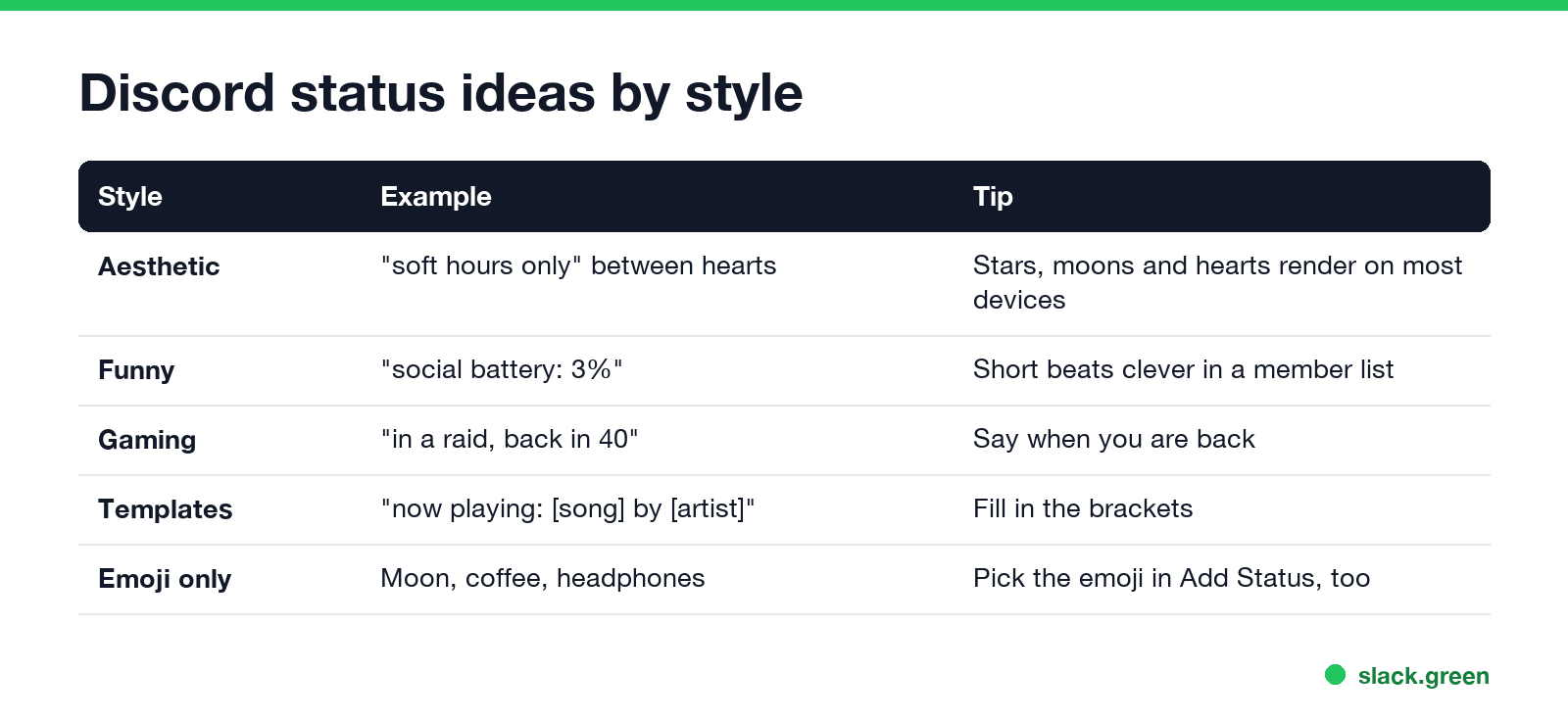
| Style | Example | When it fits |
|---|---|---|
| Aesthetic | ♡ soft hours only ♡ | A calm, decorated profile |
| Funny | 🔋 social battery: 3% | Friends' servers |
| Gaming | ⚔️ in a raid, back in 40 | When people want to know if you can join |
| Kaomoji | (ง •̀_•́)ง locked in | Short mood updates |
| Templates | 📍 [city] ⋅ [time zone] ⋅ [pronouns] | A status that stays for weeks |
| Emoji only | 🌙 | When the emoji says it all |
How to paste a status into Discord
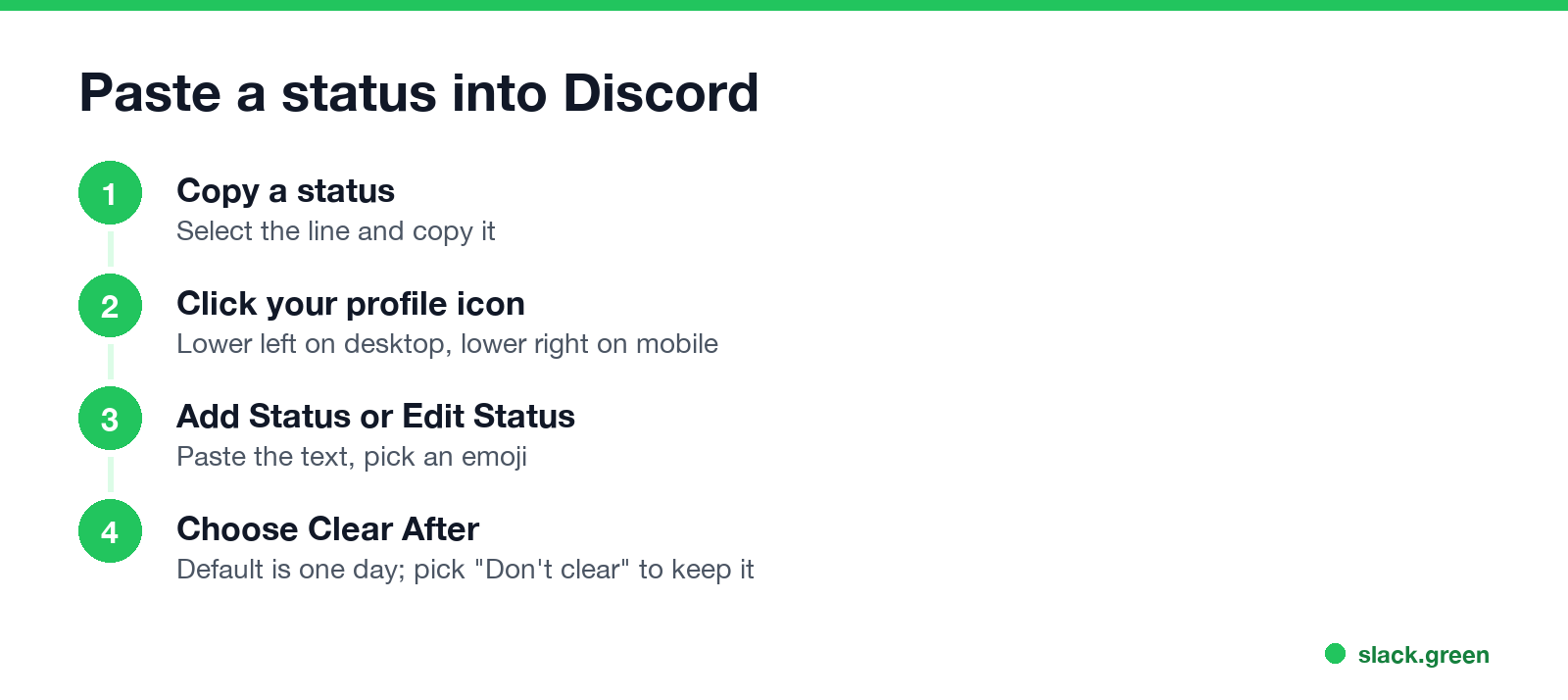
- Copy a line from this page.
- Click your profile icon in the lower left corner on desktop, or tap it in the lower right on mobile.
- Choose Add Status, or Edit Status if you already have one.
- Paste the text and pick an emoji for the front.
- Under Clear After, keep the one-day default or pick Don't clear, then Save.
Full steps, including why a status sometimes does not show to others, are in how to set a custom status on Discord. Your custom status is separate from the colored dot: Discord status icons meaning explains the dots, and what does idle mean on Discord explains the yellow moon.
What copies well and what breaks
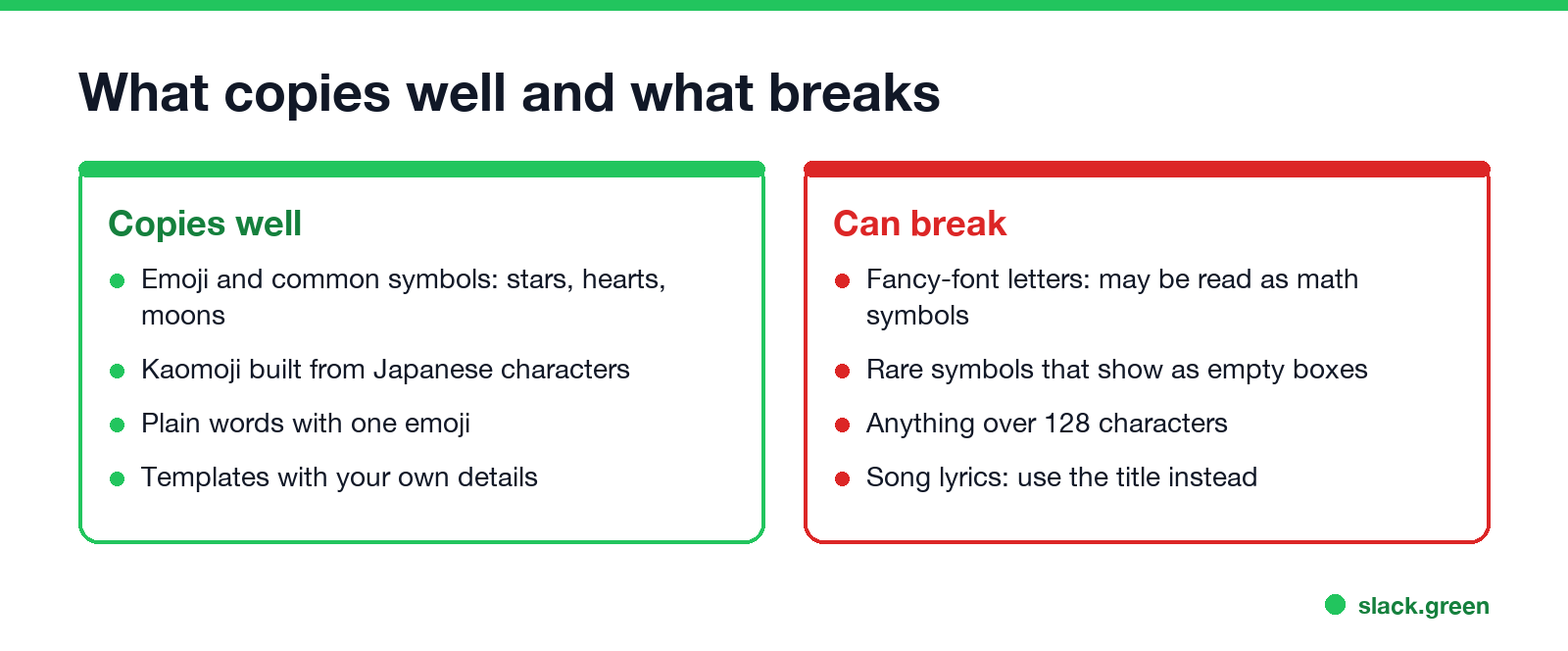
Many copy-and-paste sites use "fancy fonts" such as 𝓈𝑜𝒻𝓉 or 𝕤𝕠𝕗𝕥. Those are not fonts. They are letters from Unicode's mathematical blocks, so a screen reader may read them as math symbols, and Discord search will not match the plain word. Very rare symbols can also show as empty boxes on older phones. Emoji, the stars and hearts above, and kaomoji are safe.
Check your own status before you paste it
Never appear "away" on Slack again
Cloud-based. No downloads. Works 24/7 even when your laptop is off.
This Python script reads one status per line from a text file and prints its length, whether it goes over 128 characters, and whether it uses fancy-font letters. It uses only the standard library:
import unicodedata
import sys

LIMIT = 128  # Discord custom status limit, in characters

path = sys.argv[1] if len(sys.argv) > 1 else "statuses.txt"
for s in open(path, encoding="utf-8").read().splitlines():
    if not s.strip():
        continue
    fancy = [c for c in s if unicodedata.name(c, "").startswith("MATHEMATICAL")]
    if len(s) > LIMIT:
        note = f"too long by {len(s) - LIMIT}"
    elif fancy:
        note = f"{len(fancy)} fancy-font letters, may be read aloud as math symbols"
    else:
        note = "ok"
    print(f"{len(s):>3}  {note}  |  {s}")
With a test file of four lines it prints:
32  ok  |  ⋆。˚ ☁︎ ˚。⋆ just vibing ⋆。˚ ☾ ˚。⋆
 15  13 fancy-font letters, may be read aloud as math symbols  |  𝓈𝑜𝒻𝓉 𝒽𝑜𝓊𝓇𝓈 𝑜𝓃𝓁𝓎
 33  ok  |  🎧 now playing: [song] by [artist]
140  too long by 12  |  ✨ ✨ ✨ ✨ ✨ ✨ ✨ ✨ ✨ ✨ ✨ ✨ ✨ ✨ ✨ ✨ ✨ ✨ ✨ ✨ ✨ ✨ ✨ ✨ ✨ ✨ ✨ ✨ ✨ ✨ ✨ ✨ ✨ ✨ ✨ ✨ ✨ ✨ ✨ ✨ ✨ ✨ ✨ ✨ ✨ ✨ ✨ ✨ ✨ ✨ ✨ ✨ ✨ ✨ ✨ ✨ ✨ ✨ ✨ ✨ ✨ ✨ ✨ ✨ ✨ ✨ ✨ ✨ ✨ ✨
Python counts characters as Unicode code points. An emoji built from several code points, such as a flag or a family, can count as more than one, so leave a few characters of room near the limit. We ran it on all 40 statuses on this page on 28 September; every line printed ok.
FAQ
How do I copy and paste a Discord status?
Copy the text, click your profile icon, choose Add Status or Edit Status, paste it, pick an emoji and save.
What is the character limit for a Discord status?
128 characters for a custom status.
Why does my aesthetic status show boxes?
The device is missing a font for one of the symbols. Swap that symbol for a common one like ⋆, ♡ or ☾.
Can I put song lyrics in my Discord status?
A short quote fits, but full lyrics run past 128 characters. Use the song title and artist, or connect Spotify so Discord shows it for you.
How long does a Discord custom status stay?
One day by default. Pick Don't clear under Clear After to keep it.
Are fancy fonts allowed in a Discord status?
Discord accepts them, but screen readers may read them as math symbols, and they do not show up in search.
Stop Jiggling Your Mouse.
Join hundreds of remote workers who never worry about their Slack status. Set it up once, stay green forever.
Related Articles
Slack Emoji for Approved, Perfect and Sounds Good
The Slack emoji for approved is ✅ :white_check_mark:. For perfect, use 💯 :100: or 🤌 :pinched_fingers:; for sounds good or sure, 👍 :+1: or 👌 :ok_hand:. Every code checked in Slack, what each one means to readers, custom LGTM and SGTM emoji, and a pinned legend for approval channels.
Tips for Working Across Time Zones: 10 Habits That Work
Working across time zones works when the team writes things down, keeps a short overlap window for live talk, says the zone with every time, and lets tools deliver messages in each person's working hours. Ten habits, a follow-the-sun handoff note, the Slack settings that help, and a script that shows your team's local times.
Slack Webhook curl Example, Plus Python and Node.js
Send a Slack message with one curl command: POST a JSON body with a text field to your incoming webhook URL, and Slack answers ok. Tested examples for curl, jq, Block Kit, Python with retries and Node.js, how to escape quotes and new lines, and what 400 invalid_payload and 429 mean in code.