
How to Turn Off Huddles in Slack: Channel, Notifications and Sounds
To stop huddles in one channel, open the channel's Settings and set Huddles to No. To stop huddle alerts for yourself, untick New huddles in Preferences > Notifications. We tested both in a Free workspace on October 28, 2026.
To turn off huddles in a Slack channel, click the channel name at the top, open Settings, click Edit next to Huddles, choose No, members can't start or join huddles, and click Save. The headphones button then disappears from that channel. To stop huddle notifications for yourself only, open Preferences, then Notifications, and untick New huddles. We did both in a Free plan workspace on October 28, 2026, as the workspace owner.
Turn huddles off in one channel
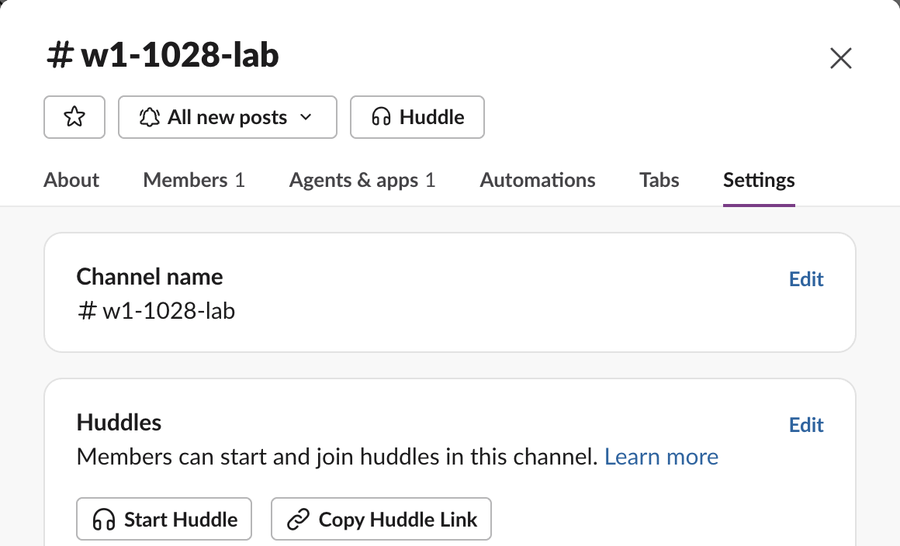
In a test channel we opened the channel details and the Settings tab. The Huddles box said "Members can start and join huddles in this channel" and had an Edit link:
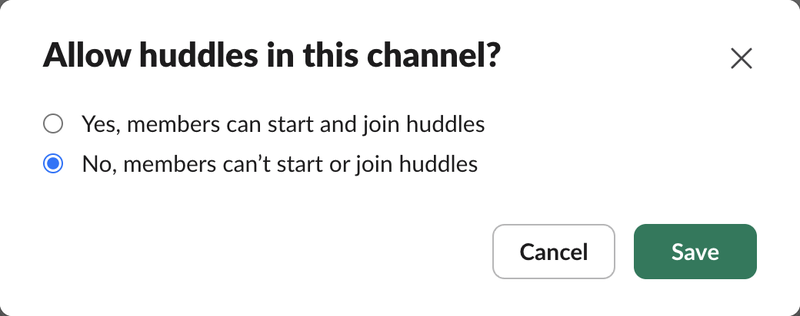
Edit opened a two-choice dialog:
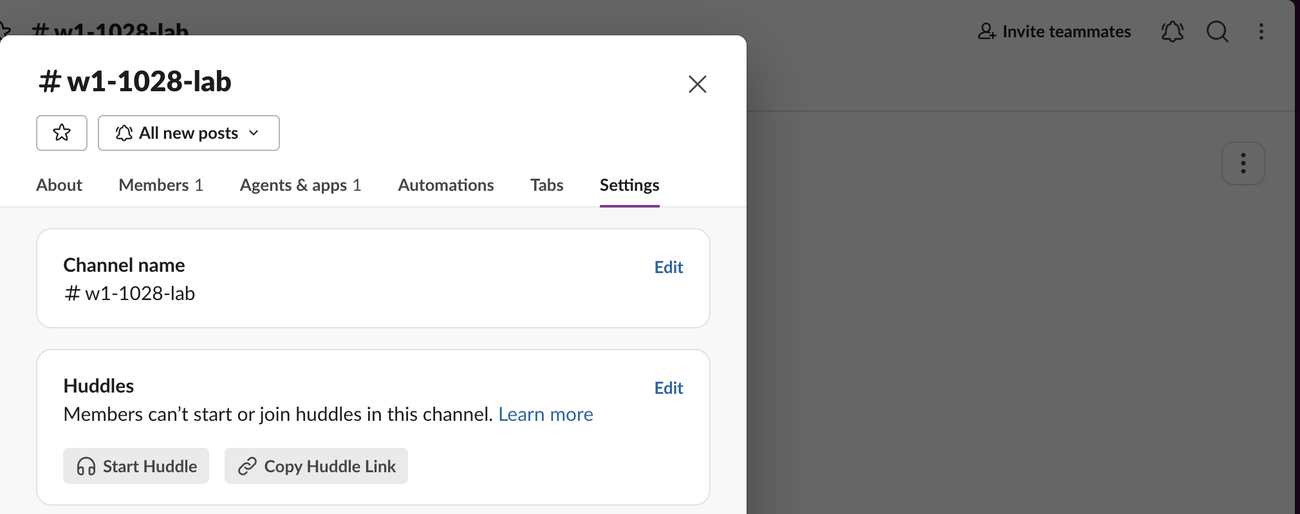
After Save, the box read "Members can't start or join huddles in this channel." The Huddle button was gone from the top of the dialog, and the headphones icon was gone from the channel header behind it:
Slack's help page for this setting says it is for workspace owners and admins on paid plans. In our Free workspace the owner could change it. If you are not an owner or admin, ask one, or ask the channel manager to raise it.
Turn huddles off for the whole workspace
We found no workspace-wide huddles switch in the Free plan's admin pages (Settings & permissions, both the Settings and Permissions tabs). The only call-related item there was Third-party call providers. On a Free workspace, turn huddles off channel by channel. We did not test a paid plan.
Stop huddle notifications for yourself
This changes only your account. Nobody else sees it.
- Click your profile picture, then Preferences.
- Click Notifications.
- Under Also notify you about, untick New huddles.
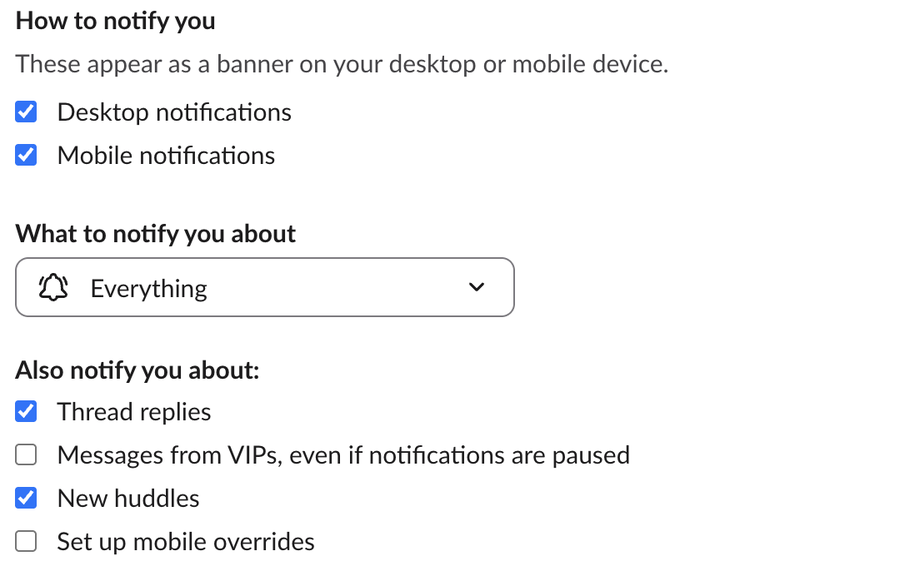
Lower on the same page are Mute all huddle sounds from Slack and a separate Notification sound (huddles) menu. On a phone, the Slack mobile app has its own notification settings; we did not test those.
Never appear "away" on Slack again
Cloud-based. No downloads. Works 24/7 even when your laptop is off.
Huddle preferences that stop surprises
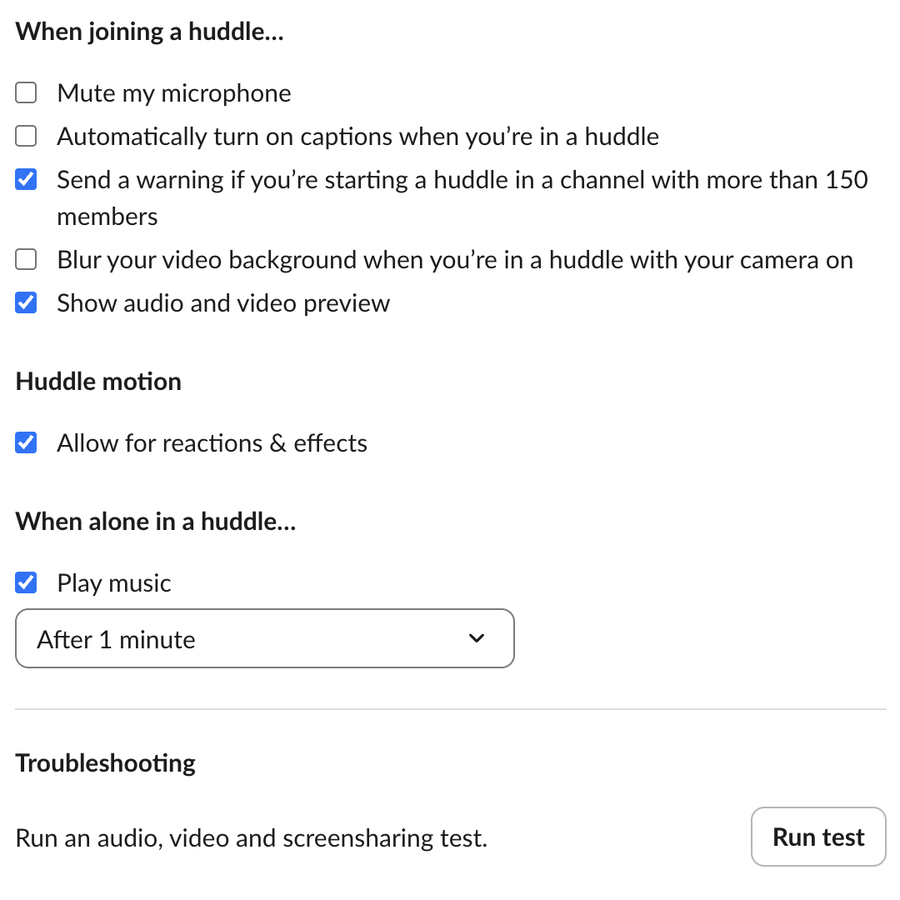
Preferences, then Audio & video, has the settings that decide what happens when you do join:
Leave or end a huddle
We did not start a live huddle in this test, because our test browser has no microphone, so leaving and ending a huddle are not covered here. If huddles fail rather than ring too much, see Slack huddle not working. Whether others see you join is covered in can people see when you join a Slack huddle.
FAQ
Does turning off huddles in a channel end a huddle in progress?
We did not test this, because we could not run a live huddle in our test browser.
Can members still huddle in DMs after I turn a channel off?
Yes. The setting is per channel. DMs and other channels keep their own setting.
Will people see that I turned off huddle notifications?
No. New huddles is a personal notification setting.
Stop Jiggling Your Mouse.
Join hundreds of remote workers who never worry about their Slack status. Set it up once, stay green forever.
Related Articles
Turn Off 'Joined the Channel' Messages in Slack (Tested)
Workspace owners and admins turn off join and leave messages in Settings & permissions, Channel Join & Leave Messages. It works on the Free plan. We switched it on and off on October 28, 2026: with it off, leaves posted nothing, but joins in a small channel still showed.
How to Mute Someone on Slack: DMs, Hide Person and What Still Shows
Slack has no mute button for a person across all of Slack. You can mute your DM with them, which stops notifications but still shows a number badge, or use Hide person. We muted a DM and tested what still came through on October 28, 2026.
How to Edit Frequently Used Emojis in Slack (and Quick Reactions)
Slack has no button to edit or clear Frequently Used emoji; the list follows what you pick. You can set the three one-click reactions in Preferences > Messages & media. We tested both on October 28, 2026.