
Slack App Not Opening? How to Fix It on Windows and Mac
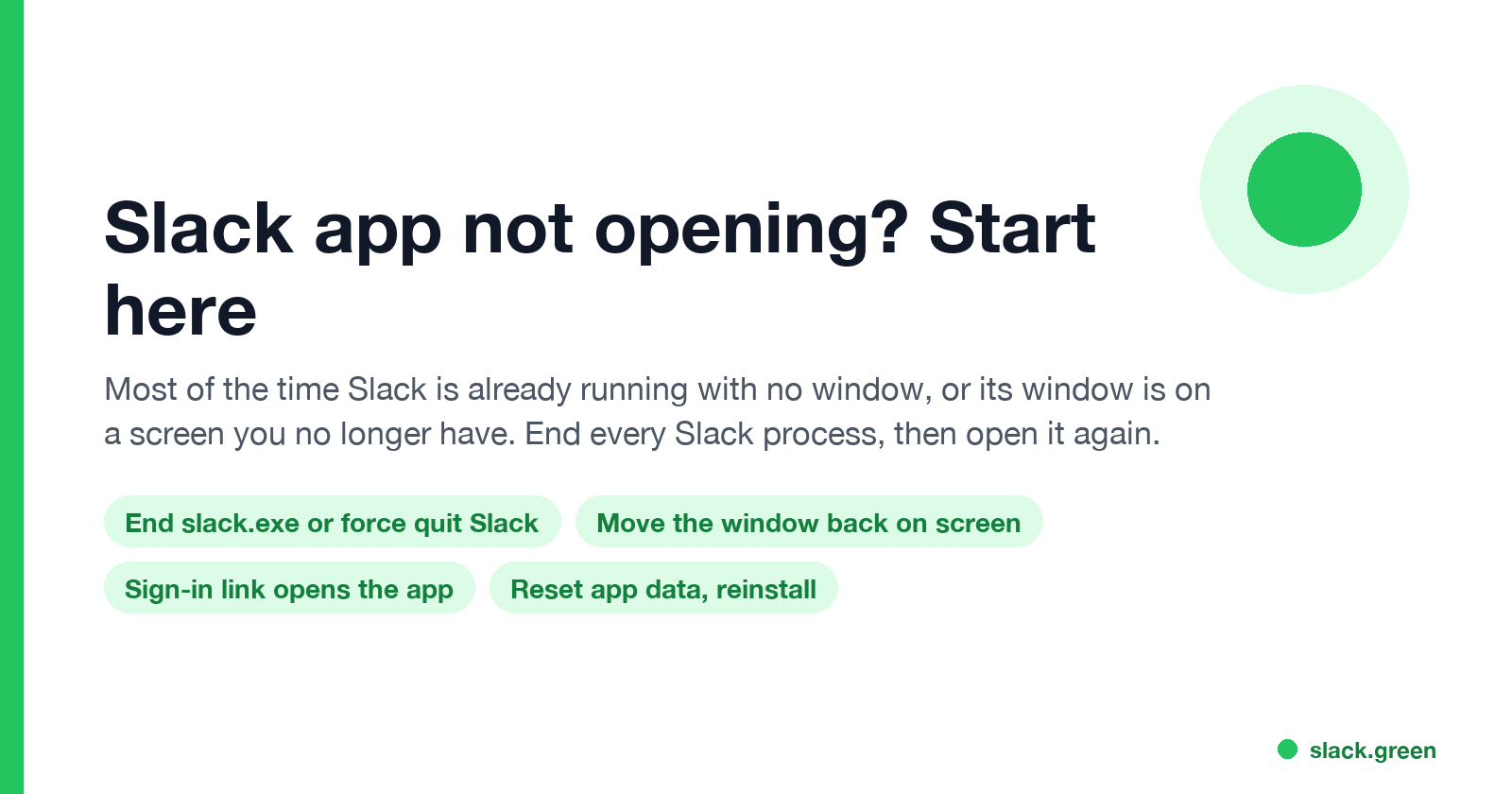
When the Slack app will not open, it is usually already running with no window, or its window sits on a monitor you unplugged. End every Slack process and open it again. If that fails: reset the app data, reinstall, and check what the sign-in link does. Steps for Windows 11 and Mac.
If the Slack app is not opening, the most common reason is that Slack is already running with no visible window. Clicking the icon then does nothing, because Slack hands the click to the hidden copy. End every Slack process, in Task Manager on Windows or with Force Quit on a Mac, and open Slack again. If a window still does not appear, it may be on a monitor you no longer have connected; move it back. If Slack opens and closes at once, reset its app data or reinstall. Your messages are on Slack's servers, so none of these steps lose anything, and app.slack.com in a browser works while you fix the app.
While Slack is closed, you show as away to your team. Slack Green keeps your status green from a server during the hours you set, with or without the app open.
Find the cause from what you see
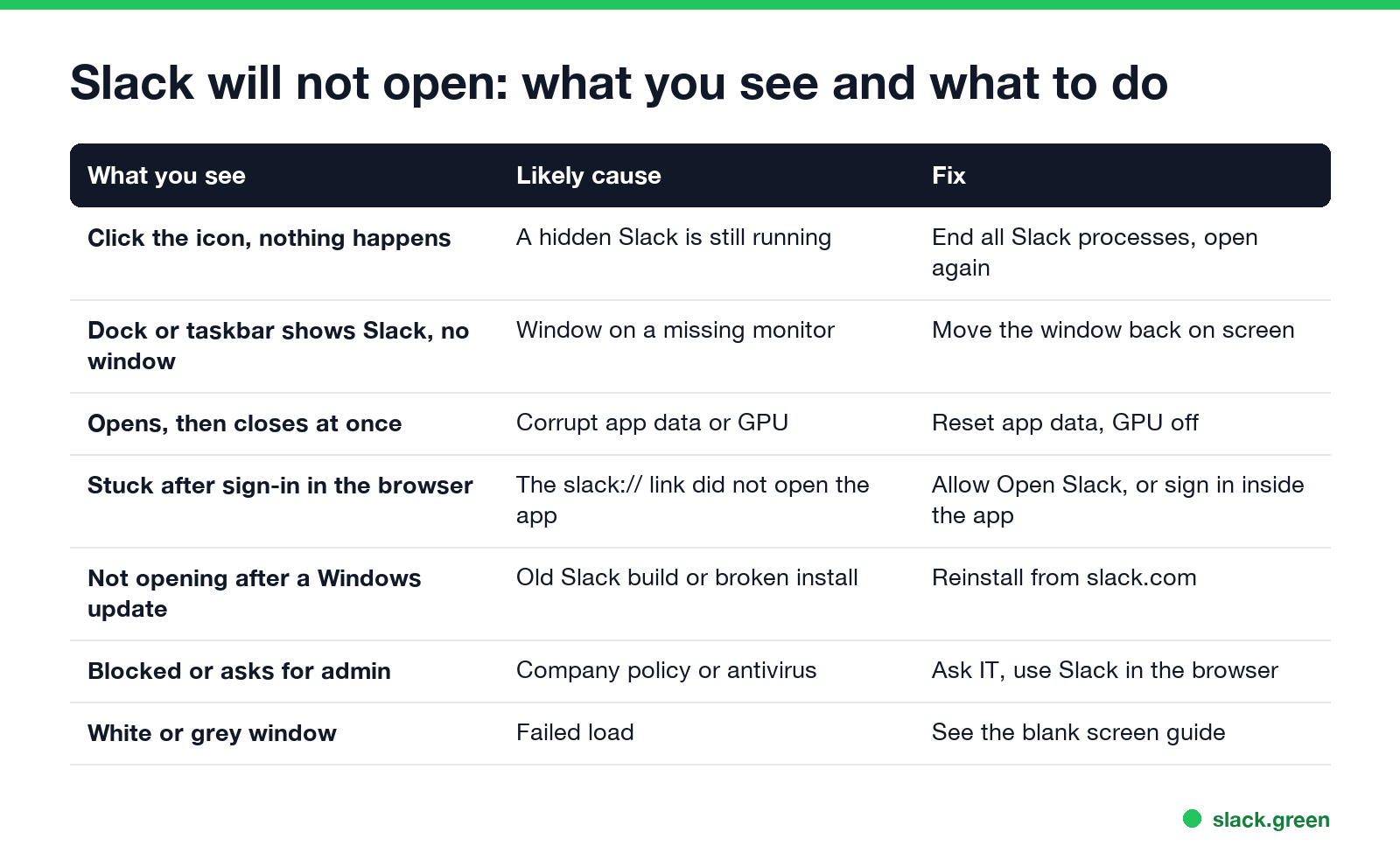
| What you see | Likely cause | Fix |
|---|---|---|
| Click the icon, nothing happens | A hidden Slack is still running | Fix 1 |
| Slack is in the Dock or taskbar, no window | The window is off screen | Fix 2 |
| Opens, then closes at once | Corrupt app data, or the GPU | Fix 3 |
| Stuck after signing in in the browser | The slack:// link did not open the app | Fix 4 |
| Not opening after a Windows or macOS update | An old or broken install | Fix 5 |
| Blocked, or asks for admin rights | Company policy or antivirus | Fix 6 |
| A white or grey window | A failed load | Slack desktop app blank screen |
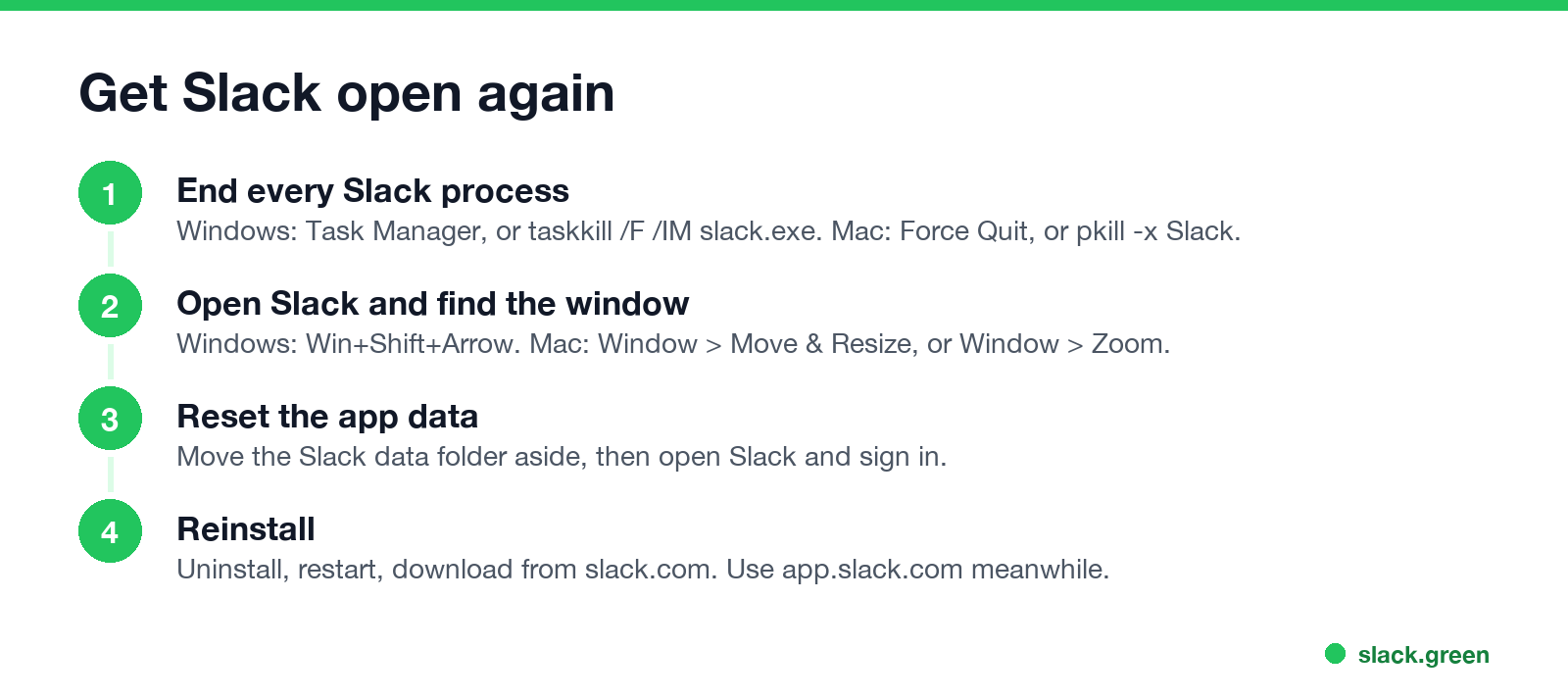
Fix 1: end every Slack process and open it again
Slack runs as several processes. On Windows, closing the window sends Slack to the system tray by default, and a stuck tray copy blocks a new window.
Windows 11. Press Ctrl+Shift+Esc to open Task Manager, select every Slack entry and choose End task. Or run this in Command Prompt:
:: end every Slack process, then start it again
taskkill /F /IM slack.exe
start "" "%LOCALAPPDATA%\slack\slack.exe"
Mac. Press Option+Cmd+Esc, select Slack and click Force Quit. Or in Terminal:
# end Slack and its helper processes, then open it again
pkill -x Slack; pkill -f "Slack Helper"
open -a Slack
We checked on a Mac with Slack 4.52: the app runs as one Slack process plus several Slack Helper processes, and pgrep -lx Slack lists the main one if it is still alive.
Fix 2: bring the Slack window back on screen
Never appear "away" on Slack again
Cloud-based. No downloads. Works 24/7 even when your laptop is off.
If Slack's icon shows it is running but no window appears, the window may be on a second monitor you unplugged or at a position off the edge.
- • Windows: click Slack in the taskbar, then press Win+Shift+Left Arrow or Right Arrow to move it to another display. Or press Alt+Space, then M, then an arrow key, and move the mouse to drag the window back.
- • Mac: click Slack in the Dock, then in the menu bar choose Window > Move & Resize > Center, or Window > Zoom. On older macOS, open Mission Control and drag the Slack window to your current desktop.
- • Windows: end Slack, then rename
%APPDATA%\SlacktoSlack-old, and open Slack. - • Mac: quit Slack, then move
~/Library/Application Support/Slackto your Desktop, and open Slack. For the App Store version the folder is under~/Library/Containers/com.tinyspeck.slackmacgap. - • Go back to the browser tab and click Open Slack or Launch Slack, then allow it in the browser prompt.
- • If the browser never asks, sign in from inside the app: on the app's sign-in screen, enter your workspace URL and use the email code instead of the browser.
- • If the browser keeps opening Slack pages instead of the app, the fix is in Slack keeps opening in the browser.
Fix 3: reset Slack's app data
When Slack opens and closes straight away, or hangs on the splash screen, its local data is often damaged. Move the folder aside and open Slack; it builds a new one and asks you to sign in.
If the window opens and then blanks or closes, the graphics driver can be the cause too. The commands to start Slack with the GPU off, and the rest of the crash fixes, are in Slack keeps crashing.
Fix 4: Slack not opening after login
You can sign in to Slack in a browser, and the browser then asks to open the desktop app through a slack:// link. If you clicked Cancel, or ticked the box to never open the app, the app stays on its sign-in screen.
Workspaces with single sign-on (Okta, Microsoft Entra, Google) send you to the company sign-in page first. If that page fails, the problem is the company account, not Slack.
Fix 5: reinstall Slack
Never appear "away" on Slack again
Cloud-based. No downloads. Works 24/7 even when your laptop is off.
A Windows or macOS update can leave an old Slack build that no longer starts.
Windows 11: open Settings > Apps > Installed apps, find Slack, click the three dots and Uninstall. Restart the PC, then download Slack from slack.com/downloads. If you have both the Microsoft Store version and the slack.com version, remove both first; two installs can fight over the same links.
Mac: quit Slack, drag Slack from Applications to the Trash, empty it, and download Slack again from slack.com or the Mac App Store.
Fix 6: company policy or antivirus
On a managed work laptop, IT can block Slack from running, allow only the Store version, or require an update. Security software can also quarantine Slack after an update. If Slack shows a "blocked by your organization" message or asks for admin rights, ask IT, and use app.slack.com in the meantime. Slack in the browser has the same messages; the differences are in Slack desktop app vs browser.
Stop Slack opening at startup, or make it open
If the problem is the opposite, Slack opening every time you log in, turn off Launch Slack on login in Slack's settings or remove it from startup apps; the steps are in how to stop Slack from opening on startup. The same switch, turned on, makes Slack start by itself so you do not miss messages after a restart.
FAQ
Never appear "away" on Slack again
Cloud-based. No downloads. Works 24/7 even when your laptop is off.
Why is my Slack app not opening? Usually Slack is already running with no window. End every Slack process and open it again.
Why won't Slack open on Windows 11? A hidden tray copy, a window on a disconnected monitor, or a broken install. End slack.exe, then reinstall if needed.
Why won't Slack open on my Mac? Force Quit Slack and open it again. If the window is missing, use Window > Move & Resize or Mission Control.
Why does Slack not open after I sign in? The browser did not hand the sign-in to the app. Click Open Slack in the browser tab and allow it.
Will reinstalling Slack delete my messages? No. Messages are stored on Slack's servers. You sign in again after reinstalling.
Stop Jiggling Your Mouse.
Join hundreds of remote workers who never worry about their Slack status. Set it up once, stay green forever.
Related Articles
Slack Screen Sharing Not Working on Mac? Fix the Permission
On a Mac, Slack can share your screen in a huddle only with the Screen & System Audio Recording permission, and macOS applies it only after Slack restarts. The steps, what a wallpaper-only share means, how to reset the permission, and the browser case.
Why Is Slack So Slow on Mac? Causes and Fixes in Order
Slack slows down on a Mac when memory runs short, when you run the Intel build on Apple silicon, with many workspaces or animated emoji, or when the app has been open for days. How to check each one in Activity Monitor and Terminal, and the fix for each.
Slack Keeps Crashing? How to Fix It on Mac, Windows and Phone
Slack crashes or closes by itself for a handful of reasons: an old version, a corrupt cache, the graphics driver, broken app data, or on Android the System WebView. The fixes in order for Mac, Windows, iPhone and Android, with the commands to reset Slack without losing messages.