
Are Mouse Jigglers Safe? Risks by Type, and How to Pick One
Mouse jigglers are safe for your computer: a USB jiggler is a plain mouse and a platform jiggler is not connected at all. The risks are fake downloads, antivirus alerts that reach IT, unknown USB gadgets that can type, an unlocked screen, and your job.
Yes, mouse jigglers are safe for your computer. A USB jiggler shows up as an ordinary mouse, a platform jiggler that spins your real mouse is not connected to the computer at all, and a jiggler app from a known source only moves the pointer. None of them can harm the hardware. The real risks are elsewhere: jiggler downloads from copycat sites, antivirus alerts that go straight to IT on a work laptop, cheap USB gadgets that can also act as a keyboard, a computer that sits unlocked while you are away, and your company's rules.
We build Slack Green, which keeps your Slack status active from a server during the hours you set. Most people buy a jiggler for a green chat dot, and for Slack a jiggler often does not work anyway, because Slack counts only input inside its own window.
How safe each kind of mouse jiggler is
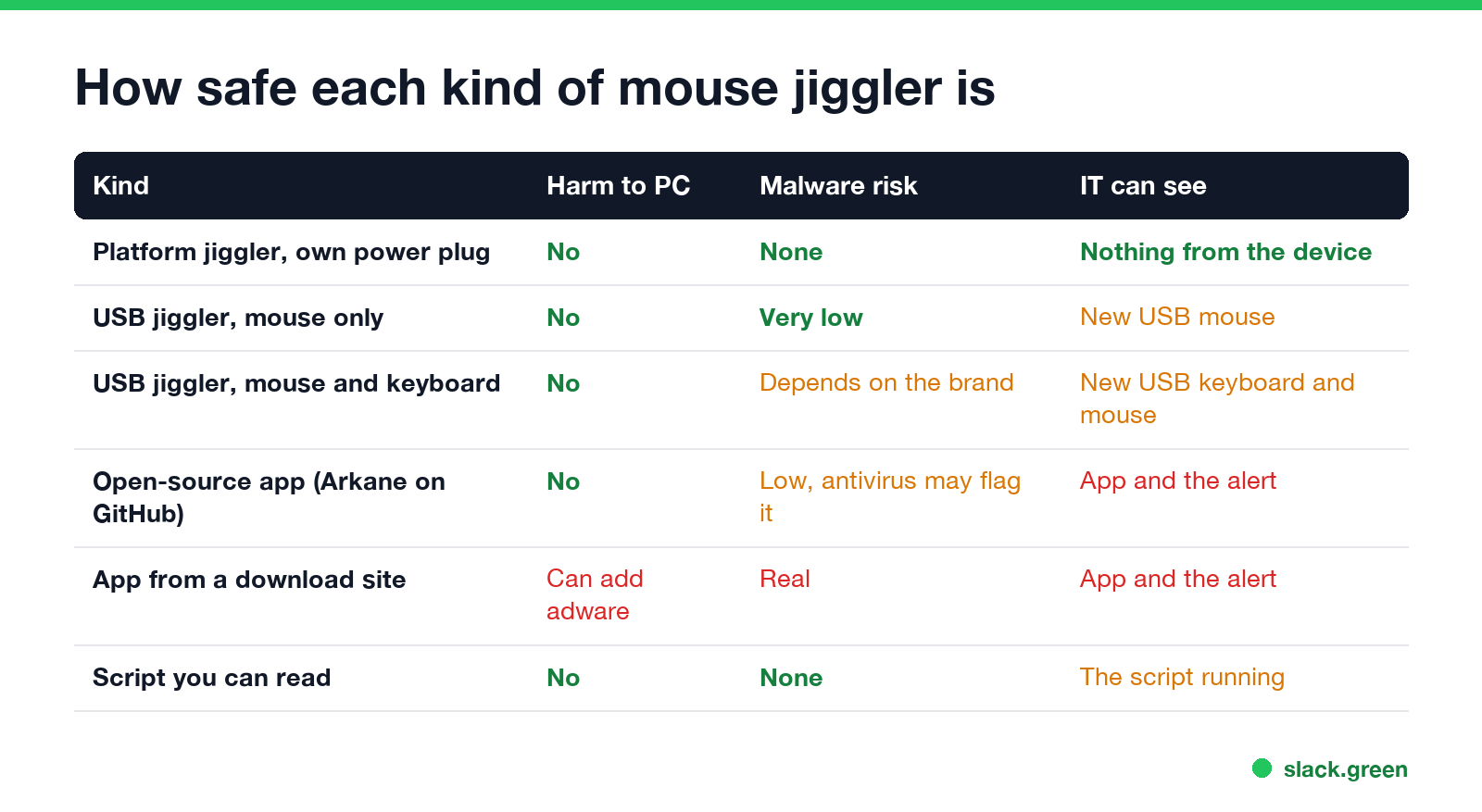
| Kind | Can it harm the computer? | Malware risk | What IT can see |
|---|---|---|---|
| Platform jiggler (spins your real mouse, powered by its own plug) | No | None, it has no data connection | Nothing from the device. Monitoring software may still see the input pattern. |
| USB jiggler that acts only as a mouse | No | Very low, a mouse can only move and click | A new USB mouse in the device list |
| USB jiggler that acts as a mouse and a keyboard | No | Low from known brands, higher from unknown ones | A new USB keyboard and mouse |
| Open-source app (Arkane Mouse Jiggler on GitHub) | No | Low, but antivirus may flag it | The app, and any antivirus alert |
| App from a download or "free jiggler" site | Can install unwanted software | Real | The app and the alert |
| A script you wrote or can read (PowerShell, xdotool) | No | None | The script running |
The pattern is simple. The less a jiggler can do and the more you can see of it, the safer it is.
Is mouse jiggler software safe?
It depends on where it comes from. The best-known free app, Arkane Systems' Mouse Jiggler, is open source on GitHub, so anyone can read its code. It is also a good example of the antivirus problem.
- • In February 2025 a user reported on the project's GitHub that Microsoft Defender had removed it as "Trojan:Win32/Pomal!rfn". The maintainer pinned the issue in July 2025 and renamed it "Antivirus detects Mouse Jiggler as some type of trojan or other malware".
- • In December 2025 another user reported that Microsoft Defender for Endpoint blocked every download of version 2.1.0 and raised malware alerts.
These look like false positives. The app moves the pointer and does nothing else. On a work laptop the verdict does not matter much: the alert goes to your IT or security team either way, with the file name. A cybersecurity worker put it bluntly in an r/antiwork thread: even basic antivirus and asset management "will immediately let folks like me know."
The bigger risk is copies. Search for a free jiggler and you find download sites and repackaged installers. Some bundle adware, and a program that asks for admin rights to move a mouse is a warning sign. Get the app from the developer's GitHub releases page or a store listing, or skip the download and use a short script you can read line by line, such as the ones in mouse jiggler for Windows and keyboard jiggler.
Is a USB mouse jiggler safe?
Never appear "away" on Slack again
Cloud-based. No downloads. Works 24/7 even when your laptop is off.
A USB jiggler that acts only as a mouse is about as safe as any USB mouse. The computer treats it as a pointing device. It can move the pointer and click, and nothing else. It needs no driver and stores nothing.
Check what the device tells the computer it is. Some jigglers present themselves as a mouse and a keyboard at once, which lets them press keys as well. A device that can act as a keyboard can, in principle, type commands. That is how "BadUSB" attacks work, where a gadget that looks harmless types instructions as soon as it is plugged in. Well-known brands are not known to do this, but a no-name device with keyboard ability is a bigger unknown. For a work computer, pick a mouse-only USB jiggler from a known seller, or a platform jiggler that never connects to the computer. Types and prices are in the best mouse jiggler.
The risks that have nothing to do with malware
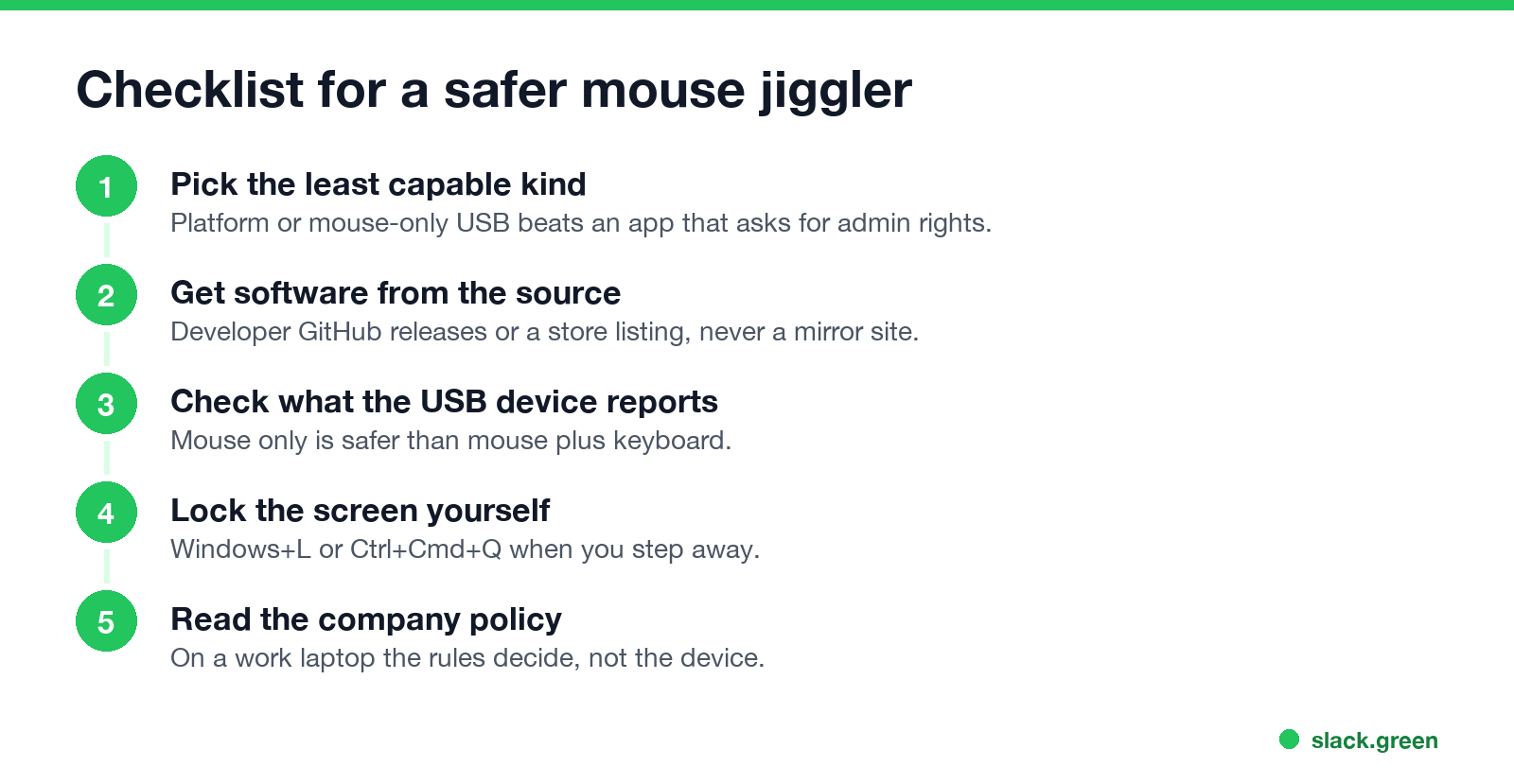
An unlocked computer. A jiggler stops the screen from locking. If you leave the room, anyone nearby can use your signed-in session, your email and your company's systems. Many companies set a short lock timer for exactly this reason, and a jiggler undoes it. Lock the screen yourself with Windows+L or Ctrl+Cmd+Q when you step away.
Detection. Monitoring tools look for known jiggler apps and for input that repeats too evenly, and IT can list USB devices. The details are in can a mouse jiggler be detected.
Your job. A jiggler is legal to own and use. On a company computer it can still break an acceptable-use policy, and paid hours backed by fake activity can count as falsified time records. See is it illegal to use a mouse jiggler.
Can a mouse jiggler have a virus?
A jiggler app can, if it comes from a copycat site or a repackaged installer. The original open-source app does not, though antivirus sometimes says it does. A USB mouse-only jiggler cannot carry a virus the way an app can, because the computer never runs anything from it. A USB device that also claims to be a keyboard can type, so treat an unknown one with the same care as an unknown USB stick. A platform jiggler carries nothing at all.
Safer ways to get what you want from a jiggler
Never appear "away" on Slack again
Cloud-based. No downloads. Works 24/7 even when your laptop is off.
Most people want one of three things. Each has a way with less risk:
Mouse jiggler safety questions
Are mouse jigglers safe for my computer? Yes. None of them can damage the hardware or wear it out in any way that matters.
Why does my antivirus flag Mouse Jiggler? Microsoft Defender has flagged the open-source Arkane app as a trojan in 2025. The project reports look like false positives, since the app only moves the pointer. On a work laptop the alert reaches IT.
Is a USB mouse jiggler safer than software? Usually, if it acts only as a mouse. There is no program to flag and nothing to download. IT can still see a new USB device.
Are platform mouse jigglers the safest? For the computer, yes. They spin your real mouse and have no data connection. They do not stop monitoring software from seeing even, repeating input.
Stop Jiggling Your Mouse.
Join hundreds of remote workers who never worry about their Slack status. Set it up once, stay green forever.
Related Articles
KeepingYouAwake vs Amphetamine: Which Mac Keep-Awake App to Use
KeepingYouAwake is a free, open-source menu bar switch that runs Apple's caffeinate for you. Amphetamine is a free App Store app with triggers, schedules and a closed-lid mode. Pick KeepingYouAwake for one click and Homebrew, Amphetamine for automation. Neither keeps Slack or Teams active.
Computer Locks After 15 Minutes? How to Tell If Group Policy Set It
A work laptop that locks after exactly 15 minutes, with screen settings greyed out, is almost always following a policy from IT: the Windows machine inactivity limit, a forced screen saver, or an Intune device lock. Security baselines and PCI DSS ask for 15 minutes. How to see which policy it is, and what you can and cannot change.
How to Keep a Citrix Session Active: Find Which Timeout Logs You Out
A Citrix session can end from four different timers: Windows locking inside the virtual desktop, the Citrix session idle timer, the Citrix Gateway session time-out, and the StoreFront web page timeout. Only input from your own device into the Citrix window resets them. How to tell which one hit you and what keeps each one quiet.