
Slack Status for Limited Availability: 30 Statuses to Copy
A Slack status for limited availability says you are around but slow, until when, and how to reach you if it is urgent, such as ⏳ 'Limited availability today, replies after 3 PM. Urgent: @mention me.' 30 statuses for busy days, slow replies and catching up, the emoji to use, and when to pause notifications too.
A Slack status for limited availability tells people you are around but slow, until when, and what to do if it cannot wait. For example: ⏳ "Limited availability today, replies after 3 PM. Urgent: @mention me." A Slack status holds up to 100 characters, which fits all three. Set Remove status after to the end of the busy stretch, and if you also want quiet, check Pause notifications; coworkers then see a small Z on your picture as well.
We build Slack Green, which keeps your Slack status green from our servers during the hours you set. Our free Slack status generator has more statuses for every kind of day.
Limited availability statuses
Each is under 100 characters. Change the times and names.
Busy but reachable
⏳ Limited availability today. Replies after 3 PM.
🎧 Heads down until noon. @mention me if urgent.
📆 In meetings most of the day. Replies in gaps.
🐢 Slow to respond today, but I'll get to you.
⛔ Deadline day. Urgent only, please.
🎧 Focus block 9-12. Messages after.
Slow replies
🐢 Replies may take a few hours today.
⏳ Checking Slack at 11 and 4 today.
📵 Offline most of today. Email for anything urgent.
🔕 Notifications off until 2 PM. I'll catch up after.
🐢 Async today. Leave details and I'll reply.
⏳ Answering in batches today. Thanks for your patience.
Catching up
📥 Catching up after time off. Replies may be slow.
📥 Back from leave, working through messages.
📥 Inbox zero attempt in progress. Please be patient.
📥 Catching up on threads. Ping me if it's urgent.
🙏 Back today, catching up. Thanks for covering.
📥 Digging out after a trip. Bear with me.
Partial days and travel
✈️ Travelling today, online on and off.
🏥 Appointment 10-12, online after.
🧑🏫 In training all day, checking Slack at breaks.
🏠 Half day today, online until 1 PM.
🌍 Working from [time zone] this week. Replies during my day.
🚆 On the train, patchy signal until 5.Limited availability for a period
⏳ Limited availability this week. For [area], ask [name].
📆 Part-time this month: online Mon to Wed.
⛔ Heads down on [project] until Friday. Urgent: [name].
🎧 Quarter-end week. Slower on Slack than usual.
🐢 Reduced hours until [date]. Replies next working day.
⏳ Out of office in spirit this week. Big launch.
Slack status emoji for limited availability
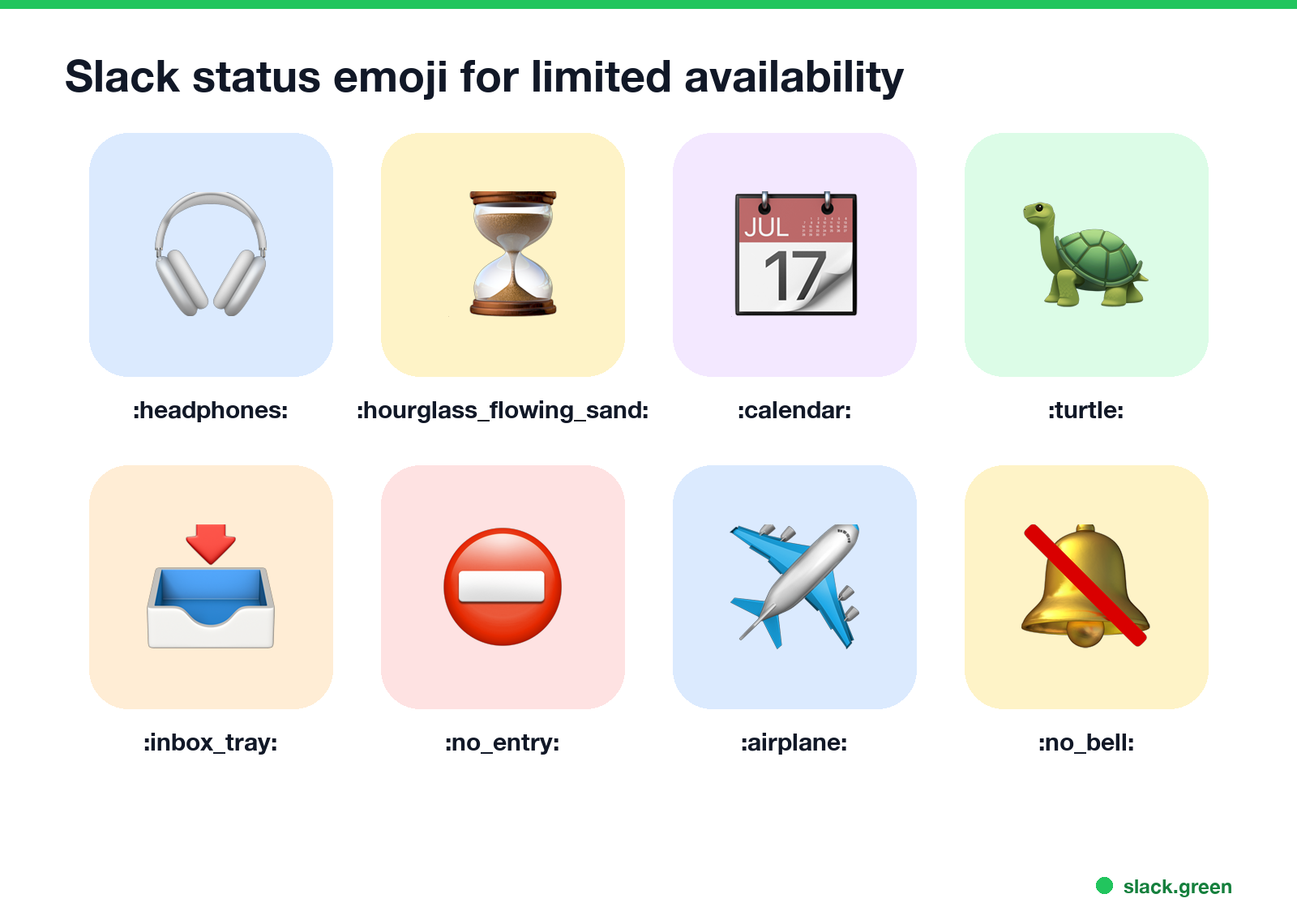
| Emoji | Code | Says |
|---|---|---|
| 🎧 | :headphones: | Heads down, focus time |
| ⏳ | :hourglass_flowing_sand: | Slow replies, wait a bit |
| 📆 | :calendar: | In meetings |
| 🐢 | :turtle: | Slow to respond |
| 📥 | :inbox_tray: | Catching up |
| ⛔ | :no_entry: | Urgent only |
| ✈️ | :airplane: | Travelling |
| 🔕 | :no_bell: | Notifications off |
Slack sets 🎧 on its own during huddles, so some people pick ⏳ or 🐢 for "busy" to avoid confusion. More on what status emoji signal is in Slack status icons meaning.
Status, Pause notifications, or both?
Never appear "away" on Slack again
Cloud-based. No downloads. Works 24/7 even when your laptop is off.
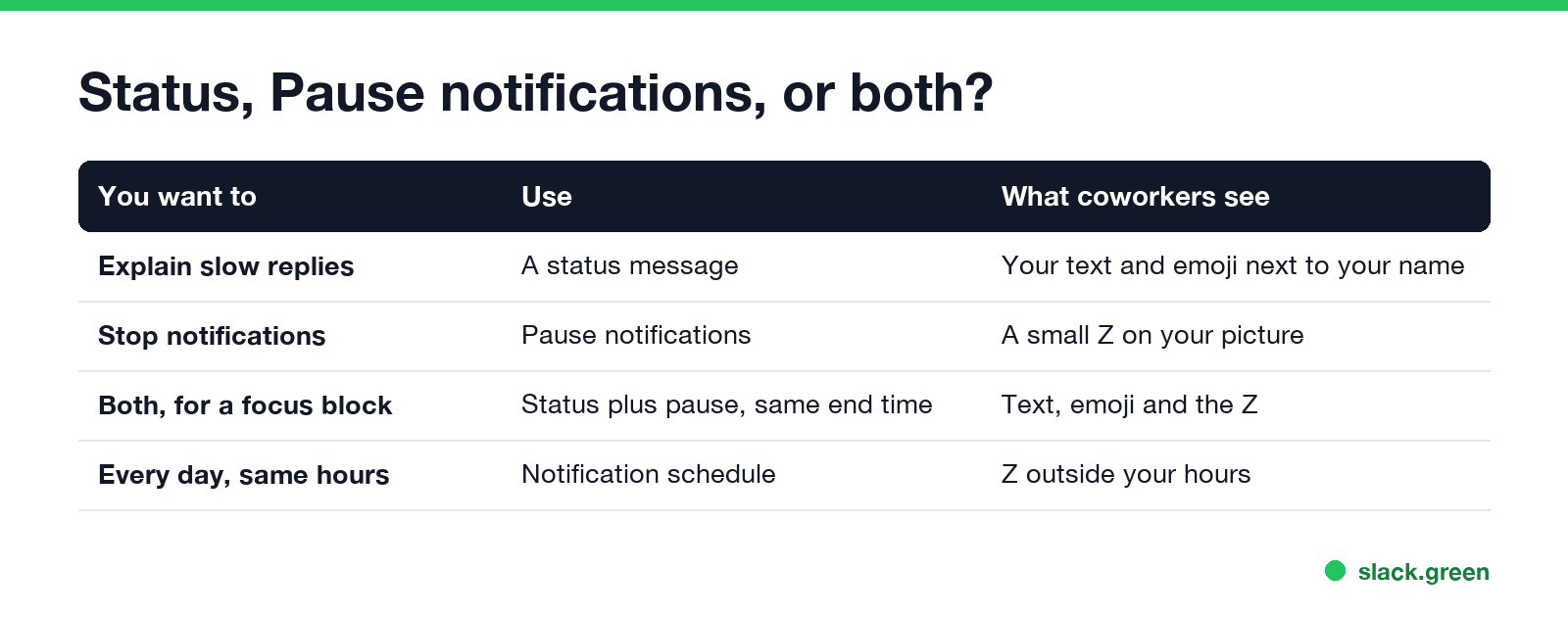
- • A status explains why you are slow. It changes nothing about notifications.
- • Pause notifications stops alerts and adds a small Z to your picture. People can still message you, and can choose to notify you anyway.
- • Both, with the same end time, is best for a focus block. When you set the status, check Pause notifications and pick the same Remove status after time.
- • A notification schedule handles the same quiet hours every day. See Slack Do Not Disturb.
- Click your profile picture, then Update your status, or press Cmd+Shift+Y (Ctrl+Shift+Y).
- Paste the status and pick the emoji.
- Under Remove status after, pick the time your busy stretch ends, or Today.
- Check Pause notifications if you want quiet too.
- Click Save.
How to set a limited availability status
To set it ahead of time, choose a start and end time; see how to schedule a Slack status. More ready-made statuses are in Slack status examples.
FAQ
What should my Slack status say when I'm busy? That you are busy, until when, and how to reach you if urgent. Example: 🎧 "Heads down until noon. @mention me if urgent."
What is the Slack emoji for catching up? 📥 :inbox_tray: is common. ⏳ :hourglass_flowing_sand: works too.
Does a Slack status stop notifications? No. Check Pause notifications when you set it, or set a notification schedule.
How long can a Slack status be? Up to 100 characters.
Stop Jiggling Your Mouse.
Join hundreds of remote workers who never worry about their Slack status. Set it up once, stay green forever.
Related Articles
Slack Emoji for Announcements, Updates and Reminders
The standard Slack emoji for an announcement is 📣 :mega: or 📢 :loudspeaker: at the start of the post. Use 🚨 :rotating_light: only for real emergencies, 🆕 :new: for updates, ⏰ :alarm_clock: for reminders, and ask readers to react with ✅ :white_check_mark: once they have read it. Templates and a custom emoji idea.
Slack Status for a Doctor Appointment: 24 Statuses and Emoji
A Slack status for a doctor appointment says you are out and when you are back, such as 🏥 'At an appointment, back at 2 PM.' You do not have to say what kind. 24 statuses for doctor, dentist and other appointments, the emoji codes, and how to schedule the status so it clears by itself.
Slack Emoji for Thank You (and You're Welcome)
The usual Slack emoji for thank you are 🙏 :pray:, 🙌 :raised_hands: and ❤️ :heart:. For you're welcome, 😊 :blush: or 🤗 :hugging_face:. What each one says, which ones read wrong, and custom :ty:, :np: and :welcome: emoji your team can add in a minute.