
Slack Drafts: Where to Find Them, and What Happens When You Schedule, Archive or Leave
We wrote drafts in a channel, a thread and a DM in Slack web, then scheduled, sent, archived and left, and checked Drafts & sent and Slack's API after each step.
Slack drafts are under Drafts & sent near the top of the left sidebar. Any text you leave in a message box becomes a draft, whether you typed it in a channel, a thread or a DM, and the page lists them all with where each one will go. On 8 October 2026 we wrote drafts in all three places in Slack web on a free-plan test workspace, then scheduled one, sent one, archived a channel and left another, and checked both the Drafts & sent page and Slack's own drafts.list API after each step.
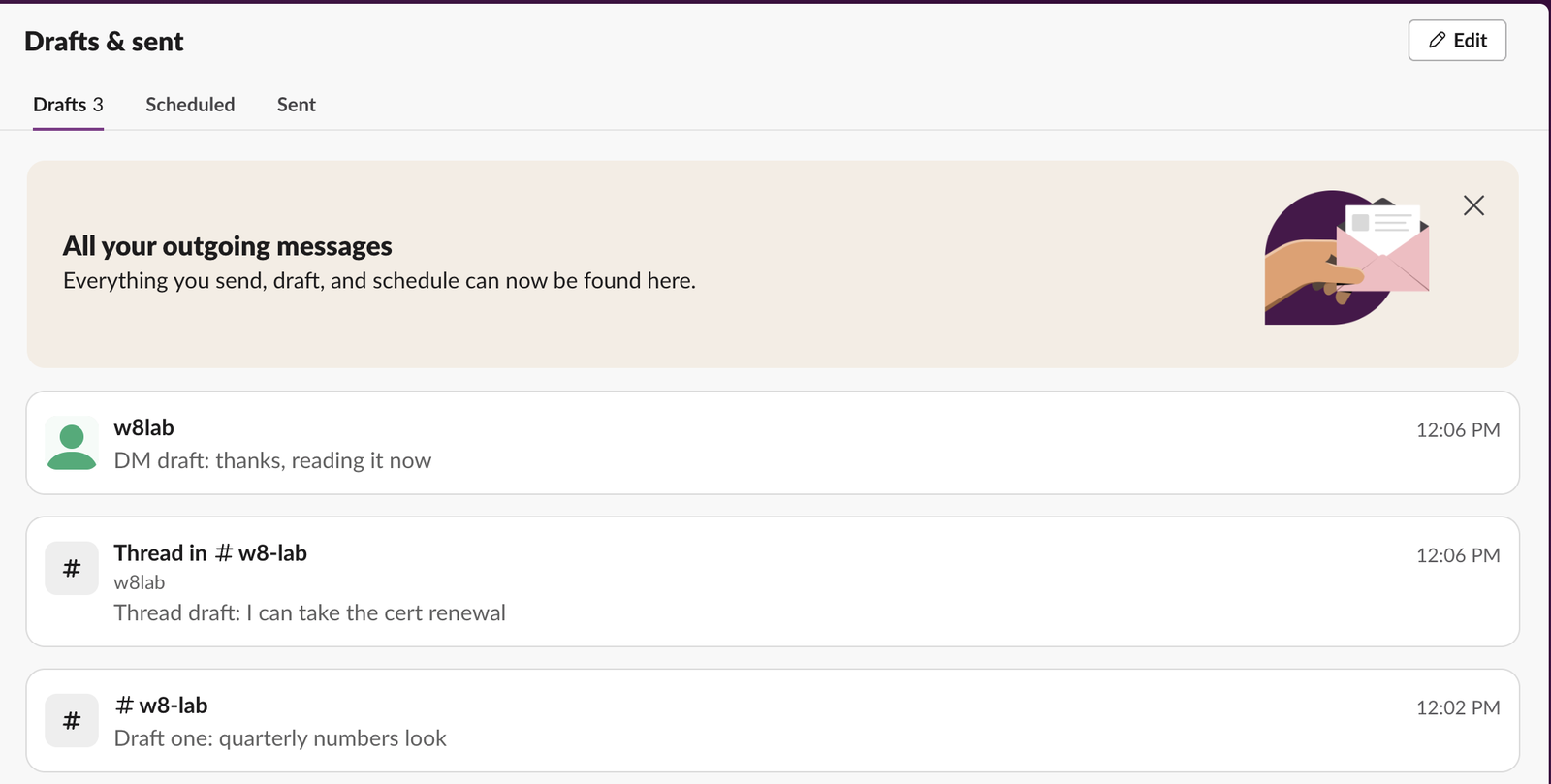
How a draft gets saved
We typed a sentence in the message box and did not send it. In each of three tries, the draft showed up in drafts.list within 16 to 17 seconds of the moment we started typing; we polled every few seconds, so the save happens sooner than that. The sidebar then showed a pencil next to the channel, and the Drafts & sent row showed a pencil with the count.
| Where we typed | Shown in Drafts as | Saved after |
|---|---|---|
| Channel message box | #w8-lab | 15.8 s |
| Thread reply box | "Thread in #w8-lab", with the parent's author | 16.6 s |
| DM with an app | The app's name, w8lab | 16.4 s |
A thread draft also shows under the thread itself in the channel: the reply line read "2 replies & 1 draft". Drafts live on Slack's servers, not in the browser. The channel draft was still in the message box after we reloaded the page.
The three tabs: Drafts, Scheduled and Sent
Drafts lists unsent text. Scheduled lists messages waiting for a send time. Sent lists what you posted, newest first.
When we scheduled the channel draft with the arrow next to the send button and picked Tomorrow at 9:00 AM, it left Drafts and moved to Scheduled, labelled "Send tomorrow at 9:00 AM". In the API it was the same draft with a send time added. The channel showed a bar above the message box, "Your message will be sent tomorrow at 9:00 AM", with a link to all scheduled messages.
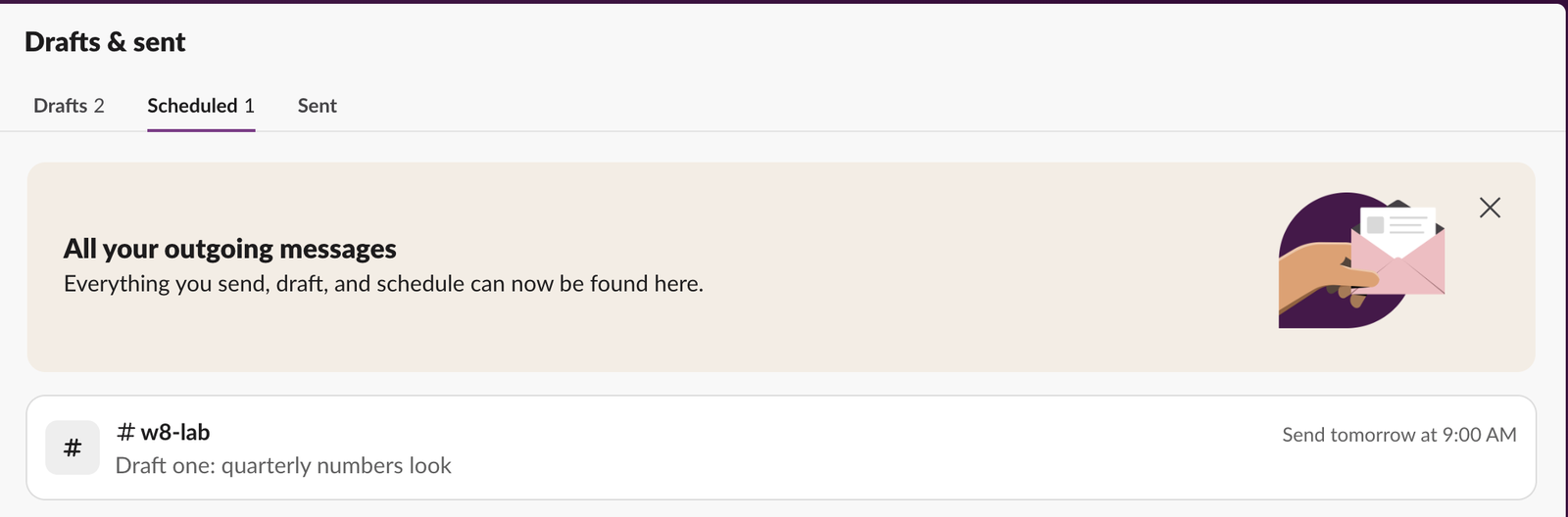
Messages scheduled through the API do not show there. We also scheduled a message with chat.scheduleMessage and our own user token. chat.scheduledMessages.list returned it, but the Scheduled tab stayed empty for it and kept showing only the one we scheduled in the app. So if a script or an integration scheduled a message for you, look for it with the API, not on this page. Our scheduled message API test has those calls.
Sent was less strict. A message we posted from a script with our user token appeared at the top of the Sent tab, next to messages typed in the app.
When we sent a draft by pressing Enter, it left Drafts. The API kept the record, marked is_sent: true with the new message's timestamp.
What happens to a draft when a channel is archived or you leave
We made two test channels, wrote a draft in each, then archived one and left the other.
| What we did | Drafts tab | drafts.list |
|---|---|---|
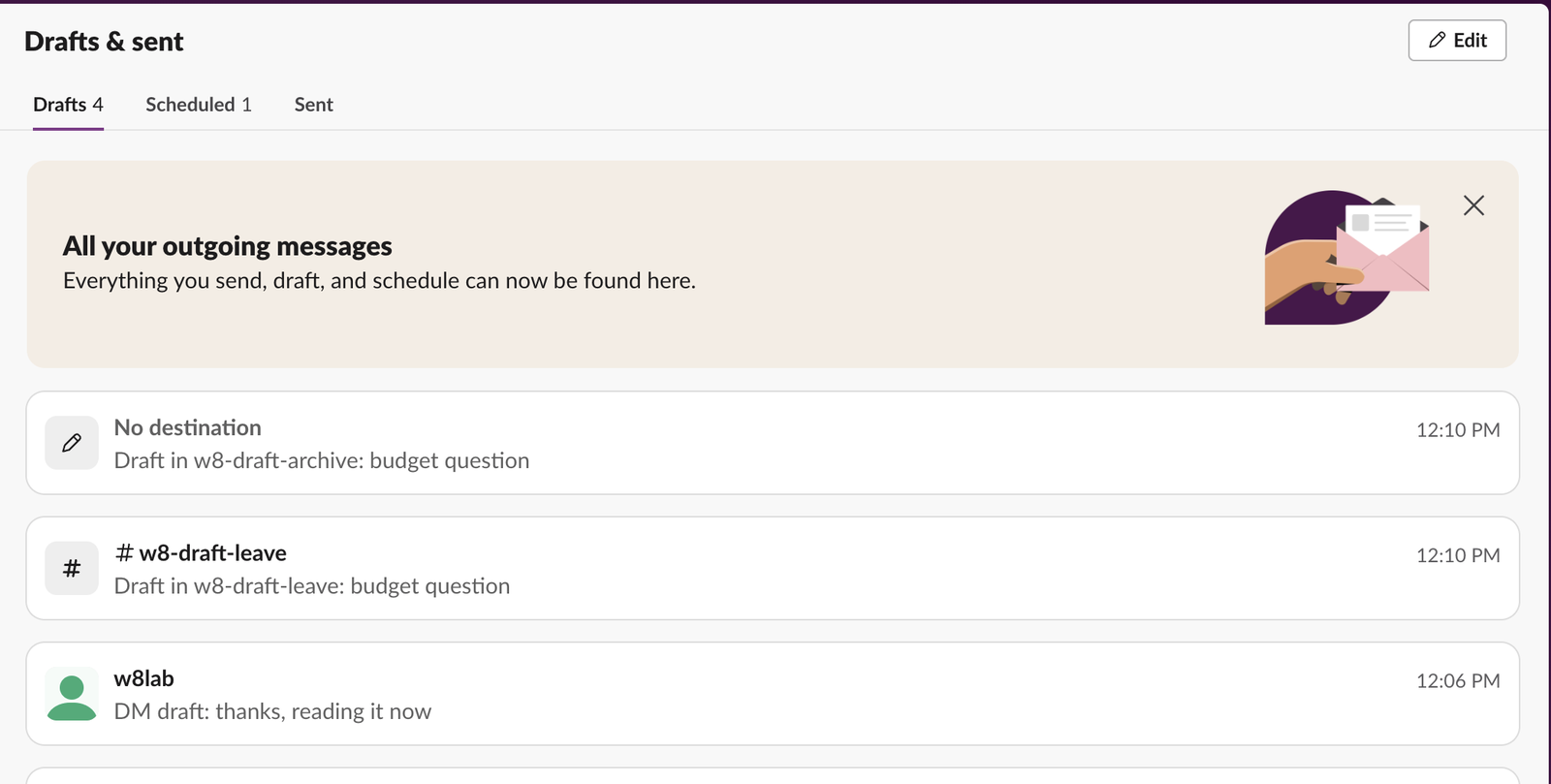
| Archived the channel | Draft stays, labelled No destination | Kept, destination list emptied |
| Left the channel | Draft gone from the page | Kept, still pointing at the channel |
| Joined the channel again | Draft back, labelled with the channel | Same draft |
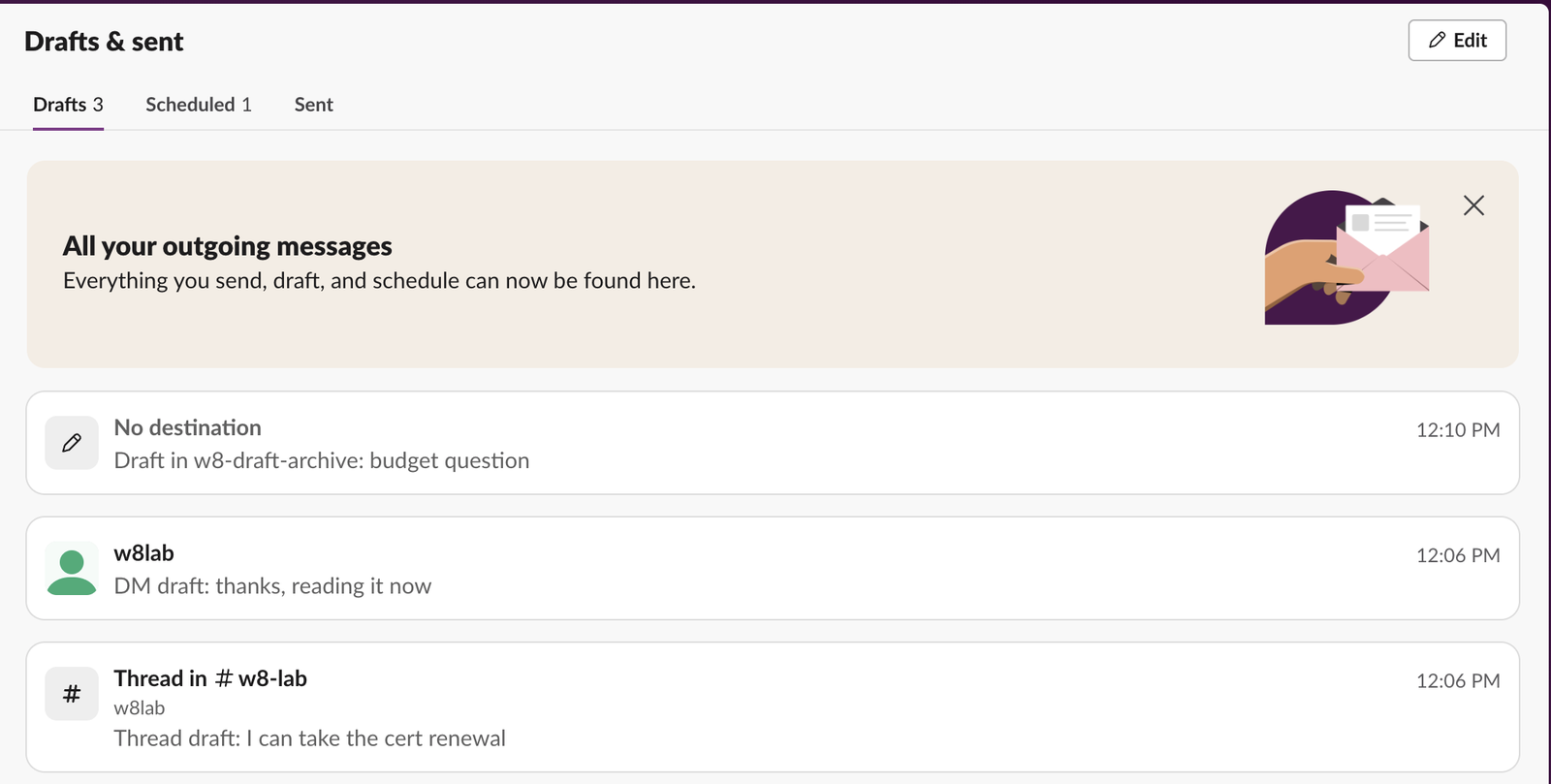
So a draft that seems to have vanished after you left a channel is still there. Join the channel again and it comes back. A draft for an archived channel stays visible but cannot be sent anywhere until you copy its text into another conversation. Our page on archiving a channel covers what else changes when a channel is archived.
Never appear "away" on Slack again
Cloud-based. No downloads. Works 24/7 even when your laptop is off.
Ways to open Drafts & sent
- • Click Drafts & sent in the sidebar.
- • Type
/draftsin a message box. In our earlier test of the slash menu it was listed as "View all your drafts". - • Click See all scheduled messages in the bar above a message box that has a scheduled message.
For the schedule menu itself and its custom times, see our guide to scheduling Slack messages. If a scheduled message did not go out, our scheduled message not sent page lists the causes we reproduced.
What we did not test
The Slack desktop app on our test computer is signed out, and we have no test phone, so we did not time how fast a draft written in the browser shows on desktop or mobile. Since drafts.list returns drafts from Slack's servers, any signed-in client can read them.
FAQ
Why does a draft I deleted come back?
Clearing the message box marks the draft as deleted, but Slack keeps the record. In an earlier test a cleared draft still held its text 18 hours later in the API, though it no longer showed on the Drafts tab.Stop Jiggling Your Mouse.
Join hundreds of remote workers who never worry about their Slack status. Set it up once, stay green forever.
Related Articles
Slack Daily Standup Without a Paid Bot: /remind, Workflow Builder and a Script
We set up a weekday 9:30 standup in a free Slack workspace three ways: a /remind reminder, Workflow Builder, and a short script that posts the questions and collects the thread replies.
Slack Tabs Under a Channel Name: What Each One Is and How to Edit Them
We added, renamed, moved, hid and deleted the tabs under a channel name in Slack web on the Free plan, and compared them with the tabs in a DM.
Leave Multiple Slack Channels at Once: 4 Ways Timed, Plus a Script
Slack has no bulk leave button. We made 12 test channels and left them with the sidebar menu, the channel browser, /leave and a 30-line script, and timed each way.