
How to Message Yourself on Slack (and What It Notifies)
Your own name under Direct messages opens a private DM with yourself. We sent it a note, a file, a scheduled message and a reminder, and checked which ones raised a badge.
To message yourself on Slack, click your own name under Direct messages in the sidebar. It is marked "you". That opens a DM with only you in it, and the message box says "Jot something down". Anything you post there stays in that DM: notes, links, files, drafts you want to keep. On 10 October 2026 we sent our self-DM a note, a file and a scheduled message, and set a reminder for ourselves, on the Slack web app and the Free plan. None of the self-DM messages raised a badge or an Activity item. Only the reminder did.
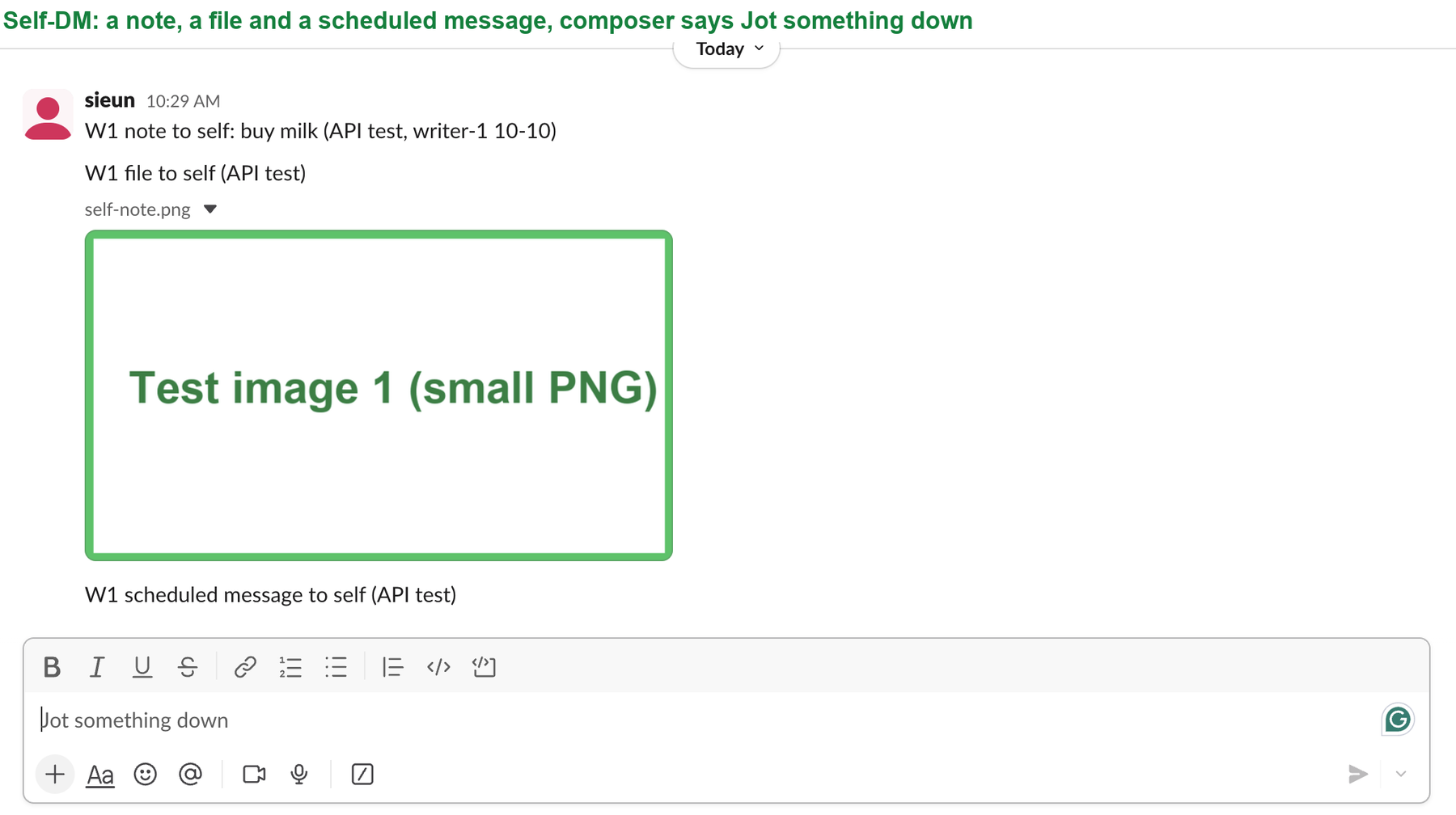
How to open your self-DM
- In the sidebar, find Direct messages.
- Click the entry with your name and the word "you".
If you hid it, press Cmd+K on a Mac or Ctrl+K on Windows, type your own name, and pick it.
The API agrees that this is a normal DM. We read it with conversations.info:
{"is_im": true, "user": "U0B7L4YK420", "is_open": true}The user field holds your own member ID, because you are the other side of the conversation.
What a self-DM does and does not notify
We posted to the self-DM through the API with the test account's own token, so nobody typed in the shared message box. Then we read the unread counts and the Activity feed.
| What we sent to ourselves | Shows in the self-DM | Unread badge | Activity item |
|---|---|---|---|
| A text note | Yes | No | No |
| An image file | Yes | No | No |
| A message scheduled 75 s ahead | Yes, at the set time | No | No |
| A reminder for ourselves, due in 70 s | No | Yes, on To-dos | Yes |
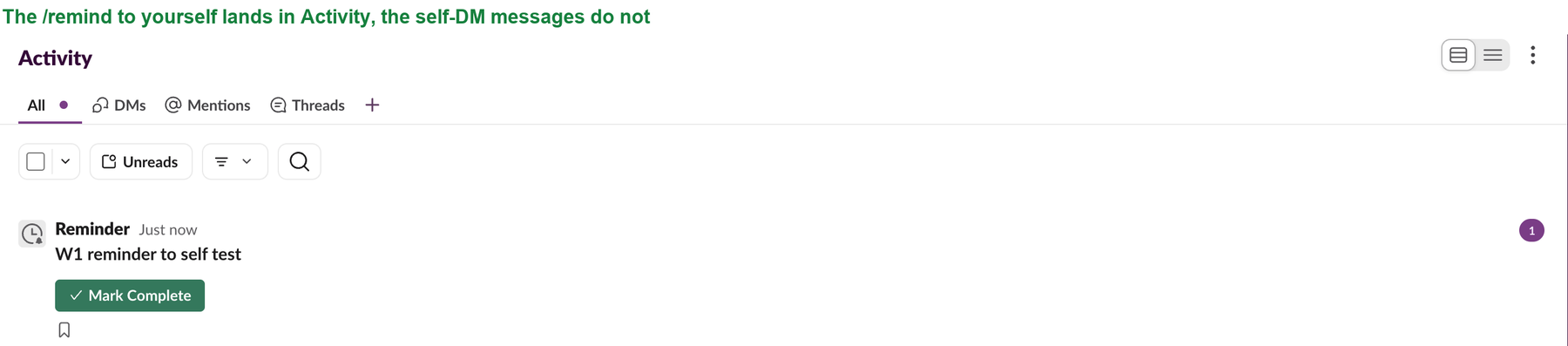
Your own messages count as read the moment you send them. So the self-DM is quiet, which suits notes, and is useless as an alarm. For anything you must not forget, use a reminder. It fired into Activity as "Reminder" with a Mark Complete button, and the To-dos tab got a badge.
To set a reminder on a message you already wrote, use the message menu's Add a reminder, as shown in remind me about this message.
Never appear "away" on Slack again
Cloud-based. No downloads. Works 24/7 even when your laptop is off.
Can anyone else see your self-DM?
Other members cannot open it. Apps cannot read it either, unless you give them your own token. Our test app's bot token asked for the self-DM's history and got channel_not_found.
Workspace owners on paid plans can have export and retention tools that reach DMs. Those rules are the same as for any DM, and we cover them in can Slack admins see your DMs. Keep passwords out of your self-DM for the same reason.
Ways people use it
Questions
Did Slack remove the option to DM yourself?
No. It was in our sidebar on 10 October 2026, marked "you". If you cannot see it, search for your own name with Cmd+K.
Does a self-DM count toward the Free plan history limit?
Yes, it is a DM like any other, so the Free plan's history limit applies to it as well. See Slack free plan limits.
Can a bot send me a note in my self-DM?
No. Our test bot tried to post to the self-DM and got channel_not_found. A bot posts to its own DM with you instead, which shows under Apps in the sidebar.
Stop Jiggling Your Mouse.
Join hundreds of remote workers who never worry about their Slack status. Set it up once, stay green forever.
Related Articles
Slack MSI Installer: Gone After 4.48.102, Use MSIX
Slack's last MSI is 4.48.102 from March 2026; every later version 404s. We read both old MSIs and the current MSIX package to show what each installs and how to move a deployment to MSIX.
Slack LaTeX and Math: What Renders, What Doesn't, What Works
Slack shows LaTeX as raw text in messages and canvases, even though its web client ships KaTeX. We tested every route and give the two that work: Unicode math and a formula rendered to an image with 15 lines of Python.
Slack Canvas Images: Add, Size and Insert Them by API
We inserted a PNG, an animated GIF and a 6000 px image into a Slack canvas with canvases.edit. Slack files rendered; an outside image URL became a link card even though the API said ok.