
Slack Emoji for Thank You (and You're Welcome)
The usual Slack emoji for thank you are 🙏 :pray:, 🙌 :raised_hands: and ❤️ :heart:. For you're welcome, 😊 :blush: or 🤗 :hugging_face:. What each one says, which ones read wrong, and custom :ty:, :np: and :welcome: emoji your team can add in a minute.
The usual Slack emoji for thank you are 🙏 :pray:, 🙌 :raised_hands: and ❤️ :heart:. React with one on the message you are thankful for, or type the code in a reply. For "you're welcome" or "no problem", 😊 :blush:, 🤗 :hugging_face: or 🙌 work. Many teams also add custom text emoji such as :ty:, :tysm:, :np: and :welcome:, because a word in a reaction is harder to misread than a picture.
We build Slack Green, which keeps your Slack status green from our servers during the hours you set. Our free Slack emoji maker makes a :ty: or :np: text emoji in under a minute.
Slack emoji for thank you and you're welcome
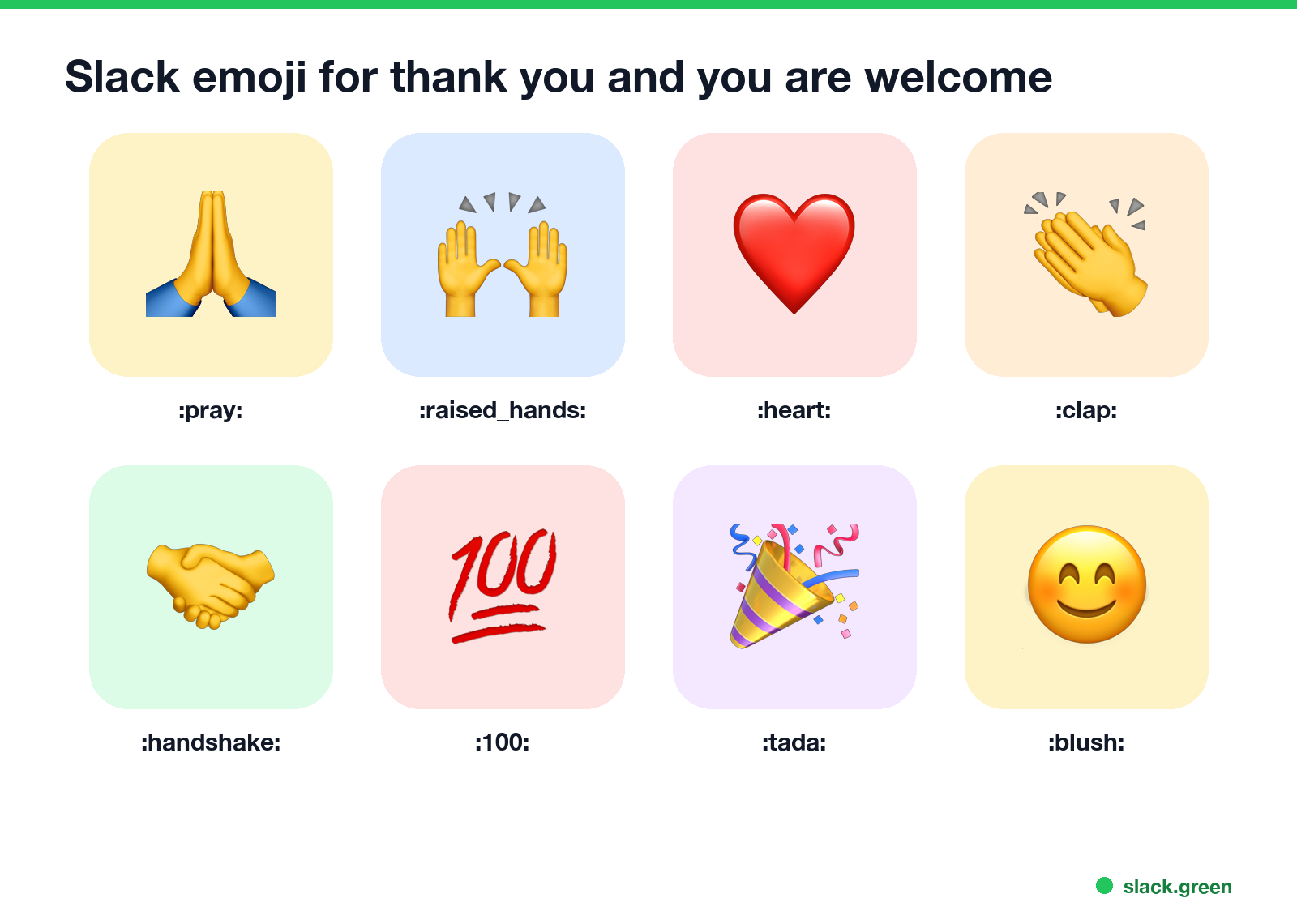
| Emoji | Code | Use it for |
|---|---|---|
| 🙏 | :pray: | Thank you, please |
| 🙌 | :raised_hands: | Thanks, well done, we did it |
| ❤️ | :heart: | Warm thanks |
| 👏 | :clap: | Great work |
| 🤝 | :handshake: | Thanks for the help, deal done |
| 💯 | :100: | Perfect, totally agree |
| 🎉 | :tada: | Thanks and congratulations |
| 😊 | :blush: | You're welcome, glad to help |
| 🤗 | :hugging_face: | You're welcome, warmly |
To react, hover over the message and click the add-reaction icon, then search "pray" or "thank". Slack also shows three one-click reactions on hover; you can pick your own under Preferences, Messages & media, Emoji, so 🙏 is always one click away.
Which thanks emoji says what
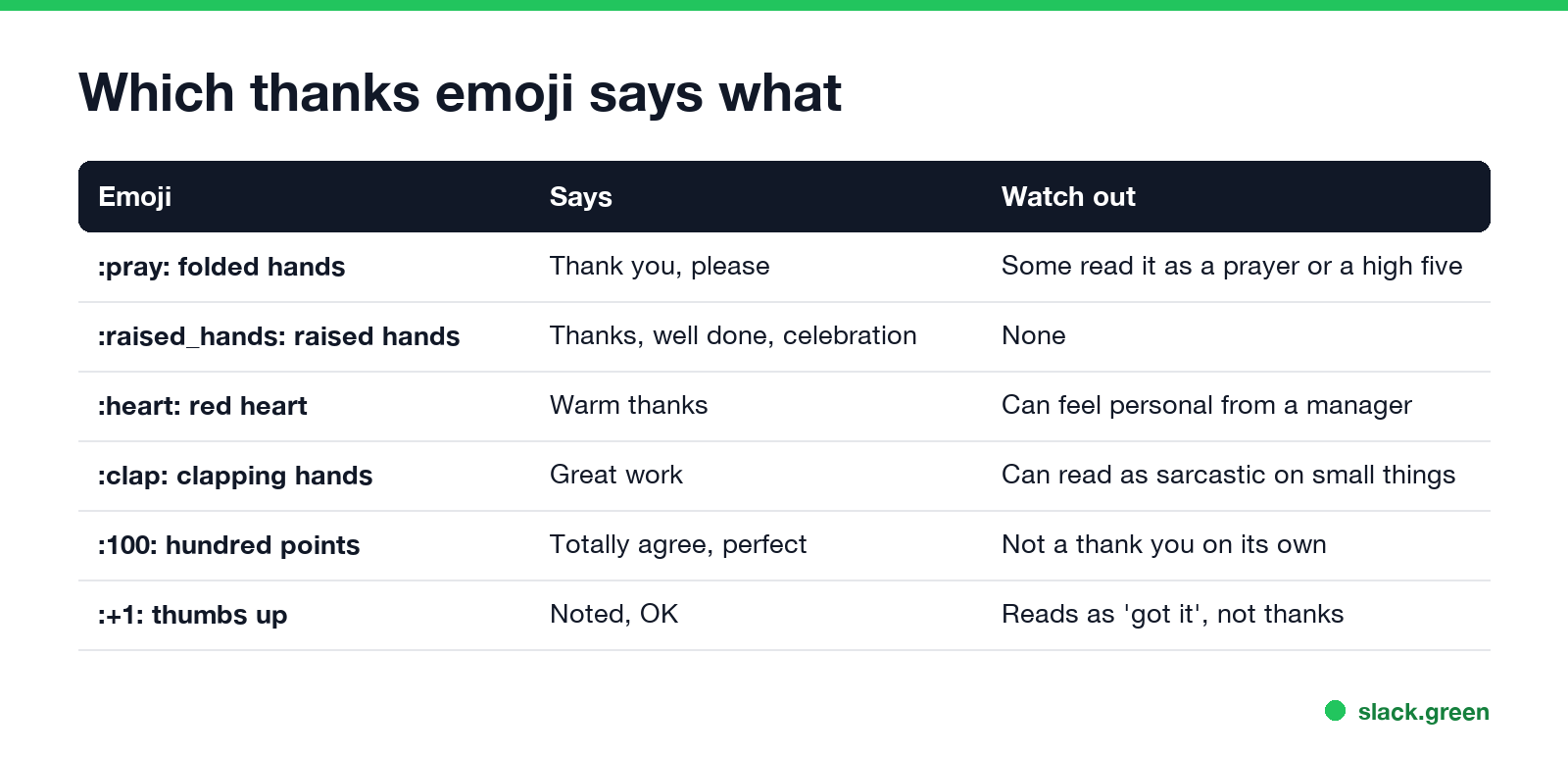
- • 🙏 :pray: is the most common thanks reaction at work, but some people read it as praying or as a high five. In most teams nobody minds.
- • 🙌 :raised_hands: says thanks with a bit of celebration. Good for a teammate who shipped something.
- • 👏 :clap: on a small favour can read as sarcastic. Save it for real wins.
- • 👍 :+1: means "noted" or "OK", not thanks. Fine for "got it", flat for a favour.
- • ❤️ :heart: is warm. From a manager to a new hire it can feel more personal than intended; 🙌 is safer.
Custom thank-you emoji to add
Never appear "away" on Slack again
Cloud-based. No downloads. Works 24/7 even when your laptop is off.
Text emoji are the clearest. Some that teams add:
:ty:          thank you
:tysm:        thank you so much
:thanks-team: thanks, team
:np:          no problem
:yw:          you're welcome
:welcome:     welcome to the team
:hnd:         have a nice day
:kudos:       kudos
To make one, open the Slack emoji maker, choose Text to emoji, type the word, pick colors, and download it. Then click the smiley face in the Slack message field, choose Add Emoji, upload the file and give it the name, such as ty. Full steps are in how to add custom emoji to Slack. More ideas by team are in Slack emoji ideas. A :welcome: emoji is handy in an intro channel, where every new member gets a row of them.
Thank-you messages that go with the emoji
A reaction is fine for small things. For real help, add a line that says what the person did:
Thanks, [name]! That fix saved us the release. 🙌
Thank you for jumping in on this, it made the deadline possible. 🙏
Big thanks to [name] for covering on-call this weekend. ❤️
Naming the specific thing is what makes a thank you land. A public thanks in a team channel also tells managers who helped.
For news and reminders, see Slack emoji for announcements.
FAQ
What is the Slack emoji for thank you? 🙏 :pray: is the most common. 🙌 :raised_hands: and ❤️ :heart: also work.
What emoji means you're welcome in Slack? 😊 :blush:, 🤗 :hugging_face:, or a custom :np: or :yw: text emoji.
Is a thumbs up a thank you in Slack? Not quite. 👍 reads as "noted". Use 🙏 or 🙌 for thanks.
How do I make a :ty: emoji in Slack? Make a text emoji that says "ty" with the slack.green emoji maker, then add it with Add Emoji and name it ty.
Stop Jiggling Your Mouse.
Join hundreds of remote workers who never worry about their Slack status. Set it up once, stay green forever.
Related Articles
Slack Emoji for Announcements, Updates and Reminders
The standard Slack emoji for an announcement is 📣 :mega: or 📢 :loudspeaker: at the start of the post. Use 🚨 :rotating_light: only for real emergencies, 🆕 :new: for updates, ⏰ :alarm_clock: for reminders, and ask readers to react with ✅ :white_check_mark: once they have read it. Templates and a custom emoji idea.
Slack Status for a Doctor Appointment: 24 Statuses and Emoji
A Slack status for a doctor appointment says you are out and when you are back, such as 🏥 'At an appointment, back at 2 PM.' You do not have to say what kind. 24 statuses for doctor, dentist and other appointments, the emoji codes, and how to schedule the status so it clears by itself.
Slack Status for Limited Availability: 30 Statuses to Copy
A Slack status for limited availability says you are around but slow, until when, and how to reach you if it is urgent, such as ⏳ 'Limited availability today, replies after 3 PM. Urgent: @mention me.' 30 statuses for busy days, slow replies and catching up, the emoji to use, and when to pause notifications too.