
Slack's New Mac Menu Bar Icon: What It Opens and How to Hide It
The Slack logo next to your Mac's clock is Slackbot Mini's icon. We read the code of Slack 4.52.182 and 4.53.276 to see when it appears, what a click does, and which ways of hiding it Slack itself supports.
The Slack logo that showed up next to the clock on many Macs in late October 2026 is the icon of Slackbot Mini, a small Slackbot window in the Slack desktop app. A click on it opens that window, and a right-click opens a short menu. To hide it, turn off Show icon in macOS menu bar in Slack's preferences if your copy has that switch, or on macOS 26 remove Slack under System Settings > Menu Bar. We read the code of Slack for Mac 4.52.182 and 4.53.276 on 3 November 2026 and the desktop log of a Mac where the icon appeared on 29 October, so each step below says whether it comes from Slack's code or from other users' reports.
What the icon is and where it came from
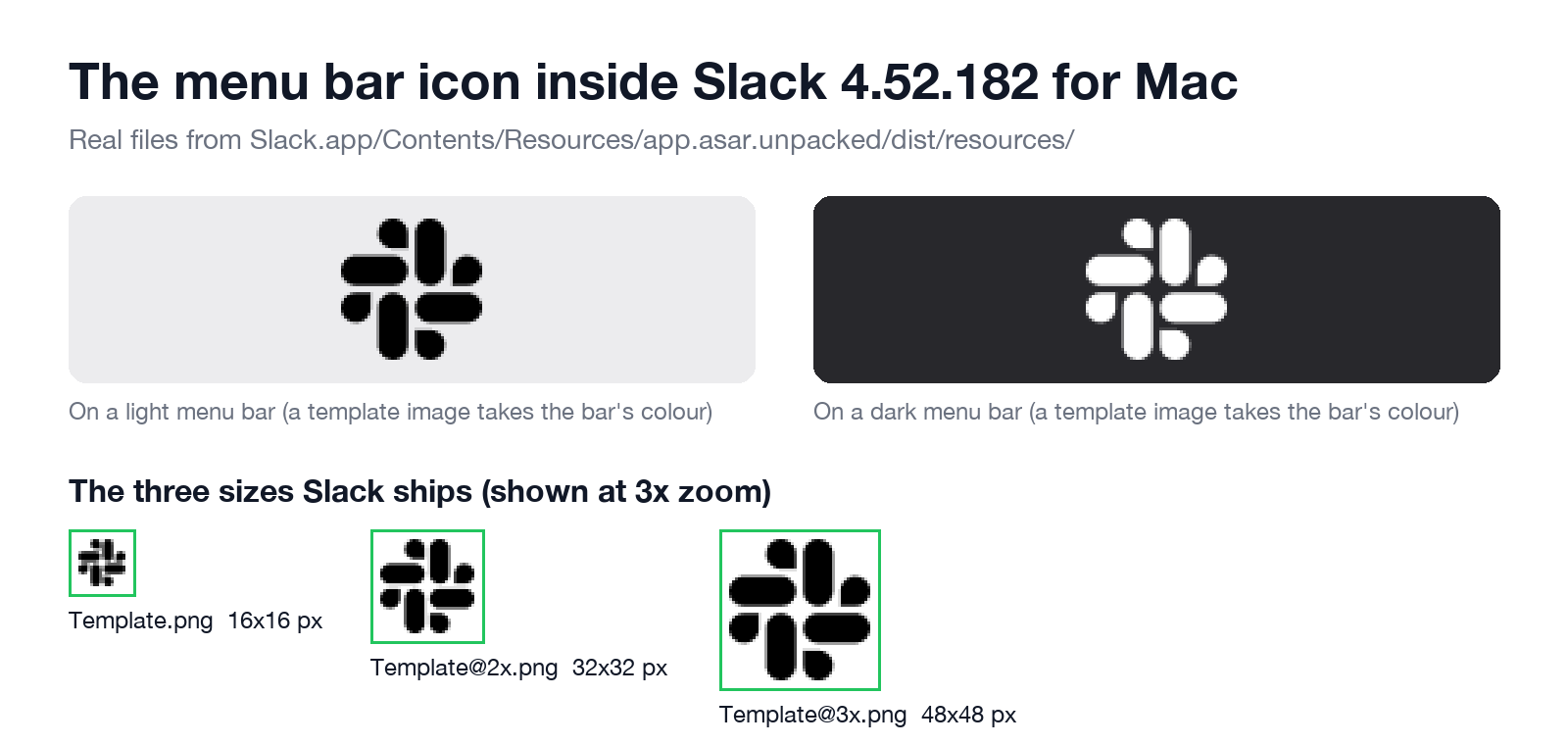
The icon is a normal Mac menu bar item. Slack's code calls it the tray, and it uses one black-and-transparent image, macos-menubar-icon-Template.png, at 16, 32 and 48 pixels, that macOS tints to match a light or dark menu bar. We found the three files in /Applications/Slack.app/Contents/Resources/app.asar.unpacked/dist/resources/ of version 4.52.182.
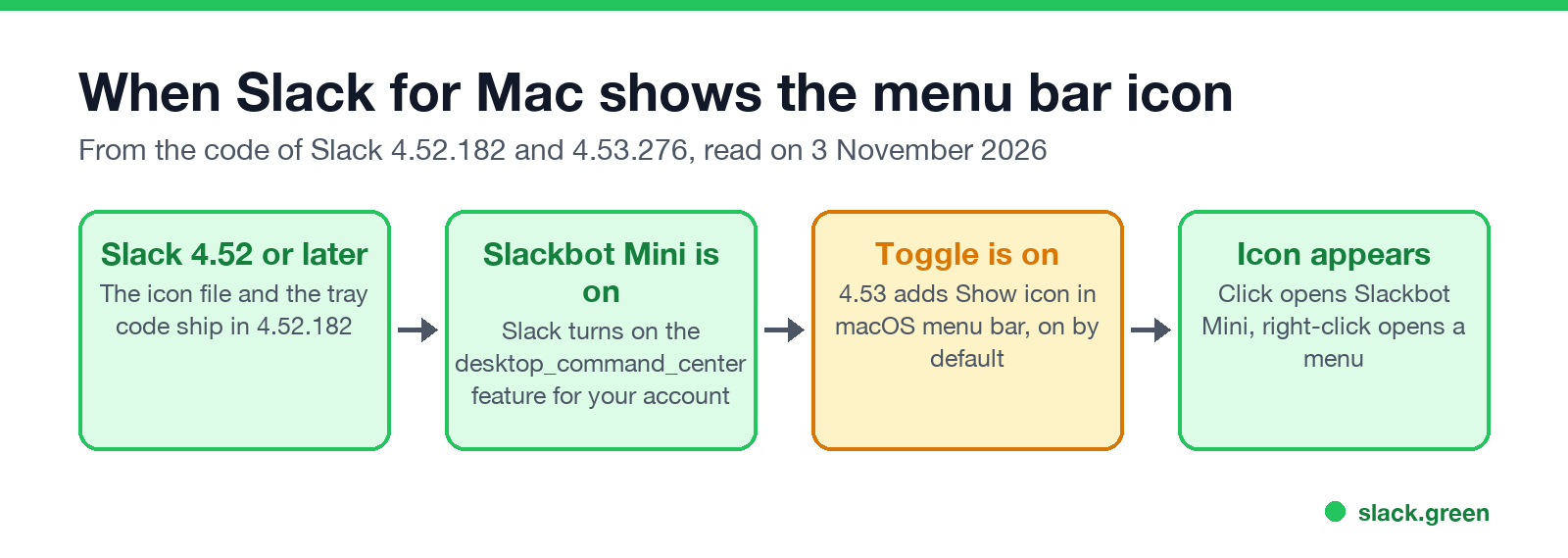
Slack did not ship it as a visible update. The code that creates the icon runs only when a server-side feature named desktop_command_center is on for your account, and that feature is the Slackbot Mini window. On our test Mac, Slack 4.52.182 received a list of desktop features that included desktop_command_center, and in the same second its log recorded:
[10/29/26, 02:56:02:872] info: TrayHandler: Tray doesn't exist, making it with tooltip: highlights
[10/29/26, 20:52:30:947] info: TrayHandler: Controlling Slackbot Mini window via click event
The first line is the icon appearing, with no update or restart on our side. The second is a click on it later that day. The Mac release notes for 4.52.182, 4.53.269 and 4.53.276 do not mention a menu bar icon. That is why one machine has it and the next one on the same version does not: Slack turns the feature on per account.
What clicking it does
In 4.52.182 a left click sends a message to the main Slack window to open or close the Slackbot Mini window. A right-click opens a menu with these items, in this order:
- Your workspaces, one line each, which switch the main window to that workspace.
- The update item, such as Check for Updates… or Restart to Apply Update, when this copy of Slack updates itself.
- Preferences, with Command-comma.
- Troubleshooting, a submenu with Report Issue… and Show Logs in Finder.
- Quit, with Command-Q.
The image itself never changes with unread messages. Only its tooltip does: "You have 3 notifications", "You have unread messages" or "No unread messages". The unread count stays on the Dock icon, where Slack sets the badge to the number of mentions, or a dot for other unreads. One exception: while Slack is recording, the code draws a small blue dot in the icon's corner.
How to hide it
| Way | Works on | Source |
|---|---|---|
| Slack's switch Show icon in macOS menu bar | Slack 4.53 and later, when the switch shows | Slack's code |
| System Settings > Menu Bar, turn Slack off | macOS 26 Tahoe | Reddit users |
| Hold Command and drag the icon off the bar | macOS 26 Tahoe | Reddit users, one says it came back |
defaults write of the status item key, then reopen Slack | macOS 15 Sequoia | Reddit users |
| A menu bar manager such as Ice or Bartender | macOS 15 Sequoia | Reddit users |
Slack's own switch is the clean fix. In Slack's web client code the setting is labelled Show icon in macOS menu bar. It sits in Preferences under the Slack AI settings, in the group called Slackbot Mini keyboard shortcuts, and it is on by default. The client draws that switch only when the desktop app reports that it supports the setting. Version 4.52.182 does not have the setting at all. Version 4.53.276 has it (showMacMenuBarIcon, default true), and when it is off, the app destroys the icon. So update to 4.53 first (see how to update Slack on a Mac) and then look in Preferences > Slack AI. In the Reddit thread about the icon, one user found the switch there and another said it was not there on 4.53.276. So Slack may still be turning it on per account too.
If the switch is missing, use the Mac's controls. On macOS 26, open System Settings, choose Menu Bar and turn Slack off in the list of apps allowed in the menu bar. On macOS 15, Reddit users report this command, run while Slack is quit:
defaults write com.tinyspeck.slackmacgap "NSStatusItem Visible Item-0" -bool falseWe did not run it on our test Mac. It writes the visibility value macOS keeps for an app's first menu bar item. To undo it, run defaults delete com.tinyspeck.slackmacgap "NSStatusItem Visible Item-0" and open Slack again.
Never appear "away" on Slack again
Cloud-based. No downloads. Works 24/7 even when your laptop is off.
The Slackbot Mini keyboard shortcut
The same group of preferences sets the shortcut that opens Slackbot Mini. The choices in the code are Ctrl Ctrl (press Control twice), ⌘+Shift+O and None, and the default is None. The code leaves ⌘+Shift+O out of the list on desktop versions from 4.52.155 up to 4.53.180. If an older build had saved ⌘+Shift+K or ⌘+Option+K as your shortcut, the client resets it to None. If you never use Slackbot Mini, keep the shortcut on None and hide the icon. Neither change affects normal Slack windows. Slack's other keys are in our list of Slack keyboard shortcuts.
Can you put Slack in the menu bar on purpose
Before this icon, Slack for Mac had no menu bar item at all, which is why apps such as Badgeify and Doll exist. They copy the Dock badge into the menu bar. The Slackbot Mini icon does not replace them for unread counts, because its image looks the same with or without unreads. If you want a count in the menu bar, those apps still do that job. If notifications are the real problem, check Slack notifications on a Mac first.
FAQ
Does Slack for Windows have this icon too?
Yes, in the notification area next to the Windows clock, where Slack has kept an icon for years. The Mac build still carries the Windows message for it: "Slack's set to stay running in the notification area. To change this, visit Preferences > Advanced."
Does the icon mean Slack is still running after I quit?
No. Quit removes it with the rest of the app. The icon appears only while Slack runs.
How do I get the icon back?
Turn Show icon in macOS menu bar back on, turn Slack back on under System Settings > Menu Bar, or delete the defaults key above and reopen Slack.
Stop Jiggling Your Mouse.
Join hundreds of remote workers who never worry about their Slack status. Set it up once, stay green forever.
Related Articles
How to Resolve or Close a Slack Thread (and Who Can Lock One)
Slack has no Resolve or Close button for threads. We checked every thread menu as a member, found the admin-only lock in Slack's code, and tested the workarounds that do work: a checkmark, a to-do you mark complete, and muting replies.
How to Search for Images in Slack, Including Text Inside Them
To find an image in Slack, search, switch the results from Messages to Files and set File type to Images, or type type:images. We tested 6 images: Slack also found words written inside PNGs, but not inside JPGs.
Lock Icon Next to a Slack Channel? What the Lock and Grey Text Mean
A padlock next to a Slack channel means it is private. Grey text with a crossed-out bell means you muted it. We made a private, muted, archived and unread channel and screenshot each one in the sidebar.