
How to Hide Your Email on Slack, and What Apps Still See
Only a workspace owner or admin can hide email addresses in Slack. We switched Email Display to No one, viewed a profile as a coworker, and read the same profile through the API.
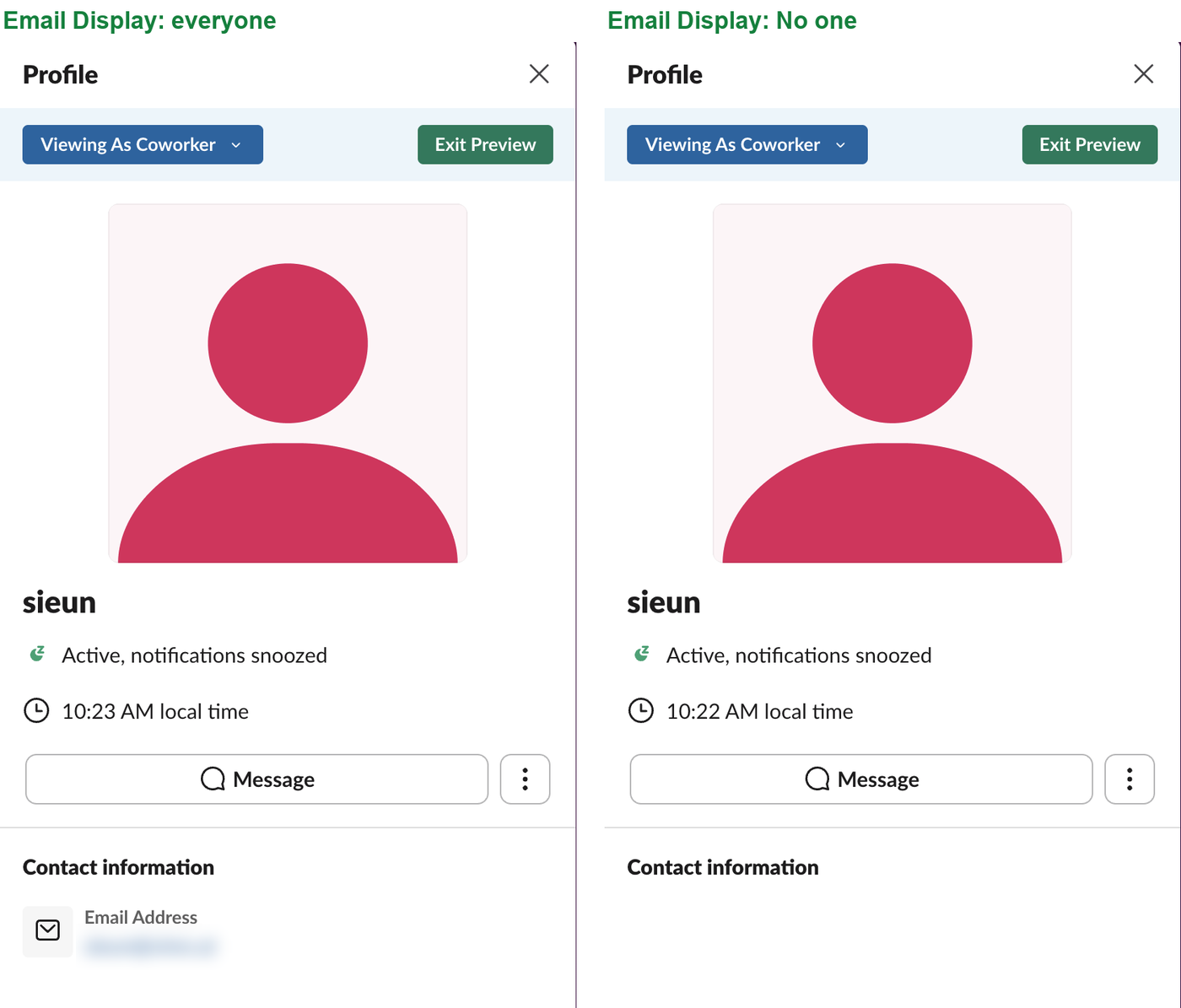
You cannot hide your own email address on Slack. The email field on your profile is locked, and the only switch is a workspace setting called Email Display, which owners and admins control. On 10 October 2026 we set it to No one in our one-person test workspace on the Free plan. A coworker view of the profile lost the email at once. An app with the users:read.email permission could still read it, which is what Slack's own warning on that setting says.
Can you hide your email yourself?
No. We opened our own profile and clicked Edit next to Contact information. The dialog has two fields, Email Address and Phone. The email field has a lock icon and cannot be changed or hidden there.
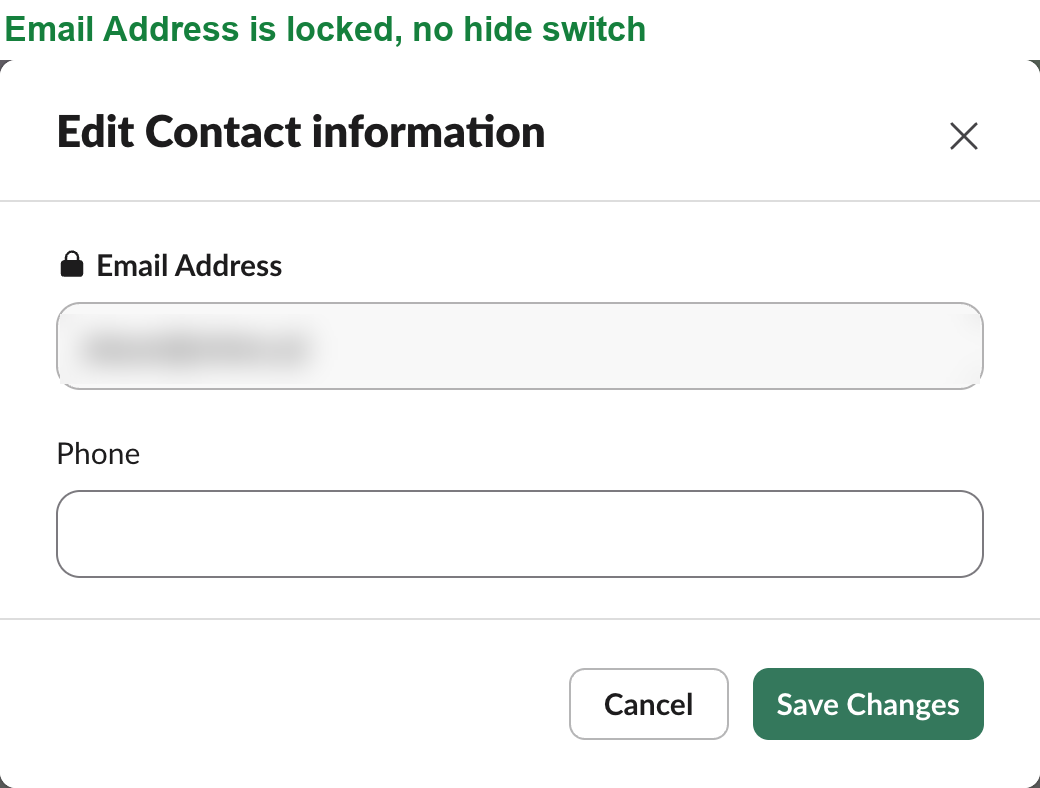
So a member who wants their email hidden has to ask a workspace owner or admin.
How an owner or admin hides email addresses
- Click Admin in the left rail, then Settings & permissions.
- Stay on the Settings tab and scroll to Email Display.
- Click Expand.
- Under Who can see Slack members' email addresses?, pick one choice and click Save.
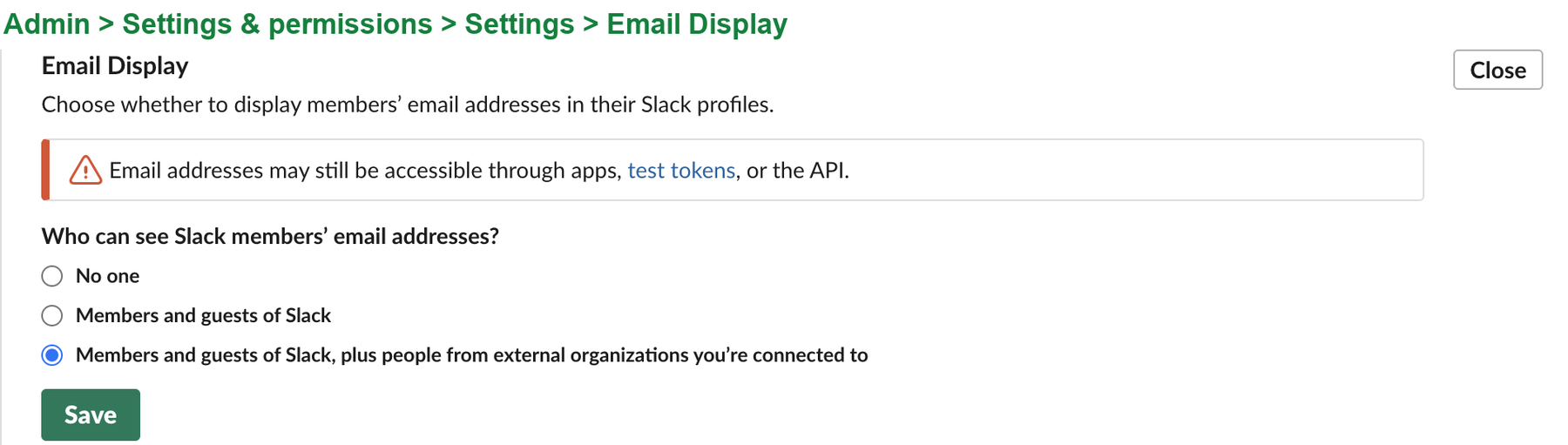
The three choices are:
| Choice | Who sees emails on profiles |
|---|---|
| No one | Nobody, on any profile |
| Members and guests of your workspace | People inside the workspace only |
| Members and guests, plus people from external organizations you're connected to | Also people in Slack Connect channels (the default in our workspace) |
The setting is for the whole workspace. There is no list of people whose emails stay hidden while others show.
Never appear "away" on Slack again
Cloud-based. No downloads. Works 24/7 even when your laptop is off.
What coworkers see after the change
Slack can preview your profile as other people see it. Open your profile, click View as, and pick A coworker at your workspace. With the default setting, Contact information listed the email. Right after we saved No one, the same preview showed an empty Contact information section, as in the first screenshot. When we set it back, the email came back.
The preview is the fastest way to check the result without asking a coworker. Your own profile still shows your email to you, which is why the plain profile view is not a good test.
What apps still see
Hiding emails changes profiles, not the API. We built a test app with two tokens and read the same profile with users.info before and after the change:
| Token | Email Display: everyone | Email Display: No one |
|---|---|---|
Bot token with users:read and users:read.email | email returned | email returned |
User token with users:read only | no email field | no email field |
Bot users.lookupByEmail with the address | user found | user found |
So the setting does not hide an address from an app that was granted the email permission. It also does not stop an app from finding a person by an address it already knows, which our users.lookupByEmail guide covers in detail. If you are an admin who wants emails kept private, review the installed apps under Admin, Integrations and remove the ones you do not need.
Questions
Can people in other companies see my Slack email?
Only with the third choice, the one that adds external organizations. Pick Members and guests to keep emails inside the workspace.
Does hiding emails change who can message me?
No. People can still find you by name and send you a DM. The setting only removes the email line from your profile.
Is my email still used to sign in?
Yes. Email Display only changes what profiles show. You still sign in with the same address, and Slack still sends its emails there.
Stop Jiggling Your Mouse.
Join hundreds of remote workers who never worry about their Slack status. Set it up once, stay green forever.
Related Articles
How to See All Your DMs in Slack, Including the Hidden Ones
The DMs tab lists your direct messages with people. App DMs, Slackbot and DMs with deleted accounts sit elsewhere. We compared the tab with the full list the Slack API returned.
Slack Images Not Showing? 5 Causes We Reproduced
We uploaded images to a Slack test channel and then switched each image setting off, ran /collapse, and posted from a bot that was not in the channel. Five causes, each reproduced.
How to Message Yourself on Slack (and What It Notifies)
Your own name under Direct messages opens a private DM with yourself. We sent it a note, a file, a scheduled message and a reminder, and checked which ones raised a badge.