
How to Delete a Thread in Slack (Parent and Replies)
Slack has no delete-thread button. Deleting the first message leaves 'This message was deleted.' with the replies still attached; the thread only disappears once every reply is deleted too. We tested both in the app and through the API on October 27, 2026.
Slack has no button that deletes a whole thread. To remove a thread, delete each reply and the first message (the parent). If you delete only the parent, Slack keeps a gray "This message was deleted." placeholder in the channel with the replies still under it. On October 27, 2026 we built test threads in our Free workspace and deleted them in different orders to see exactly what stays.
What happens when you delete the parent message
We posted a question in a test channel and added 3 replies, one from our account and two from a test app. Then we hovered over the parent, opened the three-dot menu and chose Delete message…. The dialog did not mention the replies:
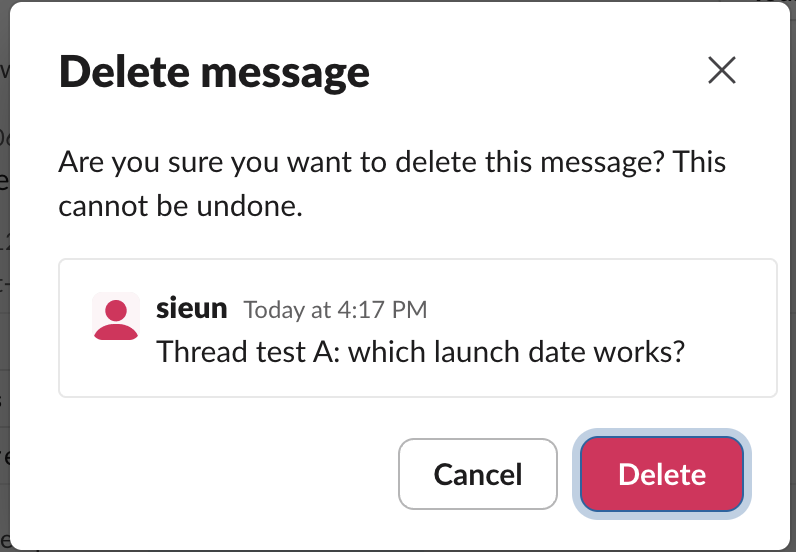
After we clicked Delete, the parent was replaced by a placeholder, and the thread link stayed:

Opening 3 replies showed every reply, readable by anyone in the channel. Deleting the parent hides only the parent's text.
Delete the replies to make the thread disappear
Open the thread, hover over each reply, open its three-dot menu and choose Delete message…. As the workspace owner, we got Delete message… on the test app's reply too, not only on our own:
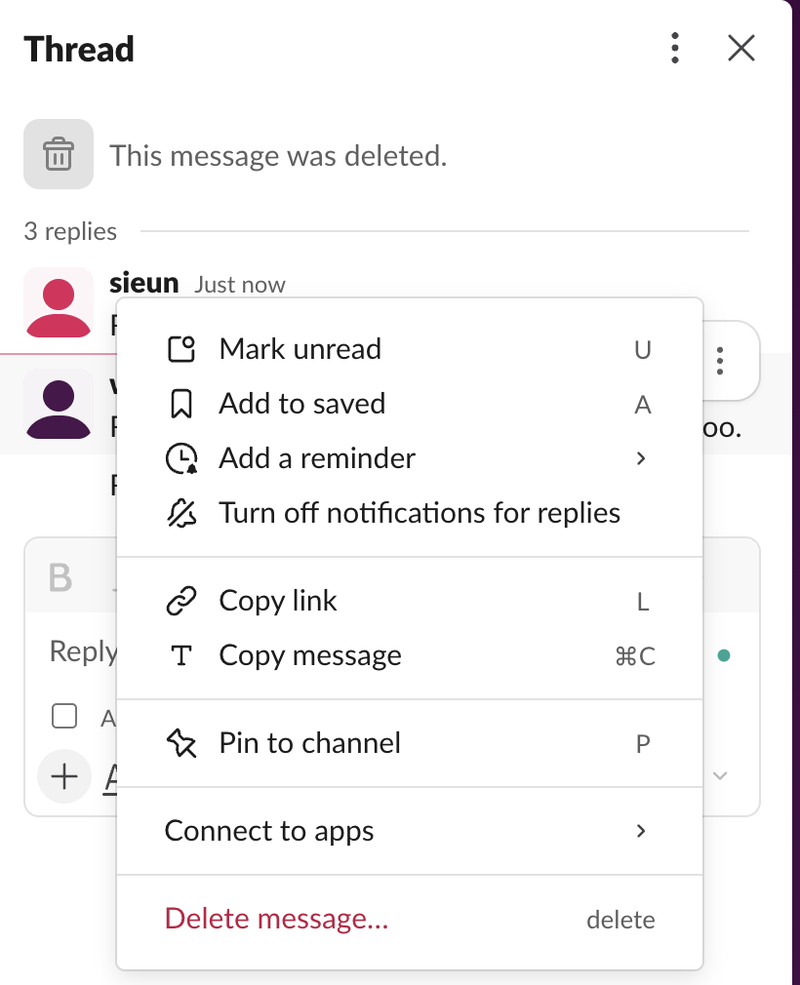
We watched the thread through Slack's API after each step:
| Step | What the channel showed |
|---|---|
| Parent deleted | "This message was deleted." with 3 replies |
| One reply deleted | Same placeholder, 2 replies |
| All 3 replies deleted | Placeholder gone; the thread no longer exists |
Once the last reply was gone, the placeholder left the channel and the thread pane said "This message was deleted." Slack's API returned thread_not_found for the thread.
So the order does not matter, but every message has to go. Delete the replies first if you do not want the placeholder to show at all while you work.
Never appear "away" on Slack again
Cloud-based. No downloads. Works 24/7 even when your laptop is off.
Delete a whole thread with a script
For a long thread, the API is quicker. This script reads the thread with conversations.replies, then calls chat.delete on every reply and finally on the parent. It needs a token with channels:history and chat:write:
import os, sys, json, urllib.parse, urllib.request

token = os.environ["SLACK_BOT_TOKEN"]
channel, parent_ts = sys.argv[1], sys.argv[2]

def call(method, **params):
    req = urllib.request.Request(
        "https://slack.com/api/" + method,
        data=urllib.parse.urlencode(params).encode(),
        headers={"Authorization": "Bearer " + token},
    )
    return json.load(urllib.request.urlopen(req, timeout=30))

thread = call("conversations.replies", channel=channel, ts=parent_ts)
replies = [m["ts"] for m in thread["messages"] if m["ts"] != parent_ts]
for ts in replies + [parent_ts]:
    r = call("chat.delete", channel=channel, ts=ts)
    print(ts, r["ok"], r.get("error", ""))
print("after:", call("conversations.replies", channel=channel, ts=parent_ts).get("error"))
We ran it on a test thread with a parent and 3 replies, all posted by our test app:
1793085527.318629 True
1793085527.658009 True
1793085528.003729 True
1793085526.958699 True
after: thread_not_found
Four deletes, then thread_not_found: the thread was gone. A bot token can only delete its own app's messages, so for a thread written by people, the script needs a user token from someone allowed to delete each message. The chat.delete API lists which token can delete what. To find the timestamp of the parent, see Slack thread_ts.
We also tested deleting only the parent through the API. The result matched the app: the parent became a tombstone with the text "This message was deleted." and the reply stayed.
Who can delete messages in a thread
You can always delete your own replies. We tested as the workspace owner, who could delete the app's replies from the menu. Our test workspace has one human member, so we could not test whether a regular member on the Free plan can delete other people's replies. Deleting someone else's message in Slack shows what an owner can remove and which settings exist.
If you want a copy before you delete, copy the Slack thread first. Whether a company can still read deleted messages depends on its retention settings; can Slack see deleted messages explains that.
FAQ
Does deleting the parent delete the replies in Slack?
No. In our test the 3 replies stayed and the parent turned into "This message was deleted." The thread disappeared only after all replies were deleted.
Can I undo deleting a thread?
No. The dialog says the delete "cannot be undone," and the deleted messages did not come back. How to undo in Slack lists the few things you can reverse.
Stop Jiggling Your Mouse.
Join hundreds of remote workers who never worry about their Slack status. Set it up once, stay green forever.
Related Articles
How to Mark a Message Urgent in Slack (There Is No Flag)
Slack has no urgent or priority flag on messages. On October 27, 2026 we checked every menu in the Free plan's message box and message menu and found none. What works instead: a DM, @here or @channel, a reminder on the message, and the reader's VIP and keyword settings.
How to Delete Files in Slack (Deleting the Message Is Not Enough)
Delete a Slack file from Files or from the file's own menu with Delete file. In our October 27, 2026 test, Delete message on a file post removed the post but left the file on Slack's servers. We also deleted files in bulk with a short script.
Where Are Slack Files Stored? Servers, Files Tab and Downloads
Files you share in Slack are stored on Slack's servers under files.slack.com, not on your computer. Inside Slack you find them in Files and in each channel's Files tab, and downloads go wherever your app or browser saves them. We tested where each one shows up.