
How to Undo in Slack: What Cmd+Z Undoes and What It Cannot
Cmd+Z or Ctrl+Z undoes typing in the message box and, right after you send, can unsend the message. Deletes, removed reactions and channel leaves have no undo. We tested 8 actions.
To undo in Slack, press Cmd+Z on a Mac or Ctrl+Z on Windows. In the message box it undoes your typing. Right after you send a message, with the message box empty, the same keys open an Unsend message dialog that pulls the message back. Most other actions, such as deleting a message or removing a reaction, have no undo at all. On October 27, 2026 we tried 8 common actions in our Free test workspace in Slack's web app and recorded what Cmd+Z did after each one.
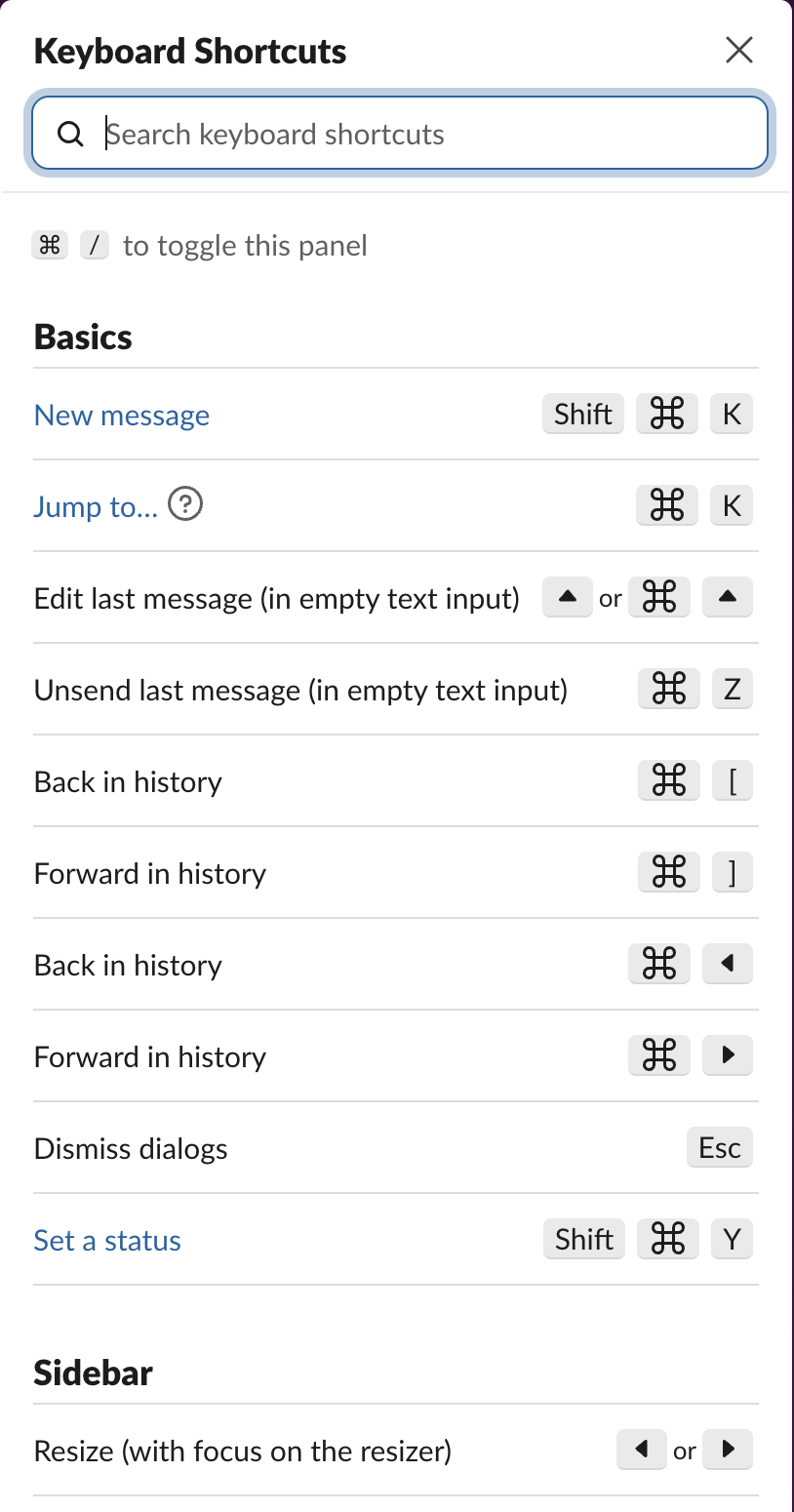
Slack's own shortcut list, opened with Cmd+/, shows the two undo shortcuts it supports:
What Cmd+Z undid in our test
| Action | Did Cmd+Z undo it? | Undo button or toast? | How to reverse it |
|---|---|---|---|
| Typing in the message box | Yes. One press removed the whole line we had just typed, and Cmd+Shift+Z put it back | No | Cmd+Z, then Cmd+Shift+Z to redo |
| Sending a message | Sometimes. One press opened Unsend message | No toast; a dialog | Unsend in that dialog, within 15 seconds |
| Deleting a message | No | No. The dialog says "This cannot be undone." | None. Post it again |
| Removing your reaction | No | No | Add the emoji again |
| Leaving a channel with /leave | No | No | Join the channel again |
| Archiving a channel | No | No | Unarchive the channel |
| Typing in a canvas | Partly. It removed the last line we typed | No | Cmd+Z in the canvas |
| Editing a sent message | We did not test this | Edit it again |
Unsend a message you just sent
This is the closest Slack has to undo send. After we sent a test message, pressing Cmd+Z with an empty message box opened this:
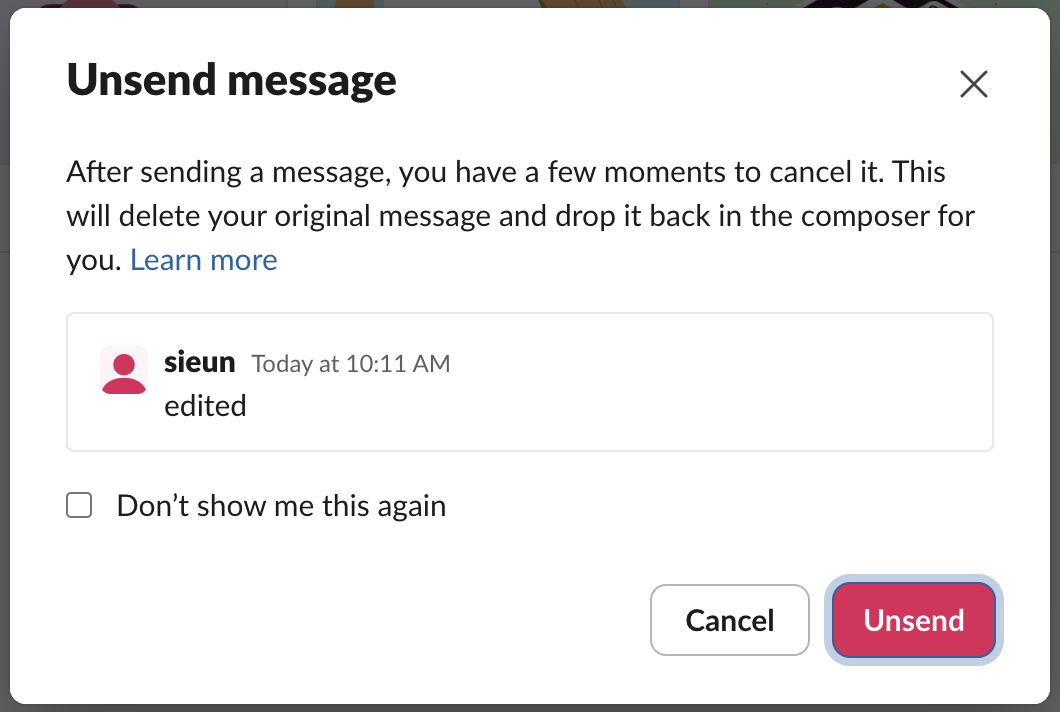
We clicked Unsend. The message disappeared from the channel, and its text was back in the message box, ready to fix and send again.
It did not work every time. We repeated the test 14 more times in the same browser tab, pressing Cmd+Z between 1 and 90 seconds after sending, and the dialog did not open again. An earlier test of ours on September 30 had unsend work about 12 seconds after sending and fail at 20 seconds. Slack's help page gives the conditions: within 15 seconds of sending, without leaving the conversation, with an empty message box, and only on desktop. If the dialog does not open, delete the message from its More actions menu instead. Other people may already have seen it, and Can Slack see deleted messages covers who can still read it.
Deleting a message cannot be undone
Slack asks first, and says so in the dialog:
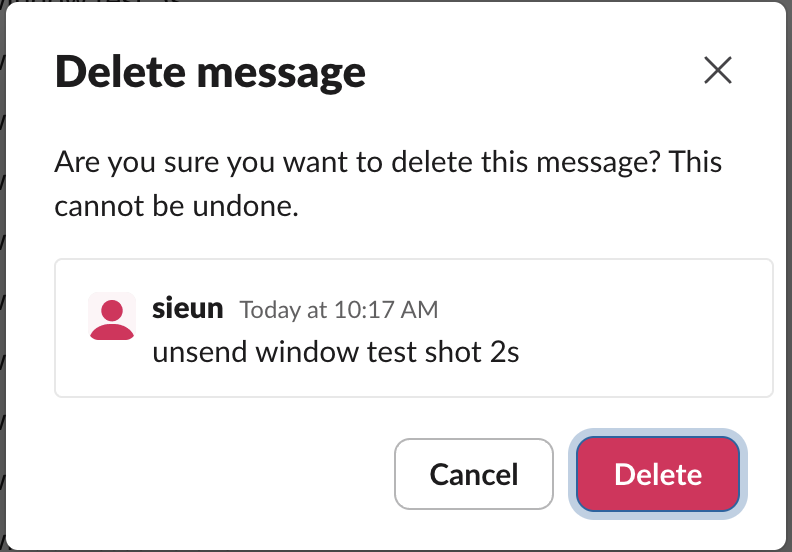
After we clicked Delete, the message was gone and Cmd+Z did nothing. If you need the text back, check whether someone quoted or forwarded it.
Never appear "away" on Slack again
Cloud-based. No downloads. Works 24/7 even when your laptop is off.
Leaving and archiving channels
/leave took us out of the test channel at once and moved us to another channel, with no toast and nothing for Cmd+Z to undo. To go back, find the channel in the channel browser and join it again; private channels need an invite.
/archive opened a confirmation dialog instead:
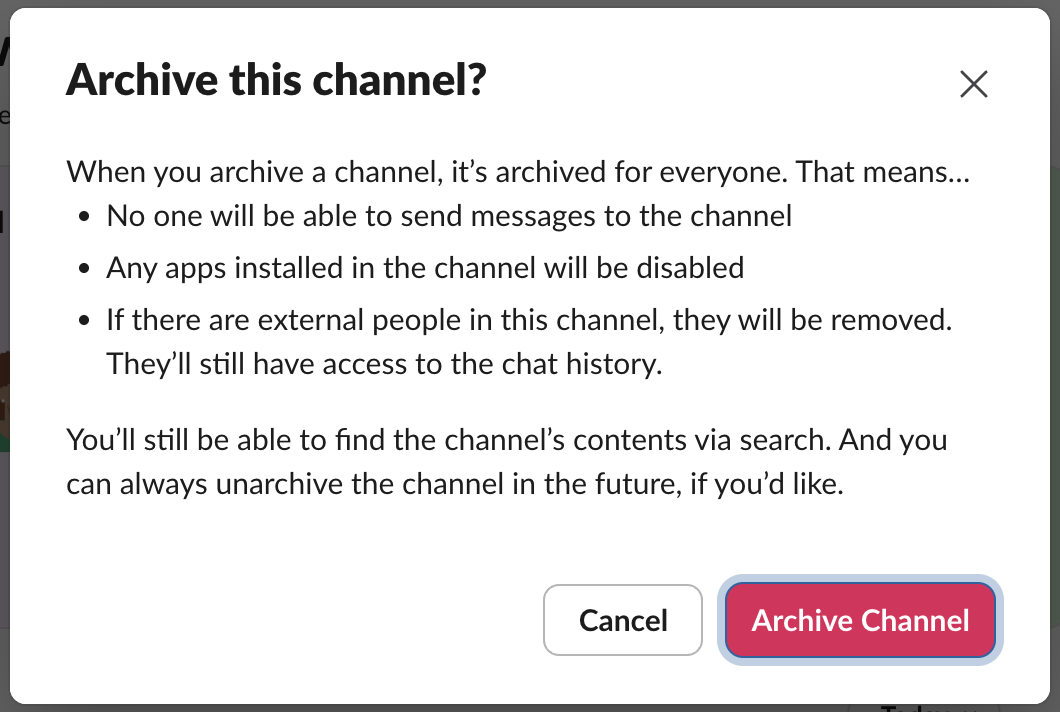
After we archived it, there was no undo toast either. We then unarchived the channel and it came back with its messages. Archiving a Slack channel shows where the Unarchive option lives.
Undo in a Slack canvas
In a channel canvas, Cmd+Z removed the last line we typed. A second press did not remove the first line, which Slack had turned into the canvas title, and Cmd+Shift+Z did not bring the removed line back. Treat canvas undo as a short-term fix. To keep a copy of a canvas before a big edit, export the canvas.
Formatting undo
When Slack turns *text* or a pasted markdown link into formatting as you type, one Cmd+Z right after it reverts the formatting. Slack markdown not working covers that case and the setting that turns auto-formatting off.
FAQ
Can an admin restore a deleted message?
Not from Slack's admin pages. On the Free plan Slack does not keep deleted messages. On paid plans an Owner can choose to save edits and deletions, and then a deleted message can turn up in a full export; Can Slack see deleted messages has the details.
Is there undo on the Slack mobile app?
Slack's help says unsend is desktop only. On a phone you can edit or delete a message instead.
Stop Jiggling Your Mouse.
Join hundreds of remote workers who never worry about their Slack status. Set it up once, stay green forever.
Related Articles
How to Mark a Message Urgent in Slack (There Is No Flag)
Slack has no urgent or priority flag on messages. On October 27, 2026 we checked every menu in the Free plan's message box and message menu and found none. What works instead: a DM, @here or @channel, a reminder on the message, and the reader's VIP and keyword settings.
How to Delete a Thread in Slack (Parent and Replies)
Slack has no delete-thread button. Deleting the first message leaves 'This message was deleted.' with the replies still attached; the thread only disappears once every reply is deleted too. We tested both in the app and through the API on October 27, 2026.
How to Delete Files in Slack (Deleting the Message Is Not Enough)
Delete a Slack file from Files or from the file's own menu with Delete file. In our October 27, 2026 test, Delete message on a file post removed the post but left the file on Slack's servers. We also deleted files in bulk with a short script.