
How to Make a Poll in Slack: Emoji Polls, Poll Apps and What We Found
Slack has no poll button. Post the question with one emoji per option and let people react, or install a poll app. We ran an emoji poll, counted it with Slack's API, and tried to install Simple Poll on a Free workspace.
To make a poll in Slack, post your question with one emoji next to each option, add each emoji as a reaction yourself, and ask people to click the one they want. Each reaction is a vote. Slack has no built-in poll button; its help center suggests exactly this, or a polling app from the Slack Marketplace. Use an app when you need anonymous votes, one vote per person, or a deadline. On October 26, 2026 we ran an emoji poll in our Free test workspace, counted it with Slack's API, and tried to install Simple Poll.
Make an emoji poll
- Write the question and the options, one per line, each starting with an emoji. Number emoji (
:one:,:two:,:three:) are the easiest to read. - Send the message.
- React with each option's emoji so voters only have to click. How to react to a message in Slack shows the shortcuts.
- • Your own seed reactions count. Every option started at 1 because we added them. Subtract 1 from each.
- • The order can shuffle. We added 1, 2 and 3 in that order, yet Slack showed the reactions as 1, 3, 2. Read the emoji, not the position.
- • Nothing stops double voting. One person can click every option. Our account had reacted to all three.
This is our poll after we seeded the three reactions and a test app voted for Wednesday and Thursday:
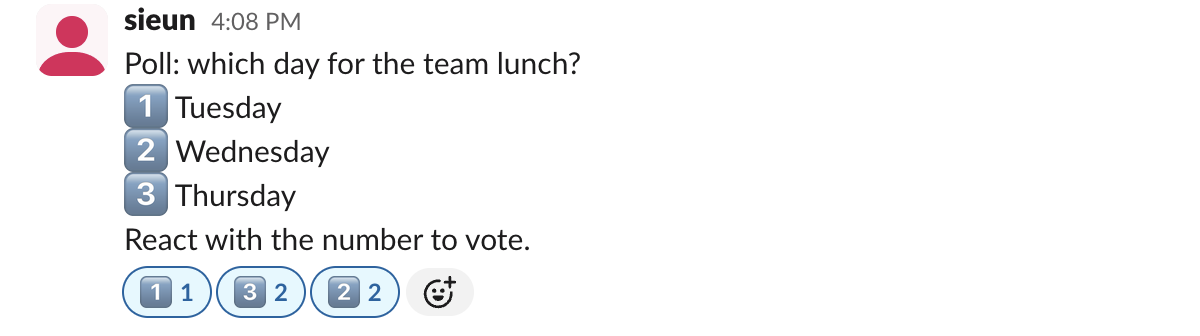
Three things in that picture matter when you read the result:
Emoji polls are also not anonymous. Hovering over a reaction shows who added it, and the API returns the names.
Count the votes with Slack's API
For a large poll, reactions.get returns every reaction with the users who added it. This script drops the poll author's seed reactions and flags anyone who voted more than once. It needs a token with reactions:read and access to the channel (Slack bot token shows how to get one):
import os, requests
TOKEN = os.environ["SLACK_BOT_TOKEN"]
CHANNEL, TS = os.environ["CHANNEL"], os.environ["TS"]
OPTIONS = {"one": "Tuesday", "two": "Wednesday", "three": "Thursday"}

r = requests.get("https://slack.com/api/reactions.get",
                 headers={"Authorization": f"Bearer {TOKEN}"},
                 params={"channel": CHANNEL, "timestamp": TS, "full": "true"}).json()
author = r["message"]["user"]
voters = {}
for rx in r["message"].get("reactions", []):
    if rx["name"] in OPTIONS:
        votes = [u for u in rx["users"] if u != author]  # drop the seed reaction
        for u in votes:
            voters.setdefault(u, []).append(OPTIONS[rx["name"]])
        print(f'{OPTIONS[rx["name"]]:<10} {len(votes)} vote(s)')
multi = {u: v for u, v in voters.items() if len(v) > 1}
print("people who voted more than once:", len(multi))
Our output:
Tuesday    0 vote(s)
Thursday   1 vote(s)
Wednesday  1 vote(s)
people who voted more than once: 1
The test app voted for two days, so the script flagged it. TS is the message timestamp, which is the last part of the message link without the p, with a dot before the last six digits. The Slack reactions API covers the other reaction methods.
Never appear "away" on Slack again
Cloud-based. No downloads. Works 24/7 even when your laptop is off.
Install a poll app
Simple Poll and Polly are the poll apps that rank first for this search. We started the Simple Poll install from its Marketplace page in our workspace. Its permission screen asked for these bot scopes: commands, chat:write, channels:join, channels:read, groups:read, im:read, im:write, mpim:read, app_mentions:read, team:read, users:read and workflow.steps:execute, plus your basic identity and email.
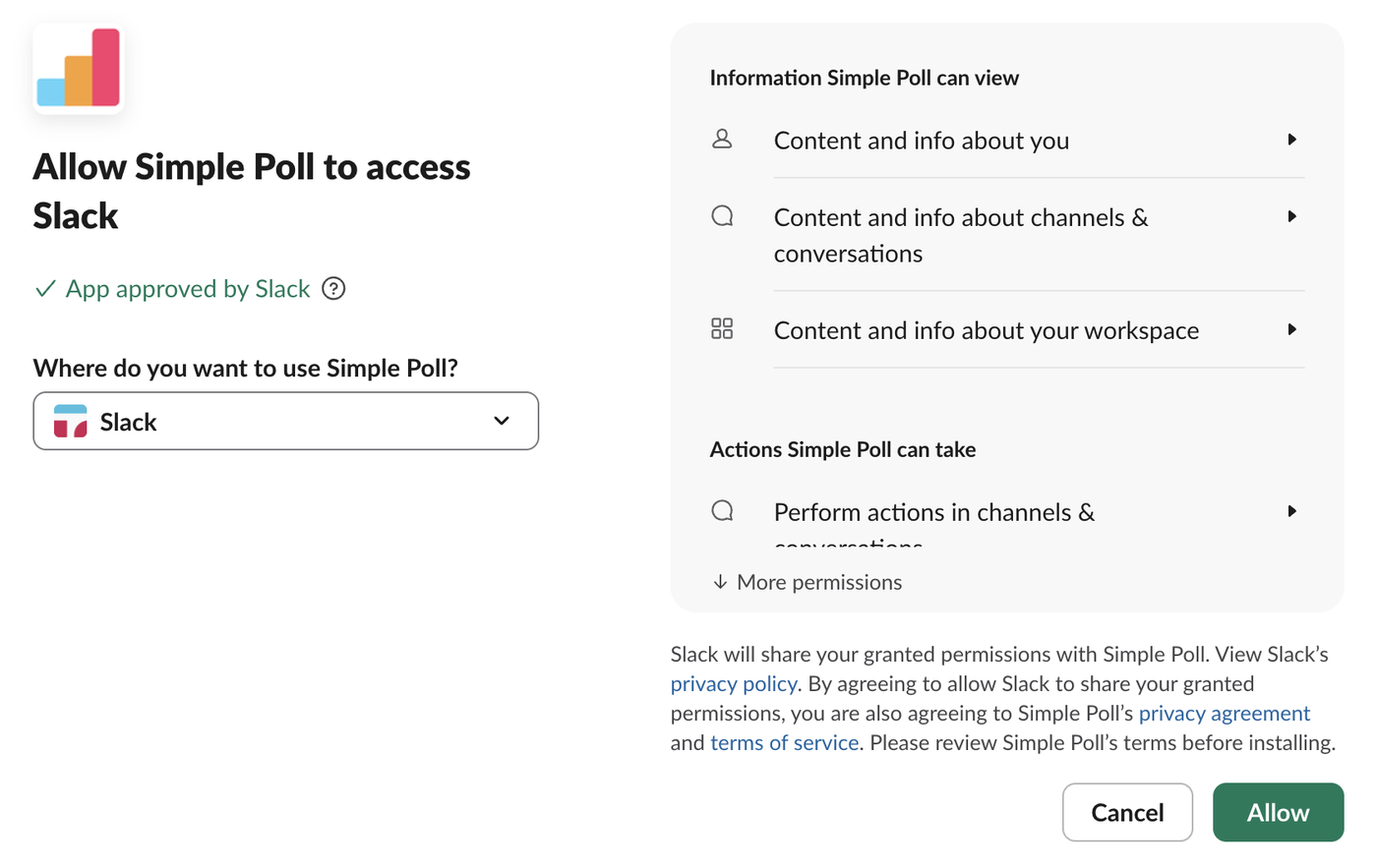
After we clicked Allow, Slack asked for a 6-digit code it had emailed to the account address, valid for 15 minutes:
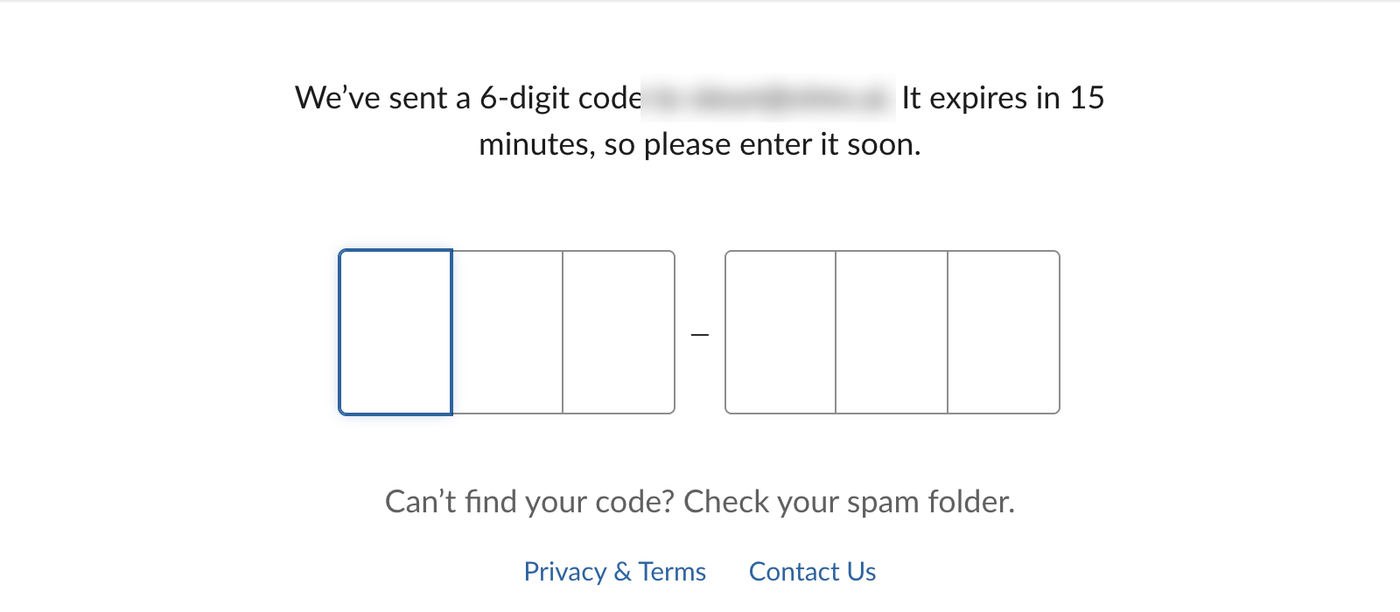
We did not enter it, so the app was not installed, and we cannot report Simple Poll's free tier from our own test. Two things we did see apply to every poll app on Free: the Marketplace page showed "With Slack Pro, you can install unlimited apps", and the Free plan caps a workspace at 10 apps, as listed in Slack free plan limits. If your workspace is at the cap, remove an app first.
Emoji poll or poll app?
| You need | Emoji poll | Poll app |
|---|---|---|
| A quick vote in a channel | Yes | Yes |
| No install, works on Free | Yes | Uses 1 of the 10 Free app slots |
| Anonymous votes | No, names are visible | Depends on the app's settings |
| One vote per person | No, count it yourself | Depends on the app's settings |
| A tally | Count reactions, or run the script above | Built in |
FAQ
Can you make an anonymous poll in Slack without an app? No. Every reaction shows who added it, both in Slack and through the API.
How do I stop people voting twice in an emoji poll? You cannot block it. Run the script above to find people who reacted to more than one option, or use a poll app.
Stop Jiggling Your Mouse.
Join hundreds of remote workers who never worry about their Slack status. Set it up once, stay green forever.
Related Articles
Slack Export Viewer: Open a Slack Export ZIP in Your Browser (2 Free Tools Tested)
A Slack export is a ZIP of JSON files. We exported our Free workspace, looked inside the ZIP, and opened it with slack-export-viewer and slackdump view to compare how each shows threads, reactions and apps.
Slack Analytics on the Free Plan: What Owners Can See and Export
On a Free workspace, Admin > Analytics shows one overview page and an Export button with daily message counts. Channel, file and member analytics need a paid plan. We opened every tab and read the CSV.
Slack Sign In on Mobile With a QR Code: Where It Is and What the Code Holds
Click your workspace name in Slack on a computer and choose Sign in on mobile to get a QR code for the phone app. We decoded the code to see what it holds and opened it three times to see whether it changes.