
Slack Status for Your Birthday: 30 Ideas and the Emoji to Use
A Slack status for your birthday is one short line with 🎂 :birthday: or 🎉 :tada:, set to clear at the end of the day. 30 birthday statuses to copy, the birthday emoji codes, birthday GIFs and custom emoji, and whether Slack tells people your birthday (it does not).
A Slack status for your birthday is one short line with a birthday emoji, such as 🎂 "Birthday today, so my replies come with cake." Type :birthday: for 🎂 or :tada: for 🎉 in the status field, and set Remove status after to Today, so it clears at midnight on its own. A Slack status holds up to 100 characters. Slack itself does not know or announce your birthday, so the status is how coworkers find out, if you want them to.
We build Slack Green, which keeps your Slack status green from our servers during the hours you set. Our free Slack status generator has more ideas, and the Slack emoji maker turns a photo into a party emoji for the day.
Birthday statuses for Slack
All under 100 characters. Copy, then change the details.
Short and simple
🎂 Birthday today!
🎉 Another lap around the sun.
🥳 It's my birthday. Be nice.
🎈 Birthday mode: on.
🎁 Birthday today, back to normal tomorrow.
🍰 Cake first, then Slack.
Funny
🎂 Birthday today, so my replies come with cake.
🥳 Level up. Patch notes to follow.
🎉 Officially one year more experienced.
🎂 Out of office emotionally. It's my birthday.
🧁 Accepting birthday wishes and code reviews.
🎈 Aged like fine wine. Or milk. We'll see.
🎁 Today's standup: I am older.
🍰 Slow replies today. There is cake.
Working but celebrating
🎂 Birthday today, still shipping.
🎉 Birthday lunch 12-1, otherwise around.
🎁 Birthday today, replies after 2 PM.
🥳 Working a half day for my birthday, back tomorrow.
🎂 Birthday today. Short meetings only, please.
Day off for your birthday
🌴 Birthday day off. Back tomorrow.
🎂 Taking the day for my birthday. Urgent: [name].
🎉 Off for my birthday, not checking Slack.
🎈 Birthday leave. See you [Monday].
Not your birthday
🎂 Team birthday lunch, back at 2.
🎉 Celebrating [name]'s birthday in #random.
🧁 Out getting a cake for [name]. Don't tell.
🎈 Birthday week for [team]. Expect cake.
🎁 Collecting birthday wishes for [name] in the thread.
🥳 Party in #general at 4. Everyone welcome.
🍰 Cake in the kitchen for [name]'s birthday.
Slack birthday emoji
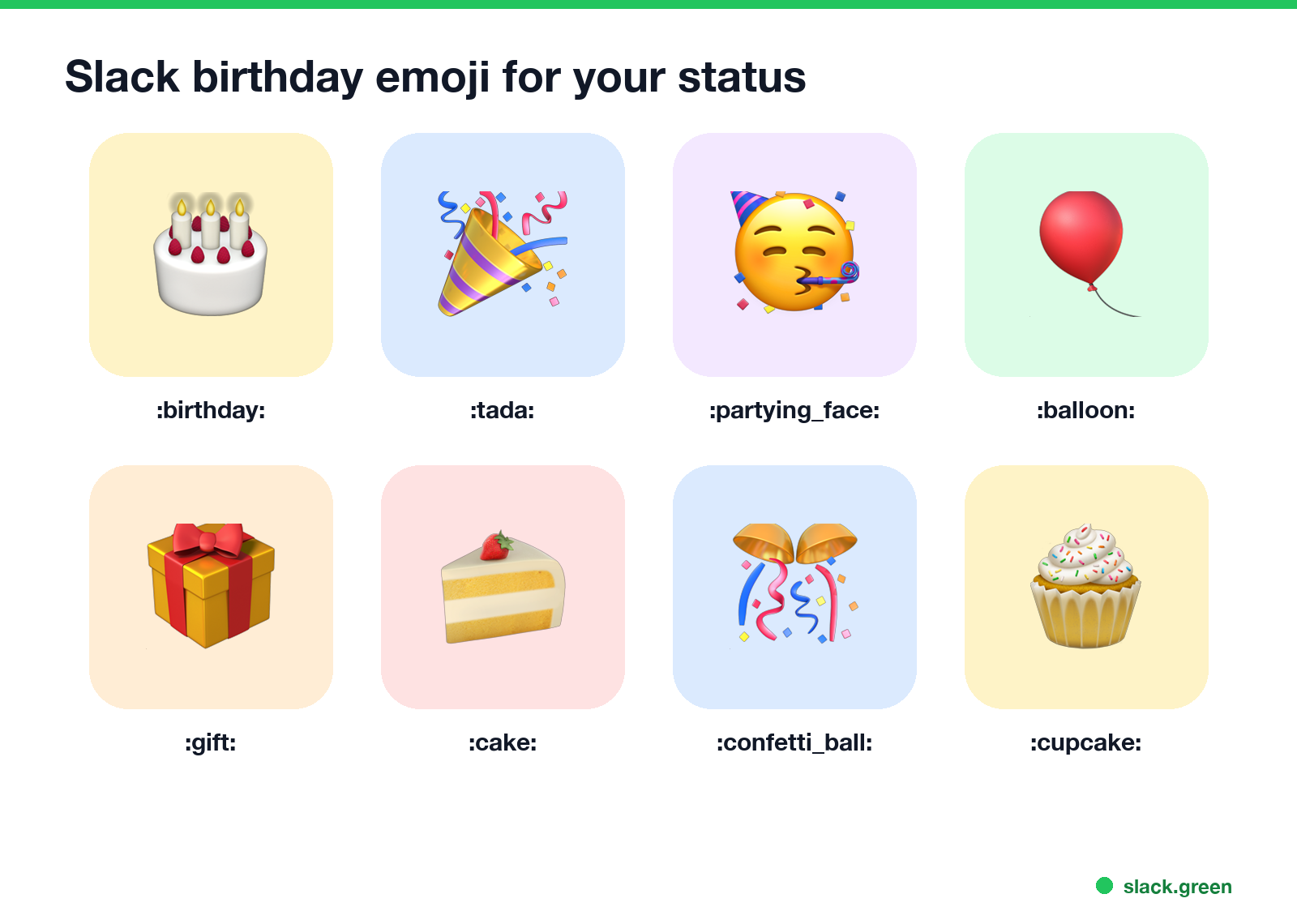
| Emoji | Code |
|---|---|
| 🎂 | :birthday: |
| 🎉 | :tada: |
| 🥳 | :partying_face: |
| 🎈 | :balloon: |
| 🎁 | :gift: |
| 🍰 | :cake: |
| 🎊 | :confetti_ball: |
| 🧁 | :cupcake: |
Type the code in the status field or the message field, or search "birthday" or "cake" in the emoji picker. Note that :birthday: is the whole cake with candles and :cake: is a slice. For a custom emoji, drop a photo into the Slack emoji maker and pick the party effect; it makes an animated emoji you can use as your status for the day.
How to set a birthday status
Never appear "away" on Slack again
Cloud-based. No downloads. Works 24/7 even when your laptop is off.
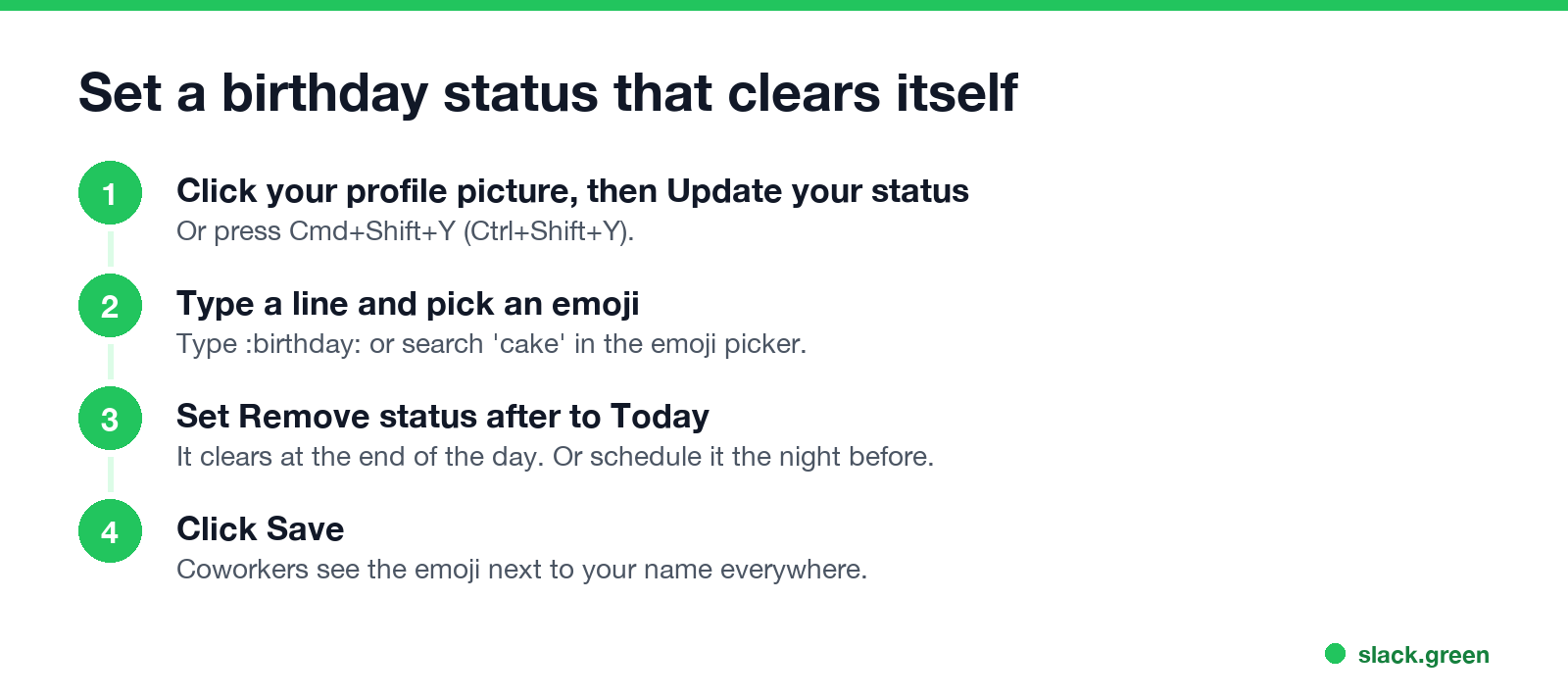
- Click your profile picture, then Update your status, or press Cmd+Shift+Y (Ctrl+Shift+Y).
- Type your status and click the emoji button to pick one.
- Under Remove status after, choose Today.
- Click Save.
- • A custom profile field. Admins on paid plans can add fields such as "Birthday" to profiles. It shows only if you fill it in.
- • A birthday app. Apps from the Slack Marketplace post birthday messages in a channel, based on dates people enter.
- • A workflow. A scheduled workflow in Workflow Builder can post a reminder on a date someone sets up.
To set it the night before, choose a start and end time instead; see how to schedule a Slack status. If you take the day off, add Pause notifications so Slack stays quiet.
Does Slack tell people your birthday?
No. Slack profiles have no birthday field by default, and Slack does not send birthday reminders or posts. Coworkers know only if you tell them, or if your company set it up:
Happy birthday GIFs and messages in Slack
To wish a coworker happy birthday, click the smiley face in the message field, choose GIFs, and search "happy birthday". Or type /giphy happy birthday if your workspace has the GIPHY app. The steps are in how to add a GIF in Slack. A thread under one birthday message keeps the channel tidy when the whole team replies.
FAQ
Never appear "away" on Slack again
Cloud-based. No downloads. Works 24/7 even when your laptop is off.
What should my Slack status be on my birthday? A birthday emoji and a short line, like 🎂 "Birthday today!", set to clear at the end of the day.
What is the Slack emoji code for a birthday cake?
:birthday: for 🎂. :cake: is a slice, 🍰.
Does Slack show your birthday? No, unless your admin added a birthday profile field and you filled it in, or your team uses a birthday app.
How do I make my Slack birthday status go away tomorrow? Set Remove status after to Today when you save it.
Stop Jiggling Your Mouse.
Join hundreds of remote workers who never worry about their Slack status. Set it up once, stay green forever.
Related Articles
Slack Emoji for Announcements, Updates and Reminders
The standard Slack emoji for an announcement is 📣 :mega: or 📢 :loudspeaker: at the start of the post. Use 🚨 :rotating_light: only for real emergencies, 🆕 :new: for updates, ⏰ :alarm_clock: for reminders, and ask readers to react with ✅ :white_check_mark: once they have read it. Templates and a custom emoji idea.
Slack Status for a Doctor Appointment: 24 Statuses and Emoji
A Slack status for a doctor appointment says you are out and when you are back, such as 🏥 'At an appointment, back at 2 PM.' You do not have to say what kind. 24 statuses for doctor, dentist and other appointments, the emoji codes, and how to schedule the status so it clears by itself.
Slack Status for Limited Availability: 30 Statuses to Copy
A Slack status for limited availability says you are around but slow, until when, and how to reach you if it is urgent, such as ⏳ 'Limited availability today, replies after 3 PM. Urgent: @mention me.' 30 statuses for busy days, slow replies and catching up, the emoji to use, and when to pause notifications too.