
Discord Emoji Too Big? How to Get It Under 256 KB
Discord rejects custom emoji over 256 KB. Resize the image to 128 x 128 pixels, and for a GIF lower the colors and drop frames until it fits. Free resizer, gifsicle and ffmpeg commands, and the other upload rules that cause errors.
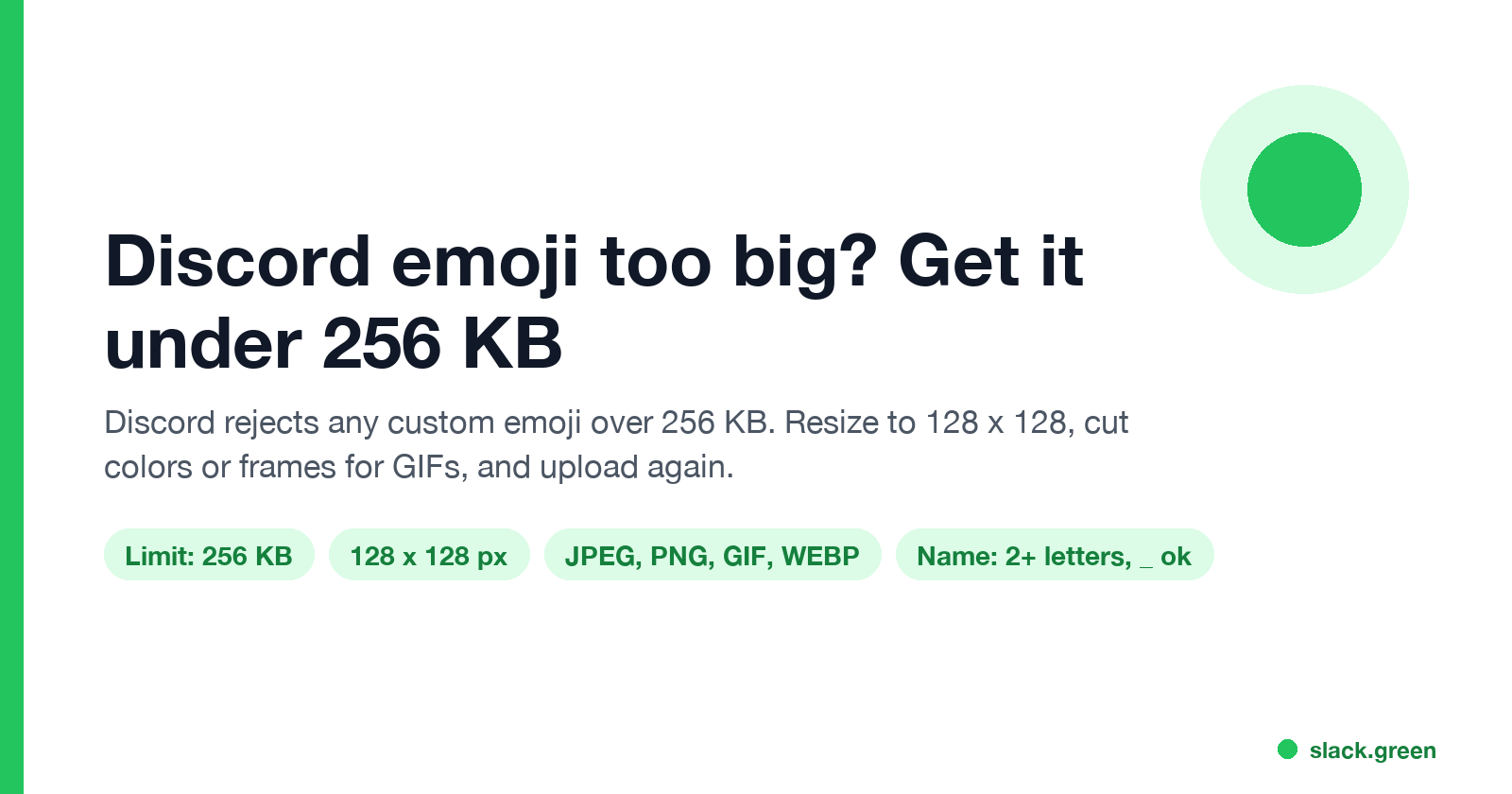
Discord says an emoji is too big when the file is over 256 KB. Discord's help center states that custom emojis must be under 256 KB and use JPEG, PNG, GIF or WEBP. The fix is to resize the image to 128 x 128 pixels. For an animated GIF, also lower the number of colors and drop frames until the file is under the limit. Pixel dimensions do not matter to the error; only the file size does.
Our free emoji resizer does this in your browser and keeps the animation. It was built for Slack's stricter 128 KB limit, so anything it outputs also passes Discord's 256 KB.
We build Slack Green, a presence tool for Slack, and a set of free emoji and status tools.
Discord custom emoji requirements
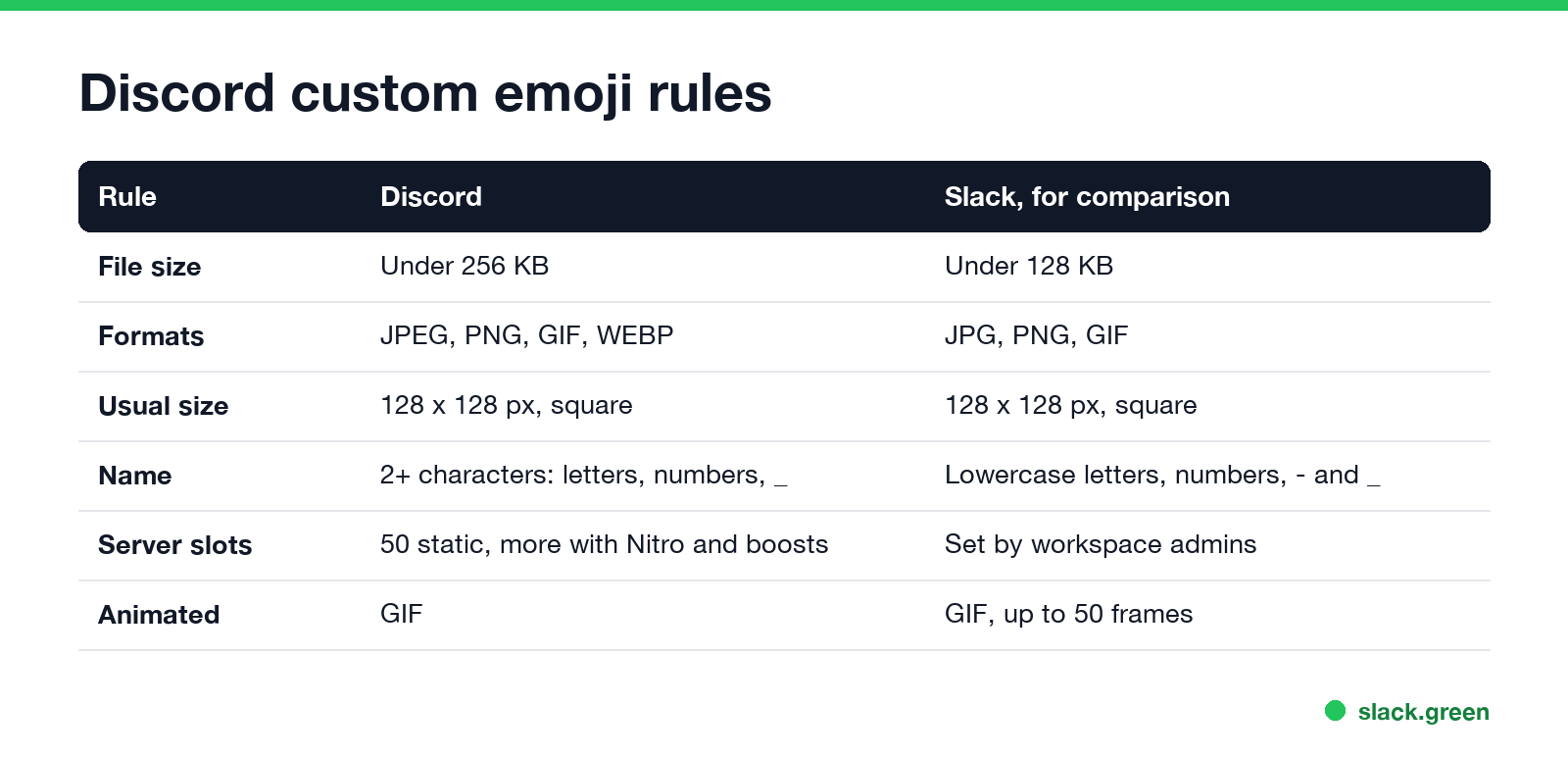
| Rule | Requirement |
|---|---|
| File size | Under 256 KB, static or animated |
| Formats | JPEG, PNG, GIF, WEBP |
| Dimensions | Any, but 128 x 128 square is the usual choice |
| Name | At least 2 characters, only letters, numbers and underscores |
| Who can upload | Server owner, or roles with Create Expressions or Manage Emojis |
| Slots | 50 static per server by default; animated slots need Nitro or Nitro Basic, and server boosts add more |
The name rule causes the second most common failure. party-cat fails because of the hyphen; party_cat works.
How to fix "emoji too big"
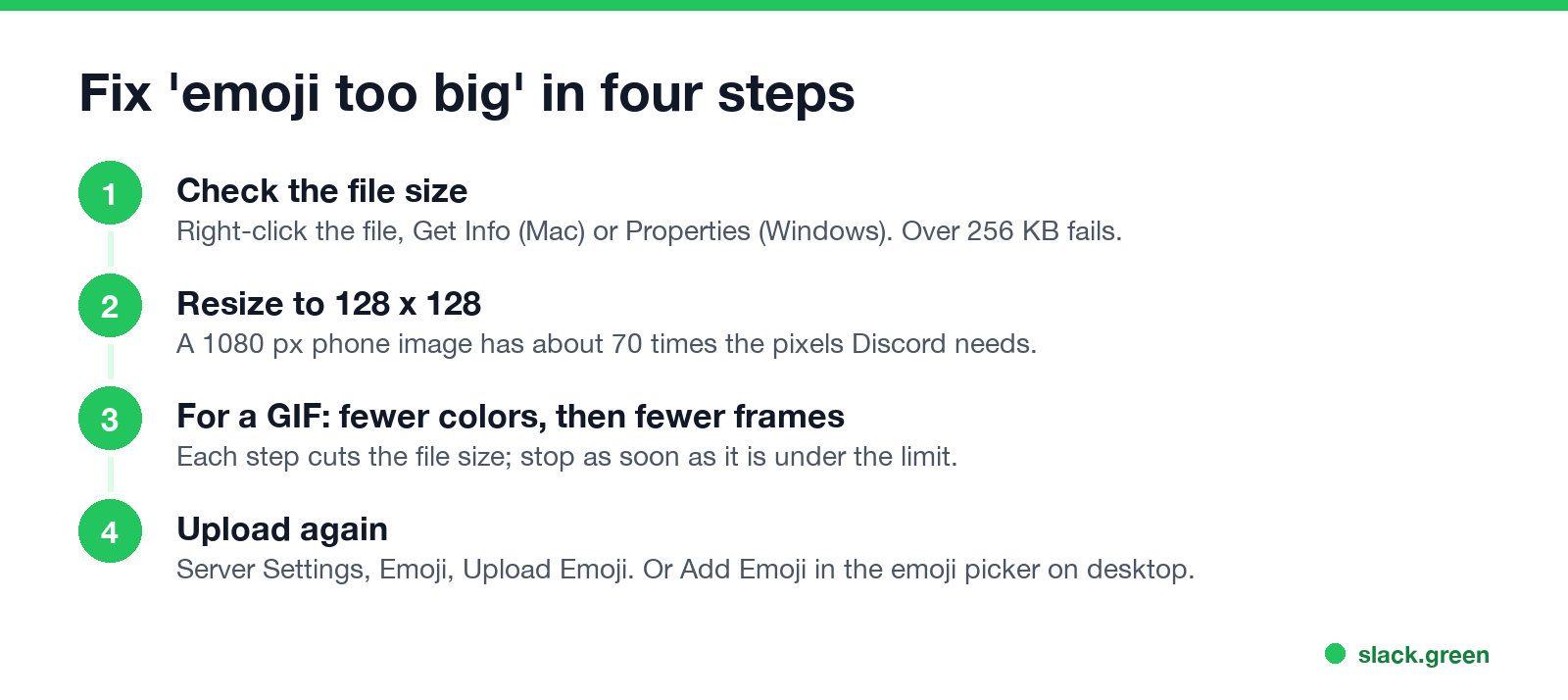
- Check the file size. On Mac, right-click the file and choose Get Info. On Windows, right-click and choose Properties. Anything over 256 KB fails.
- Resize to 128 x 128. Emoji show small in Discord, so a phone photo at 1080 pixels carries about 70 times the pixels it needs. A 128 x 128 PNG is almost always well under the limit.
- For a GIF, cut colors, then frames. Colors cost the least to cut. Frames come next. Shortening the clip is the last resort.
- Upload again. Open Server Settings, the Emoji tab, and Upload Emoji. On desktop you can also open the emoji picker and choose Add Emoji, which opens Discord's Emoji Studio to crop and name the emoji.
Resize a GIF for a Discord emoji without losing the animation
Never appear "away" on Slack again
Cloud-based. No downloads. Works 24/7 even when your laptop is off.
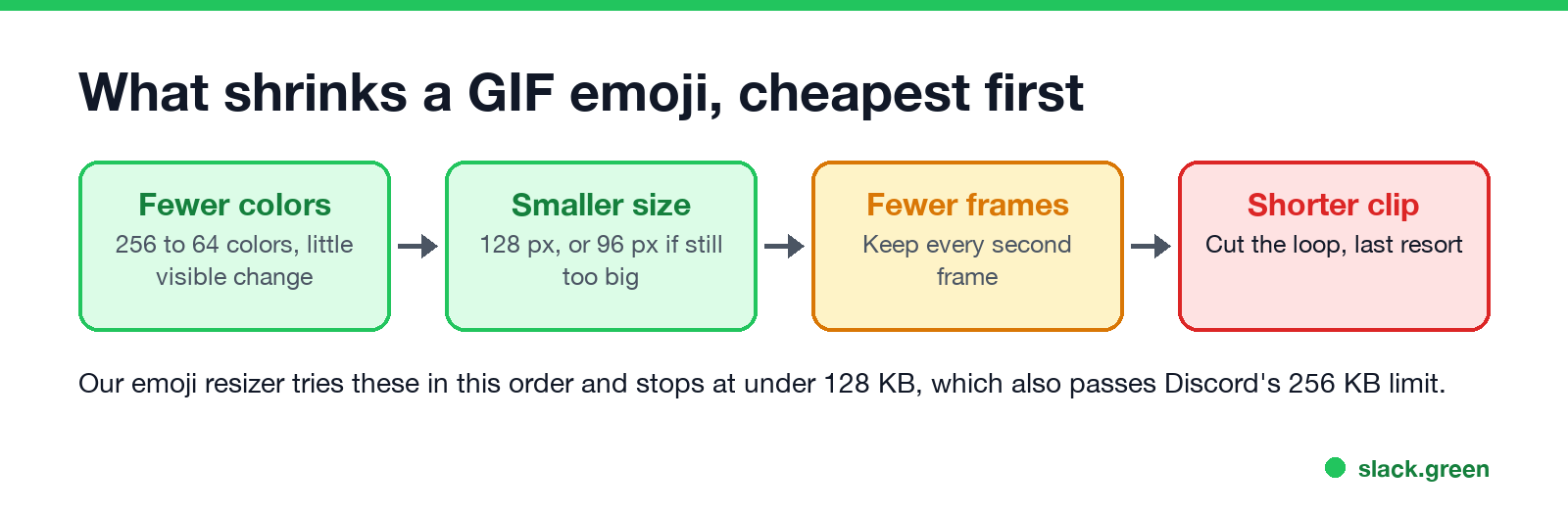
In the browser. Drop the GIF into our emoji resizer, pick 128 px and Crop to square or Fit whole image, and download. It scales every frame, then lowers colors, size and frame count in that order until the file is under 128 KB. The checklist shows the final size and frame count before you download. The file never leaves your computer.
With gifsicle (Mac: brew install gifsicle):
# resize to 128 x 128, cut to 64 colors, optimize
gifsicle --resize 128x128 --colors 64 -O3 input.gif -o emoji.gif
ls -lh emoji.gif   # check it is under 256K
With ffmpeg, which can also lower the frame rate:
# 12 frames per second, 128 px wide, 64-color palette
ffmpeg -i input.gif -vf "fps=12,scale=128:-1:flags=lanczos,split[a][b];[a]palettegen=max_colors=64[p];[b][p]paletteuse" emoji.gif
If the result is still too big, try 96 pixels or 32 colors. Emoji show at small sizes in chat, so the difference is hard to see.
Other reasons Discord will not take your emoji
Make an emoji from scratch instead
If you are starting from a picture or a word, the emoji maker makes a square PNG or animated GIF with effects like intensifies, spin and party, sized for Slack and small enough for Discord too. For Slack's own limits and upload steps, see how to add custom emoji to Slack and Slack GIF size limit. For Discord statuses, see how to set a custom status on Discord.
FAQ
Never appear "away" on Slack again
Cloud-based. No downloads. Works 24/7 even when your laptop is off.
Why does Discord say my emoji is too big? The file is over 256 KB. Resize it to 128 x 128 and, for a GIF, cut colors and frames.
What size should a Discord emoji be? 128 x 128 pixels and under 256 KB.
What is the Discord animated emoji size limit? The same 256 KB. Animated emoji are GIFs, and the extra animated slots need Nitro or Nitro Basic.
How do I resize a GIF for Discord without losing the animation? Use a tool that resizes every frame, such as our emoji resizer, gifsicle or ffmpeg.
Can a Discord emoji name have a hyphen? No. Use letters, numbers and underscores, at least 2 characters.
Stop Jiggling Your Mouse.
Join hundreds of remote workers who never worry about their Slack status. Set it up once, stay green forever.
Related Articles
Slack Emoji for Approved, Perfect and Sounds Good
The Slack emoji for approved is ✅ :white_check_mark:. For perfect, use 💯 :100: or 🤌 :pinched_fingers:; for sounds good or sure, 👍 :+1: or 👌 :ok_hand:. Every code checked in Slack, what each one means to readers, custom LGTM and SGTM emoji, and a pinned legend for approval channels.
Slack Emoji for OOO, PTO and Days Off
The usual Slack emoji for OOO is 🌴 :palm_tree:, with ✈️ :airplane: for travel and 🗓️ :spiral_calendar_pad: for planned PTO. Enterprise's built-in Out of office status uses ⛔. Codes for vacation, upcoming PTO, sick days, holidays and outages, custom :ooo: and :pto: emoji, and statuses to copy.
How to Show Your Discord Status on Steam Deck
Discord on Steam Deck does not show what you are playing by itself. Install Discord as a Flatpak, add it to Steam, then add the Discord Status plugin through Decky Loader. Keep Discord running and friends see 'Playing [game] on Steam Deck'. Setup, fixes, and the alternatives.