
Funny Slack Profile Pictures: 40 Ideas That Still Work at Work
The funniest Slack profile pictures are simple and square: your pet looking serious, a potato, you as a famous painting, a rubber duck. 40 ideas by type, which ones are safe at work, the right size (512 to 1024 pixels), and how to change your Slack photo on desktop and mobile.
The funniest Slack profile pictures are simple, bold and square: your dog looking very serious, a single potato, you as a famous painting, a rubber duck, or you in oversized sunglasses. Slack shows your picture at about 36 pixels next to every message, so one clear subject on a bright background works better than a detailed meme. If new coworkers need to find you in a meeting, keep your face in the picture. Below are 40 ideas by type, a quick check of what is safe at work, and the steps to change your photo.
We build Slack Green, which keeps your Slack status green from our servers during the hours you set. A funny picture pairs well with a funny status; we keep a list of funny Slack status ideas and a free Slack status generator.
40 funny Slack profile picture ideas
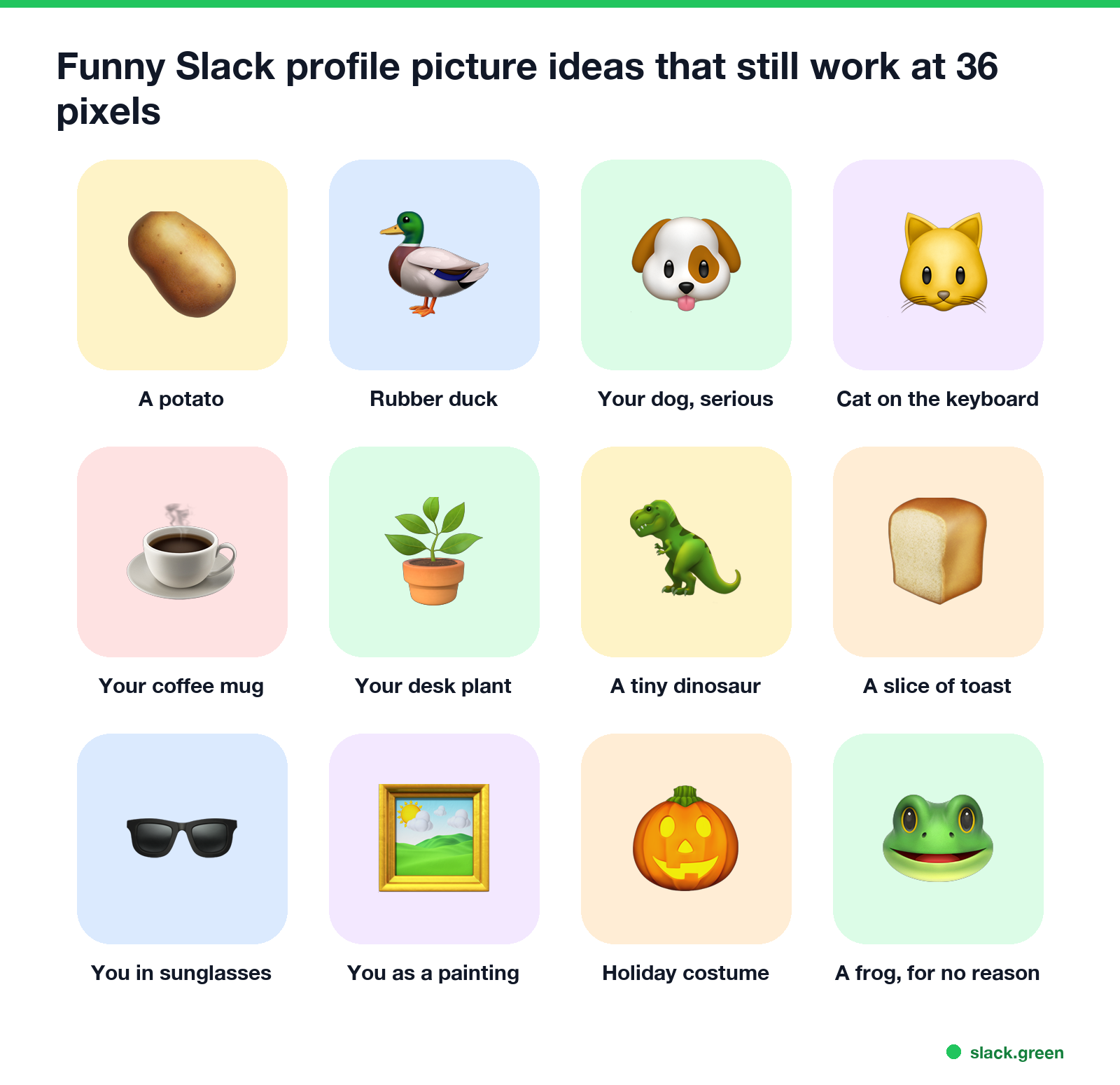
Your pets and your desk
- Your dog, staring into the camera like it is a passport photo.
- Your cat asleep on the keyboard, with the caption left to the imagination.
- Your pet wearing your work headset.
- A hamster, lizard or fish, cropped close so it fills the square.
- Your coffee mug, from above, with the coffee half gone.
- Your desk plant, the only coworker who never interrupts.
- The view from your chair, shot so the top of your head is in the corner.
- Your mechanical keyboard, if your team knows why.
- Your pet's paw on your laptop trackpad.
- The office dog, with permission from the office dog.
- A single potato on a plain background.
- A rubber duck. Developers will get it; rubber duck debugging is a real thing.
- A slice of toast.
- A houseplant in a tiny hard hat.
- A banana for scale.
- A very small cactus.
- One perfect croissant.
- A cup of tea with a tea bag tag that says your name.
- A traffic cone.
- A toy dinosaur on your desk.
- You in huge sunglasses.
- You with your pet in the same pose.
- You in a costume from a team party.
- A very serious headshot in a very loud shirt.
- You as a baby, if you are fine with that being public.
- Your face on a public domain painting, such as the Mona Lisa or a Van Gogh self-portrait.
- A pixel-art or cartoon version of you.
- You, but tiny, in the corner of a huge landscape.
- You mid-laugh, not mid-sneeze.
- You holding a sign with your name and pronouns in marker.
- A pumpkin in October.
- A Santa hat added to your normal photo.
- The whole team uses photos of their pets for one week.
- Everyone uses their baby photo, and the team guesses who is who.
- Your hometown's sports mascot on game day.
- A beach umbrella while you are out of office, next to a clear Slack out of office message.
- A frog, for no reason at all.
- A drawing your kid made of you.
- A hand-drawn version of the team's inside joke.
- A sticky note on your monitor that says back in 5.
- • Your picture shows everywhere. Next to every message, in every DM, in huddles, and in Slack Connect channels with other companies. Pick something you would be fine with a client seeing.
- • New coworkers look for faces. Slack's own help page says a clear photo makes it easier for someone to pick you out in a meeting. In a team of 10 people a potato is charming. In a company of 2,000, keep your face in the picture.
- • Skip memes you do not own. Many popular meme images and cartoon characters are copyrighted. Your own photos and public domain art are safe.
- • Do not use a logo. A company or product logo makes you look like a bot or an integration.
- • Check your company's rules. Some companies ask for a real headshot, and some manage profile photos centrally. If the upload option is missing, ask your admin.
Objects and food
Still you, but funny
Seasonal and team ideas
For small square images of your face for reactions, rather than a profile photo, our free Slack emoji maker turns a photo into a custom emoji.
Is a funny profile picture OK at work?
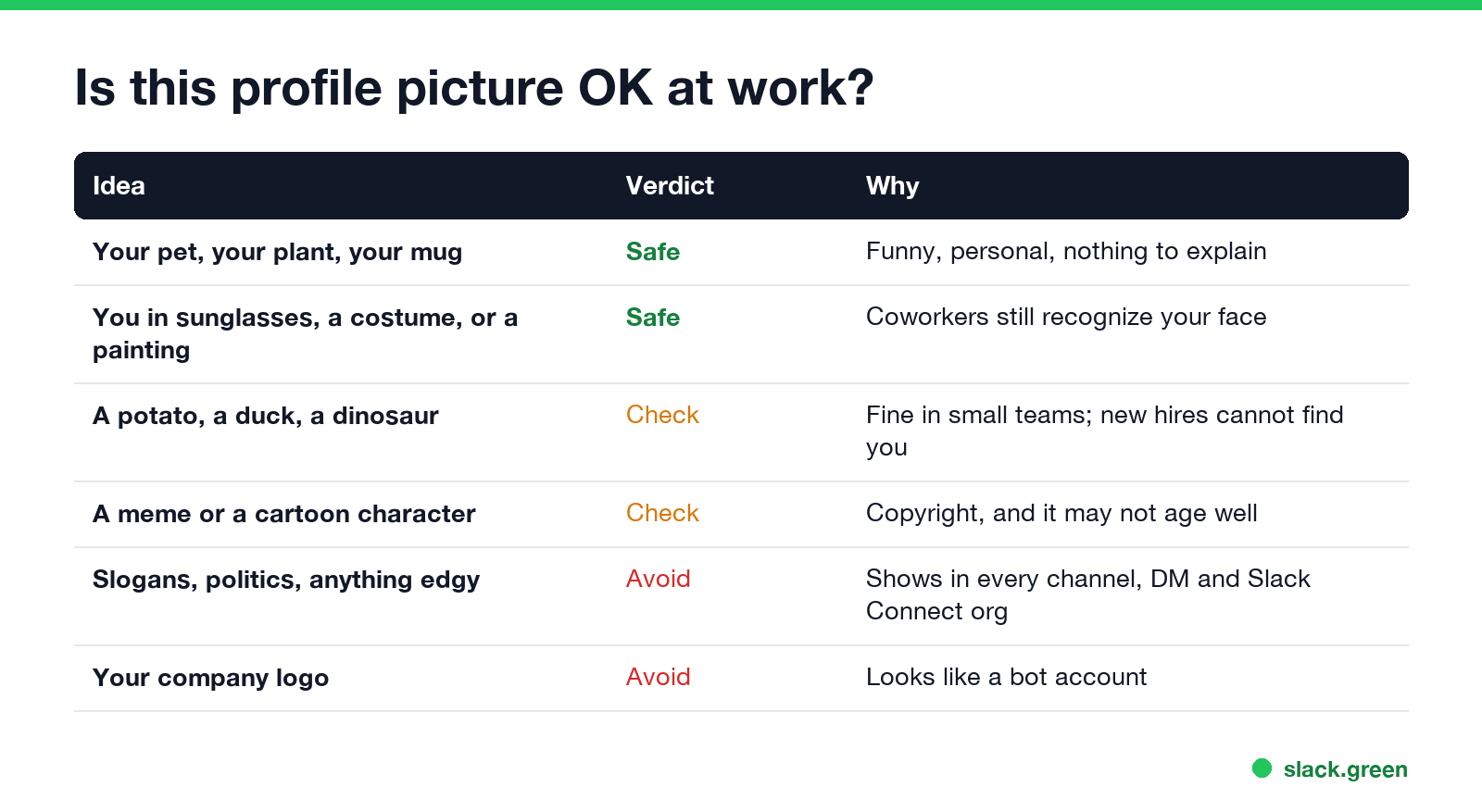
Most teams are fine with a funny picture. A few rules keep it from backfiring:
For a professional Slack profile picture that is still not boring, use a head-and-shoulders photo with a bright plain background, a real smile, and one fun detail such as a pet, a loud shirt or a plant.
Slack profile picture size
Never appear "away" on Slack again
Cloud-based. No downloads. Works 24/7 even when your laptop is off.
Slack's help center says your profile picture should be at least 512 by 512 pixels and no larger than 1024 by 1024 pixels. Use a square image; Slack asks you to adjust the framing when you upload, and anything outside the square is cut off. Because the picture is shown so small, crop tight: the subject should fill most of the square.
If your Slack email address is the same one you use for Gravatar, Slack uses your Gravatar picture until you upload a new photo. Until then, Slack shows a default avatar.
How to change your Slack profile picture
On desktop or in a browser:
On iPhone or Android:
To remove a photo, use desktop: Profile, Edit, Remove Photo. Slack does not let you remove it from the mobile apps.
FAQ
What is a good Slack profile picture? A square, well-lit photo of your face, cropped to head and shoulders, at 512 to 1024 pixels.
Can I use a funny picture as my Slack profile picture? Yes, unless your company asks for a headshot. Pick something work-safe, since it shows in every channel and to other companies in Slack Connect.
Why is my Slack profile picture blurry? It is probably smaller than 512 by 512 pixels, or cropped from a small part of a larger photo. Upload a bigger, tighter crop.
Why is my Slack photo my Gravatar? Your Slack email matches a Gravatar account. Upload a photo in Slack to replace it.
Stop Jiggling Your Mouse.
Join hundreds of remote workers who never worry about their Slack status. Set it up once, stay green forever.
Related Articles
Slack Emoji for Announcements, Updates and Reminders
The standard Slack emoji for an announcement is 📣 :mega: or 📢 :loudspeaker: at the start of the post. Use 🚨 :rotating_light: only for real emergencies, 🆕 :new: for updates, ⏰ :alarm_clock: for reminders, and ask readers to react with ✅ :white_check_mark: once they have read it. Templates and a custom emoji idea.
Slack Status for a Doctor Appointment: 24 Statuses and Emoji
A Slack status for a doctor appointment says you are out and when you are back, such as 🏥 'At an appointment, back at 2 PM.' You do not have to say what kind. 24 statuses for doctor, dentist and other appointments, the emoji codes, and how to schedule the status so it clears by itself.
Slack Status for Limited Availability: 30 Statuses to Copy
A Slack status for limited availability says you are around but slow, until when, and how to reach you if it is urgent, such as ⏳ 'Limited availability today, replies after 3 PM. Urgent: @mention me.' 30 statuses for busy days, slow replies and catching up, the emoji to use, and when to pause notifications too.