
Productivity Theater: Meaning, Numbers and How It Starts
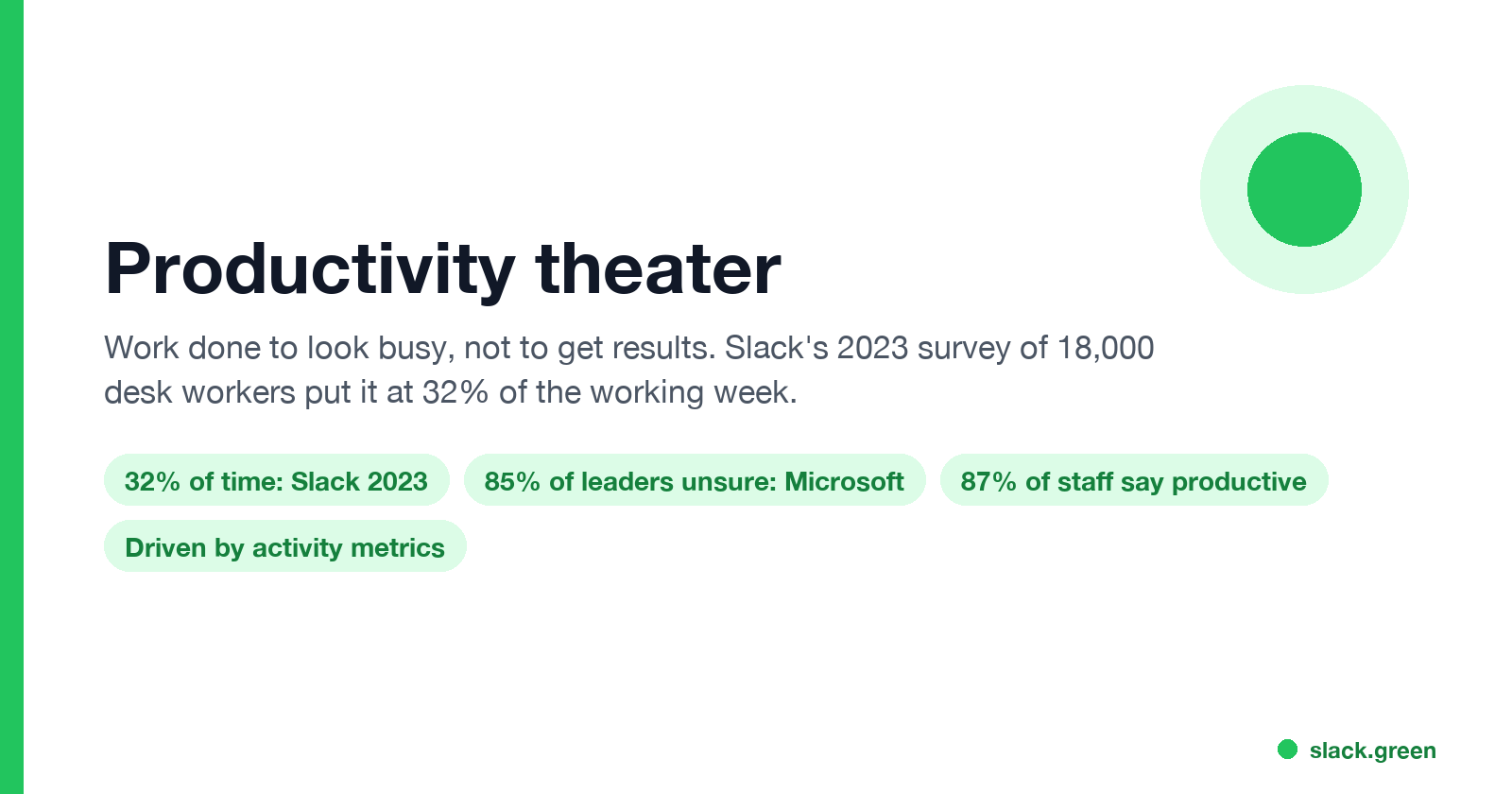
Productivity theater is work done to look busy rather than to get results: extra messages, status updates, meetings to show progress, and keeping a green dot on. Slack's 2023 survey of 18,000 desk workers put it at 32% of the working week. Microsoft ties it to productivity paranoia, where 85% of leaders doubt remote staff are productive.
Productivity theater is work done to look busy rather than to move anything forward. It is the extra "on it!" message, the status meeting where everyone reports progress and nothing is decided, the late-night email sent so the boss sees the timestamp, and the green dot kept on all day. Slack's 2023 State of Work survey of more than 18,000 desk workers found that people spend 32% of their time on "performative work that doesn't contribute to company and team goals but is done to appear productive."
It usually starts with leaders, not workers. When managers cannot see the work, they measure what they can see, such as hours online, messages sent and presence dots, and people learn to produce those signals. Microsoft's 2022 Work Trend Index named the leader side "productivity paranoia": 85% of leaders said hybrid work made it hard to be confident employees were productive, while 87% of employees said they were.
We build Slack Green, which keeps your Slack status green during the hours you set. People use it because a grey dot gets read as "not working", which is productivity theater's most visible form. This page covers the rest.
What productivity theater looks like
- • Staying visibly online. Keeping the Slack or Teams dot green, answering within seconds, and never showing away. See does Slack track mouse movement for what the dot actually measures.
- • Messages about work instead of work. Status threads, "just checking in" pings, reacting to everything so people know you saw it.
- • Meetings to present, not decide. Slack's Derek Laney described the symptom to CNBC as "spending a lot of time in meetings where teams present achievements rather than making decisions or addressing issues."
- • Timestamps as proof. Scheduling emails for 7 a.m. or 10 p.m., or sending the last message of the day.
- • Faking input. Mouse jigglers and key-press scripts to beat idle timers and time trackers. See what is a mouse jiggler.
- • Busy calendars. Blocking time so the calendar looks full, whatever happens in the blocks.
Productivity theater statistics
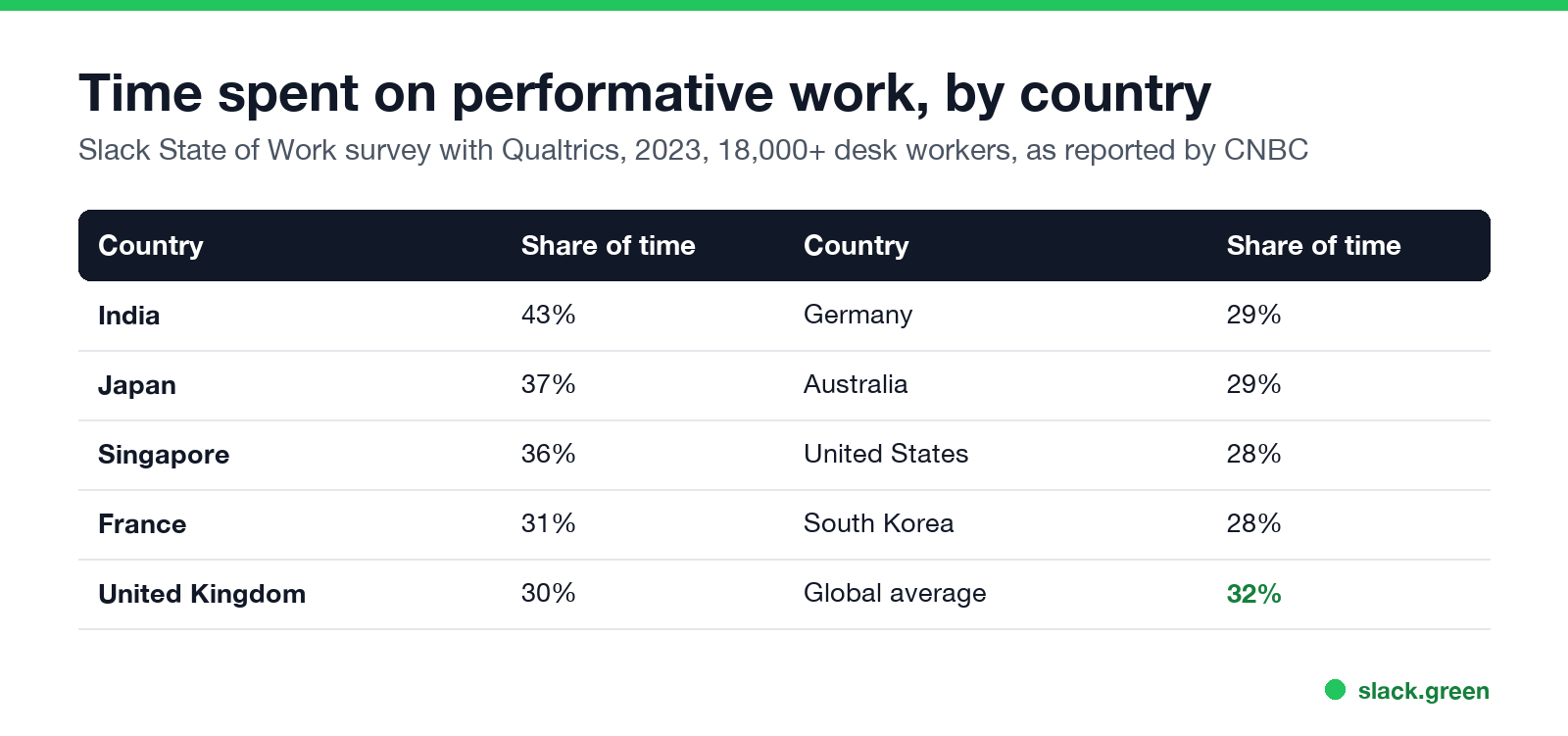
| Finding | Number | Source |
|---|---|---|
| Share of time on performative work, global | 32% | Slack State of Work, 2023, 18,000+ desk workers |
| Highest country, India | 43% | Same survey, via CNBC |
| United States | 28% | Same survey |
| Executives who track activity metrics such as hours or emails | About a third | Same survey |
| Employees who think activity tracking helps their productivity | 15% | Same survey |
| Leaders unsure hybrid employees are productive | 85% | Microsoft Work Trend Index, September 2022 |
| Employees who say they are productive | 87% | Same report |
Slack's survey also found Japan, Singapore and India lowest for time spent on real work, and its Asia-Pacific spokesperson linked the pattern to leaders judging "productivity based on visible activity instead of focusing on achieving outcomes."
Why productivity theater happens
Never appear "away" on Slack again
Cloud-based. No downloads. Works 24/7 even when your laptop is off.
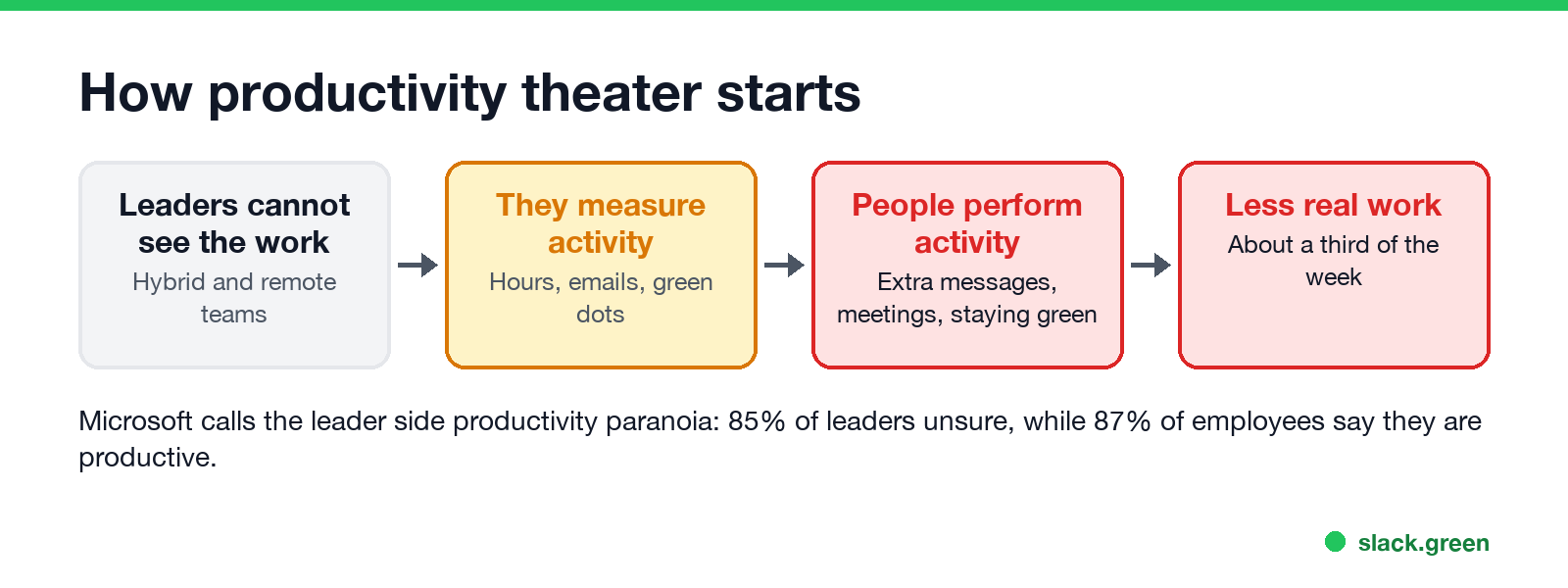
The loop has four steps. Remote and hybrid work hide the work itself. Managers reach for signals they can see: hours logged, messages sent, green dots, keyboard activity in a time tracker. Employees learn which signals count and produce them. The time spent producing signals comes out of real work, and the manager sees even less of it.
Microsoft's report says when companies "use technology to track activity rather than impact, employees lack context on how and why they're being tracked, which can undermine trust and lead to productivity theater." Monitoring tools feed the loop. What those tools record is in how do employers monitor remote workers.
Productivity theater vs productivity paranoia
The two terms describe one problem from each side:
Neither side gets what it wants. The manager gets louder signals, not more output, and the employee loses a third of the week to proving they are working.
How to reduce productivity theater
For managers:
For employees:
FAQ
Never appear "away" on Slack again
Cloud-based. No downloads. Works 24/7 even when your laptop is off.
What is productivity theater? Work done to appear productive rather than to reach a goal, such as performative messages, status meetings and staying visibly online.
Is productivity theater the same as performative work? Yes. Slack's surveys call it performative work; Microsoft's report calls it productivity theater.
How much time do people spend on productivity theater? About a third of the week: 32% on average in Slack's 2023 survey, from 28% in the US to 43% in India.
Is keeping your Slack status green productivity theater? It can be, if the green dot is how your team judges work. The fix is on the manager side: judge output, not the dot. Until then, many people keep the dot on to avoid being misread; see how to keep Slack green.
Stop Jiggling Your Mouse.
Join hundreds of remote workers who never worry about their Slack status. Set it up once, stay green forever.
Related Articles
Can My Employer See What I Watch on YouTube at Work?
On a work laptop or the office network, your employer can see that you used YouTube, when, and for how long. With HTTPS inspection or monitoring software, they can see which videos, because the video address and the browser tab title both name it. On your own phone on mobile data, they see nothing.
Can My Employer See My iMessages on a Work Mac?
Not through device management or the network: Jamf or Intune cannot read Messages, and iMessage is end-to-end encrypted. But if you sign in to Messages on a work Mac, your texts are stored on that Mac, where monitoring screenshots, backups and admin access can reach them. How to check, and how to take iMessage off the Mac without deleting it from your iPhone.
Can My Boss See My Private Outlook Calendar Events?
Usually not the details. When you mark an Outlook event Private, someone who can read your calendar sees only Private appointment, the time and a lock. The exceptions are delegates you gave Can view private items, the people invited to the event, anyone with full access to your mailbox in new Outlook or the web, and compliance admins. How to check who has which access, and what Private does not hide.