
Slack Be Right Back Status: Set a BRB That Clears Itself
Slack has no built-in be right back status. Type your own, such as BRB, back in 15, pick an emoji, and set Remove status after to 30 minutes so it clears on its own. Lines to copy, a one-click setup for next time, and why your dot still turns away.
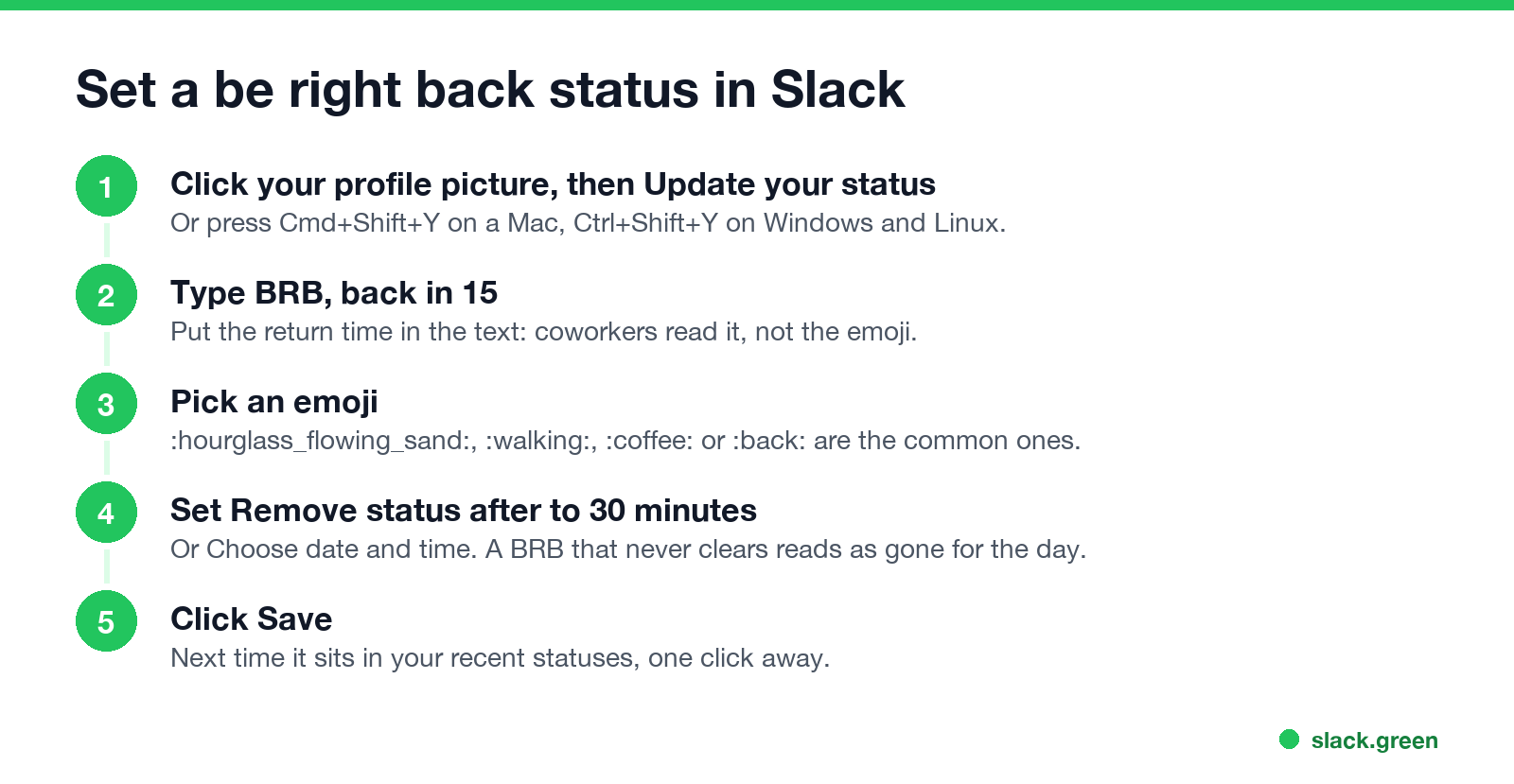
Slack has no built-in "be right back" status, so you make one. Click your profile picture, then Update your status, or press Cmd+Shift+Y on a Mac and Ctrl+Shift+Y on Windows. Type "BRB, back in 15", pick an emoji such as ⏳ or 🚶, set Remove status after... to 30 minutes, and click Save. The status clears on its own, so nobody reads it three hours later and thinks you left for the day.
The status is text. It does not change your dot. Slack still sets you away 10 minutes after your last input in the Slack window, and at once when you leave the mobile app. If you would rather your dot follow your working hours through short breaks, Slack Green keeps your presence active from our servers on the schedule you set.
How to set a BRB status in Slack
On desktop:
- Click your profile picture in the sidebar.
- Click Update your status.
- Type the status, for example "BRB, back at 2:15".
- Click the emoji icon and pick one.
- Open Remove status after... and choose 30 minutes, 1 hour, or Choose date and time.
- Click Save.
On iPhone or Android: tap your profile picture, tap the status field, type the status, tap the emoji icon, tap Clear after, choose the time, and tap Done.
Slack shows your recent statuses at the top of the same menu. After you set BRB once, the next time is one click, with the same emoji and clear time.
BRB statuses to copy
| Status | Emoji | Code | Clear after |
|---|---|---|---|
| BRB, back in 15 | ⏳ | :hourglass_flowing_sand: | 30 minutes |
| Stepping away, back at 2:15 | 🚶 | :walking: | Choose date and time |
| Grabbing a coffee, 10 min | ☕ | :coffee: | 30 minutes |
| Quick break, back soon | 🔙 | :back: | 30 minutes |
| School run, back by 3:30 | 🚗 | :car: | Choose date and time |
| Away from my desk, on my phone | 📱 | :iphone: | 1 hour |
Two rules make a BRB status work. Put the time you are back in the text, because "BRB" alone does not say whether it means five minutes or an hour. And set a clear time a little past your return, so the status does not outlive the break.
For longer breaks there are separate guides: Slack lunch status for lunch, and Slack status for sick for a sick day. More lines by situation are in the Slack status ideas tool.
Your BRB status and your away dot
Never appear "away" on Slack again
Cloud-based. No downloads. Works 24/7 even when your laptop is off.
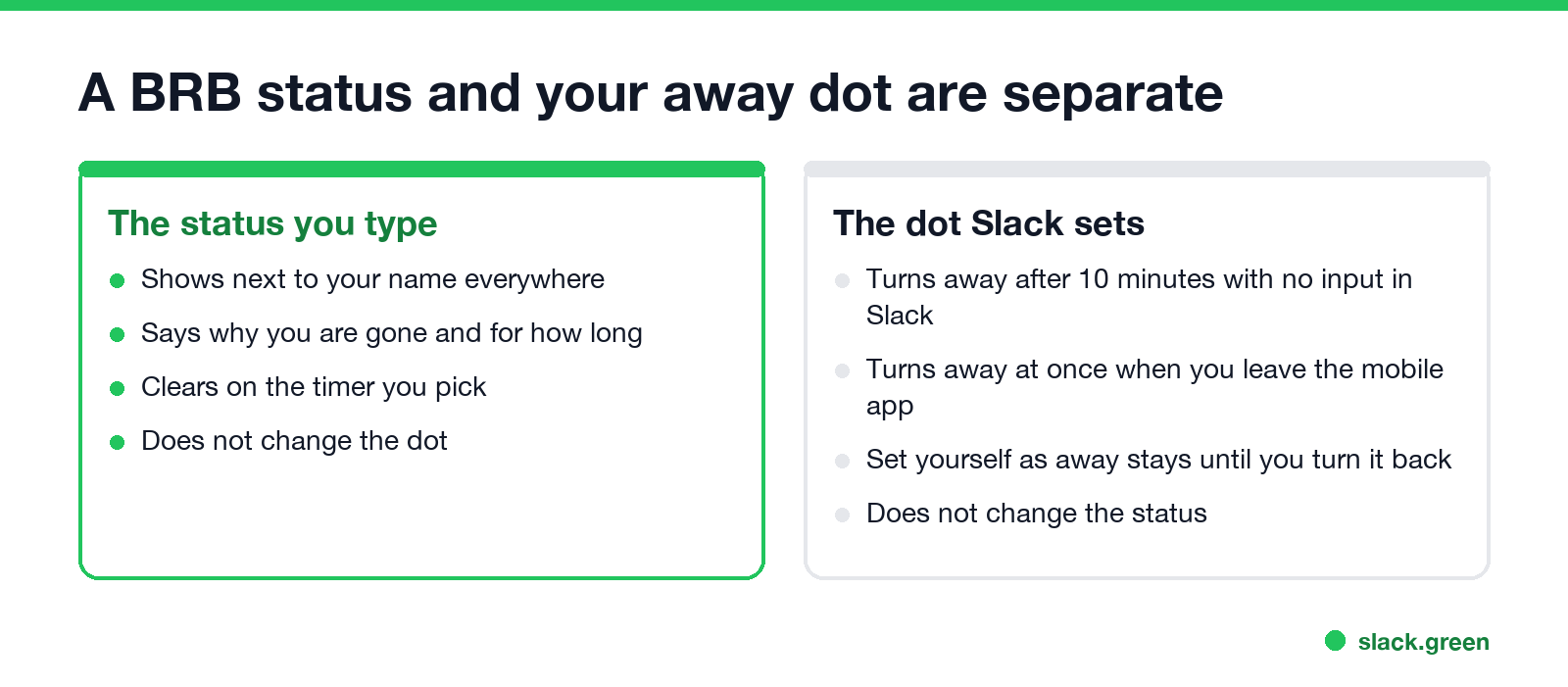
Coworkers see two things next to your name: the status you typed and the dot Slack sets.
So a 5-minute break usually leaves your dot green, and a 15-minute break turns it away. A BRB status is how people know the away dot is short. What each dot means is in Slack away status meaning, and the timer in how long does Slack stay active.
Should you also pause notifications? For a short break, no. The Pause notifications box in the status menu is for focus time or lunch. Messages wait for you either way.
Add BRB to your workspace's status suggestions
Workspace Owners and Admins can change the suggested statuses that everyone sees in the status menu. On Free, Pro and Business+ plans: click Admin in the sidebar, hover over Edit workspace, select Statuses, pick the suggestions, and click Save. On Enterprise plans, the same list is under Tools & settings, Customize, Statuses.
Slack's own tips for suggestions fit a BRB entry: a clear emoji, a short text people can add to, and a clear time that is not too short. "Be right back" with ⏳ and 30 minutes works. Custom emoji work here too, so a workspace :brb: emoji can be the suggestion's icon; the Slack emoji maker can build one.
Set a BRB status from a script
If you step away at the same times every day, a small script can set the status with an expiry. This uses Slack's users.profile.set method with a user token:
# BRB for 15 minutes: status_expiration is a Unix time
curl -s -X POST https://slack.com/api/users.profile.set \
  -H "Authorization: Bearer $SLACK_USER_TOKEN" \
  -H "Content-Type: application/json; charset=utf-8" \
  -d "{\"profile\": {\"status_text\": \"BRB, back in 15\", \"status_emoji\": \":hourglass_flowing_sand:\", \"status_expiration\": $(( $(date +%s) + 900 ))}}"
The token needs the users.profile:write scope. Scopes, Python code and scheduling are in set a Slack status with the API.
FAQ
Never appear "away" on Slack again
Cloud-based. No downloads. Works 24/7 even when your laptop is off.
What does BRB mean in Slack? Be right back: you are away for a few minutes. It is a shorter form of AFK; see what does AFK mean in Slack.
Is there a BRB emoji in Slack?
Not in the standard set. ⏳ :hourglass_flowing_sand:, 🔙 :back: and 🚶 :walking: are the usual stand-ins, and many workspaces add a custom :brb: emoji.
How do I set a Slack status for a few minutes? Set the status, then choose 30 minutes in Remove status after..., or Choose date and time for an exact end.
Does a BRB status stop my dot from going away? No. The dot still turns away after 10 minutes without input in Slack.
Can I set a BRB status on mobile? Yes. Tap your profile picture, the status field, type it, tap Clear after, then Done.
Stop Jiggling Your Mouse.
Join hundreds of remote workers who never worry about their Slack status. Set it up once, stay green forever.
Related Articles
Does Slack Notify When You View Someone's Profile? No
No. Opening someone's Slack profile, hovering over their name or checking their status sends them nothing, and Slack has no list of who viewed your profile. Admins cannot see profile views either. What does get noticed: typing in a DM, messages, reactions, mentions and huddles. What a profile shows, and what Slack admins can see instead.
Quiet Vacationing: What It Means and Why Workers Do It
Quiet vacationing, also called a hushed vacation, means taking time off without telling your manager while you keep looking online. In a Harris Poll of 1,170 US workers, 37% of millennials said they had done it and 38% had moved their mouse to look active. What it looks like, why people do it, how it gets noticed, and the working-vacation alternative.
Can Time Doctor Detect a Mouse Jiggler? Yes, With One Report
Yes, if your company has Time Doctor's Unusual Activity Report. It checks keyboard and mouse activity in 30-minute blocks and flags mouse movement without clicks and input that is unusually regular, which is what app and USB jigglers produce. It does not look at app names. What the report flags, who sees it, and what else Time Doctor records.