
Slack App Name Change: Why the Bot Name Does Not Update, Tested
We renamed a Slack app and its bot user eight times in a test workspace. Which names changed, how fast Slack showed them, the App Home edit that never reached Slack, and the exact validation messages.
A Slack app has three names, and you change them in different places. The app name (display_information.name) shows on the app's profile and in "added an integration" lines. The bot display name (features.bot_user.display_name) is the name above every message the bot posts. The bot username is the @handle, and it is set once, at the first install. On 6 October 2026 we renamed a test app and its bot eight times in our free-plan test workspace and watched the API and an open Slack tab after each change. The main result: a bot display name changed through the app manifest showed in Slack within about 20 seconds, but the same change saved through the App Home > Edit dialog never showed up, not even after a reinstall.
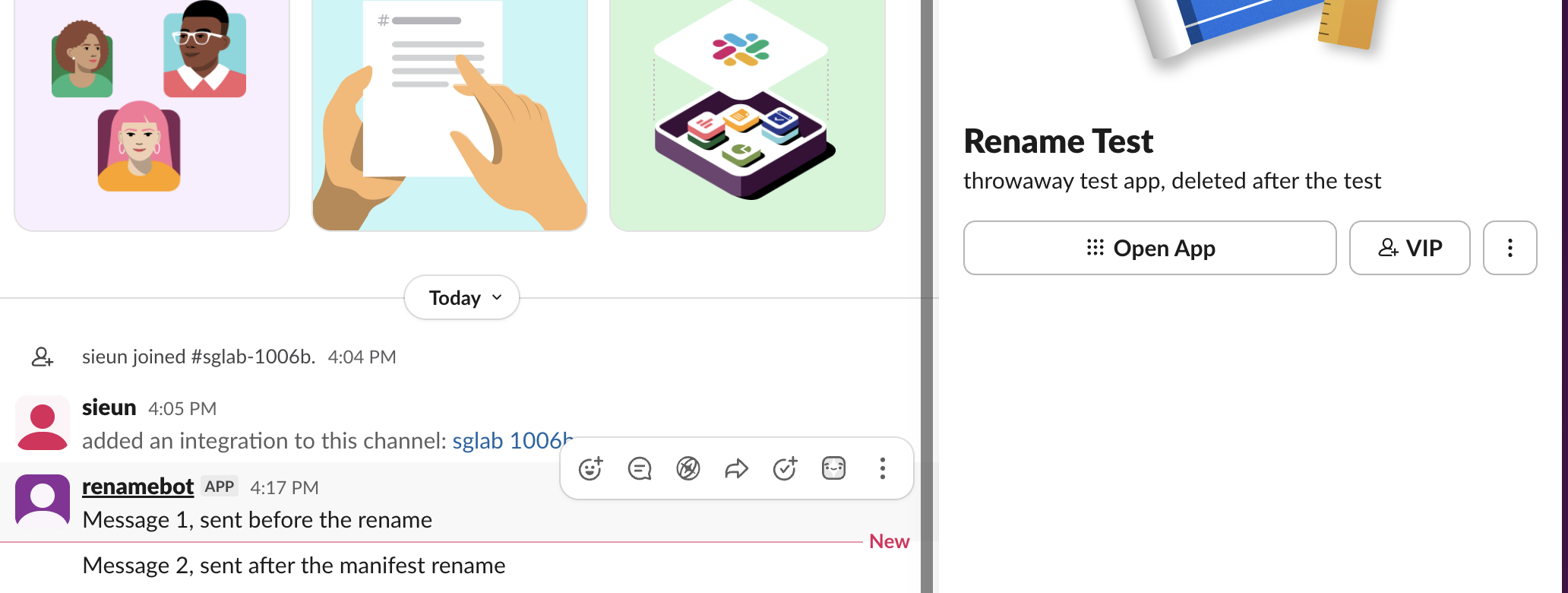
Which name shows where
We read each name from the API after every change and compared it with what Slack showed.
| Name | Where you set it | Where it shows | API field |
|---|---|---|---|
| App name | Basic Information > Display Information, or display_information.name | App profile panel, "added an integration to this channel" lines, app directory | bots.info bot.name, bot_profile.name on messages |
| Bot display name | App Home > Your App's Presence in Slack, or features.bot_user.display_name | Above each bot message, sidebar under Apps | users.info real_name and profile.real_name |
| Bot username | App Home > Edit > Default username | The @handle | users.info name |
The username did not change at all in our test. It stayed sglab1006b, the value from the first install, after we saved a new default username and installed the app again. Slack's dialog says why: it is the name used when a workspace installs the app, and Slack may change it to make it unique. To get a new handle you would have to remove the app and install it fresh. Because the handle sticks, look up a bot by its user ID, not its name; users.info returns the ID and all three name fields.
Changing the names, and how fast Slack showed them
We posted a message from the bot, renamed it, and polled users.info and the open Slack tab every few seconds.
| Change | How | API showed it | Open Slack tab showed it |
|---|---|---|---|
App name sglab 1006b > Rename Test | apps.manifest.update | at once (bots.info) | app profile and "added an integration" link, no reload |
Bot name sglab1006b > renamebot | apps.manifest.update | within 60 s | 15 s, on old and new messages |
Bot name Rename Bot 2 | apps.manifest.update | 9 to 17 s | 17 to 23 s, no reload |
Bot name Rename Bot | App Home > Edit > Save, then a reinstall | never (6 min) | never |
Bot name Rename Bot 3 | App Home > Edit > Save | never (2 min 20 s) | never |
| Bot name, same value sent again | apps.manifest.update | no change | no change |
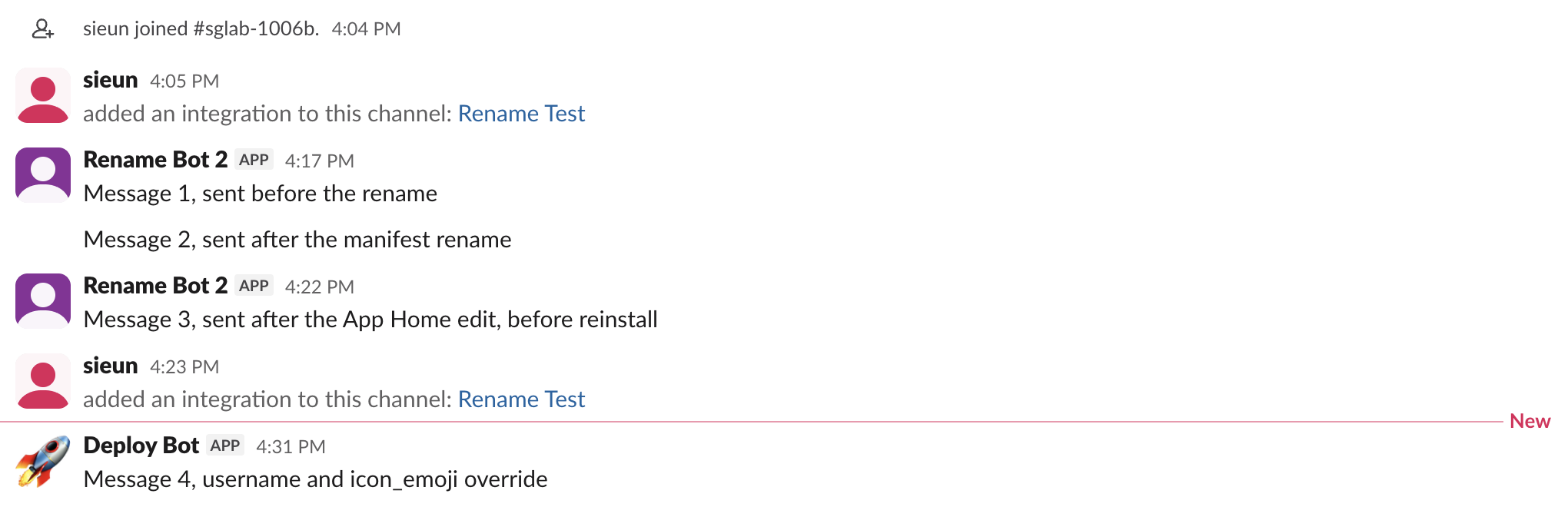
Old messages change too. The client draws the bot user's current name above each message, so message 1, sent before any rename, showed every new name. A reinstall was never needed for a manifest change, and a reinstall did not help the App Home edit.
The App Home edit did save. apps.manifest.export returned the new display_name right after we clicked Save. But the bot user in the workspace kept its old name, and a later apps.manifest.update that sent the same value changed nothing either, because nothing in the manifest was different. If your Slack app display name is not updating, change it in the manifest: open App Manifest, edit display_name, save, and wait about 20 seconds. If the manifest already shows the new name, change it to something else and back. We confirmed the second, different apps.manifest.update in our test; we did not test the App Manifest page in the browser separately.
Never appear "away" on Slack again
Cloud-based. No downloads. Works 24/7 even when your laptop is off.
The rules and the exact error messages
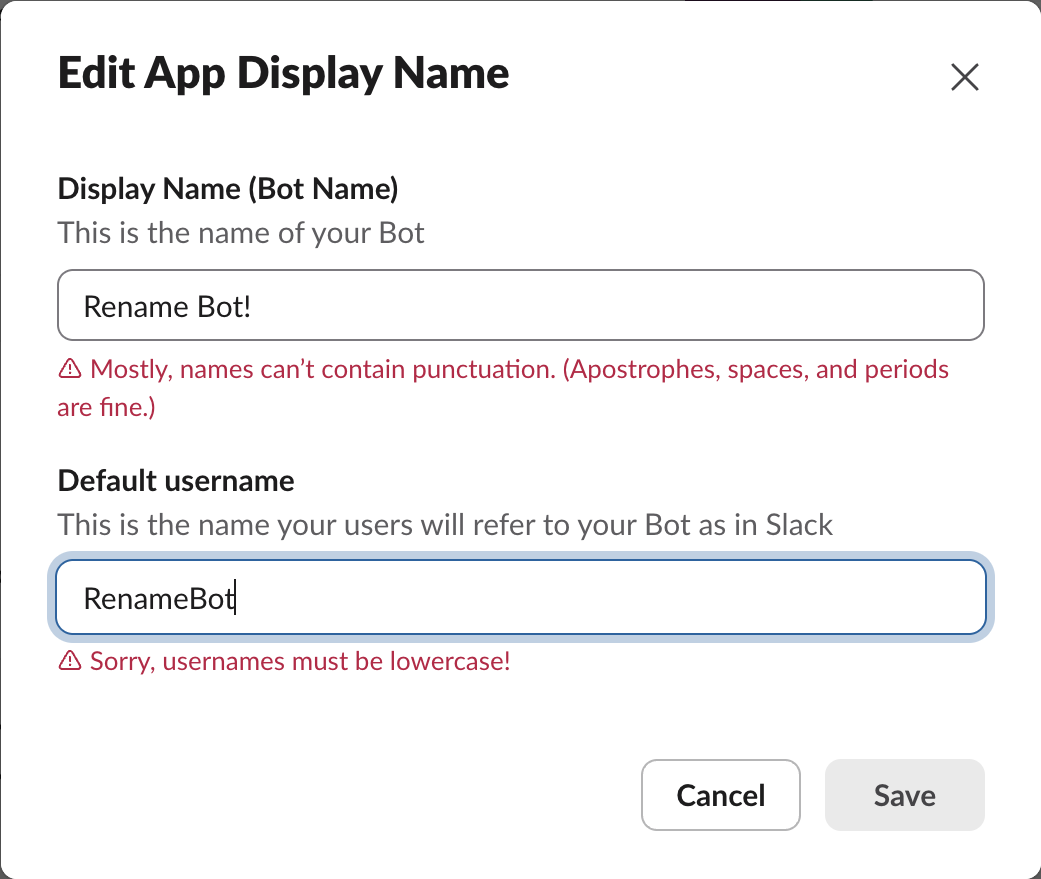
The App Home dialog checks both fields as you type and greys out Save on an error. These are the messages it showed:
| What we typed | Field | Message |
|---|---|---|
Rename Bot! | Display name | Mostly, names can't contain punctuation. (Apostrophes, spaces, and periods are fine.) |
RenameBot | Default username | Sorry, usernames must be lowercase! |
rename bot | Default username | Usernames can't contain special characters. Sorry about that! |
renamebot_with_22chars | Default username | Sorry, that's a bit too long! Usernames must be fewer than 22 characters. |
The dialog accepted Rename-Bot, Sam's Bot. and a name with an emoji, even though its help text says only apostrophes and periods are allowed. The manifest is looser: apps.manifest.update accepted Rename Bot, RenameBot, rename_bot and rename.bot-2 as display_name, and returned invalid_manifest for an empty name, an 81-character name, and rénamebot with an accent. 80 characters passed.
A different name on one message
If you only need another name on some messages, you do not have to rename the bot. With the chat:write.customize scope, chat.postMessage takes username and icon_emoji (or icon_url):
{"channel": "C0C6UGBU151", "text": "Message 4", "username": "Deploy Bot", "icon_emoji": ":rocket:"}Message 4 in the screenshot above shows the result: "Deploy Bot" with a rocket, while the other bot messages keep the bot's name. The returned message has username: "Deploy Bot" and icons: {"emoji": ":rocket:"}. It also comes back as subtype: bot_message with only a bot_id and no user field, so code that reads message.user to find the bot misses these messages. Our icon_emoji and username guide covers the per-message options and what webhooks do with them.
FAQ
Does renaming the app change the bot's user ID?
No. Messages 1 to 3, sent before and after eight renames and a reinstall, all carried the same bot user ID, and users.info on that ID kept working. The bot_id stayed the same too. Code that stores either ID keeps working after a rename.
Stop Jiggling Your Mouse.
Join hundreds of remote workers who never worry about their Slack status. Set it up once, stay green forever.
Related Articles
Export a Slack Canvas to PDF or Markdown: What Works, Tested
Slack has no download or export button for canvases. We checked every menu on a test canvas, used Print canvas for PDF, and turned the API's HTML download into clean Markdown with a script we ran.
Slack Forward Multiple Messages: No Multi-Select, 3 Workarounds Tested
Slack forwards one message at a time. We checked the message menu, shift-click and the forward dialog, then tested three ways to move 10 messages at once: a thread, a copied range, and a script that posts links.
Send a Slack Message From PowerShell: Webhook, Bot Token and Files
Working PowerShell for Slack: Invoke-RestMethod to a webhook, chat.postMessage with a bot token, Block Kit, and a file upload. Every script was run in PowerShell 7.6.6 against a real Slack workspace, with its output.