
Slack Green vs StayGreenOnSlack: an Honest Comparison
Slack Green and StayGreenOnSlack are the two closest products in the server-side presence category: both keep your Slack status active from the cloud on a schedule. The real differences are setup, the self-hosted option, languages, the API, and price.
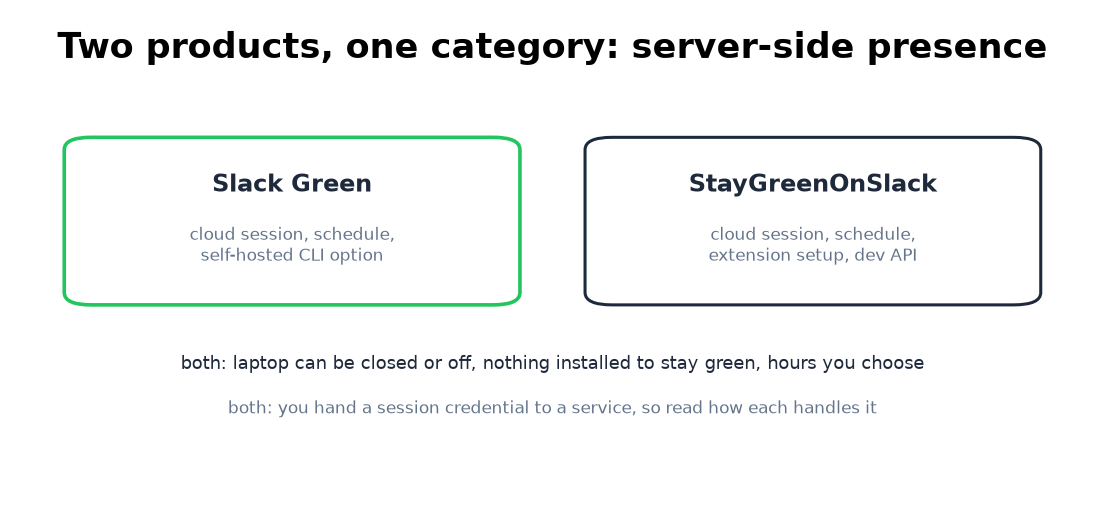
Slack Green is our product, and StayGreenOnSlack.com is the competitor we get asked about most, for a good reason: it is the same idea. Both products hold your Slack presence active from cloud servers, on a schedule you set, with your laptop closed or off. Neither needs software running on your machine to keep the dot green. If you came here expecting one of them to be a different category of tool, like a mouse jiggler or a keep-awake app, they are not; this is a comparison inside one category, written by one of the two vendors. Where a difference favors them, it is listed the same way as the ones that favor us.
Where they are the same
The architecture is identical in kind. A server authenticates as your Slack session and keeps presence active during the hours you choose. That shared design means the big claims are true of both: the laptop can be closed, asleep, or off; nothing is installed on the machine; scheduling covers work hours, custom hours, and timezones; and to Slack's servers the traffic looks like a normal signed-in session. The category's shared trade-off is also true of both: you hand a session credential to a third-party service, and you should read how each vendor handles that before paying either one. Ours is documented in will I get caught using Slack Green.
The differences that are real
| Slack Green | StayGreenOnSlack | |
|---|---|---|
| Runs from | cloud servers | cloud servers |
| Setup | copy browser tokens, ~2 min, no install | Chrome extension reads the workspace |
| Self-hosted option | yes, open CLI, tokens stay local | no |
| Developer API | no public API | yes, on paid plans |
| Microsoft Teams version | no | yes, separate product |
| Site languages | 11 | 6 |
| Free trial | 7 days, no card, or 14 with a card (slack.green, 3 November 2026) | 14 days, no card |
| Price after trial | paid plans on slack.green | $3.99/mo, less on annual |
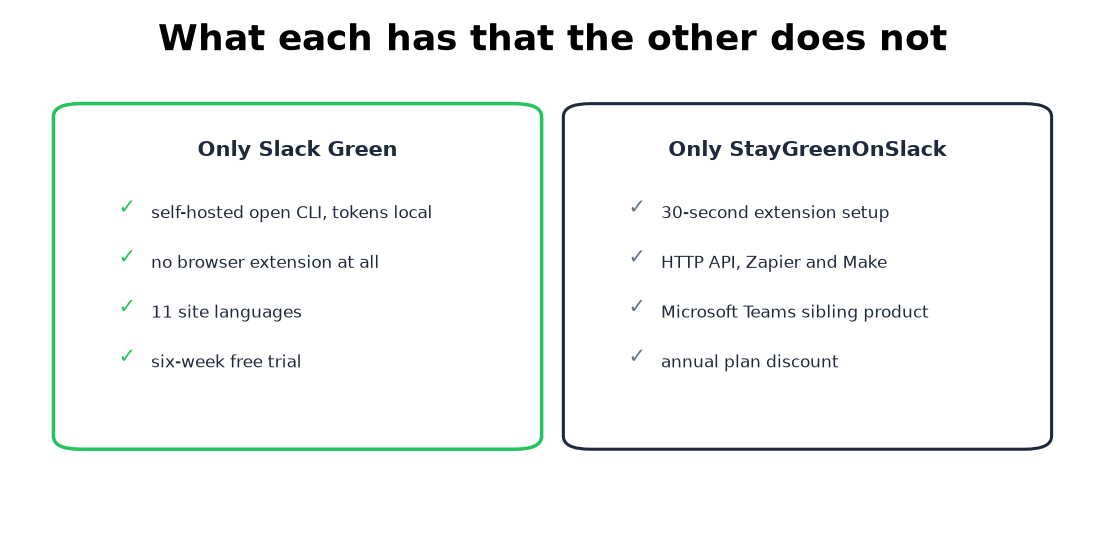
Setup. StayGreenOnSlack installs a Chrome extension that reads your workspace and connects in about 30 seconds. That is genuinely less friction for a non-technical user. Slack Green deliberately has no extension: you follow a tutorial and paste two browser tokens, about two minutes, and nothing is ever added to your browser. Which trade you prefer is a real fork: their way is faster, our way leaves no extension installed on a work machine.
Self-hosting. Slack Green ships an open self-hosted CLI: run it on your own machine or server, tokens never leave your hands, no subscription. StayGreenOnSlack has no equivalent. If "no third party holds my session" is your hard requirement, this is the deciding row, and it is also the honest answer to the category's token trade-off above.
API and Teams. Points to them: paid plans include an HTTP API with Zapier and Make hooks, and they run a sibling product for Microsoft Teams. Slack Green has no public API today and covers Slack only; if your team is half on Teams, their pair of products fits that shape better. If you keep both chat apps green from one machine instead, the free-methods route is in keeping Teams and Slack active.
One accuracy note
StayGreenOnSlack's guides state that Slack marks you away after 30 minutes of inactivity. Slack's documented desktop timer is 10 minutes, which you can verify in Slack's own help pages or by leaving your keyboard for ten minutes. It does not change what their product does, but timer accuracy matters when you are debugging why your dot went gray; the full rules are in how Slack active status works.
Which one to pick
Pick StayGreenOnSlack if you want the fastest possible setup, need Zapier or API control over your presence, or also live in Microsoft Teams. Pick Slack Green if you want a setup that installs nothing in your browser, one of the 11 languages the dashboard and guides run in, or the self-hosted escape hatch that removes the third-party-token question entirely. If neither of those lists settles it, both products have free trials long enough to test against each other, which is the comparison that actually matters.
Every other way to keep the dot green, including the free ones, is compared in how to keep Slack active.
Related Articles
Slack Green vs Presence Scheduler: What Each Keeps Green
Presence Scheduler pings the Slack API to stop away flips and adds a Chrome extension on your machine for the green dot. Slack Green holds the whole session from a cloud server. The mechanism difference decides which fits you.
Fake Slack Active Status: What Works and What Gets Noticed
Seven ways people fake an active Slack status, which ones hold up, and the thing that gives most people away. It isn't the dot.
Slack Green vs Idle Pilot: Price, Platforms and Setup
Idle Pilot and Slack Green both keep you available from the cloud with the laptop closed. Idle Pilot covers Slack or Teams for $9 a month. Slack Green covers Slack only for $3.99. The full comparison.