
Can My Employer See My Gemini Chats? Work vs Personal Accounts
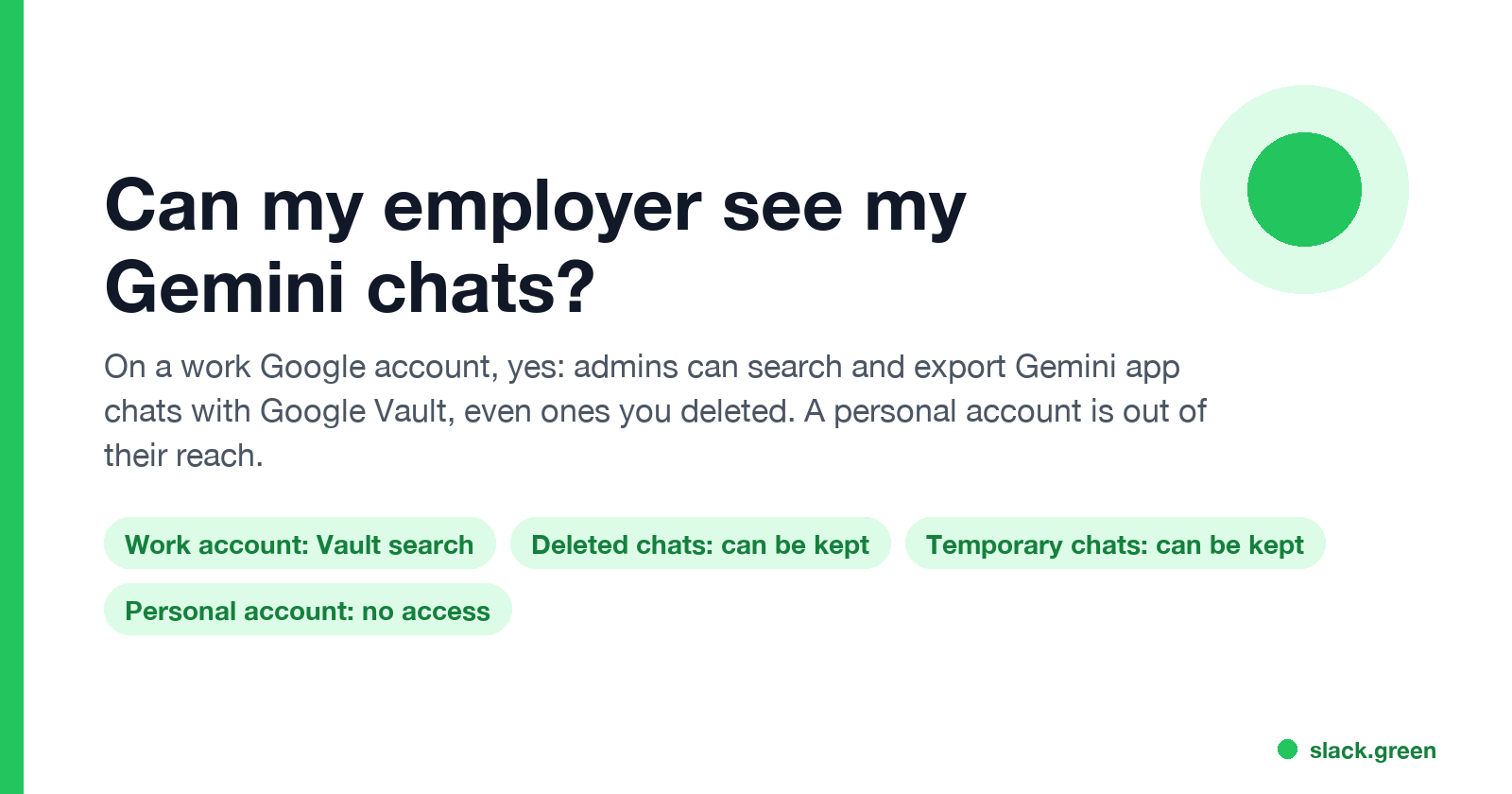
On a work Google account, yes: Workspace admins can search and export your Gemini app chats with Google Vault, and a Vault rule keeps them even after you delete them or use a temporary chat. On a personal Google account they have no access, but a work laptop can still record what you type.
Yes, if you use Gemini with your work Google account. Google Workspace admins can search your Gemini app chats in Google Vault and export every prompt and response, with your email address and the time on each. If your company has a Vault retention rule or hold on Gemini, deleting a chat or using a temporary chat only hides it from you; Vault keeps it. With a personal Google account, your employer has no access to the account, but a work laptop and work network can still record what you type.
Your manager cannot open your Gemini history just by being your manager. Access sits with Workspace admins and the people they give Vault rights to, usually IT, legal or HR during an investigation. Google's Workspace terms also say chats on a work account are not human reviewed or used to train models outside your company without permission.
We build Slack Green, which keeps your Slack status green from our servers with nothing installed on the work laptop, so we follow what employers can see across work tools. The ChatGPT side of this question is in can my employer see my ChatGPT history, and Microsoft's in can my employer see my Copilot chats.
Who can read your Gemini chats
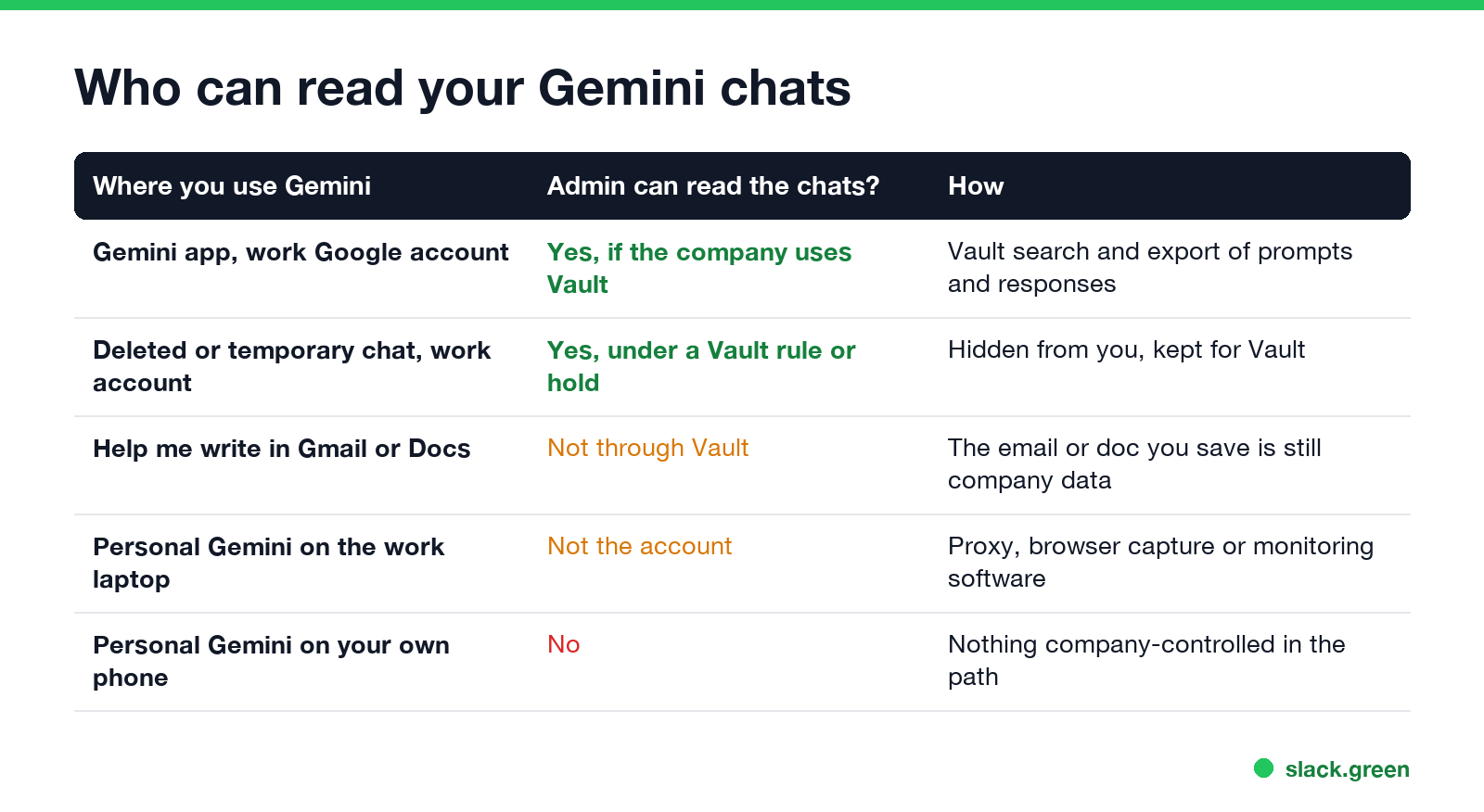
| Where you use Gemini | Can the company read the chat? | How |
|---|---|---|
| Gemini app (gemini.google.com, mobile app, Gemini in Chrome) with a work account | Yes, if the company uses Vault | Vault search and export of prompts and responses |
| A deleted or temporary chat on a work account | Yes, while a Vault rule or hold covers it | Hidden from you, kept for Vault |
| "Help me write" and the Gemini side panel in Gmail, Docs or Drive | Not through Vault | What you save or send is company data like any email or doc |
| A personal Google account on the work laptop | Not the account itself | HTTPS inspection, browser data protection tools or monitoring software |
| A personal Google account on your own phone, mobile data | No | Nothing the company controls is in the path |
The first row is the one that surprises people. Gemini with a work account is a Workspace service, like Gmail and Google Chat, and Vault covers it the same way.
What Workspace admins can do with Gemini chats
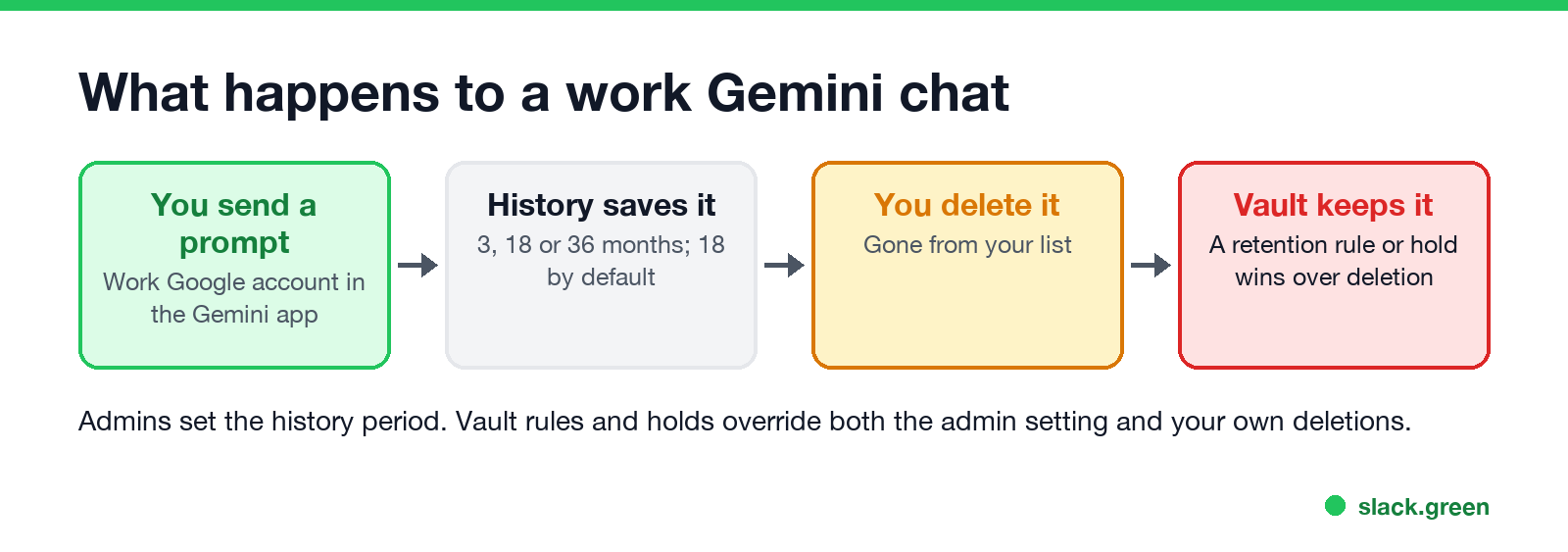
Google's admin and Vault help pages list these controls:
- • Search and export in Vault. An admin with Vault rights picks the Gemini app service, enters up to 5,000 accounts or a whole organizational unit, and sets a date range. Each result shows the prompt and response, the conversation title, the owner's email and the date and time. An export adds the prompts and responses from the same conversation 12 hours before and after each match, for context.
- • Retention rules and holds. Since June 2026, Vault can keep Gemini app chats for a set time or forever, and put them on hold for a lawsuit or investigation. Google's announcement says these rules take precedence over admin settings and user deletions: "the data is hidden from the user but remains fully retained and visible to Vault administrators."
- • Conversation history. In the Admin console, under Generative AI, Gemini app, admins decide whether chats are saved and for how long: 3, 18 or 36 months, with 18 as the default. Users cannot change it. With history off, you cannot reopen old chats, and Google may keep them for up to 72 hours to run the service.
- • Temporary chats and deletion. Admins can allow or block both. When the company uses Vault for Gemini, the app tells you in a temporary chat that your activity "might still be visible to your Google Workspace domain admins or Vault users."
- • Usage reports. Gemini reports in the Admin console show who uses Gemini, how often and in which apps, and name the heaviest users. They count use; they do not show the text.
Vault comes with Business Plus, Enterprise and Education editions. On Business Starter or Standard without Vault, there is no admin tool that reads your chat text, but the chats still belong to the company account.
Gemini in Gmail, Docs and Drive
Never appear "away" on Slack again
Cloud-based. No downloads. Works 24/7 even when your laptop is off.
Google's Vault update for Gemini says it applies to the Gemini app on web and mobile, and "is not applicable to Gemini in Google Workspace features integrated into other apps (such as 'Help me write' in Gmail or Docs)". Those prompts are not kept the same way.
That does not make them private. The email Gemini drafts is an email in a company mailbox, and the doc it edits is a company doc. Vault, Drive audit logs and data loss prevention rules apply to those the normal way.
A personal Gemini account on a work laptop
Your employer cannot sign in to a personal Google account or pull its history. The risk is the device and the network in between:
gemini.google.com.Using a private or Incognito window changes none of this; see can my employer see my Incognito history. The only setup your employer sees nothing of is your own phone or computer on your own connection.
How to tell which account you are using
chrome://management.FAQ
Never appear "away" on Slack again
Cloud-based. No downloads. Works 24/7 even when your laptop is off.
Can my employer see my deleted Gemini chats? On a work account, yes, if a Vault retention rule or hold was in place when you deleted them. Without Vault, a deleted chat is deleted. A new rule takes up to 24 hours to apply, and Vault does not keep chats deleted during that time.
Are Gemini temporary chats private at work? Not if your company uses Vault for Gemini. Temporary chats are then logged and kept under the Vault rules. Without Vault, Google does not log temporary chats to your activity.
Can my boss read my Gemini conversations? Not directly. Admins and Vault users can, and they can share an export with your manager or HR.
Does Google use my work Gemini chats to train its models? Google says Workspace Gemini content is not human reviewed or used to train generative AI models outside your domain without permission.
Can my employer see my Gemini chats on my personal phone? No, if you use a personal Google account on mobile data or your own Wi-Fi. If the phone has a work profile, only the work apps in that profile are managed. More in can my employer see what I do on my phone.
Stop Jiggling Your Mouse.
Join hundreds of remote workers who never worry about their Slack status. Set it up once, stay green forever.
Related Articles
Can My Employer See What I Watch on YouTube at Work?
On a work laptop or the office network, your employer can see that you used YouTube, when, and for how long. With HTTPS inspection or monitoring software, they can see which videos, because the video address and the browser tab title both name it. On your own phone on mobile data, they see nothing.
Can My Employer See My iMessages on a Work Mac?
Not through device management or the network: Jamf or Intune cannot read Messages, and iMessage is end-to-end encrypted. But if you sign in to Messages on a work Mac, your texts are stored on that Mac, where monitoring screenshots, backups and admin access can reach them. How to check, and how to take iMessage off the Mac without deleting it from your iPhone.
Can My Boss See My Private Outlook Calendar Events?
Usually not the details. When you mark an Outlook event Private, someone who can read your calendar sees only Private appointment, the time and a lock. The exceptions are delegates you gave Can view private items, the people invited to the event, anyone with full access to your mailbox in new Outlook or the web, and compliance admins. How to check who has which access, and what Private does not hide.