
Slack Webhook Not Working? What Each Error Means, Tested
We broke a real Slack incoming webhook 25 ways and logged each answer: 403 invalid_token, 404 no_service, no_team, no_active_hooks, 400 invalid_payload, no_text, invalid_blocks and silent 301 redirects.
When a Slack webhook stops posting, the HTTP status and the one-word body Slack sends back tell you why. 403 invalid_token means the secret at the end of the URL is wrong. 404 no_service means the webhook was removed. 404 no_active_hooks means its channel was archived or deleted. On 5 October 2026 we made three webhooks with a throwaway app in our free-plan test workspace, then broke them on purpose in 22 different ways with Python and curl and logged every answer.
Every answer we got
| What we did | Status | Body | Message posted? |
|---|---|---|---|
Valid JSON with text | 200 | ok | Yes |
| Last character of the secret changed | 403 | invalid_token | No |
| Secret cut to 10 characters | 403 | invalid_token | No |
| Secret lowercased | 403 | invalid_token | No |
B... part changed | 404 | no_service | No |
| Webhook removed on the app's settings page | 404 | no_service | No |
T... part changed | 404 | no_team | No |
| Channel archived | 404 | no_active_hooks | No |
| Channel archived, then unarchived | 404 | no_active_hooks | No |
| Channel deleted | 404 | no_active_hooks | No |
| Unescaped quote in the JSON | 400 | invalid_payload | No |
Form body text=hello (no payload=) | 400 | invalid_payload | No |
| GET instead of POST | 400 | invalid_payload | No |
{"foo":"bar"} or {"text":""} | 400 | no_text | No |
| A section block with no text | 400 | invalid_blocks | No |
| An unknown block type | 400 | invalid_blocks | No |
http:// instead of https:// | 301 | HTML page | No |
URL with a trailing / | 301 | empty | No |
| URL with a trailing space, in curl | curl exit 3 | URL rejected: Malformed input to a URL function | No |
Three errors from Slack's documentation never showed up. Archiving the channel gave 404 no_active_hooks, not the 410 channel_is_archived the docs list. We could not trigger 403 action_prohibited or posting_to_general_channel_denied, because both depend on admin posting restrictions that a free workspace does not have. If you get one of those, an admin limited who can post in that channel.
403 invalid_token: the secret is wrong
A webhook URL has three parts after /services/: the workspace ID (T...), the webhook ID (B...) and a 24-character secret. Any change to the secret returned 403 invalid_token, including the lowercase version, so the secret is case-sensitive. The usual cause is a URL cut short when it was pasted into a CI secret or a .env file, or a line wrap in a terminal. Copy the URL again from your app's Incoming Webhooks page with the Copy button.
404 no_service and no_team: the webhook or workspace is gone
no_service came back the instant we clicked the bin icon next to a webhook on the app's Incoming Webhooks page and confirmed Remove. We sent four requests over the next 9 seconds and all four failed the same way, and the channel showed "removed an integration from this channel". A changed B... ID gave the same answer. A removed webhook does not come back; add a new one.
no_team means the T... part does not match any workspace. A URL copied from another workspace, or a placeholder from a tutorial, gives this.
404 no_active_hooks: the channel was archived or deleted
This was the surprise of the test. We archived a channel, and its webhook answered 404 no_active_hooks. We then unarchived the channel and sent again 2 seconds later, then about 3 minutes later: still no_active_hooks. Unarchiving does not bring the webhook back. A brand-new webhook for the same, now unarchived, channel posted fine on the first try.
The settings page does not warn you. The webhooks for the archived and the deleted channel stayed in the list with a working Copy button:
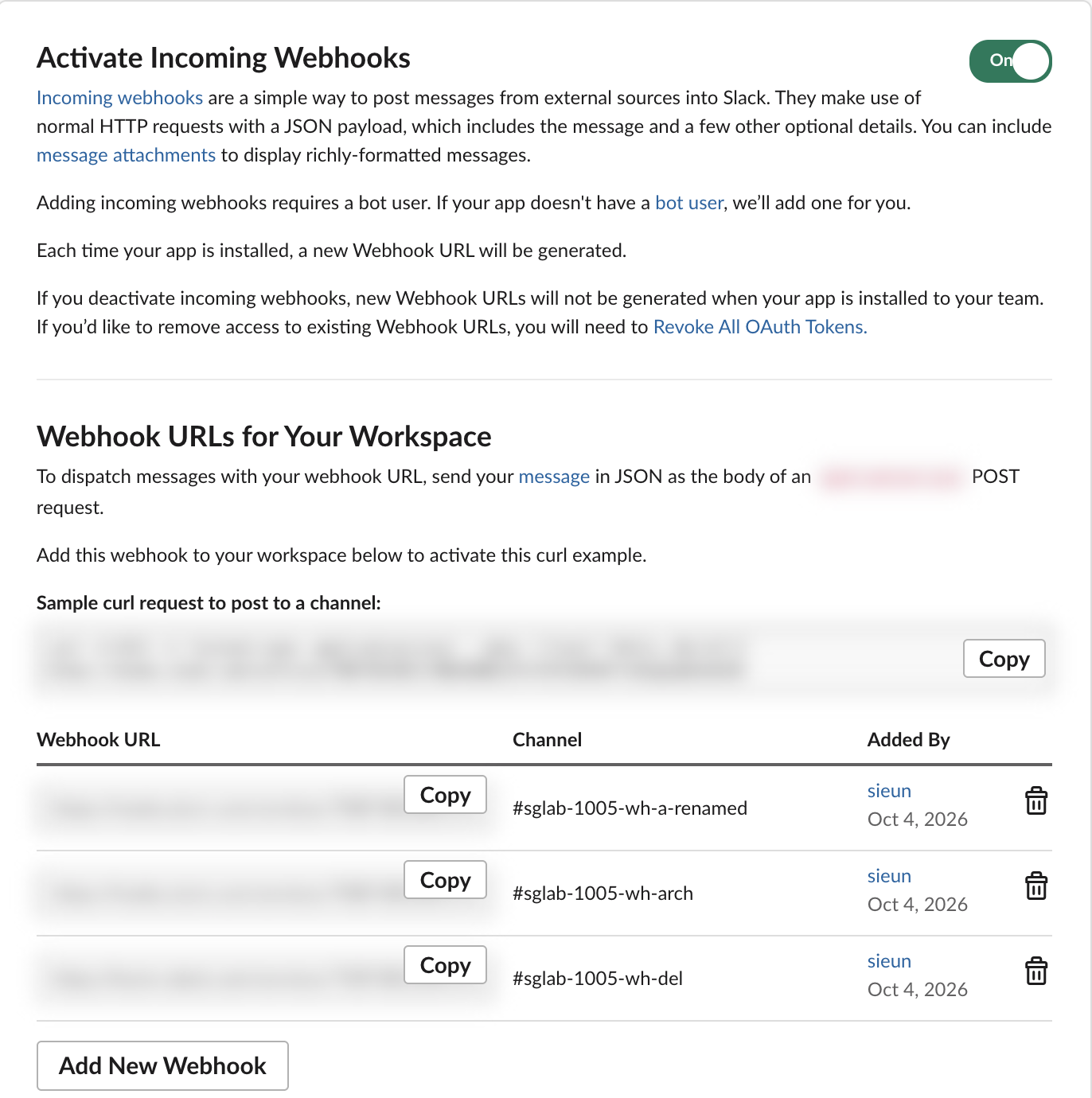
So if a channel was archived for a while and your alerts stopped, make a new webhook for it. Removing the old entry from the list keeps the page honest.
Never appear "away" on Slack again
Cloud-based. No downloads. Works 24/7 even when your laptop is off.
Changes that do not break a webhook
Each of these still returned 200 ok and posted:
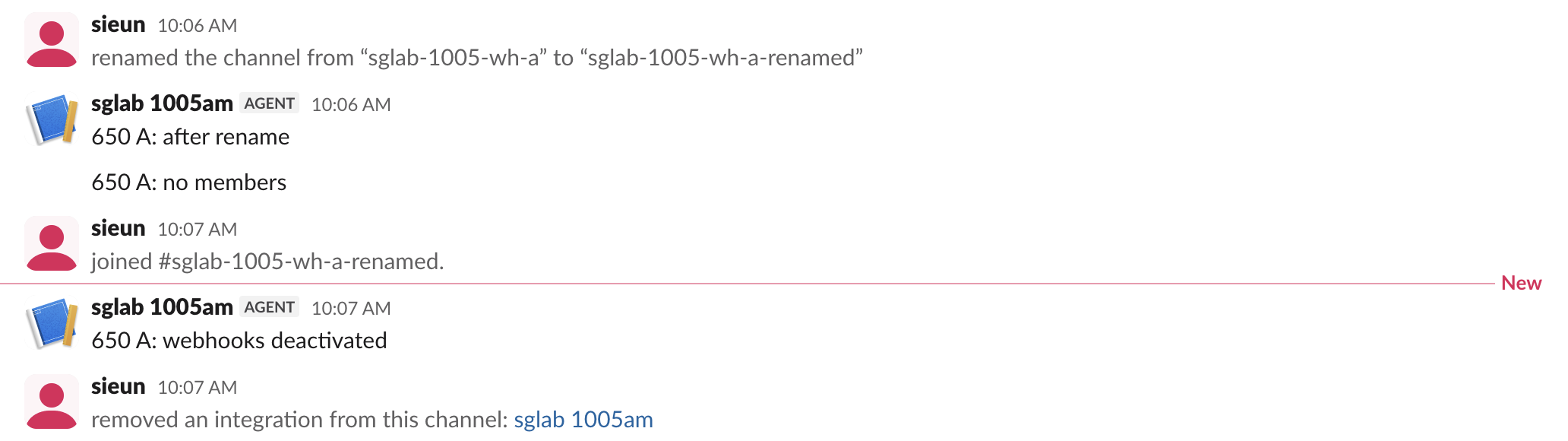
- • Renaming the channel. The webhook follows the channel ID, not its name.
- • The channel having no members at all, and the app's bot not being in it.
- • Turning Activate Incoming Webhooks off in the app settings. Slack's own note on that page says existing URLs keep working, and they did; the switch only stops new ones from being made.
- •
Content-Type: text/plain, or noContent-Typeheader, as long as the body is JSON. - • Extra
channel,usernameandicon_emojifields. Slack ignored all three: the message went to the webhook's own channel under the app's name.
400 errors: the body is wrong
invalid_payload is a JSON problem, or no body at all. A quote inside the text that is not escaped breaks the JSON:
curl -s -X POST "$SLACK_WEBHOOK_URL" -H 'Content-Type: application/json' \
  -d '{"text": "He said "hi""}'
That printed invalid_payload. Build the JSON with jq, json.dumps or JSON.stringify, as in our Slack webhook curl example. A form-encoded body has to be payload={...}; plain text=hello failed. no_text means the JSON parsed but had no text, and invalid_blocks means a block is malformed. Our invalid_blocks guide covers what each block needs.
A 40,001-character text did not fail. Slack answered 200 ok, posted four messages of 4,000 characters and dropped the other 24,001 without a word. The limits are in Slack message character limit.
301: a redirect that posts nothing
http:// instead of https://, or a / at the end of the URL, got a 301 redirect to the correct URL. Plain curl does not follow it, so it prints a short HTML page or nothing, and nothing is posted. Adding -L is worse than it looks:
curl -X POST -L  (http:// URL)            -> 400 invalid_payload
curl -X POST -L --post301  (http:// URL)  -> 200 ok
curl -X POST -L  (URL ending in /)        -> 400 invalid_payload
curl follows the redirect but drops the body, so Slack sees an empty POST. Fix the URL instead of following the redirect. A trailing space or newline from a copied .env value made curl refuse the URL outright with exit code 3.
A script that names the cause
We ran this against each broken URL. It reads the URL from an environment variable, so the secret never sits in your shell history:
import json, os, sys, urllib.request, urllib.error

CAUSES = {
    "invalid_payload": "the body is not valid JSON, or a redirect dropped it",
    "no_text": "the JSON has no text (or text is empty)",
    "invalid_blocks": "a block in blocks is malformed",
    "invalid_token": "the secret (last part of the URL) is wrong or cut short",
    "no_service": "this webhook was removed, or the B... part is wrong",
    "no_team": "the T... part is wrong: URL from another workspace or mis-pasted",
    "no_active_hooks": "the channel was archived or deleted; make a new webhook",
    "rate_limited": "too fast: wait Retry-After seconds",
}

class NoRedirect(urllib.request.HTTPRedirectHandler):
    def redirect_request(self, *args, **kwargs):
        return None

url = os.environ["SLACK_WEBHOOK_URL"].strip()
body = json.dumps({"text": "webhook check"}).encode()
req = urllib.request.Request(url, data=body, headers={"Content-Type": "application/json"})
try:
    with urllib.request.build_opener(NoRedirect).open(req, timeout=10) as r:
        status, text = r.status, r.read().decode()
except urllib.error.HTTPError as e:
    status, text = e.code, e.read().decode()
if status in (301, 302):
    text = "redirect"
    cause = "URL starts with http:// or ends with /; nothing was posted"
else:
    cause = "posted" if text == "ok" else CAUSES.get(text, "unknown, see the body")
print(f"{status} {text[:40]}: {cause}")
Output for six URLs:
good               -> 200 ok: posted
secret typo        -> 403 invalid_token: the secret (last part of the URL) is wrong or cut short
removed webhook    -> 404 no_service: this webhook was removed, or the B... part is wrong
archived channel   -> 404 no_active_hooks: the channel was archived or deleted; make a new webhook
http               -> 301 redirect: URL starts with http:// or ends with /; nothing was posted
other workspace    -> 404 no_team: the T... part is wrong: URL from another workspace or mis-pasted
It posts a real "webhook check" message when the URL works, so point it at a test channel. The rate_limited line comes from an earlier test of ours: a fast burst of webhook posts returned 429 with the body rate_limited and Retry-After: 1. More on that in Slack API rate limits.
FAQ
Does deleting the Slack app stop its webhooks?
Yes, with a short delay. In our 4 October test the first POST about a second after the delete still posted, and every request from 5 seconds on returned 404 no_service. Setup steps are in how to create a Slack webhook.
Why does my webhook post to the wrong channel, or ignore my channel field?
App webhooks are bound to the channel picked when they were created. Slack ignored our channel override and posted to the original channel. To post to several channels, make one webhook per channel or use chat.postMessage with a bot token.
Why does my webhook ignore the username and icon?
App webhooks post as the app. Our username and icon_emoji fields were ignored. Only legacy custom-integration webhooks honoured them; see are Slack incoming webhooks deprecated.
Why does a @name in my webhook text not notify anyone?
Plain @name stays text. Use <@U0123ABCD> with the member ID, as in how to mention a user in a Slack webhook.
Stop Jiggling Your Mouse.
Join hundreds of remote workers who never worry about their Slack status. Set it up once, stay green forever.
Related Articles
Slack Jump to Date: Where the Menu Is and What Each Option Does
Slack's Jump to date menu hides in the date divider above messages. We tested it in a 500-message channel and an older channel: which options appear, how far back the calendar goes, and how to do it by API.
Slack API Unread Messages: last_read, unread_count and conversations.mark, Tested
Slack's Web API has no single unread-messages call. We tested what conversations.info returns for channels and DMs, counted unreads from last_read, and moved the sidebar badge with conversations.mark.
Slack Themes: Custom Theme Strings That Import, Tested
Slack's custom theme now takes 4 colors. We pasted old 8-color strings, Slack's own Share output and our own themes into Import, and logged which ones Slack accepted.