
Slack Message Character Limit: 40,000 Max, 4,000 Advised
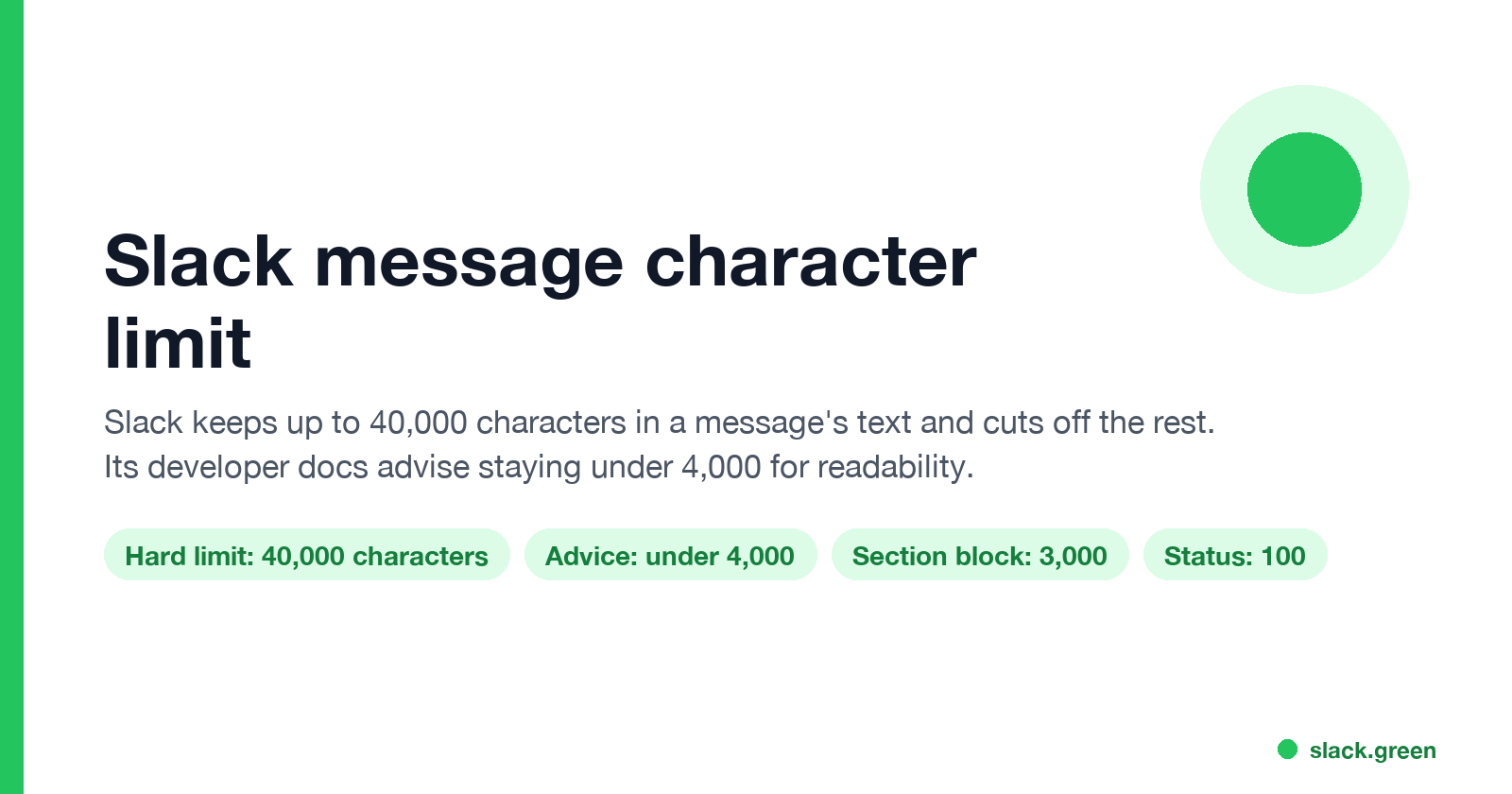
Slack keeps up to 40,000 characters in a message's text and truncates anything longer, and its developer docs advise staying under 4,000 characters. Block Kit sections stop at 3,000 characters and headers at 150. What happens with long messages, other Slack text limits, and how to split a long post.
The Slack message character limit is 40,000 characters. Slack's developer docs say messages with more than 40,000 characters in the text field are truncated, and they advise keeping the text under 4,000 characters for best results. If you use Block Kit, each block has its own limit: 3,000 characters for a section block's text, 150 for a header, and up to 50 blocks per message. For anything longer, Slack suggests a snippet, and a canvas works well for long documents.
We build Slack Green, which keeps your Slack status green from our servers during the hours you set. We also make a free Slack message formatter for drafting a message and checking how it looks before you post.
Slack text limits in one table
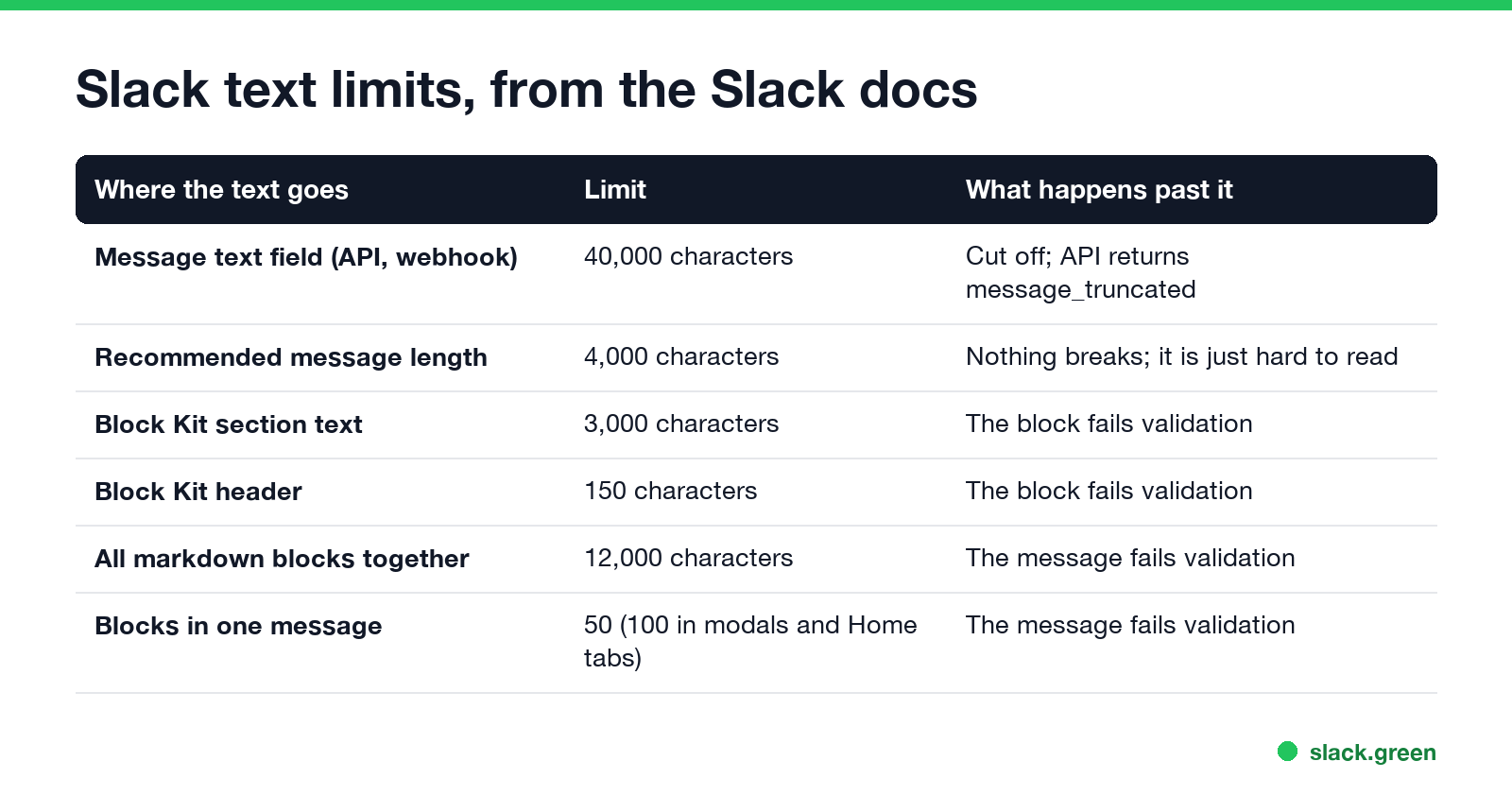
| Where the text goes | Limit | Source |
|---|---|---|
| Message text field | 40,000 characters, then truncated | chat.postMessage docs |
| Recommended message length | Under 4,000 characters | chat.postMessage docs |
| Block Kit section block text | 3,000 characters | Section block reference |
| Block Kit header block | 150 characters, plain text only | Header block reference |
| All markdown blocks in one message | 12,000 characters combined | Markdown block reference |
| Blocks in one message | 50, or 100 in modals and Home tabs | Blocks reference |
The 40,000 limit has applied since August 2018, when Slack's changelog says it lowered the ceiling step by step from 500,000 characters. It applies to every way of posting: chat.postMessage, chat.postEphemeral, incoming webhooks, slash command responses and interactive messages.
A few other limits people search for: a Slack status holds 100 characters, and a channel name 80. Ideas that fit in 100 characters are in Slack status examples.
Is there a 4,000 character limit in Slack?
Not a hard one. 4,000 is the length Slack's docs recommend for the text field, not the point where Slack cuts. Before 2018, Slack's guidance was to keep messages under 4,000 bytes, which is where the number people quote comes from. A 5,000-character message posts fine. It is just long for a chat, and readers see it collapsed, with a link to expand it.
What happens when a Slack message is too long
Never appear "away" on Slack again
Cloud-based. No downloads. Works 24/7 even when your laptop is off.
- • In the API or a webhook. Past 40,000 characters, Slack posts the message with the text cut off and returns a warning in the response,
message_truncated, with the note that the text field accepts up to 40,000 characters. Slack's changelog adds that very long messages may also be broken into several messages. - • In a Block Kit message. A section with more than 3,000 characters, or more than 50 blocks, fails validation, and nothing posts. Split the text across several section blocks.
- • In the Slack app. Long messages post, and Slack shows them collapsed so they do not take over the channel.
The warning in an API response looks like this:
{
  "ok": true,
  "response_metadata": {
    "warnings": ["message_truncated"],
    "messages": ["[WARN] Your message was truncated but still posted. The `text` field accepts up to 40,000 characters."]
  }
}
How to post a long message in Slack
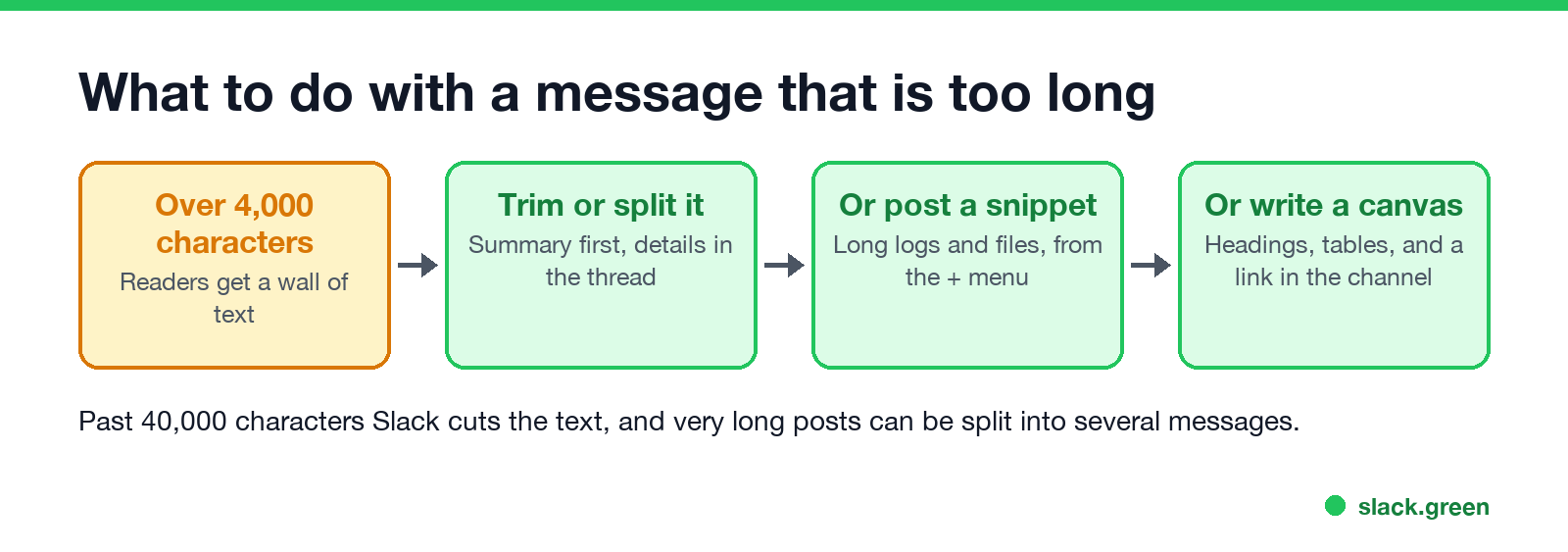
To check the length before you post, paste the text into a character counter, or run wc -m on a file in a terminal.
Split a long message for the Slack API
If a bot posts reports that can run long, split the text at line breaks before you send:
def split_for_slack(text: str, limit: int = 3900) -> list[str]:
    # Split on line breaks so no chunk passes the limit
    chunks, current = [], ""
    for line in text.splitlines(keepends=True):
        while len(line) > limit:  # one very long line
            chunks.append(line[:limit])
            line = line[limit:]
        if len(current) + len(line) > limit:
            chunks.append(current)
            current = ""
        current += line
    if current:
        chunks.append(current)
    return chunks
Post the first chunk, then post the rest with thread_ts set to the first message's ts, so they stay together in one thread. A limit of 3,900 keeps each part under the 4,000 characters Slack recommends. If you send the parts as section blocks, use 3,000 instead. Converting markdown first? The Markdown to Slack converter turns a long markdown report into Slack's format.
FAQ
Never appear "away" on Slack again
Cloud-based. No downloads. Works 24/7 even when your laptop is off.
How many characters can a Slack message have? Up to 40,000 in the text field. Past that, Slack truncates it.
What is the Slack character limit for Block Kit? 3,000 characters for a section's text, 150 for a header, and 50 blocks per message.
Why is my long Slack message collapsed? Slack collapses long messages in the channel. Readers click the link under it to read the rest.
How long can a Slack status be? 100 characters.
Stop Jiggling Your Mouse.
Join hundreds of remote workers who never worry about their Slack status. Set it up once, stay green forever.
Related Articles
Slack Emoji for Announcements, Updates and Reminders
The standard Slack emoji for an announcement is 📣 :mega: or 📢 :loudspeaker: at the start of the post. Use 🚨 :rotating_light: only for real emergencies, 🆕 :new: for updates, ⏰ :alarm_clock: for reminders, and ask readers to react with ✅ :white_check_mark: once they have read it. Templates and a custom emoji idea.
Slack Status for a Doctor Appointment: 24 Statuses and Emoji
A Slack status for a doctor appointment says you are out and when you are back, such as 🏥 'At an appointment, back at 2 PM.' You do not have to say what kind. 24 statuses for doctor, dentist and other appointments, the emoji codes, and how to schedule the status so it clears by itself.
Slack Status for Limited Availability: 30 Statuses to Copy
A Slack status for limited availability says you are around but slow, until when, and how to reach you if it is urgent, such as ⏳ 'Limited availability today, replies after 3 PM. Urgent: @mention me.' 30 statuses for busy days, slow replies and catching up, the emoji to use, and when to pause notifications too.