
Quiet Vacationing: What It Means and Why Workers Do It
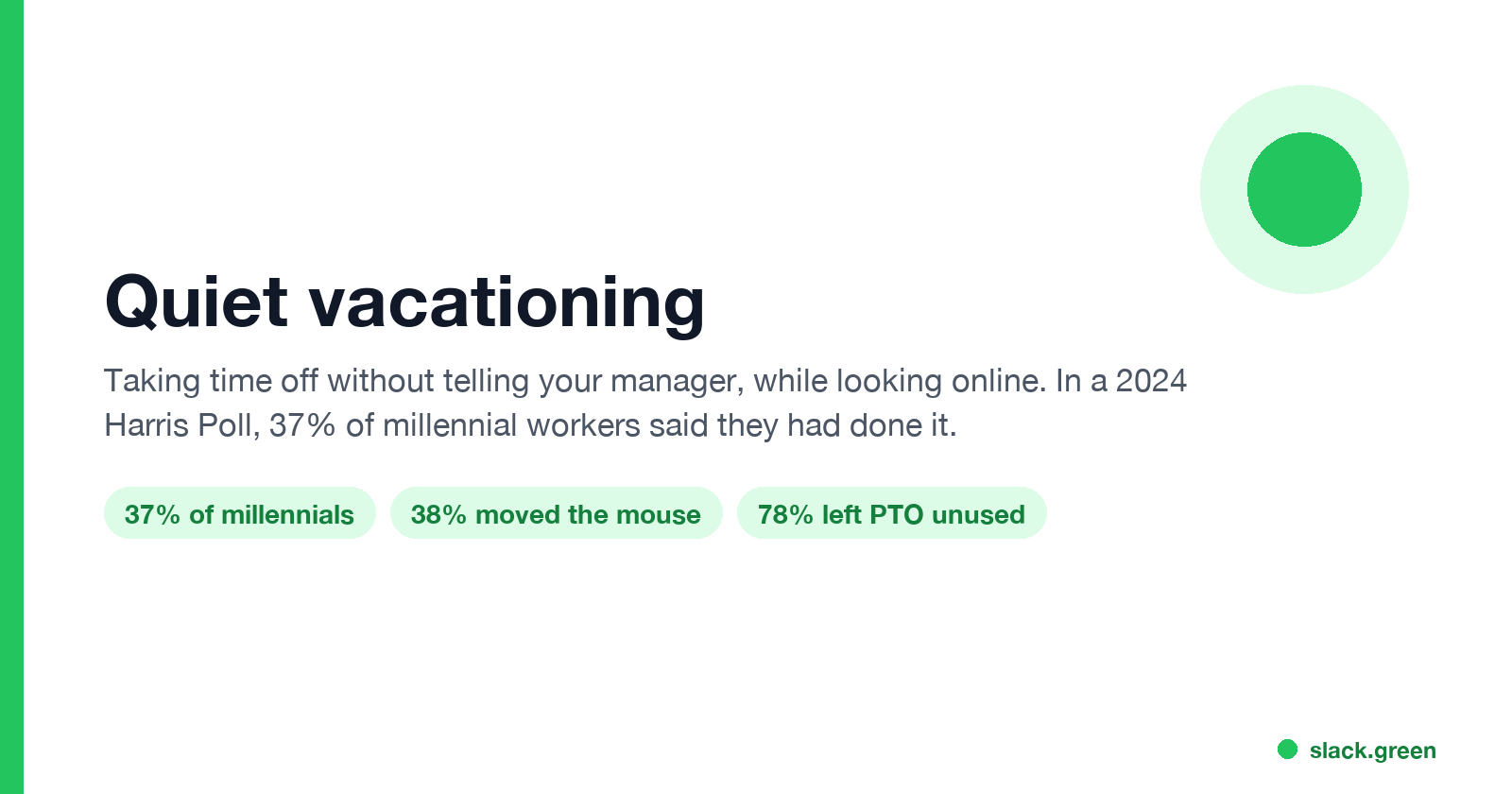
Quiet vacationing, also called a hushed vacation, means taking time off without telling your manager while you keep looking online. In a Harris Poll of 1,170 US workers, 37% of millennials said they had done it and 38% had moved their mouse to look active. What it looks like, why people do it, how it gets noticed, and the working-vacation alternative.
Quiet vacationing means taking time off without telling your manager, while you keep looking online: a green status in Slack or Teams, emails scheduled for office hours, a laptop that never goes idle. The term took off in May 2024 with The Harris Poll's Out of Office Culture Report, a survey of 1,170 employed US adults. Fortune and Marketplace reported that 37% of millennial workers said they had taken time off without telling their supervisor, against 24% of Gen Z. The same term covers "hushed vacations" and "hushcations": a real trip, worked around, and hidden.
A green chat dot is at the center of most quiet vacations, because it is the signal coworkers read first. Slack Green keeps a Slack status active during the hours you set, from the cloud. A dot does not answer messages, though, and the sections below show why that is where quiet vacations fall apart.
What quiet vacationing looks like
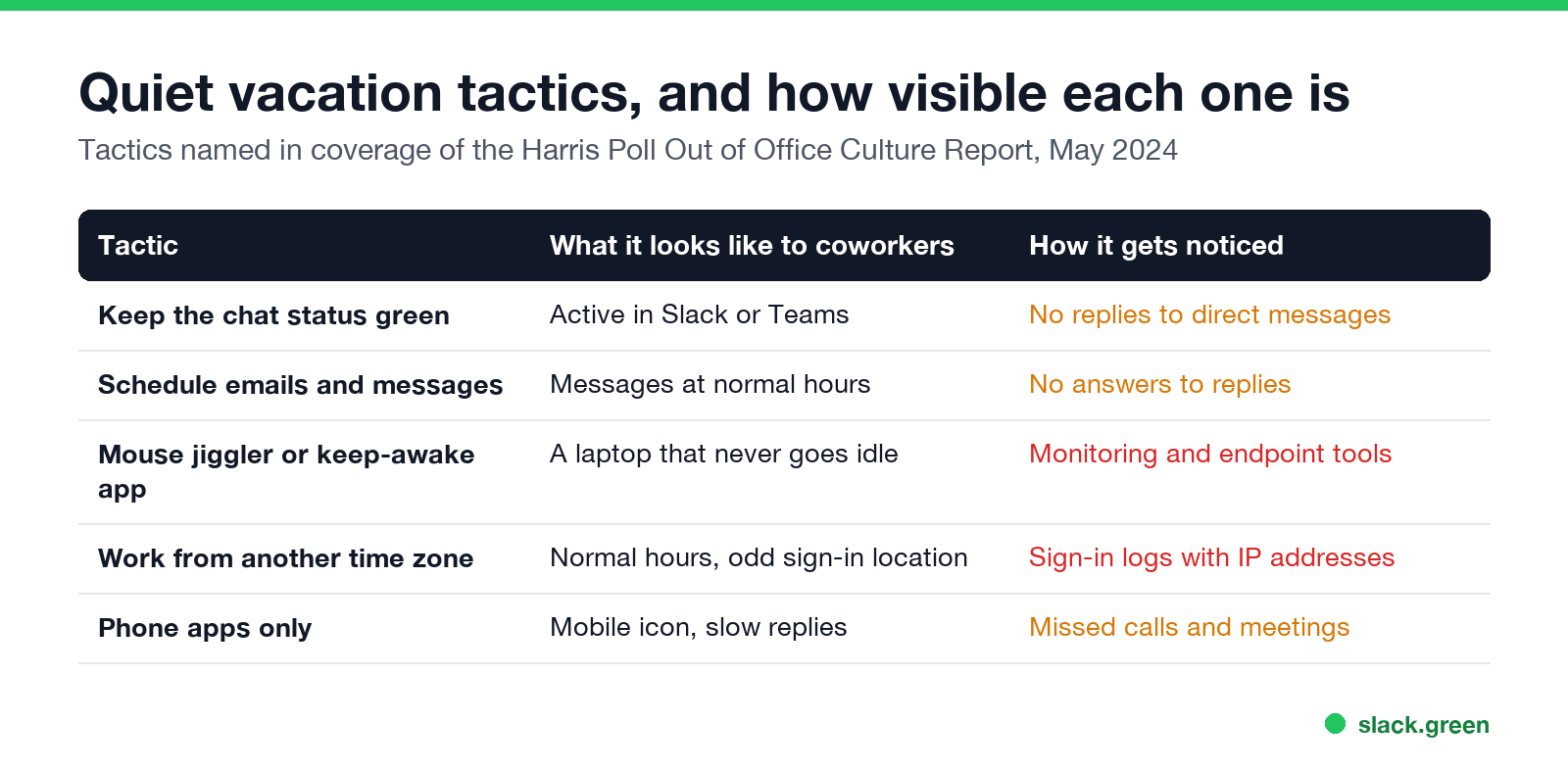
The Harris Poll coverage named the same handful of tactics:
| Tactic | What coworkers see | How it gets noticed |
|---|---|---|
| Keep the chat status green | Active in Slack or Teams | No replies to direct messages |
| Schedule emails and messages | Messages sent at normal hours | No answers to the replies |
| Mouse jiggler or keep-awake app | A laptop that never goes idle | Monitoring and endpoint tools |
| Work from another time zone | Normal hours, sign-ins from far away | Sign-in logs with IP addresses |
| Phone apps only | Mobile icon, slow replies | Missed calls and meetings |
The National Post reported that 38% of millennials in the survey had moved their mouse "to maintain online status on a company messaging system like Teams or Slack", and Fortune that almost as many had sent emails outside normal hours to look busy. How scheduled messages work in Slack is in how to delay and schedule Slack messages.
Why people quiet vacation
The survey points to culture more than policy. According to Newsweek's and Fortune's coverage:
- • 78% of US workers did not use all of their paid time off the year before.
- • 61% of millennials and 58% of Gen Z said they felt nervous or anxious about requesting time off.
- • 76% wished their workplace put more weight on time off and avoiding burnout.
- • The top reasons for not asking were pressure to be always available (31%) and a heavy workload (30%), per the National Post.
Remote work makes it possible. When a team judges presence by a dot and response time, a laptop at a beach house can look the same as one at home.
How quiet vacations get noticed
Never appear "away" on Slack again
Cloud-based. No downloads. Works 24/7 even when your laptop is off.
Whether that monitoring is allowed where you live is covered in is it legal for my employer to monitor me, and the full list of methods in how do employers monitor remote workers.
The risks
Quiet vacationing is not a crime, but in most jobs it breaks the rules for recording time off. If you are paid for hours you did not work, or you miss something urgent, it can end in a warning or a dismissal for misconduct, and the discovery usually comes from a missed reply, not from software. Some employment contracts and remote-work policies also require you to work from an approved country for tax and data reasons, which makes working from abroad without telling anyone a separate problem.
The alternative: an announced working vacation
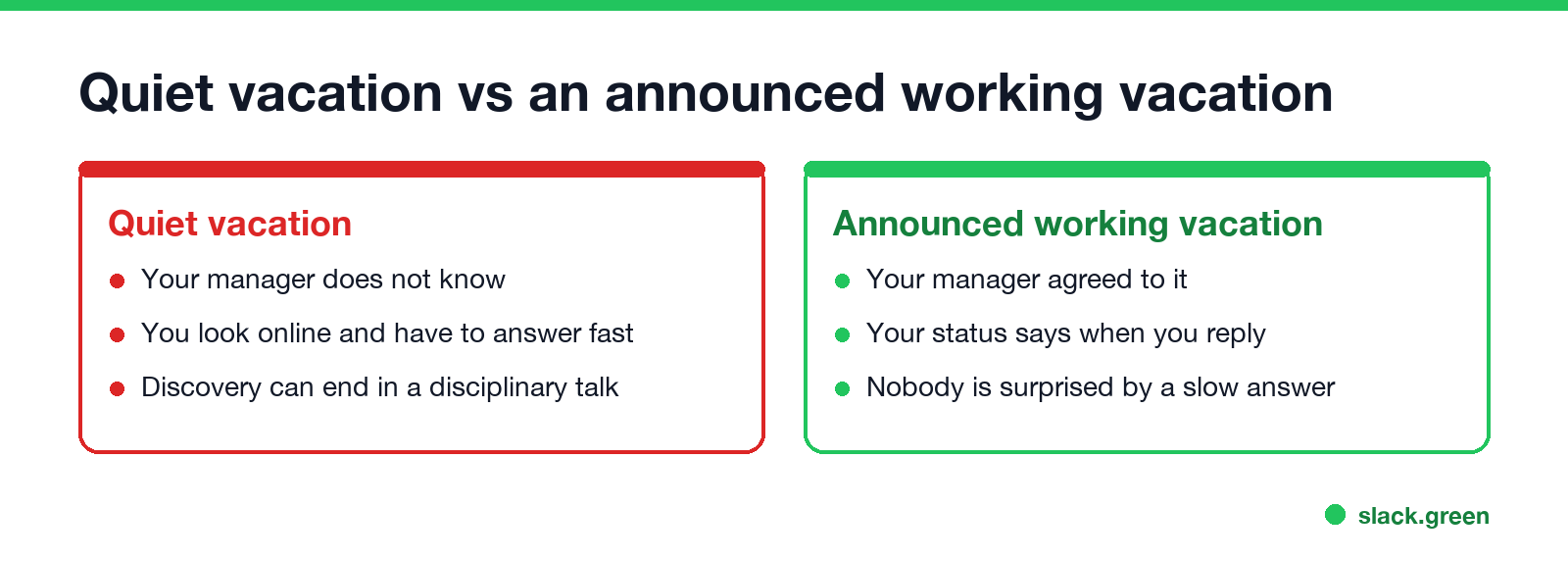
Many managers will agree to a working vacation if asked: you are away, reachable for a few hours, and everyone knows. Set a status that says so, for example:
Your status then explains a slow reply before anyone asks. More lines are in Slack status examples, and a full out-of-office setup is in Slack out of office message.
A green dot during the hours you agreed to be online is fine; Slack turns it grey after 10 minutes without input in the Slack window, which is what Slack Green fixes on a schedule. It works best when the schedule matches what your team expects.
FAQ
Never appear "away" on Slack again
Cloud-based. No downloads. Works 24/7 even when your laptop is off.
What does quiet vacationing mean? Taking time off without telling your manager, while keeping up the look of working, such as a green status and scheduled messages.
Is quiet vacationing the same as a hushed vacation? Yes. "Hushed vacation" and "hushcation" usually mean a trip taken while working remotely without telling anyone.
How common is quiet vacationing? In The Harris Poll's May 2024 survey of 1,170 US workers, 37% of millennials and 24% of Gen Z said they had taken time off without telling their manager.
Can my employer tell if I am on a quiet vacation? Often, yes: from unanswered messages, missed meetings, sign-in locations, or monitoring software on the laptop.
Is quiet vacationing illegal? No, but it can break your company's time-off rules and lead to discipline, especially if you are paid for hours you did not work.
Stop Jiggling Your Mouse.
Join hundreds of remote workers who never worry about their Slack status. Set it up once, stay green forever.
Related Articles
Can My Employer See What I Watch on YouTube at Work?
On a work laptop or the office network, your employer can see that you used YouTube, when, and for how long. With HTTPS inspection or monitoring software, they can see which videos, because the video address and the browser tab title both name it. On your own phone on mobile data, they see nothing.
Can My Employer See My iMessages on a Work Mac?
Not through device management or the network: Jamf or Intune cannot read Messages, and iMessage is end-to-end encrypted. But if you sign in to Messages on a work Mac, your texts are stored on that Mac, where monitoring screenshots, backups and admin access can reach them. How to check, and how to take iMessage off the Mac without deleting it from your iPhone.
Can My Boss See My Private Outlook Calendar Events?
Usually not the details. When you mark an Outlook event Private, someone who can read your calendar sees only Private appointment, the time and a lock. The exceptions are delegates you gave Can view private items, the people invited to the event, anyone with full access to your mailbox in new Outlook or the web, and compliance admins. How to check who has which access, and what Private does not hide.