
How to Delete a DM in Slack: Messages, the Conversation, and What You Cannot Remove
We deleted our own DM messages, tried to delete the other side's, closed the conversation with /close and reopened it. Here is what each step removed.
Slack has no button that deletes a whole DM conversation. You can delete your own messages in a DM one at a time: hover the message, click the three dots, then Delete message. You cannot delete the other person's messages. Close conversation (or typing /close) only hides the DM from your sidebar, and the full history comes back when you open it again. We tested each of these on 9 October 2026 in Slack web on the Free plan, as the workspace Owner, in a DM between our test account and a test app. To list every DM you have, including the ones the DMs tab hides, see how to see all DMs in Slack.
Deleting your own messages in a DM
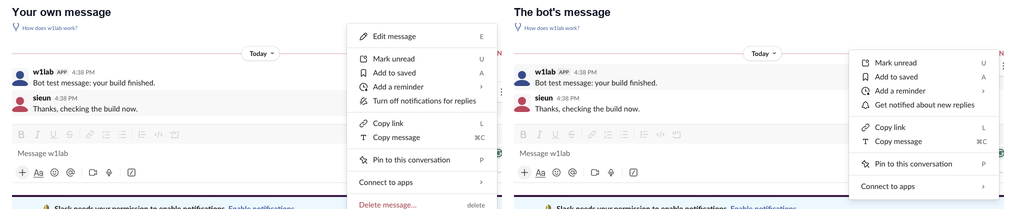
Hover your message, click the three dots, and choose Delete message, the last item in the menu. The message is removed from the conversation, so the other person no longer sees it either. Your messages are yours to delete in any DM, as long as your workspace has not turned off message deleting. Notes you sent to yourself work the same way; see how to message yourself on Slack.
The menu is different for the other side's messages. Here is the same DM, with the menu opened on our message (left) and on the app's message (right):
The API agreed. We sent five messages as our test user, three in the app DM and two in our self-DM, and deleted them with chat.delete and a user token. Then we tried the same call on the app's message:
| Call | Message | Result |
|---|---|---|
chat.delete, user token | Our message 1 to 5 | {"ok": true} each time |
chat.delete, user token | The app's message in the DM | {"ok": false, "error": "cant_delete_message"} |
chat.delete from the web session of the workspace Owner | The app's message in the DM | {"ok": false, "error": "cant_delete_message"} |
Being the workspace Owner did not help. On Free, in a DM, each side controls only its own messages. In channels the rules are different, and our guide to deleting someone else's message tests what owners and admins can remove there. To delete many of your own messages with a script, chat.delete covers the rate limits.
Closing a DM is not deleting it
People search "slack leave dm" and "close conversation" because they want the DM gone from the sidebar. That is all closing does. We typed /close in the DM with the test app. The DM left the sidebar at once, and conversations.info for the channel changed from is_open: true to is_open: false. No message was removed.
To open it again, we pressed Cmd+K (Ctrl+K on Windows) and typed the name:
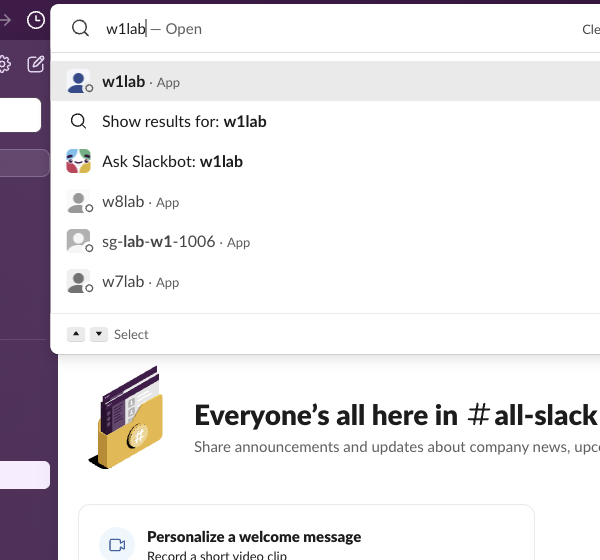
The DM came back with both messages in place, and is_open was true again:
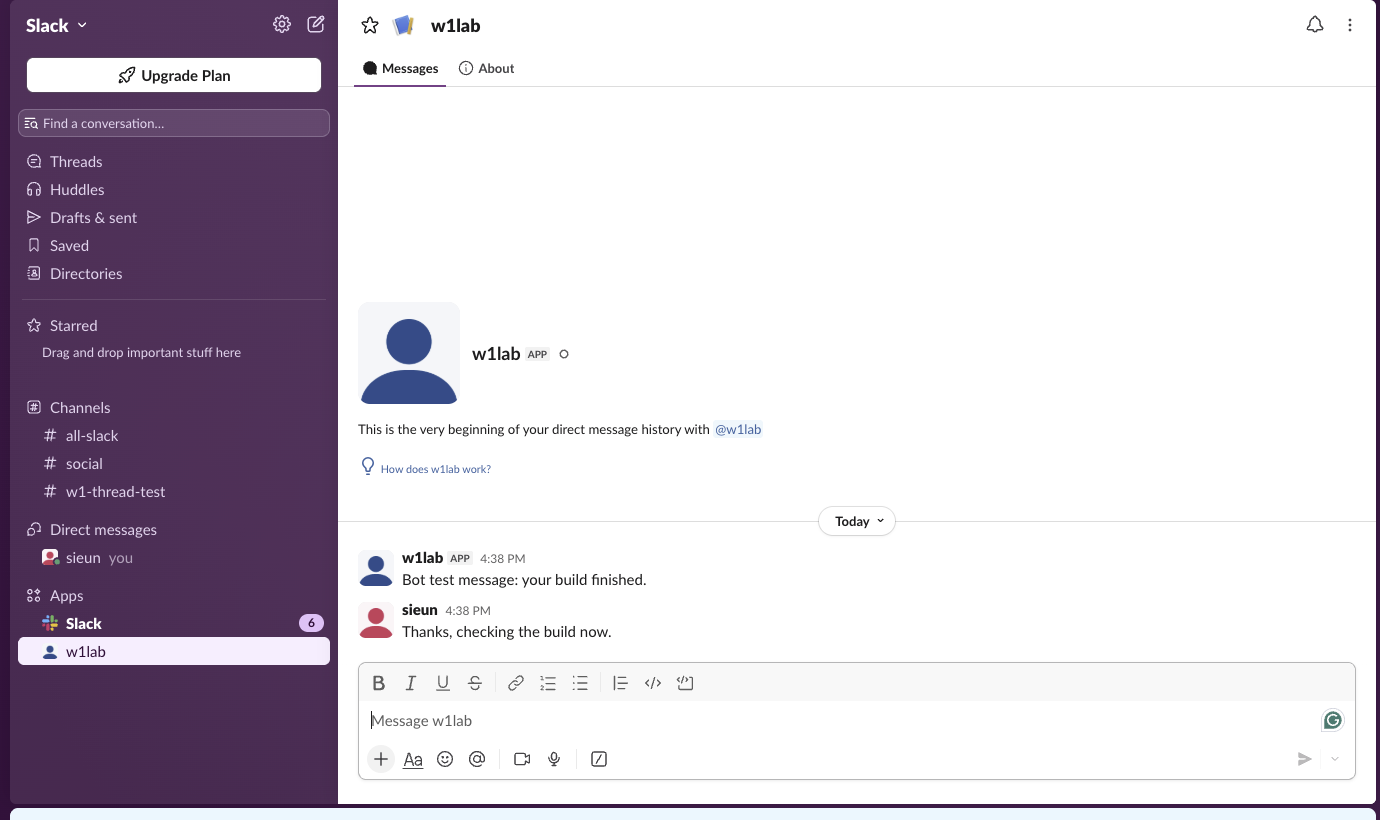
So closing a DM is safe if you only want a tidy sidebar, and useless if you want the messages gone. The other person still has the whole DM open on their side. You can also close a DM from the sidebar: hover it and click the small X next to the name. In our test the X showed on the self-DM, but not on the app DM listed under Apps.
Never appear "away" on Slack again
Cloud-based. No downloads. Works 24/7 even when your laptop is off.
How to get rid of a whole DM history
There are three ways, and only one is in your hands:
- Delete your own messages one by one. This removes your side. The other person's messages stay.
- Ask the other person to delete theirs. No setting lets you do it for them.
- Message retention. On paid plans, owners can set how long messages are kept, for the workspace or per conversation. Slack's help page on retention says it can be set for DMs. On Free, Slack shows only the last 90 days of messages and deletes data older than one year. We did not test retention, because the test workspace is on Free.
Deleted messages are gone from the app, but they may not be gone everywhere. Admin exports, legal holds and retention settings decide what the company keeps. Our page on what Slack admins can see in DMs goes through each export type, and can Slack see deleted messages covers what remains after a delete.
FAQ
Can I delete a group DM?
Not as a whole, as far as the message menu shows: the Delete message item appears only on your own messages. We did not test a group DM, because our test workspace has one human member.
Stop Jiggling Your Mouse.
Join hundreds of remote workers who never worry about their Slack status. Set it up once, stay green forever.
Related Articles
How to Delete a Thread in Slack (Parent and Replies)
Slack has no delete-thread button. Deleting the first message leaves 'This message was deleted.' with the replies still attached; the thread only disappears once every reply is deleted too. We tested both in the app and through the API on October 27, 2026.
How to Delete Files in Slack (Deleting the Message Is Not Enough)
Delete a Slack file from Files or from the file's own menu with Delete file. In our October 27, 2026 test, Delete message on a file post removed the post but left the file on Slack's servers. We also deleted files in bulk with a short script.
How to See All Your DMs in Slack, Including the Hidden Ones
The DMs tab lists your direct messages with people. App DMs, Slackbot and DMs with deleted accounts sit elsewhere. We compared the tab with the full list the Slack API returned.