
How to Find Inactive Users in Slack (and What They Cost)
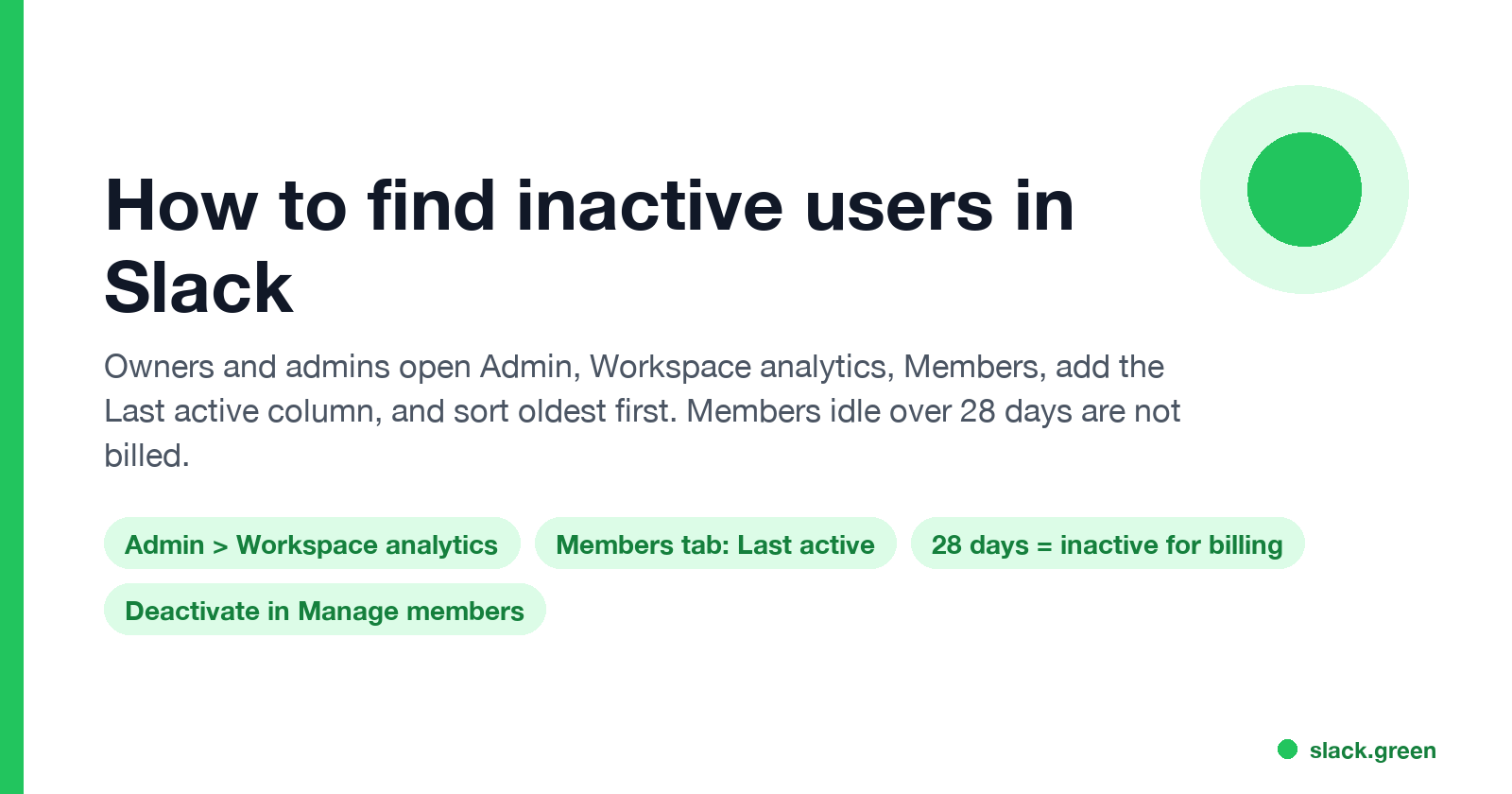
To find inactive users in Slack, a workspace owner or admin opens Admin, Workspace analytics, the Members tab, adds the Last active column and sorts oldest first. It needs a paid plan. Slack's Fair Billing Policy stops billing members after 28 days without use. How to check, export, and deactivate.
To find inactive users in Slack, you need to be a workspace owner or admin on a paid plan. Click Admin in the sidebar, choose Workspace analytics, and open the Members tab. Use Edit columns to add Last active, then sort that column so the oldest dates come first. Slack's help center defines Last active as the date the member last read or sent a message in any channel or DM. Anyone with an old date, or no date, is inactive.
You may not need to remove them for billing. Under Slack's Fair Billing Policy, a paid member who has not used Slack in over 28 days counts as inactive, and Slack credits you for the unused time automatically.
We build Slack Green, which keeps a person's Slack status green from our servers during the hours they set. It changes the presence dot only and does not read or send messages for anyone.
Find inactive members with member analytics
- Click Admin in the sidebar, then Workspace analytics. On Enterprise plans, analytics sit under your organization name.
- Open the Members tab.
- Click Edit columns and add Last active. Add Days active too.
- Sort by Last active, oldest first.
- Change the date range at the top to the last 30 or 90 days.
- • A member who has not used Slack in over 28 days is inactive, and Slack deposits a prorated credit for the unused part of the billing period.
- • If that member comes back, Slack charges the prorated cost for the rest of the period.
- • A member an owner or admin deactivates is credited the next day.
- • Single-channel guests and bots are free. Owners, admins, full members and multi-channel guests are paid.
Slack's help center lists these member columns:
| Column | What it counts |
|---|---|
| Claimed date | First sign-in to the workspace |
| Days active | Days the member read or sent a message in at least one channel or DM |
| Last active | The last date the member read or sent a message |
| Last active, iOS, Android or Desktop | The same date, by device |
Reading counts. A member who reads channels every day but never posts is active. The free plan has no Members tab. Members cannot see these dates about each other unless an owner opens analytics to everyone; see does Slack show last seen.
Inactive members and Slack billing
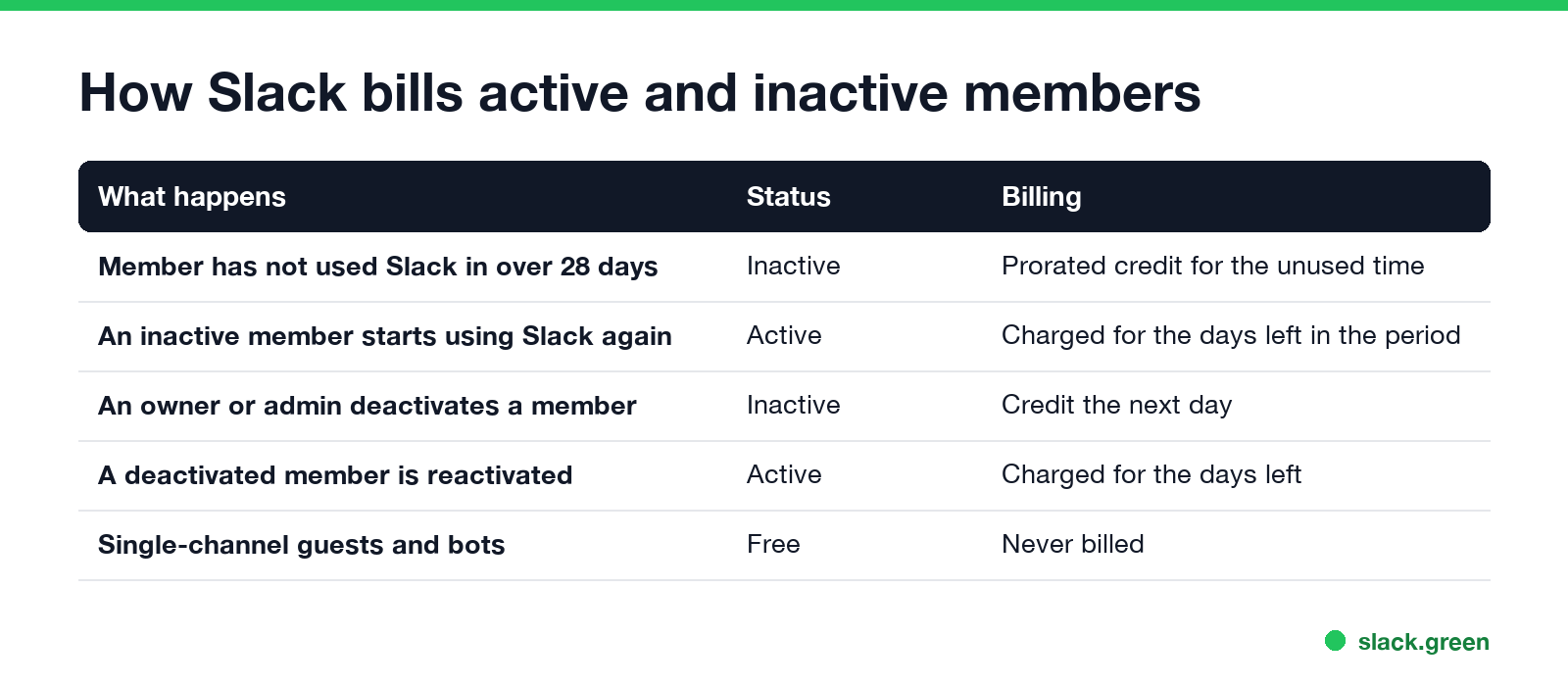
Slack's Fair Billing Policy covers plans bought on the Slack website, by card or self-serve invoice. It says:
So an idle account costs money only for its first 28 days of silence. Deactivation still matters for security: an old account keeps access to channels and files until you remove it.
Deactivate inactive users
Never appear "away" on Slack again
Cloud-based. No downloads. Works 24/7 even when your laptop is off.
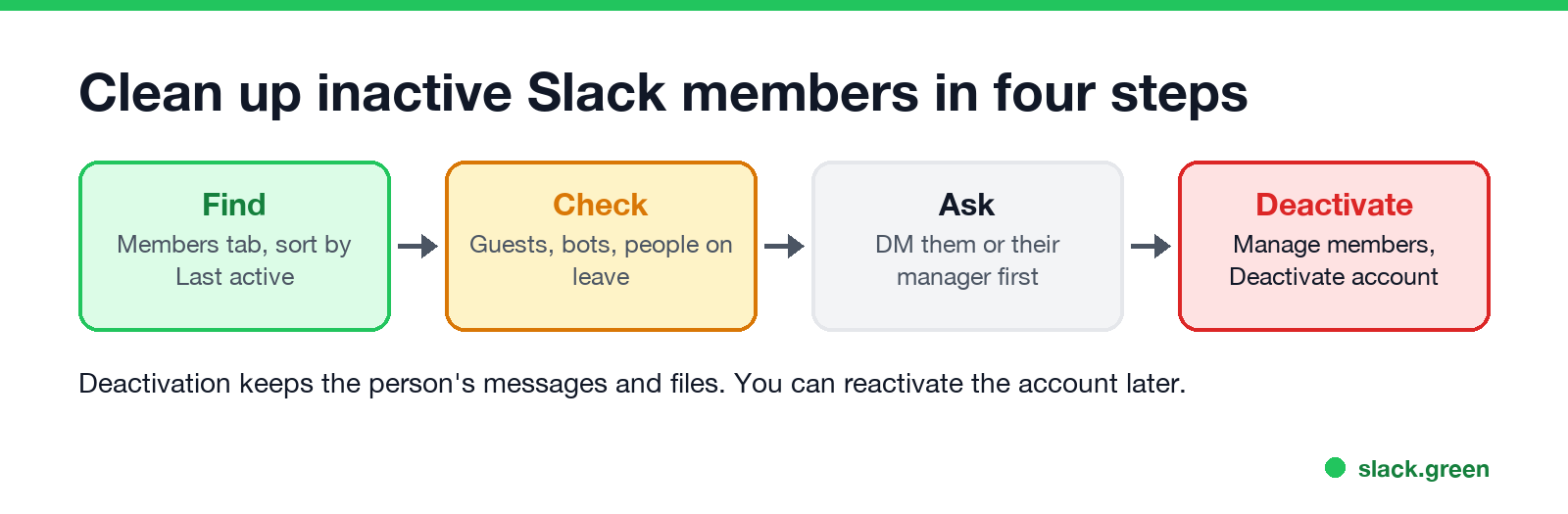
Deactivation keeps their messages and files in the workspace, and you can reactivate the account later. Guests can also be given an expiry date when you invite them, so they drop off on their own.
Find inactive users from an export
If you export the Members table as a CSV, a few lines of Python list everyone quiet for 30 days or more. Column names follow the dashboard; check the header row of your file:
import pandas as pd

df = pd.read_csv("slack_members.csv", parse_dates=["Last active"])
cutoff = pd.Timestamp.now() - pd.Timedelta(days=30)
inactive = df[df["Last active"].isna() | (df["Last active"] < cutoff)]
print(inactive[["Name", "Email", "Last active", "Days active"]].sort_values("Last active"))
Enterprise organizations can pull the same member data through Slack's analytics API instead of a manual export.
Active status vs inactive user
The green dot and member analytics measure different things. The dot is live presence: whether the app is open and in use right now. On a computer it turns away after 10 minutes without input in the Slack window, as covered in how does Slack decide when you're away. Last active is a date, based on reading or sending messages. A person can show away all afternoon and still be active for the day in analytics.
FAQ
Never appear "away" on Slack again
Cloud-based. No downloads. Works 24/7 even when your laptop is off.
How do I see inactive users in Slack? Admin, Workspace analytics, Members tab, add Last active and sort oldest first. It needs a paid plan and owner or admin rights.
Does Slack charge for inactive users? Not after 28 days without use. Slack credits the unused time under its Fair Billing Policy.
Can I see inactive users on the free plan? No. The Members tab with Last active is on paid plans.
Does deactivating a Slack user delete their messages? No. Their messages and files stay, and the account can be reactivated.
Stop Jiggling Your Mouse.
Join hundreds of remote workers who never worry about their Slack status. Set it up once, stay green forever.
Related Articles
Slack Emoji for Announcements, Updates and Reminders
The standard Slack emoji for an announcement is 📣 :mega: or 📢 :loudspeaker: at the start of the post. Use 🚨 :rotating_light: only for real emergencies, 🆕 :new: for updates, ⏰ :alarm_clock: for reminders, and ask readers to react with ✅ :white_check_mark: once they have read it. Templates and a custom emoji idea.
Slack Status for a Doctor Appointment: 24 Statuses and Emoji
A Slack status for a doctor appointment says you are out and when you are back, such as 🏥 'At an appointment, back at 2 PM.' You do not have to say what kind. 24 statuses for doctor, dentist and other appointments, the emoji codes, and how to schedule the status so it clears by itself.
Slack Status for Limited Availability: 30 Statuses to Copy
A Slack status for limited availability says you are around but slow, until when, and how to reach you if it is urgent, such as ⏳ 'Limited availability today, replies after 3 PM. Urgent: @mention me.' 30 statuses for busy days, slow replies and catching up, the emoji to use, and when to pause notifications too.