
Slack Token Rotation: Refresh Tokens and xoxe Tokens, Tested Step by Step
With token rotation on, Slack access tokens start with xoxe. and expire after 12 hours. We turned it on for a test app on 2 October 2026, refreshed the token six times, and logged which old tokens kept working.
With token rotation turned on, Slack gives your app an access token that starts with xoxe.xoxb- (bot) or xoxe.xoxp- (user) and expires after 43,200 seconds, which is 12 hours. It also gives you a refresh token that starts with xoxe- and does not expire. Before the access token runs out, call oauth.v2.access with grant_type=refresh_token and the refresh token to get a new pair. You cannot turn rotation off again.
We tested this on 2 October 2026 with throwaway apps in a test workspace: one created with rotation on, and one with ordinary tokens that we opted in later. Every response below is what Slack returned. Token values are cut; we never show them.
Turn on token rotation
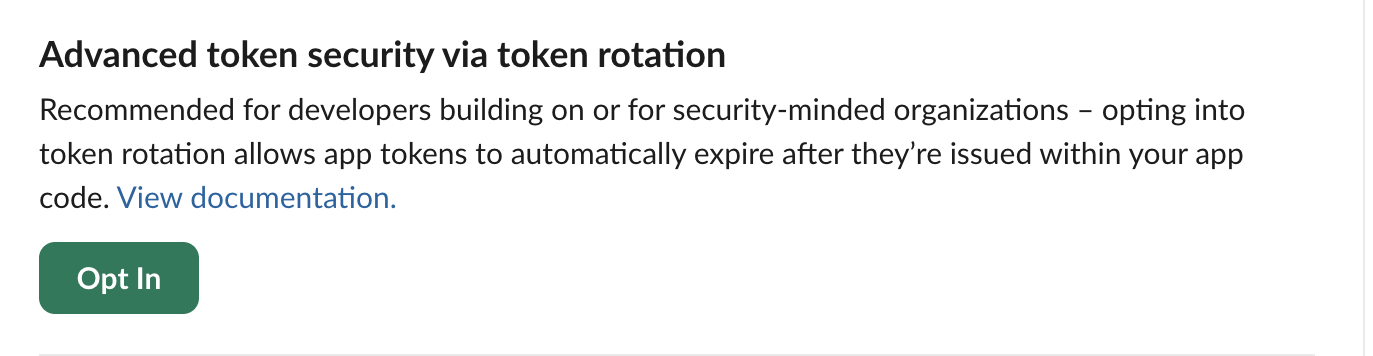
On a new app, set "token_rotation_enabled": true under settings in the app manifest. On an existing app, open OAuth & Permissions. The first box on the page is this one:
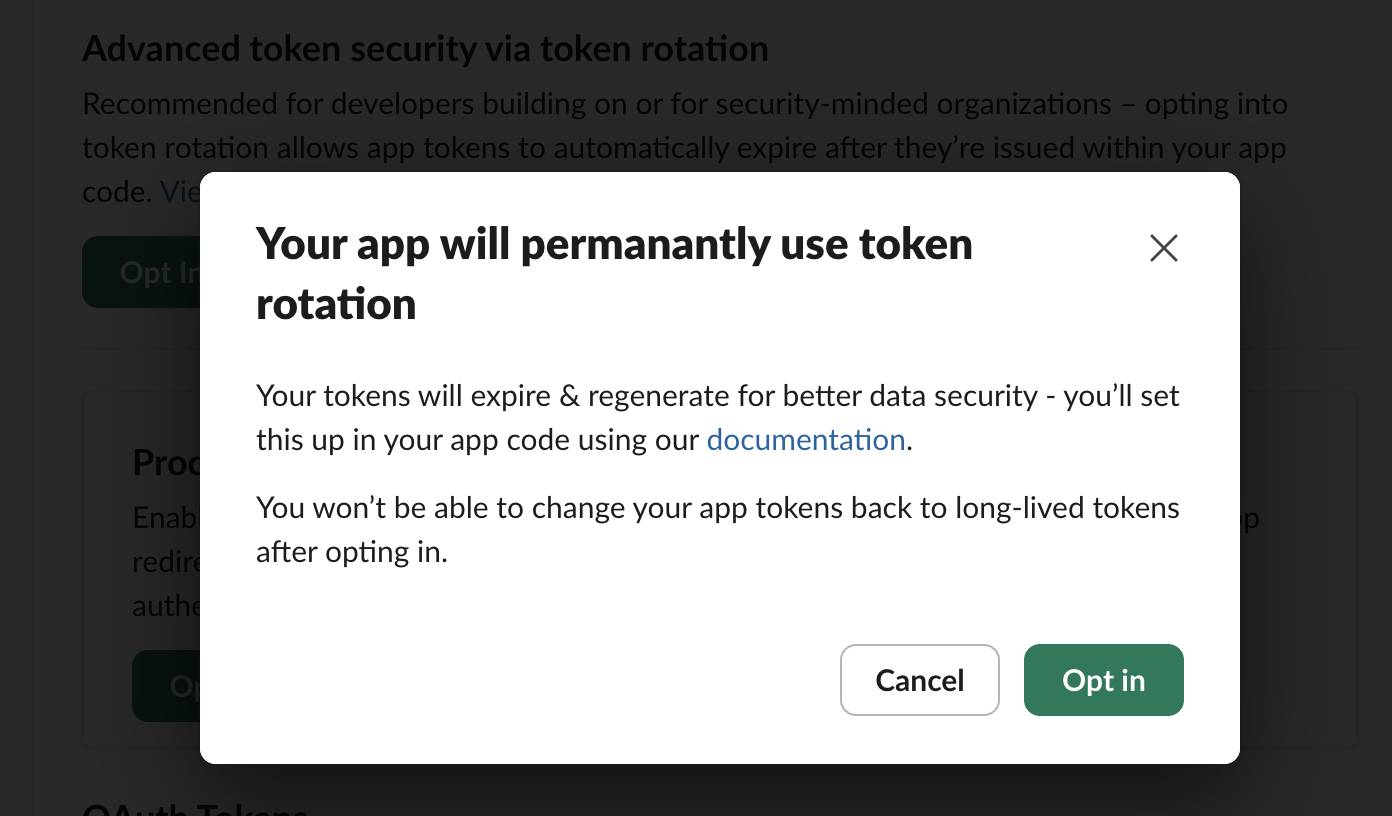
Clicking Opt In asks once more, and says plainly that this is permanent:
What the install returns
We installed the app with rotation on through a normal OAuth flow (bot scopes chat:write,channels:read, user scope channels:read). The oauth.v2.access response now carries a refresh token and an expiry for both the bot and the user:
{
  "ok": true,
  "app_id": "A0C5Q3ZR4MV",
  "authed_user": {
    "id": "U0B7L4YK420",
    "scope": "channels:read",
    "access_token": "xoxe.xoxp-1-<cut>",
    "token_type": "user",
    "refresh_token": "xoxe-1-<cut>",
    "expires_in": 43200
  },
  "scope": "channels:read,chat:write",
  "token_type": "bot",
  "access_token": "xoxe.xoxb-1-<cut>",
  "bot_user_id": "U0C63GB2THU",
  "refresh_token": "xoxe-1-<cut>",
  "expires_in": 43200,
  "team": {"id": "T0B7JBCDKC1", "name": "Slack"},
  "is_enterprise_install": false
}
Both access tokens were 183 characters long and both refresh tokens 158. auth.test with a rotating token also tells you how long it has left, which is the easiest way to check a token you found in a config file:
{
  "ok": true,
  "user": "w2rotatebot",
  "team_id": "T0B7JBCDKC1",
  "user_id": "U0C63GB2THU",
  "bot_id": "B0C6063NQJZ",
  "expires_in": 43185,
  "is_enterprise_install": false
}
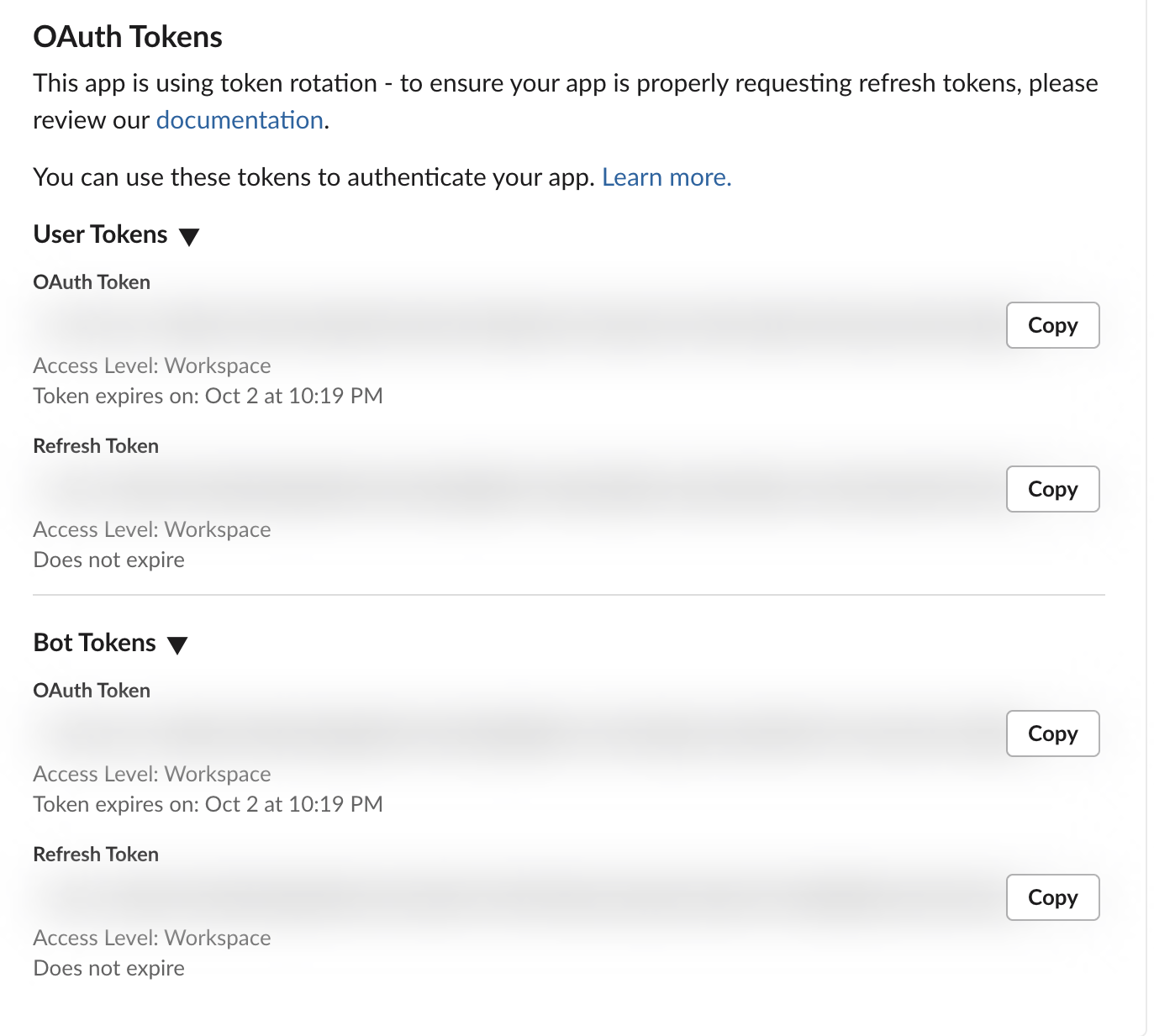
The app settings page shows the same thing in words. The access token says when it expires; the refresh token says it does not:
Refresh the token
curl -s https://slack.com/api/oauth.v2.access \
  -d client_id=$SLACK_CLIENT_ID \
  -d client_secret=$SLACK_CLIENT_SECRET \
  -d grant_type=refresh_token \
  -d refresh_token=$SLACK_REFRESH_TOKEN
Response:
{
  "ok": true,
  "access_token": "xoxe.xoxb-1-<cut>",
  "expires_in": 43200,
  "refresh_token": "xoxe-1-<cut>",
  "token_type": "bot",
  "app_id": "A0C5Q3ZR4MV",
  "scope": "channels:read,chat:write",
  "bot_user_id": "U0C63GB2THU",
  "team": {"id": "T0B7JBCDKC1", "name": "Slack"},
  "enterprise": null,
  "is_enterprise_install": false
}
Both values were new. The bot and the user each have their own refresh token, so refresh them separately. The user refresh returned "token_type": "user" and "scope": "identify,channels:read".
Which old tokens kept working
We refreshed six times, mixing current and old refresh tokens, and called auth.test with every access token after each step. A0 is the token from the install, R0 its refresh token.
| Step | Refresh token sent | Got back | Old access tokens after this step |
|---|---|---|---|
| 1 | R0 (current) | A1 and a new R1 | A0 still worked, with its own clock still running (43,180 s left) |
| 2 | R0 (already used) | A2 and R1 again | not checked |
| 3 | R1 (current) | A3 and a new R2 | A0 and A1: token_revoked. A2 still worked |
| 4 | R0 (old) | A4 and R2 again | A2: token_revoked. A3 and A4 worked |
| 5 | R1 (old) | A5 and R2 again | A3: token_revoked. A4 and A5 worked |
Three things follow from this run:
- • A refresh does not kill the access token you already have. In every check, the two newest access tokens worked and anything older returned
{"ok": false, "error": "token_revoked"}. If several workers share one install, have one of them refresh and store the result. - • An old refresh token did not fail. It returned a fresh access token plus the current refresh token. Only sending the current refresh token produced a new one. Still store the refresh token from every response, because you cannot tell from the response alone whether it changed.
- • The new access token always started over at 43,200 seconds. Refreshing early does not lose time.
Never appear "away" on Slack again
Cloud-based. No downloads. Works 24/7 even when your laptop is off.
Errors from the refresh call
| What we sent | Response |
|---|---|
| Refresh token with the last 3 characters changed | {"ok": false, "error": "invalid_refresh_token"} |
Wrong client_secret | {"ok": false, "error": "bad_client_secret"} |
No client_id or client_secret | {"ok": false, "error": "invalid_client_id"} |
Another app's client_id and secret | {"ok": false, "error": "invalid_client_id"} |
You cannot turn rotation off
After rotation is on, the Opt In box is gone from OAuth & Permissions and there is no Opt Out. Setting token_rotation_enabled back to false with apps.manifest.update was refused:
{
  "ok": false,
  "error": "invalid_manifest",
  "errors": [
    {
      "code": "cannot_disable_once_enabled",
      "message": "Token rotation cannot be disabled once enabled",
      "pointer": "/token_rotation_enabled"
    }
  ]
}
If you need long-lived tokens again, the way back is a new app. So test rotation on a throwaway app first, as we did.
Turning it on for an app that already has users
Existing installs keep their old xoxb- token after you opt in. Ours still passed auth.test after the opt-in. To move an install over without asking the user to reinstall, call oauth.v2.exchange with the old token:
curl -s https://slack.com/api/oauth.v2.exchange \
  -d client_id=$SLACK_CLIENT_ID \
  -d client_secret=$SLACK_CLIENT_SECRET \
-d token=$OLD_XOXB_TOKEN| When | Response |
|---|---|
| Before opting in | {"ok": false, "error": "token_rotation_not_enabled"} |
| After opting in | "ok": true, an xoxe.xoxb-1- access token, an xoxe-1- refresh token, "expires_in": 43200 |
| Same old token a second time | {"ok": false, "error": "token_already_exchanged"} |
The old xoxb- token still passed auth.test right after the exchange. Plan to stop using it, but do not count on it dying the moment you exchange it.
Refresh before it expires, in Python
This stores the pair in a file and refreshes when less than 5 minutes are left:
import os, json, time
from slack_sdk import WebClient

STORE = "slack_token.json"  # {"access_token", "refresh_token", "expires_at"}

def get_bot_token():
    tok = json.load(open(STORE))
    if time.time() < tok["expires_at"] - 300:  # still valid for 5+ minutes
        return tok["access_token"]
    r = WebClient().oauth_v2_access(
        client_id=os.environ["SLACK_CLIENT_ID"],
        client_secret=os.environ["SLACK_CLIENT_SECRET"],
        grant_type="refresh_token",
        refresh_token=tok["refresh_token"],
    )
    tok = {"access_token": r["access_token"],
           "refresh_token": r["refresh_token"],  # save it: it may be new
           "expires_at": int(time.time()) + r["expires_in"]}
    json.dump(tok, open(STORE, "w"))
    return tok["access_token"]

token = get_bot_token()
print("auth.test:", WebClient(token=token).auth_test()["ok"],
      "| prefix:", token[:10], "| expires in", json.load(open(STORE))["expires_at"] - int(time.time()), "s")
We set the stored token to expire in 60 seconds and ran it twice:
run 1 (stored token set to expire in 60 s):
auth.test: True | prefix: xoxe.xoxb- | expires in 43200 s
run 2 (a few seconds later):
auth.test: True | prefix: xoxe.xoxb- | expires in 43196 s
The first run refreshed; the second reused the stored token. For the full list of token prefixes see Slack bot tokens.
FAQ
Do app-level tokens (xapp-) rotate too? They have their own setting. Basic Information has a separate Token rotation switch under App-Level Tokens, with the note that it cannot be undone. The OAuth token rotation on this page covers bot and user tokens.
Stop Jiggling Your Mouse.
Join hundreds of remote workers who never worry about their Slack status. Set it up once, stay green forever.
Related Articles
Slack API Pagination: next_cursor, the Last Page and invalid_cursor, Tested
Slack paginates list methods with a cursor: pass response_metadata.next_cursor back as cursor until it is empty. We paged 27 real messages on 2 October 2026 and broke the cursor five ways to see which ones fail.
Slack RTM API Deprecated: What rtm.connect Returns for a New App, and the Socket Mode Fix
A Slack app created today cannot use the RTM API. We called rtm.connect and rtm.start with every token a new app gets on 2 October 2026, tried to request the rtm:stream scope, and ran the same bot over Socket Mode.
Slack Bot Icon and Name Per Message: icon_emoji, icon_url and username, Tested
icon_emoji, icon_url and username only work with the chat:write.customize scope, and Slack ignores them silently without it. We tested every case on 2 October 2026, plus webhooks and the app icon upload limits.