
Slack Emoji for Done, In Progress and Noted
The usual Slack emoji for done is ✅ :white_check_mark:. For in progress, teams use ⏳ :hourglass_flowing_sand: or 🚧 :construction:, and 👀 :eyes: for working on it. The codes, a request flow your channel can pin, custom :done: and :wip: emoji, and how to find what is still open.
The Slack emoji for done is ✅ :white_check_mark:, the green check box. (For approved, perfect and sounds good, see Slack emoji for approved, perfect and sounds good.) For in progress, use ⏳ :hourglass_flowing_sand: or 🚧 :construction:. For "working on it", react 👀 :eyes:, and for "noted" or "got it", 👍 :+1:. Slack's own help center suggests 👀 for "I'm looking at this for you" and ✅ for "I've fixed the issue" in request channels, so these two are the safest pair.
Reactions only work if everyone reads them the same way. Pick one emoji per state, write the set in the channel's canvas or pinned message, and stick to it.
We build Slack Green, and our free Slack emoji maker makes the custom :done: and :wip: emoji below in about a minute.
Slack emoji codes for done, in progress and noted
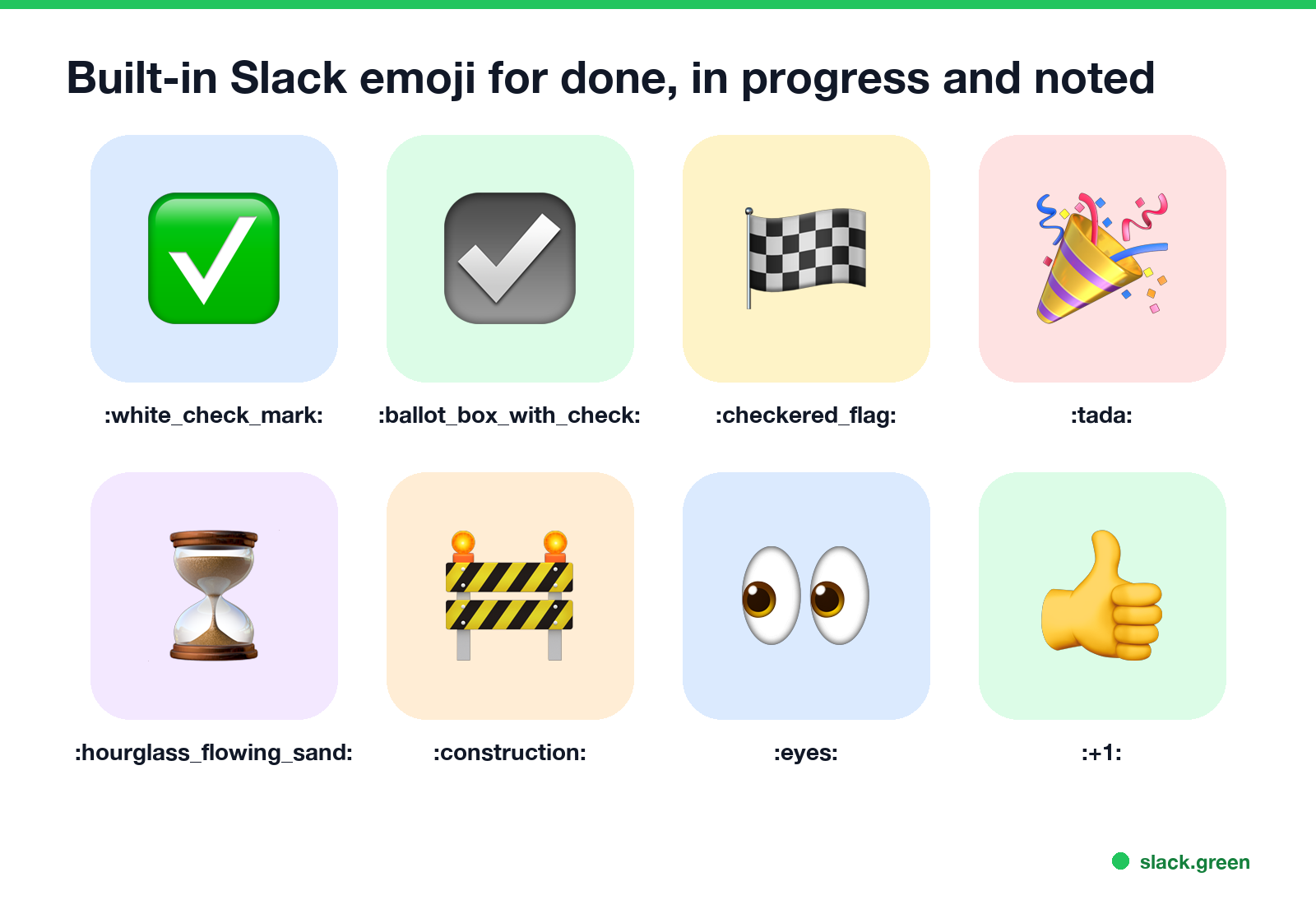
Done
| Emoji | Code | Reads as |
|---|---|---|
| ✅ | :white_check_mark: | Done, fixed, approved |
| ☑️ | :ballot_box_with_check: | Done, a quieter check |
| ✔️ | :heavy_check_mark: | Done, plain check |
| 🏁 | :checkered_flag: | Finished, the whole project |
| 🎉 | :tada: | Done and worth celebrating |
| 🚀 | :rocket: | Shipped, live |
In progress and working on it
| Emoji | Code | Reads as |
|---|---|---|
| 👀 | :eyes: | Seen, I am on it |
| ⏳ | :hourglass_flowing_sand: | In progress, takes a while |
| 🚧 | :construction: | Work in progress |
| 🔄 | :arrows_counterclockwise: | Being redone or updated |
| 🧑💻 | :technologist: | Working on it now |
| 🛠️ | :hammer_and_wrench: | Fixing it |
Noted, got it, understood
| Emoji | Code | Reads as |
|---|---|---|
| 👍 | :+1: | Got it, agreed |
| 👌 | :ok_hand: | Understood, fine |
| 🫡 | :saluting_face: | Understood, will do |
| 📝 | :memo: | Noted, written down |
| 🆗 | :ok: | OK |
Type a colon and the first letters in the reaction search, for example :whi or :hour, and Slack suggests the match. The full list of codes people use most is in our Slack emoji codes list.
A request flow your channel can pin
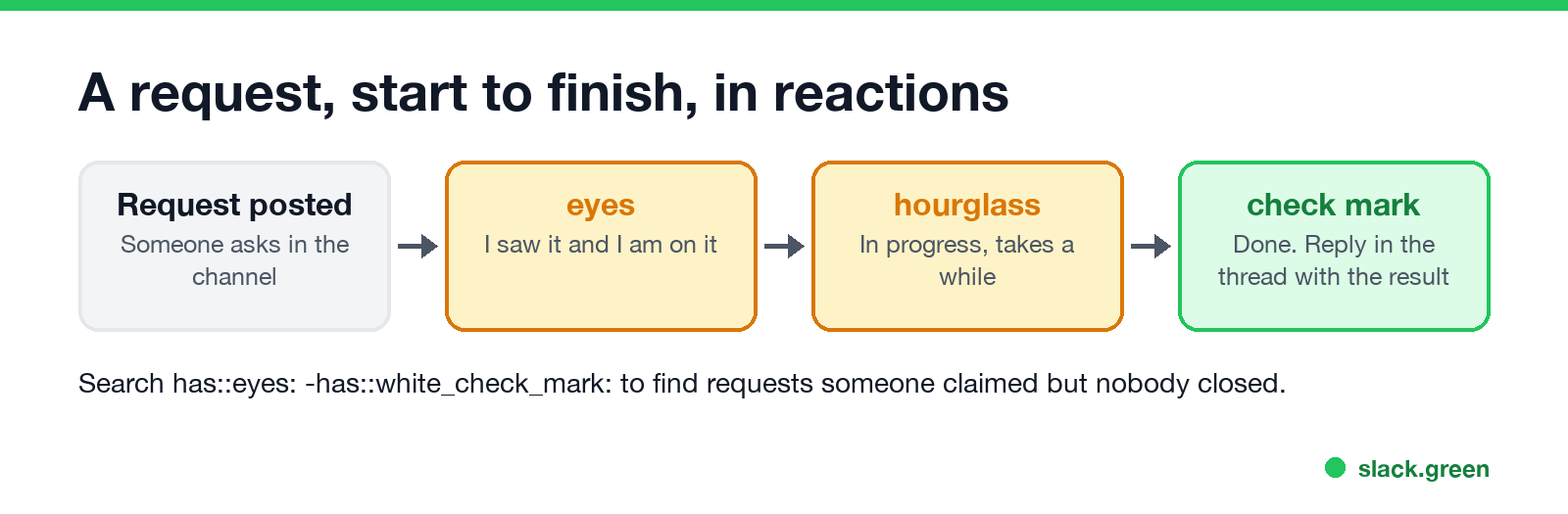
Paste this into the channel canvas or a pinned message:
How we use reactions in #requests
👀 :eyes:  I picked this up
⏳ :hourglass_flowing_sand:  In progress, will take a while
✅ :white_check_mark:  Done. Result is in the thread
🚫 :no_entry_sign:  Not doing this. Reason is in the thread
Two habits make the flow work. The person who reacts 👀 is the owner, so only one person does it. And every ✅ gets a one-line reply in the thread with the result, because a check mark alone does not say what was done.
What 👀 means to different teams, and how it pairs with ✅, is covered in what does the eyes emoji mean in Slack.
Find what is still open
Never appear "away" on Slack again
Cloud-based. No downloads. Works 24/7 even when your laptop is off.
Reactions are searchable, so the flow doubles as a to-do list.
| Search | Finds |
|---|---|
has::eyes: -has::white_check_mark: | Picked up, not finished |
has::hourglass_flowing_sand: in:#requests | Still in progress in one channel |
hasmy::white_check_mark: | Everything you marked done |
More reaction searches are in how to search Slack by emoji reaction. Slack's Workflow Builder can also start a workflow when someone uses an emoji reaction, so a ✅ can post a note to another channel or update a list.
Custom emoji for done and work in progress
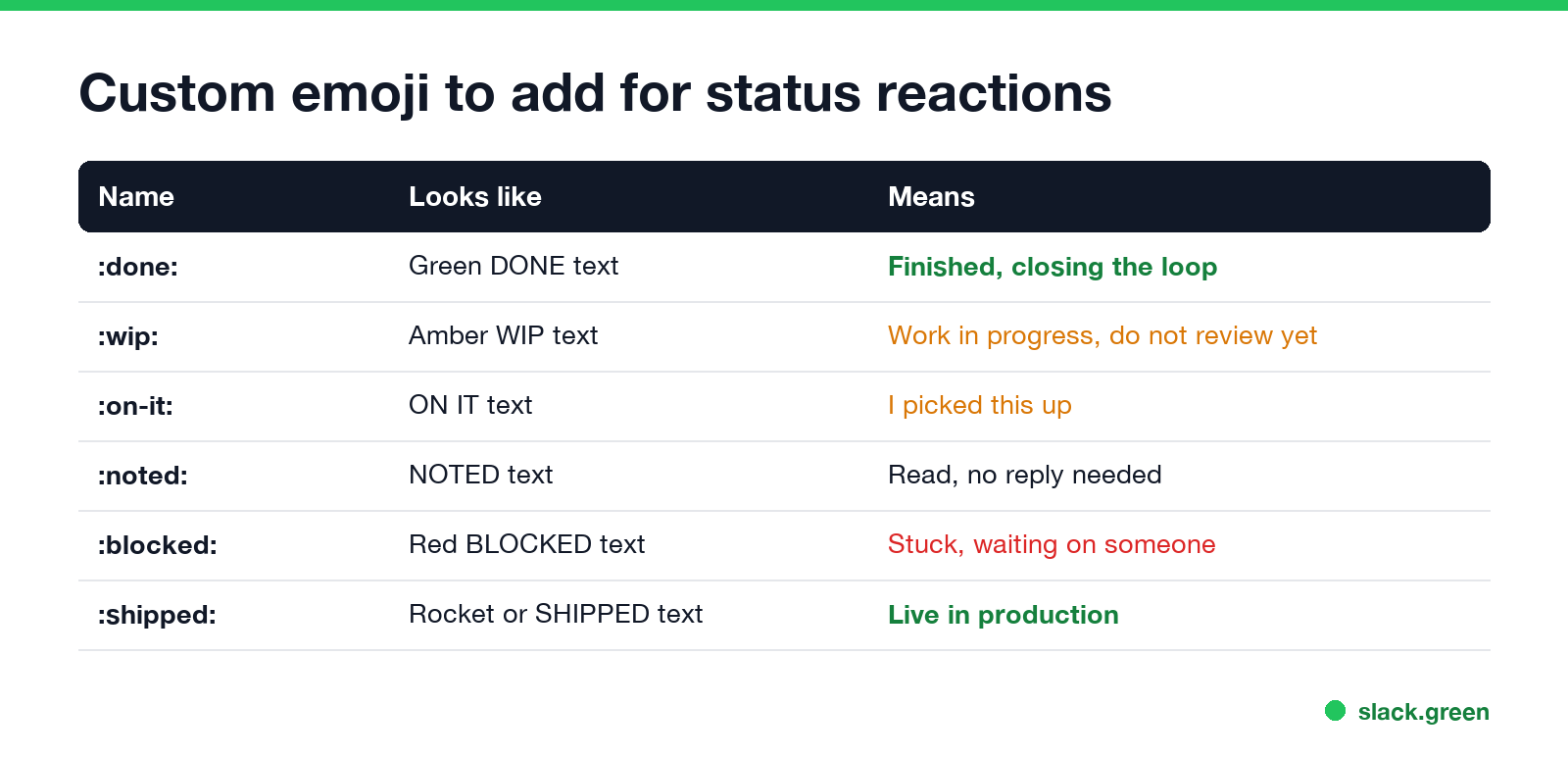
Text emoji read faster than pictures at reaction size, which is why so many teams add them. Sites like slackmojis.com list thousands, but a word in your own colors takes less time to make than to find.
| Name | Make it as | Means |
|---|---|---|
:done: | Green DONE text | Finished |
:wip: | Amber WIP text | Work in progress, do not review yet |
:on-it: | ON IT text | I picked this up |
:noted: | NOTED text | Read, no reply needed |
:blocked: | Red BLOCKED text | Stuck, waiting on someone |
:shipped: | SHIPPED text or a rocket | Live in production |
- Open the Slack emoji maker, choose Text to emoji and type the word.
- Check the preview at 16, 22 and 32 pixels, then download the PNG. It is already square and small enough for Slack.
- Upload it in Slack and use the name from the table. Steps are in how to add custom emoji to Slack.
For animated versions, the Slack emoji resizer gets a GIF under Slack's 128 KB limit. More ideas for work emoji are in Slack emoji ideas.
Done in your status, not only in reactions
Reactions mark one message. To tell people you are heads down on something, set a status instead, such as 🚧 "Finishing the Q3 report, back at 3". Status wording for busy days is in our Slack status generator. Your status does not keep your dot green while you work outside Slack; Slack sets you to away after 10 minutes without input. Slack Green keeps it green during the hours you set.
FAQ
Never appear "away" on Slack again
Cloud-based. No downloads. Works 24/7 even when your laptop is off.
What is the Slack emoji for done?
✅ :white_check_mark:. ☑️ :ballot_box_with_check: and ✔️ :heavy_check_mark: are quieter checks.
What emoji means in progress in Slack?
⏳ :hourglass_flowing_sand: or 🚧 :construction:. Many teams also add a custom :wip: emoji.
What emoji means working on it?
👀 :eyes:, which Slack's help center describes as "I'm looking at this for you".
What emoji means noted or understood?
👍 :+1: for got it, 👌 :ok_hand: or 🫡 :saluting_face: for understood, 📝 :memo: for noted.
How do I find requests that are not done yet?
Search has::eyes: -has::white_check_mark:.
Stop Jiggling Your Mouse.
Join hundreds of remote workers who never worry about their Slack status. Set it up once, stay green forever.
Related Articles
Slack Emoji for Approved, Perfect and Sounds Good
The Slack emoji for approved is ✅ :white_check_mark:. For perfect, use 💯 :100: or 🤌 :pinched_fingers:; for sounds good or sure, 👍 :+1: or 👌 :ok_hand:. Every code checked in Slack, what each one means to readers, custom LGTM and SGTM emoji, and a pinned legend for approval channels.
Slack Emoji for OOO, PTO and Days Off
The usual Slack emoji for OOO is 🌴 :palm_tree:, with ✈️ :airplane: for travel and 🗓️ :spiral_calendar_pad: for planned PTO. Enterprise's built-in Out of office status uses ⛔. Codes for vacation, upcoming PTO, sick days, holidays and outages, custom :ooo: and :pto: emoji, and statuses to copy.
Slack Webhook curl Example, Plus Python and Node.js
Send a Slack message with one curl command: POST a JSON body with a text field to your incoming webhook URL, and Slack answers ok. Tested examples for curl, jq, Block Kit, Python with retries and Node.js, how to escape quotes and new lines, and what 400 invalid_payload and 429 mean in code.