
Slack Images Not Showing? 5 Causes We Reproduced
We uploaded images to a Slack test channel and then switched each image setting off, ran /collapse, and posted from a bot that was not in the channel. Five causes, each reproduced.
When images in Slack show up as a file name with a small arrow instead of a picture, a display setting or a collapse is hiding them. The image is still there. Click the arrow next to the file name to open one image. To fix all of them, open Preferences, Messages & media, and tick Show images and files uploaded to Slack. On 10 October 2026 we reproduced five causes in a Slack test channel on the web app and the Free plan.
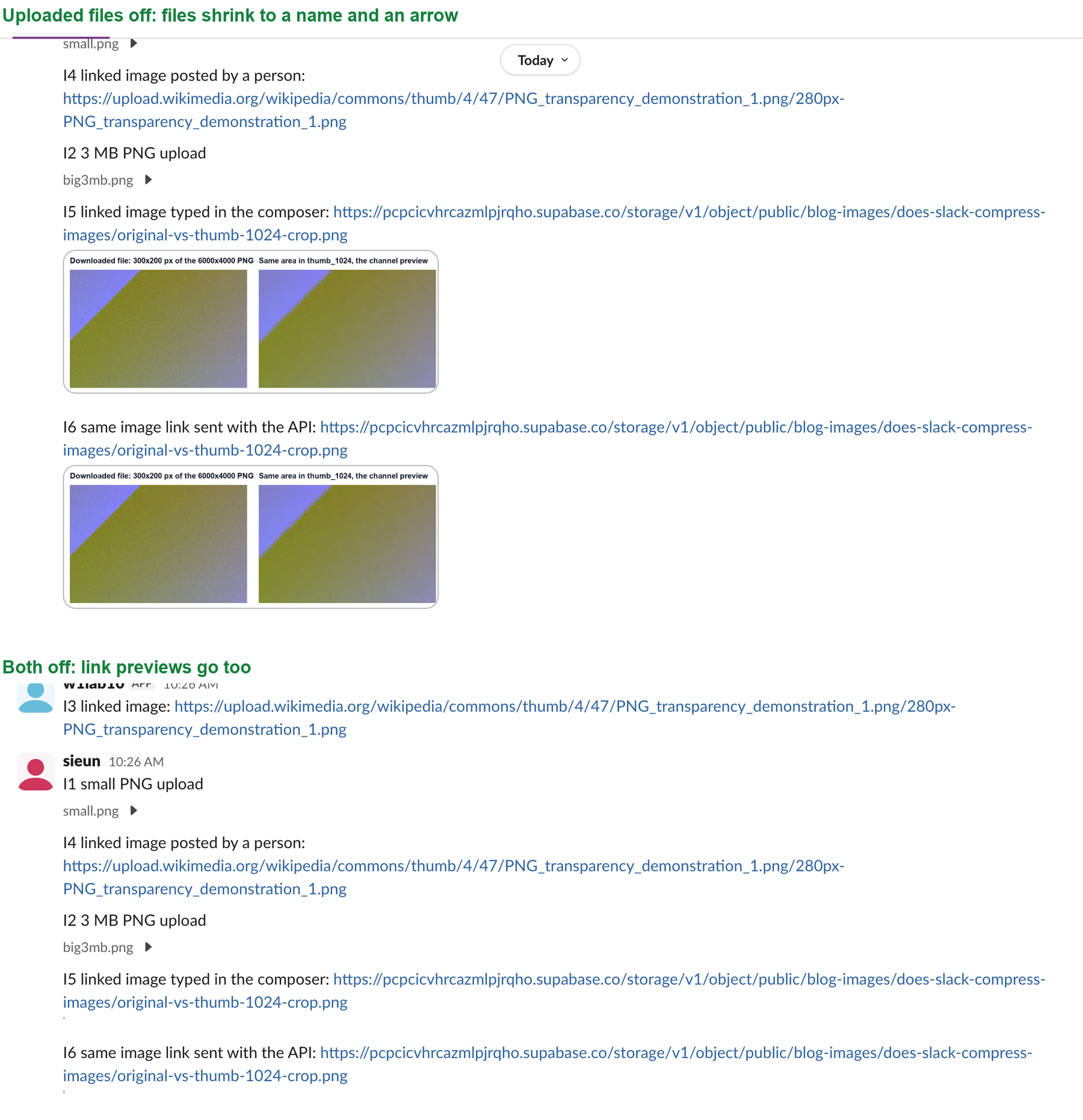
Cause 1: an image setting is off
Slack has four switches under Preferences, Messages & media, Inline media & links:

| Setting | What happened when we turned it off |
|---|---|
| Show images and files uploaded to Slack | Every uploaded image shrank to its file name and an arrow |
| Show images and files from linked websites | Image previews of pasted links went away; the links stayed |
| Even if they're larger than 20MB | Off in our account; it sits under the linked-websites switch |
| Show text previews of linked websites | Text previews of links; not part of our image test |
The change applied to our open Slack tab at once, with no reload. These are your own preferences, so a coworker who sees the images has different settings, not a different message.
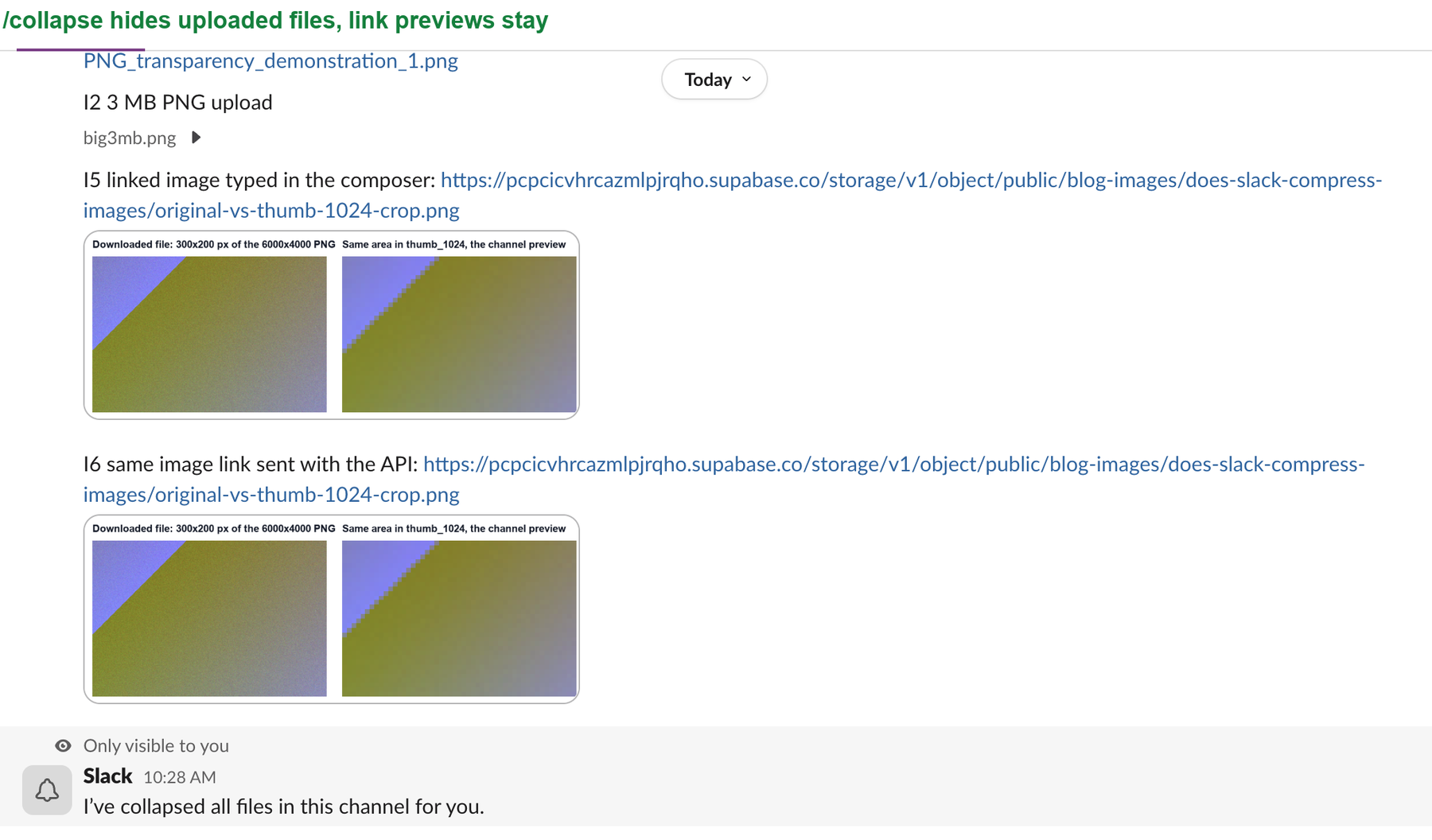
Cause 2: someone ran /collapse
Typing /collapse in a channel hides every uploaded file in it for you. Slack answered with "I've collapsed all files in this channel for you." In our test, link previews stayed open after /collapse; only uploaded files closed. Type /expand to open them again, and Slack answers "I've expanded all files in this channel for you."
Cause 3: one file was collapsed by its arrow
The small arrow next to a file name is labelled "Toggle attachment". One click hides that one image. We clicked it, reloaded the page, and the image stayed hidden, so the choice is saved. Click the arrow again to bring the image back.
Never appear "away" on Slack again
Cloud-based. No downloads. Works 24/7 even when your laptop is off.
Cause 4: the link has no preview
We posted the same kind of link to two image hosts. A PNG on our own storage got an image preview whether we sent it from the message box or the API. A thumbnail URL on upload.wikimedia.org stayed a plain blue link both times we posted it. So a missing preview can come from the site behind the link. Uploading the image to Slack avoids that. To remove previews on purpose, see how to turn off link previews in Slack.
Cause 5: an app's upload never finished
Many "images not appearing in Slack post" threads come from bots and integrations. Our test app uploaded two images with files.getUploadURLExternal, then called files.completeUploadExternal for a channel the bot had not joined. Slack answered:
{'ok': False, 'error': 'not_in_channel'}Nothing appeared in the channel. The upload step had returned HTTP 200, so the integration looked fine unless it checked the second response. The same two files posted fine when we sent them from an account that was in the channel, so add the app to the channel before it uploads. Large files have their own rules, see Slack file size limit, and Slack's previews are smaller than the originals, see does Slack compress images.
Questions
Why do images show for my coworker but not for me?
The image settings and /collapse are per person. Check your own Messages & media settings and run /expand in the channel.
Does /collapse hide images for everyone?
No. Slack's reply to /collapse was marked "Only visible to you", and it said it collapsed the files "for you". Other people in the channel still see the images.
Is the image deleted when it does not show?
No. In every case above, the file was still in the message, and one click or one setting brought it back.
Stop Jiggling Your Mouse.
Join hundreds of remote workers who never worry about their Slack status. Set it up once, stay green forever.
Related Articles
How to See All Your DMs in Slack, Including the Hidden Ones
The DMs tab lists your direct messages with people. App DMs, Slackbot and DMs with deleted accounts sit elsewhere. We compared the tab with the full list the Slack API returned.
How to Message Yourself on Slack (and What It Notifies)
Your own name under Direct messages opens a private DM with yourself. We sent it a note, a file, a scheduled message and a reminder, and checked which ones raised a badge.
Slack Keyword Notifications: What Triggers Them, Tested
We added three Slack keywords and had a bot post 12 test messages. Capitals and links matched; plurals, longer words, muted channels and unfollowed threads did not.