
Slack Mark as Unread: Option-Click, the Menu, and What Clears It
We marked messages unread in a channel, a DM and a thread in Slack web, read the read state back from the API, and timed what clears it.
To mark a Slack message as unread, hold Alt (Option on a Mac) and click the message, or hover it, open the three-dot More actions menu and pick Mark unread. Slack moves your read position to just before that message, so it and everything after it count as new again. On 8 October 2026 we did this in Slack web in a free-plan test workspace, in a channel, a DM and a thread, and checked the stored read position through Slack's API after each step.
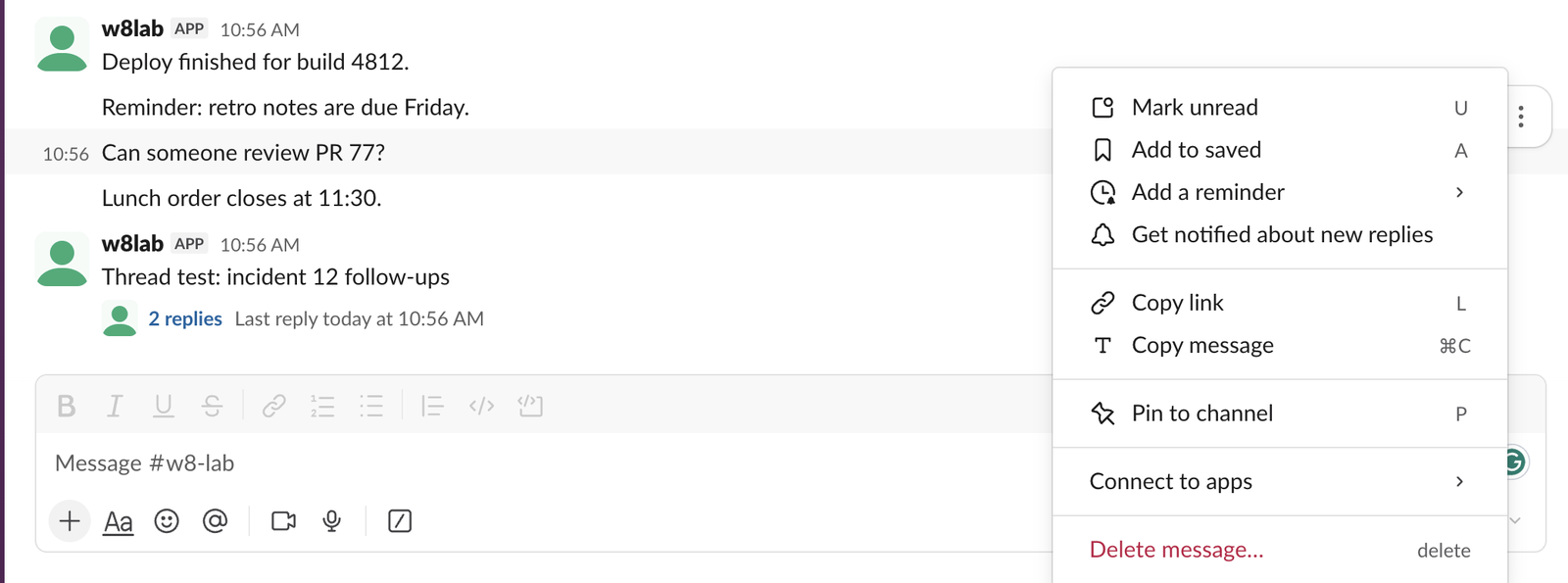
Two ways to mark a message unread
| Way | What we did | Result |
|---|---|---|
| Alt-click (Option-click on Mac) | Held Alt and clicked the text of the third message | Marked unread at once |
| Message menu | Hovered the message, clicked the three dots, then Mark unread | Same result |
The menu shows U next to Mark unread. That letter only works when a message is selected. When we hovered a message and pressed U, Slack typed a "u" into the message box instead, and it was saved as a draft.
What Slack changes when you mark a message unread
Slack keeps one read position per conversation on its servers, called last_read. Before our test it pointed at the newest message. After we Alt-clicked "Can someone review PR 77?", conversations.info returned a last_read equal to the timestamp of the message just above it. Nothing else changed.
That explains what the screen showed. A red line labelled New appeared above the clicked message, and a "3 new messages" pill appeared at the top. The three were the clicked message, the one below it and a thread starter. The two replies inside that thread were not counted.
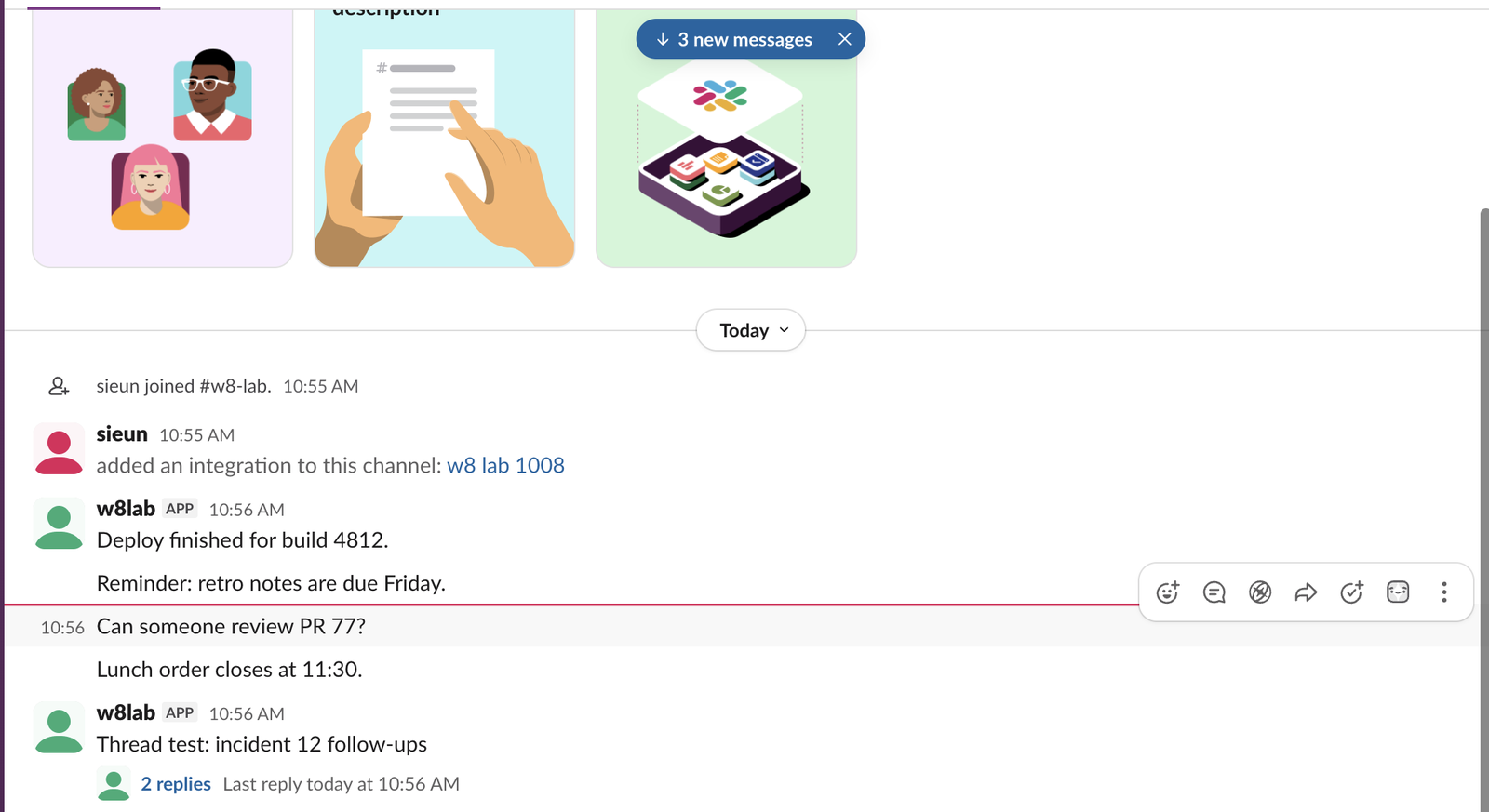
Channels turn bold, DMs get a number
After we switched to another channel, the marked channel showed in bold in the sidebar. A DM marked unread showed a count instead. We marked the only message in a DM from our test app, and the sidebar showed a 1 next to the app's name. For that DM the API returned last_read of 0000000000.000000 and unread_count_display of 1, which is how Slack stores "nothing read yet".
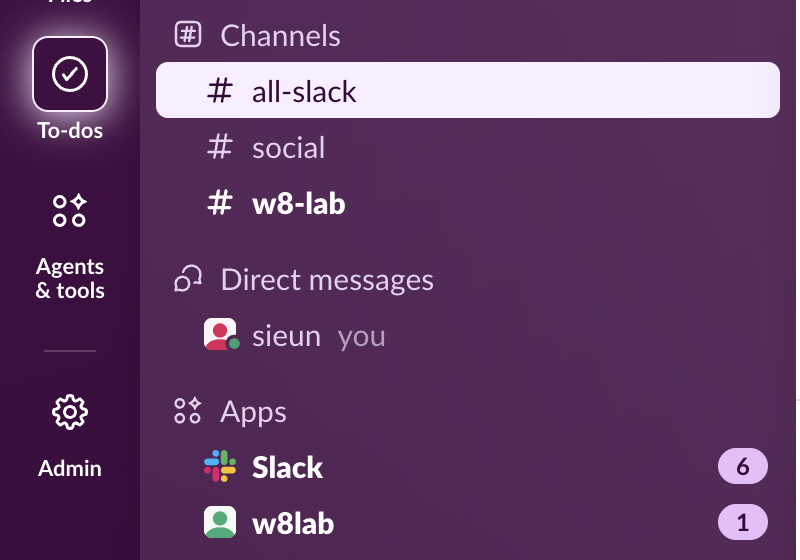
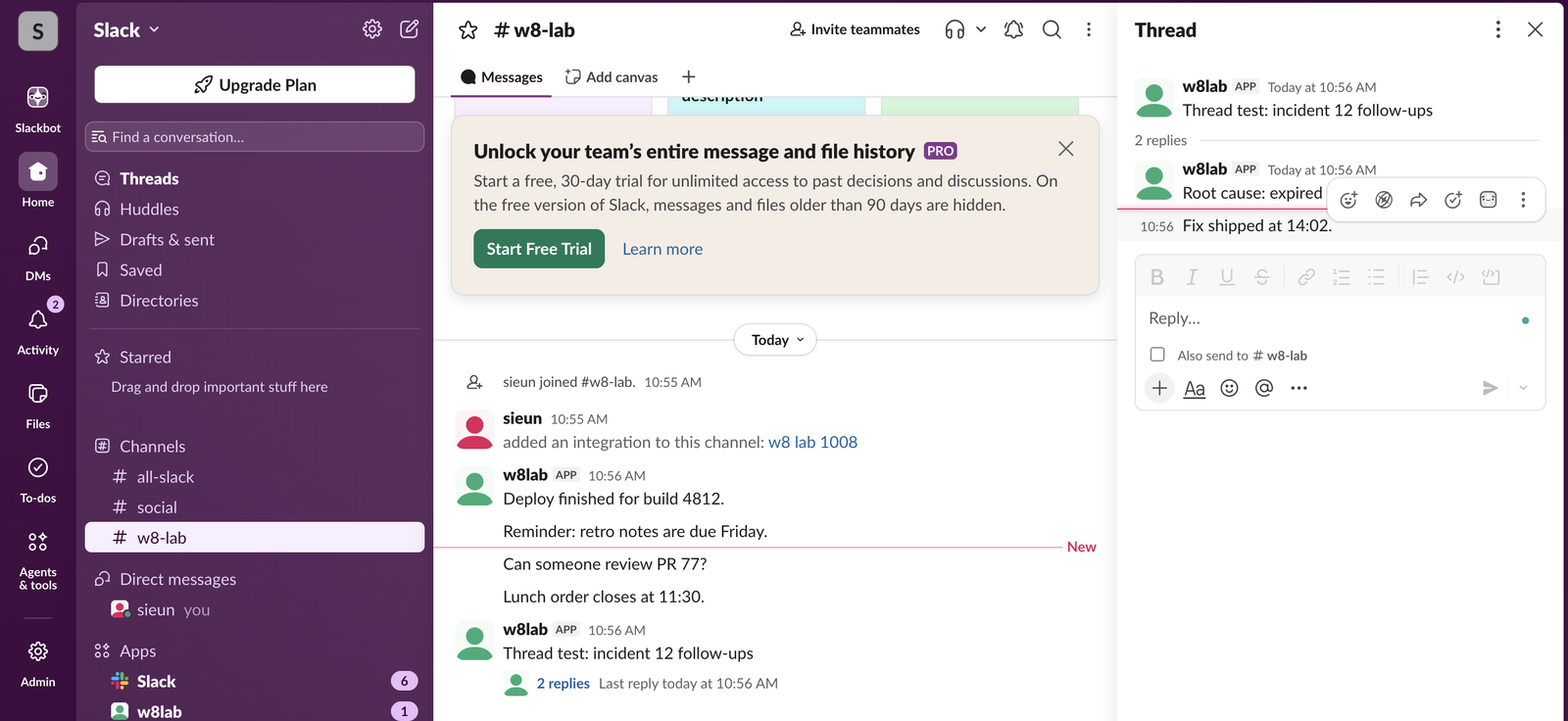
Marking a thread reply unread
Option-click works inside the thread panel too. We clicked the second reply in a thread. A red New line appeared above it in the panel, and Threads at the top of the sidebar turned bold, because unread replies are counted in Threads, not in the channel. Our page on threads that keep showing unread covers where that badge comes from.
Never appear "away" on Slack again
Cloud-based. No downloads. Works 24/7 even when your laptop is off.
What clears the unread again
Opening the conversation clears it. With our account's settings, we opened the bold channel again and read the API 1.5 seconds later: last_read had already moved to the newest message, so Slack counted the whole channel as read. The red New line stayed on screen at the spot we had marked, as a bookmark for that visit.
| Step | last_read after it |
|---|---|
| Before the test | Newest message |
| Option-click on message 3 | Message 2 |
| Switch to another channel | Message 2, channel bold |
| Open the channel again, 1.5 s later | Newest message |
The setting behind this is in Preferences > Mark as read. We did not change it during the test.
When mark as unread does not stick
After we brought our test tab to the front before each click, the unread held every time: 4 of 4 runs where we Option-clicked, waited 2 seconds and switched channels. The menu held in 2 of 2 runs. Earlier in the session, when our automated browser tab was likely behind other tabs, the channel went back to read within 3 seconds of switching away in 3 of 6 Option-click runs. We did not find the cause, so treat it as a lead, not a rule. If the unread does not hold for you, check the sidebar right after you switch away, and mark it again from the menu.
Two more things to know. Marking unread does not tell anyone anything; read state is personal, as our page on Slack read receipts explains. And if you want a channel to stop pulling you back in, muting it works better than marking it unread; see how muting works.
Doing it with the API
A script can move the same read position with conversations.mark, passing the timestamp of the last message you want counted as read. Our unread messages API test has the calls and their responses. For more key combinations, see our Slack keyboard shortcuts list.
FAQ
Does mark as unread sync to my phone and the desktop app?
The read position is stored on Slack's servers, not in the browser, so other signed-in clients read the same value. We tested only Slack web, so we did not time how fast the desktop or mobile app shows it.Can I mark a whole channel as unread?
Mark the oldest message you want to read again. Everything from that message down becomes unread, which on a short channel is the whole channel.Stop Jiggling Your Mouse.
Join hundreds of remote workers who never worry about their Slack status. Set it up once, stay green forever.
Related Articles
Slack Daily Standup Without a Paid Bot: /remind, Workflow Builder and a Script
We set up a weekday 9:30 standup in a free Slack workspace three ways: a /remind reminder, Workflow Builder, and a short script that posts the questions and collects the thread replies.
Slack Tabs Under a Channel Name: What Each One Is and How to Edit Them
We added, renamed, moved, hid and deleted the tabs under a channel name in Slack web on the Free plan, and compared them with the tabs in a DM.
Leave Multiple Slack Channels at Once: 4 Ways Timed, Plus a Script
Slack has no bulk leave button. We made 12 test channels and left them with the sidebar menu, the channel browser, /leave and a 30-line script, and timed each way.