
Slack Keyword Notifications: What Triggers Them, Tested
We added three Slack keywords and had a bot post 12 test messages. Capitals and links matched; plurals, longer words, muted channels and unfollowed threads did not.
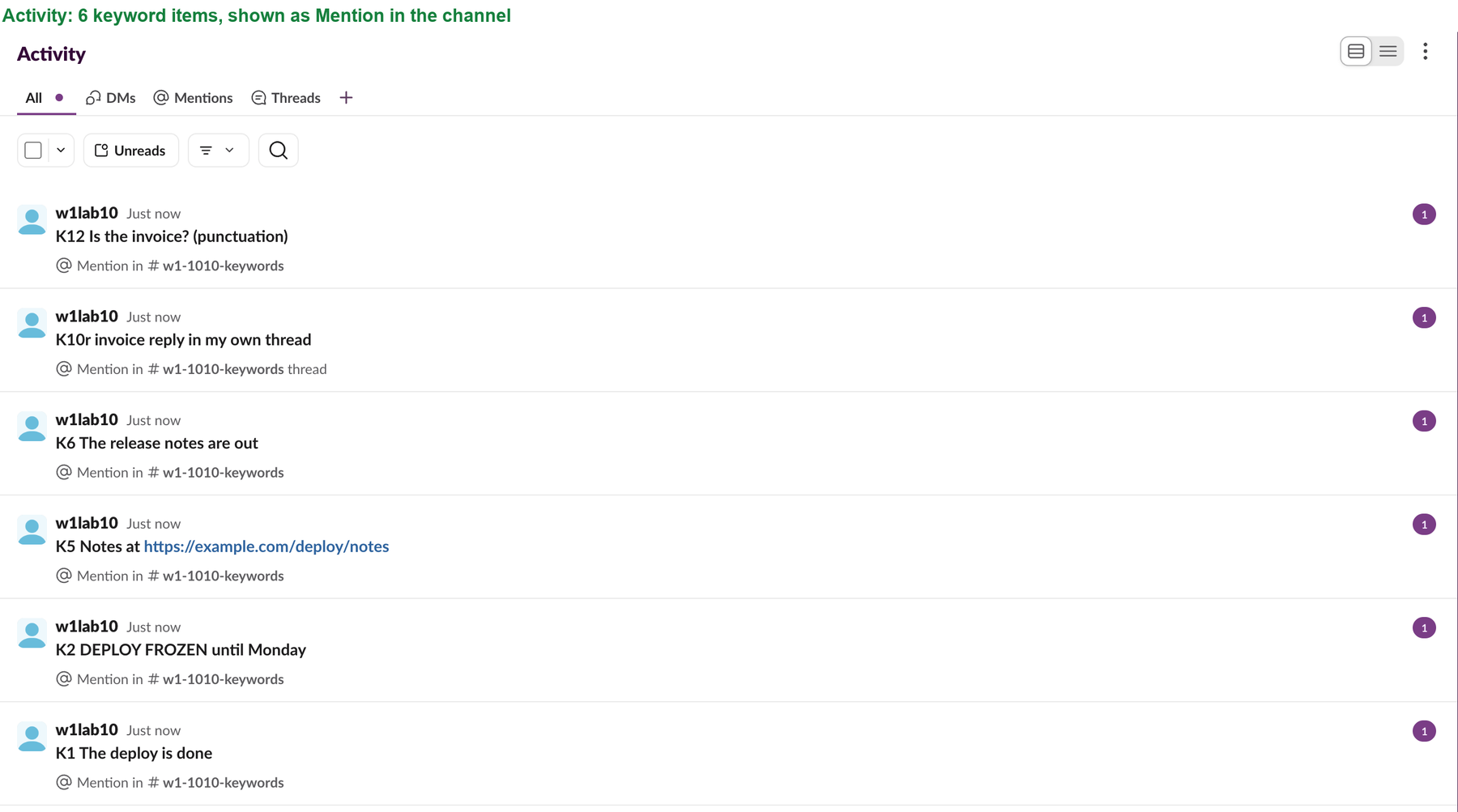
To get a Slack notification when a word is posted, open Preferences, then Notifications, and type the word in the Channel keywords box. Older guides call this box My keywords; the web app named it Channel keywords when we tested on 10 October 2026. A keyword then works like a mention: it shows up in Activity as "Mention in #channel" and adds to the red badge. We added three keywords and had a test bot post 12 messages. Six notified and six did not, and the misses are why keyword alerts seem broken.
How to set up keyword notifications
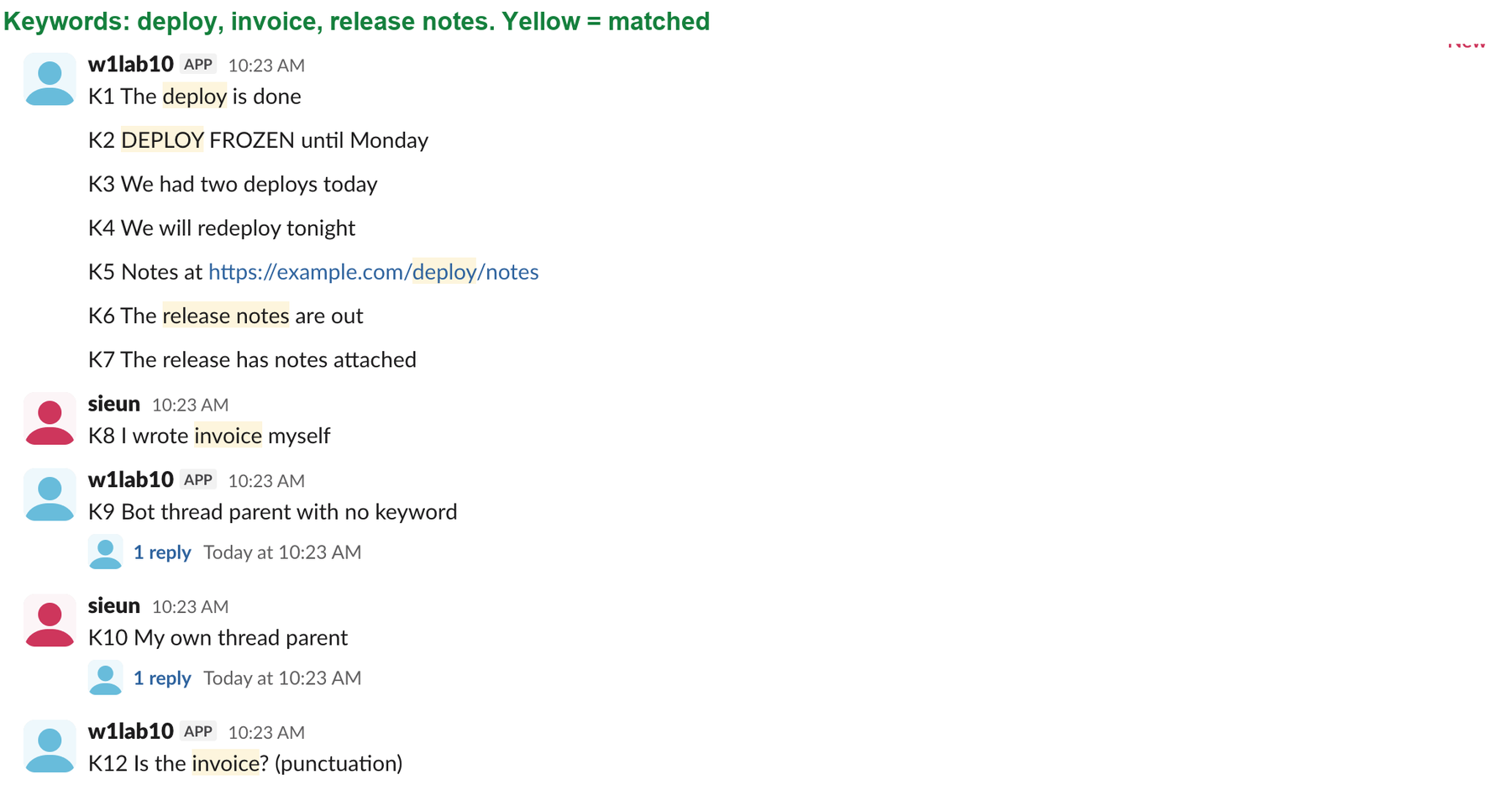
- Click your profile picture, then Preferences.
- Open Notifications and scroll to Channel keywords.
- Type your words, separated by commas, for example
deploy, invoice, release notes. - • A keyword matches the whole word in any case, so "deploys" and "redeploy" do not count as "deploy".
- • A keyword with two words matches only when the words appear together.
- • A word inside a link counts, so a URL path can trigger a keyword.
Slack's own hint under the box says "Keywords are not case sensitive", and our test agreed.
What matched in our test
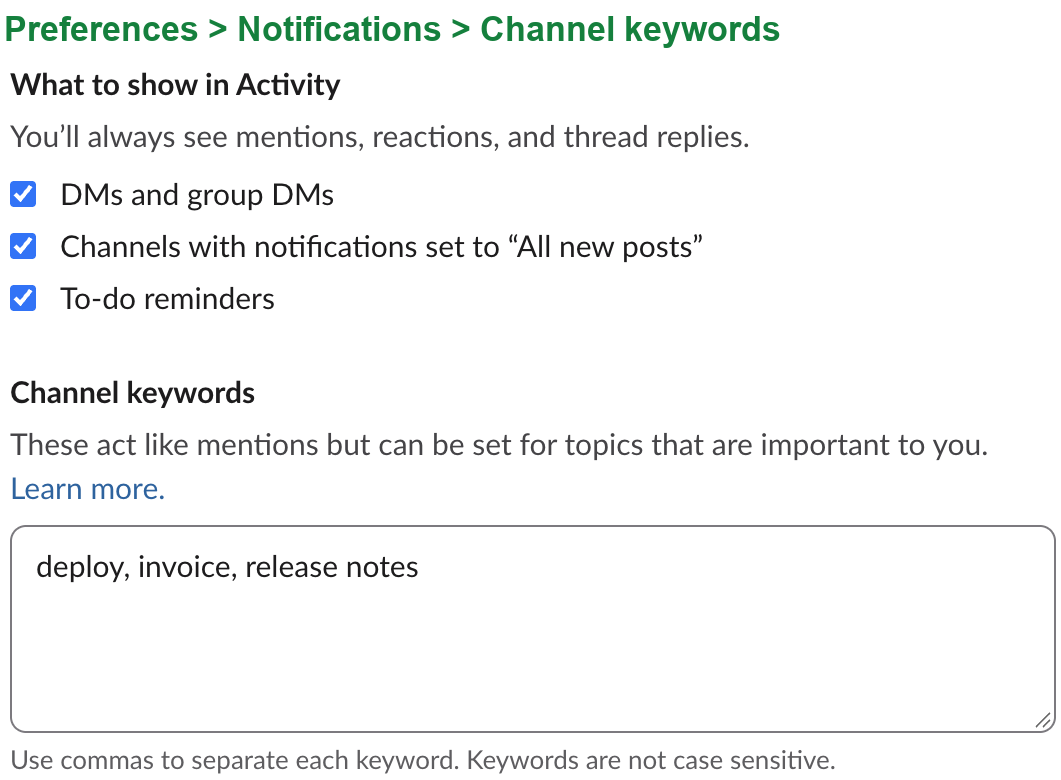
The keywords were deploy, invoice and release notes. A test bot posted each line below. We read the result from the Activity feed and the channel's mention count.
| Message | Notified |
|---|---|
| "The deploy is done" | Yes |
| "DEPLOY FROZEN until Monday" | Yes |
| "Notes at https://example.com/deploy/notes" | Yes |
| "The release notes are out" | Yes |
| "Is the invoice? (punctuation)" | Yes |
| Reply with "invoice" in a thread we started | Yes |
| "We had two deploys today" | No |
| "We will redeploy tonight" | No |
| "The release has notes attached" | No |
| Reply with "invoice" in a thread we did not follow | No |
| "deploy" in a muted channel | No |
| Our own message with "invoice" | No |
Three rules explain the table:
Never appear "away" on Slack again
Cloud-based. No downloads. Works 24/7 even when your laptop is off.
Why a keyword notification is not working
Check these in order. Each one came from a miss in our test:
deploy, deploys, redeploy.If none of these fit and no notifications arrive at all, the problem is wider than keywords. Work through Slack notifications not working.
Keyword notifications per channel
The keyword list is global. The Channel keywords box applies to every channel you are in, and no per-channel keyword list exists in the web app. What you can set per channel is the channel's own notification level, from its bell menu. A muted channel blocks keywords, as the table shows, and All new posts notifies you for every message, so keywords stop mattering there.
For one keyword in one channel only, the usual way is a small bot that reads that channel and DMs you, which needs an app with channels:history.
Questions
Do keywords work for messages from bots and apps?
Yes. Every message in our test came from a bot, and the matching ones notified.
Can I use a phrase as a keyword?
Yes. release notes matched "The release notes are out" and did not match "The release has notes attached".
Do keywords show on my phone?
We tested the web app only. Slack stores the list in your account preferences (the API calls it global_keywords), not on one device, so the same list applies wherever you sign in.
Stop Jiggling Your Mouse.
Join hundreds of remote workers who never worry about their Slack status. Set it up once, stay green forever.
Related Articles
How to See All Your DMs in Slack, Including the Hidden Ones
The DMs tab lists your direct messages with people. App DMs, Slackbot and DMs with deleted accounts sit elsewhere. We compared the tab with the full list the Slack API returned.
Slack Images Not Showing? 5 Causes We Reproduced
We uploaded images to a Slack test channel and then switched each image setting off, ran /collapse, and posted from a bot that was not in the channel. Five causes, each reproduced.
How to Message Yourself on Slack (and What It Notifies)
Your own name under Direct messages opens a private DM with yourself. We sent it a note, a file, a scheduled message and a reminder, and checked which ones raised a badge.