
How to Make an Emoji From a Video (Slack and Discord)
To make an emoji from a video, cut 1 to 2 seconds, crop it to a square, scale it to 128 x 128 and save it as a GIF under 128 KB for Slack or 256 KB for Discord. One tested ffmpeg command, the frame rate and color settings that decide the file size, and a free browser tool that shrinks the GIF for you.
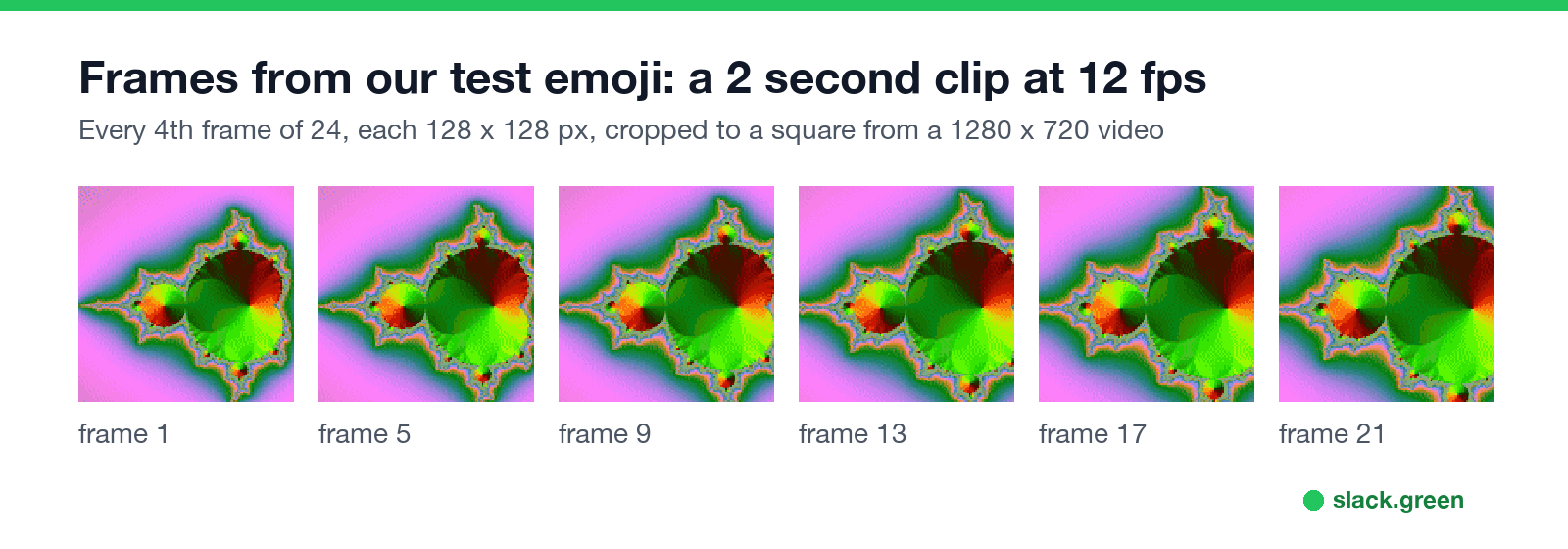
To make an emoji from a video, cut the clip to 1 or 2 seconds, crop it to a square, scale it to 128 x 128 pixels, and save it as an animated GIF. Emoji do not accept video files, so the GIF is the step that matters. Slack takes emoji up to 128 KB and 50 frames; Discord takes up to 256 KB. Frame rate and color count decide whether you fit: on our test clip, 2 seconds at 30 frames per second came out at 566 KB, and the same 2 seconds at 10 frames per second with 32 colors came out at 119 KB, under both limits.
You can do it with one ffmpeg command, below, or convert the clip to a GIF with any video-to-GIF tool and then drop the GIF into our free emoji resizer. The resizer keeps the animation, cuts frames and colors until the file is under 128 KB, and runs in your browser.
We build Slack Green, a presence tool for Slack, and a set of free emoji tools. We ran every command on this page with ffmpeg 8.1.1 on 28 September 2026.
Why an emoji from a video has to be a GIF
Slack accepts JPG, PNG and GIF for custom emoji. Discord accepts JPEG, PNG, GIF and WEBP. Neither takes MP4 or MOV, so a video emoji is a short looping GIF made from the video's frames.
The limits that matter:
| Slack | Discord | |
|---|---|---|
| File size | Under 128 KB | Under 256 KB |
| Frames | Up to 50 | No frame limit in Discord's help |
| Shape | Square | Square works best |
| Name | Letters, numbers, hyphens, underscores | Letters, numbers, underscores |
At 128 x 128, each frame of a busy clip costs several kilobytes, so the frame count sets the size. Fifty frames is 5 seconds at 10 frames per second, or about 1.7 seconds at 30.
Make an emoji from a video with ffmpeg
ffmpeg is free on Mac, Windows and Linux (on a Mac: brew install ffmpeg). This command takes 2 seconds starting at 0:01, crops the middle square, scales it to 128 x 128, and builds a GIF with a 32-color palette at 10 frames per second:
# 2 seconds from 0:01, square crop, 128 px, 10 fps, 32 colors
ffmpeg -ss 1 -t 2 -i clip.mp4 -vf "fps=10,crop=ih:ih,scale=128:128:flags=lanczos,split[a][b];[a]palettegen=max_colors=32[p];[b][p]paletteuse" emoji.gif
What each part does:
- •
-ss 1 -t 2starts at 1 second and keeps 2 seconds. Change these to pick your moment. - •
crop=ih:ihcuts a square as tall as the video from the center. For a vertical phone video usecrop=iw:iw. - •
scale=128:128sets the emoji size. - •
palettegenandpaletteusebuild a palette from the clip itself, which looks far better than GIF's default colors.max_colors=32keeps the file small.
Check the result before you upload:
ls -lh emoji.gif          # must be under 128K for Slack, 256K for Discord
ffprobe -v error -count_frames -select_streams v:0 -show_entries stream=nb_read_frames -of csv=p=0 emoji.gif   # frame count, 50 or fewer for Slack
Frame rate and colors decide the file size
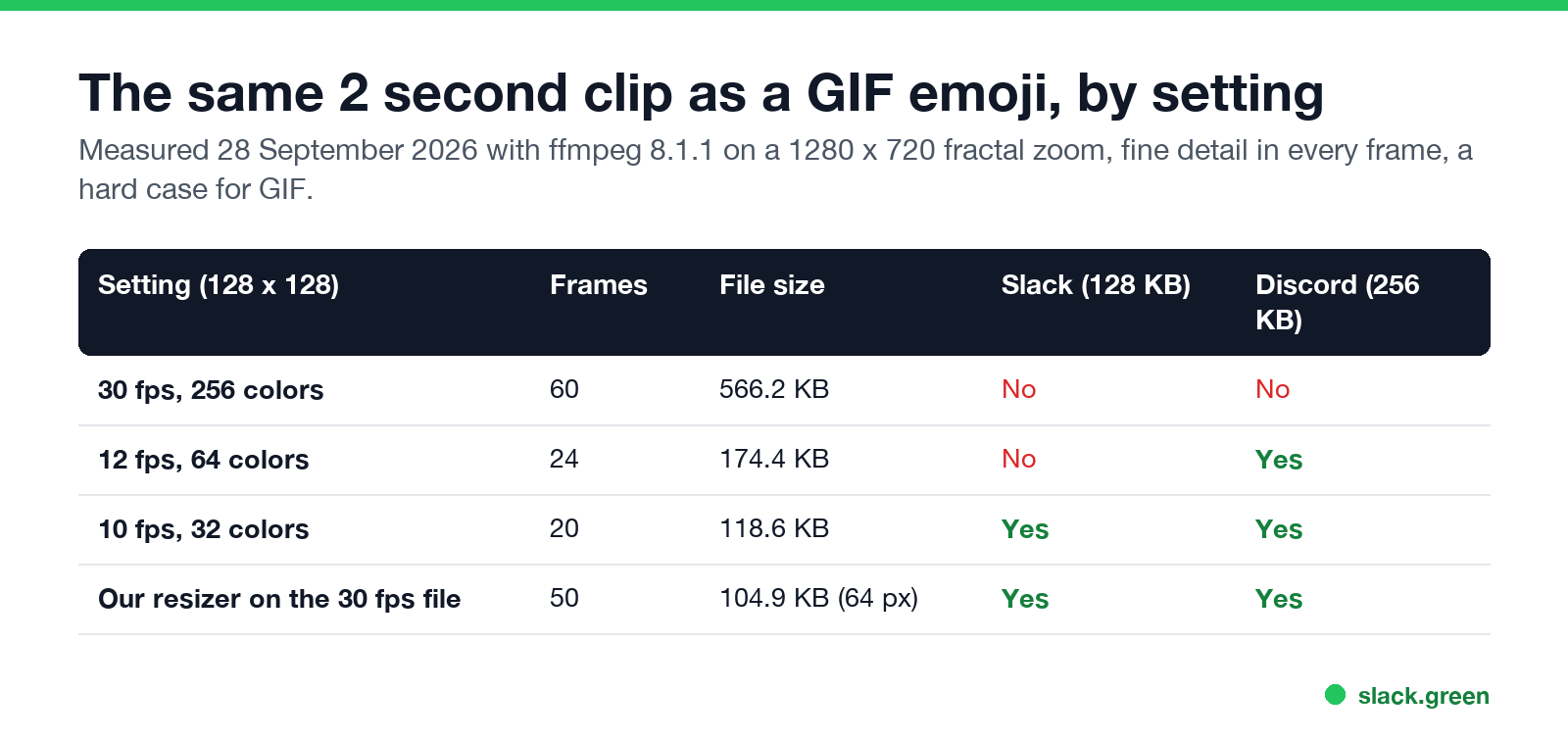
We made the same 2 seconds of a 1280 x 720 test video into a 128 x 128 GIF three ways:
| Setting | Frames | File size | Fits Slack | Fits Discord |
|---|---|---|---|---|
| 30 fps, 256 colors | 60 | 566.2 KB | No | No |
| 12 fps, 64 colors | 24 | 174.4 KB | No | Yes |
| 10 fps, 32 colors | 20 | 118.6 KB | Yes | Yes |
The test clip was a fractal zoom with fine detail in every frame, a hard case for GIF. If your file is still too big: shorten the clip first, then drop to 8 frames per second, then 16 colors, then 96 pixels. Emoji show small in chat, so each step is hard to see.
Never appear "away" on Slack again
Cloud-based. No downloads. Works 24/7 even when your laptop is off.
Make it without the command line
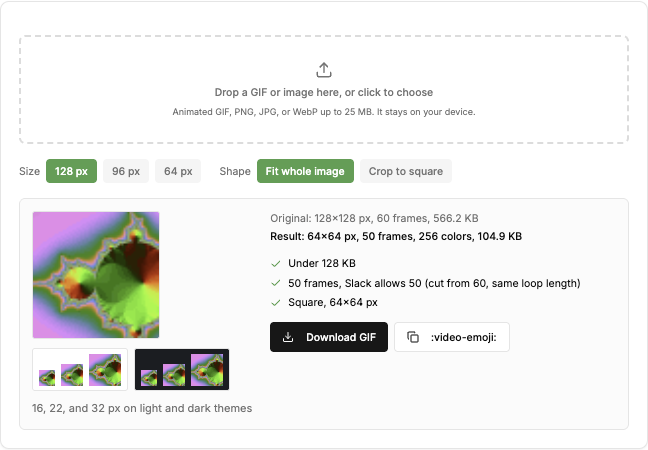
We gave the resizer the 30 fps file from the table, 60 frames and 566.2 KB. It returned a 64 x 64 GIF with 50 frames and 104.9 KB, under Slack's limits. It cut the frame count to Slack's 50 by spreading the kept frames across the clip, so the loop lasts as long as before. It lowered the size to 64 pixels to get under 128 KB; with a shorter or slower clip it stays at 128.
To add an effect such as intensifies, spin or party to a still frame, use the emoji maker instead.
Upload the video emoji
Slack: click your workspace name, then Customize workspace, then Add custom emoji, and upload the GIF. The steps for desktop and iPhone are in how to add custom emoji to Slack. If Slack says the file is too big, see Slack GIF size limit. If the emoji does not animate after upload, see Slack GIF not playing.
Discord: open Server Settings, Emoji, Upload Emoji, or use Add Emoji in the emoji picker. Animated emoji slots need Nitro or Nitro Basic on the server. The full steps are in how to make a custom emoji for Discord, and size errors in Discord emoji too big.
FAQ
Can you make an emoji from a video?
Yes, as an animated GIF. Cut 1 to 2 seconds, crop to a square, scale to 128 x 128, and keep the GIF under 128 KB for Slack or 256 KB for Discord.
Can I upload an MP4 as an emoji?
No. Slack and Discord accept image formats only. Convert the MP4 to a GIF first.
How long can a video emoji be?
In Slack, 50 frames: 5 seconds at 10 frames per second. In practice the 128 KB size limit usually stops you first, at 1 to 3 seconds.
Why is my video GIF too big for Slack?
Too many frames or colors. Lower the frame rate to 10 or 8, cut the colors to 32, shorten the clip, or run it through the emoji resizer.
How do I make a GIF emoji from a video on my phone?
Make a GIF from the clip with a GIF app or the iPhone Shortcuts Make GIF action, then open the emoji resizer in your phone browser to shrink it to emoji size.
Stop Jiggling Your Mouse.
Join hundreds of remote workers who never worry about their Slack status. Set it up once, stay green forever.
Related Articles
How to Make a Custom Emoji for Discord (From Any Image)
To make a custom Discord emoji, crop an image to a square, keep it under 256 KB, name it with letters, numbers and underscores, and upload it with Add Emoji in the emoji picker or Server Settings, Emoji. How to make one from a photo, a GIF or text for free, add animation, and use it in other servers.
How to Use Slack Block Kit Builder: Templates, Preview, Payload
Slack's Block Kit Builder at app.slack.com/block-kit-builder lets you pick a template, add blocks, preview the message on Desktop or Mobile, and copy the JSON payload for a webhook or chat.postMessage. A walk through the current builder, a working deploy message, and the steps to send it.
Can Slack Messages Be Subpoenaed? Yes, Here Is How It Works
Yes. Slack messages, including DMs, can be requested in a lawsuit or an investigation. Most requests go to the company that owns the workspace, which exports them. Slack itself gives out message content only with a search warrant and tells the company first. Slack's own policy, its disclosure numbers, legal holds, and what deleted messages mean.