
Does Teams Notify When You Leave a Chat? No Alert, but a Line
Teams sends no notification when you leave a group chat, but it adds a line to the chat saying you left, which everyone sees the next time they open it. Muting or hiding the chat leaves no trace. What others see for each option, how to leave, and what happens when you leave a team.
Teams does not send a notification when you leave a group chat. Nobody gets a banner, a badge or an email. But Teams adds a line to the chat saying you left, so everyone sees it the next time they open or scroll the conversation. There is no way to leave a group chat without that line. To step back with no trace, mute the chat or hide it instead: you stay a member, nobody is told, and you stop being pinged. One-to-one chats cannot be left at all, only hidden or muted.
Teams also shows your presence dot to everyone, and it turns yellow after about 5 minutes without input. In Slack, Slack Green keeps your dot green during the hours you set, from the cloud.
What others see, option by option
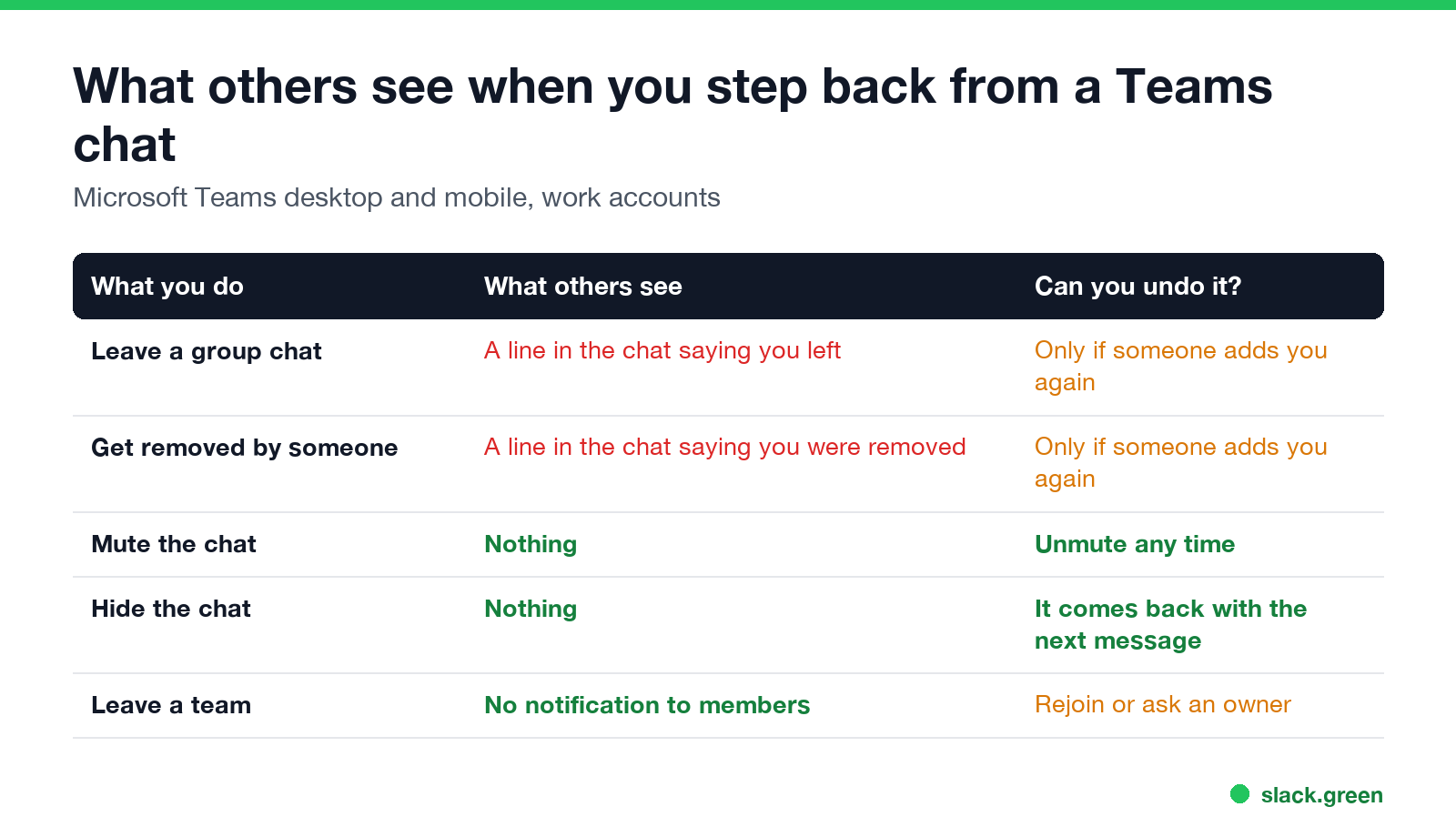
| What you do | What others see | Can you undo it? |
|---|---|---|
| Leave a group chat | A line in the chat that you left | Only if someone adds you again |
| Someone removes you | A line in the chat that you were removed | Only if someone adds you again |
| Mute the chat | Nothing | Unmute any time |
| Hide the chat | Nothing | It comes back when a new message arrives |
| Leave a team | No notification to members | Rejoin, or ask an owner to add you |
For removals, Microsoft's support page is explicit: "A message in the chat informs everyone that you've removed the person." Leaving works the same way, with a line under your name instead.
How to leave a group chat in Teams
Desktop: in the chat list, find the group, select More options (the three dots), then Leave.
iPhone: tap the chat header, then Leave chat.
Android: tap the chat header, then More options > Chat details > Leave chat.
After you leave, you stop getting messages. Microsoft notes you "can rejoin only if someone invites you again". The messages you sent stay in the chat history for the others. One detail from Microsoft's note: if anyone edits a message after you leave, that message becomes invisible to former participants, including you.
How to step back without anyone knowing
Never appear "away" on Slack again
Cloud-based. No downloads. Works 24/7 even when your laptop is off.
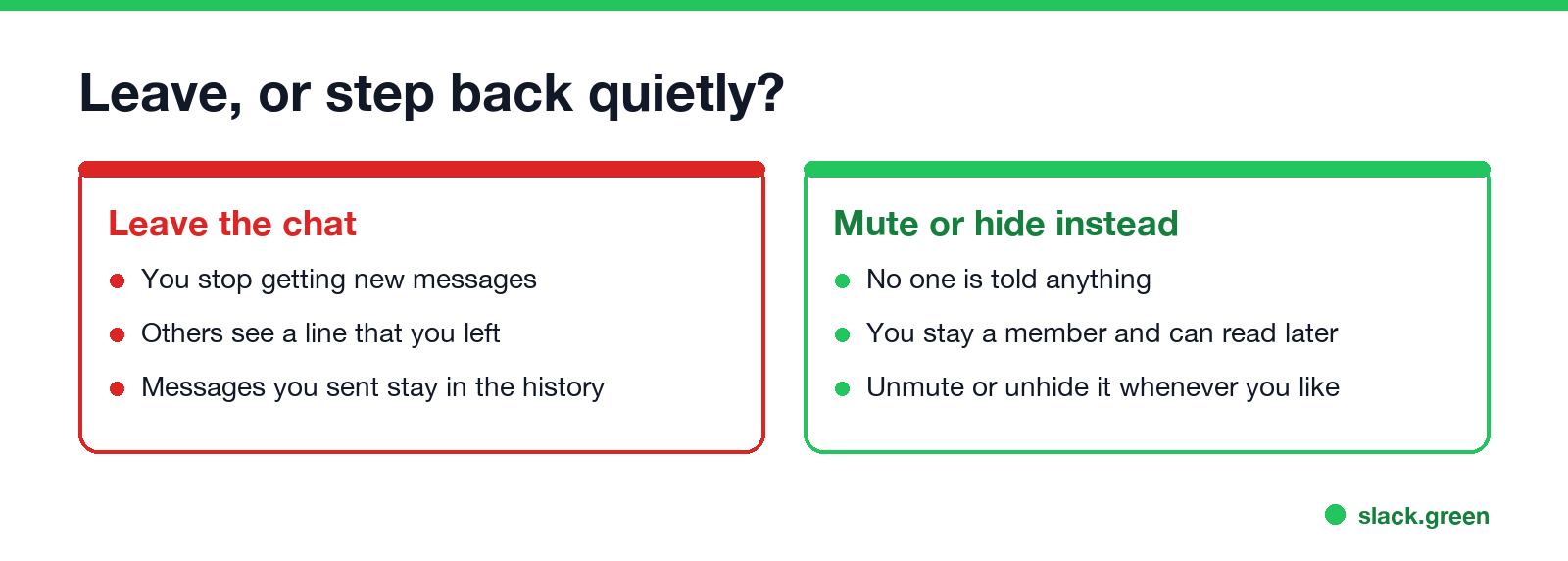
- • Mute the chat. Select More options next to the chat, then Mute. You stop getting notifications for new messages, and the others are not told. Microsoft suggests this itself: if you are leaving "because you're receiving too many notifications", mute instead.
- • Hide the chat. Select More options > Hide. The chat leaves your list until someone posts in it again.
- • Turn off notifications for the chat in its notification settings, if you still want it in your list.
- • Editing a message shows an Edited label, but no new notification; see does Teams show edited messages.
- • Read receipts show a Seen icon in chats of 20 people or fewer, unless they are turned off.
- • Screenshots are never reported; see does Teams notify screenshots.
- • Do not disturb mutes notifications for you and shows a red icon to others; see Teams Do not disturb.
Muting or hiding is the only quiet way out. The members list still includes you, so anyone who opens View participants sees your name.
Does Teams notify when you leave a team?
No notification goes to the team members when you leave a team. You disappear from the member list, which owners see under Manage team > Members. To leave, select More options next to the team name, then Leave the team. If the option is missing, the team is org-wide or managed by your admin, and you cannot leave it yourself.
Channels you follow inside a team are different again: you can hide a channel or turn off its notifications, and nobody is told.
Other things Teams shows to the group
Leaving is one of several actions Teams makes visible:
In Slack, leaving a channel works much the same way, with a visible line and no alert; the details are in does Slack notify when you leave a channel.
FAQ
Never appear "away" on Slack again
Cloud-based. No downloads. Works 24/7 even when your laptop is off.
If I leave a group chat in Teams, will people know? Yes, anyone who opens the chat sees a line that you left. Nobody gets a notification about it.
Can I leave a Teams group chat silently? No. Leaving always adds a line to the chat. Mute or hide the chat instead.
Can I leave a one-on-one chat in Teams? No. You can hide or mute it.
Can I still see a Teams chat after I leave? You stop receiving new messages. Messages edited after you left become invisible to you.
Does Teams notify the owner when I leave a team? No notification is sent. Owners see the change in the member list.
Stop Jiggling Your Mouse.
Join hundreds of remote workers who never worry about their Slack status. Set it up once, stay green forever.
Related Articles
Can My Employer See What I Watch on YouTube at Work?
On a work laptop or the office network, your employer can see that you used YouTube, when, and for how long. With HTTPS inspection or monitoring software, they can see which videos, because the video address and the browser tab title both name it. On your own phone on mobile data, they see nothing.
Can My Employer See My iMessages on a Work Mac?
Not through device management or the network: Jamf or Intune cannot read Messages, and iMessage is end-to-end encrypted. But if you sign in to Messages on a work Mac, your texts are stored on that Mac, where monitoring screenshots, backups and admin access can reach them. How to check, and how to take iMessage off the Mac without deleting it from your iPhone.
Can My Boss See My Private Outlook Calendar Events?
Usually not the details. When you mark an Outlook event Private, someone who can read your calendar sees only Private appointment, the time and a lock. The exceptions are delegates you gave Can view private items, the people invited to the event, anyone with full access to your mailbox in new Outlook or the web, and compliance admins. How to check who has which access, and what Private does not hide.