
How to See When Someone Was Last Active on Google Chat
You can't. Google Chat has no last seen or last active time. It shows only whether someone is active now, idle for 5 minutes on a computer, or away, and in direct messages it shows how far they have read. The clues you can use, what each one proves, and what Workspace admins see that coworkers do not.
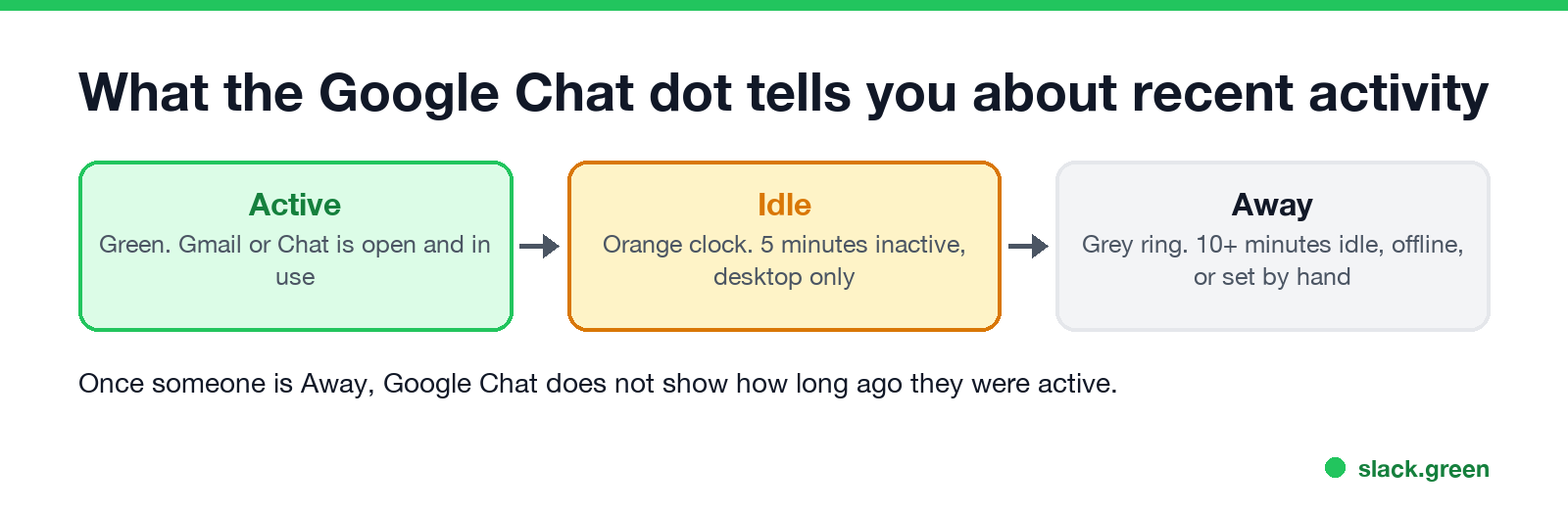
You can't see when someone was last active on Google Chat. Google Chat has no "last seen" or "active 2 hours ago" time. Its status shows only what is true right now: Active (green), Idle (orange clock, 5 minutes without activity, computer only), Away (grey ring, idle for more than 10 minutes, offline, or set by hand) or Do not disturb. The one other clue is in direct messages: when someone reads your message, their avatar appears next to the last message they read. That tells you they read it, not when.
Workspace admins can see more, such as each user's last sign-in time in the Google Admin console. Coworkers cannot.
Presence is what we work on. We build Slack Green, which keeps your Slack status green during the hours you set. Slack also hides last seen times; see does Slack show last seen. Teams is the one that shows it, covered in what last seen means on Teams.
What the status dot tells you
Google Chat Help, "Change your availability status in Google Chat" (checked 27 September), defines the statuses:
| Status | Icon | Meaning | What it says about last activity |
|---|---|---|---|
| Active | Green circle | Gmail or Google Chat is open | Active now, or within the last 5 minutes |
| Idle | Orange circle with a clock | Inactive in Gmail or Chat for the last 5 minutes; desktop only | Last active 5 to 10 minutes ago |
| Away | Hollow grey ring | Idle for more than 10 minutes, not connected, or set to "Set as away" | More than 10 minutes ago, or unknown |
| Do not disturb | Red circle with a white bar | Notifications muted | Nothing; it hides the dot underneath |
So the dot gives you a rough window only in the first 10 minutes. Once someone is Away, Google Chat shows the same grey ring whether they left 11 minutes or 11 days ago, and it looks the same if they chose Set as away while at their desk.
Only some people see your status: people you share a space with, people whose chat invite you accepted, and people you have not blocked. On Workspace accounts, status is visible inside your organization's domain only. All the icons are in Google Chat status icons meaning.
Read avatars in direct messages
Google says: "When one or more people read your message, their avatar displays next to their last read message." In a one-to-one DM or a group DM of up to 20 people, the other person's small profile picture sits at the last message they read. It shows how far they read, not when, and it is the closest thing Google Chat has to "last seen". Spaces show only a view count. Where receipts appear, what they prove and why you cannot turn them off is in does Google Chat have read receipts.
Other clues: calendar and custom status
Never appear "away" on Slack again
Cloud-based. No downloads. Works 24/7 even when your laptop is off.
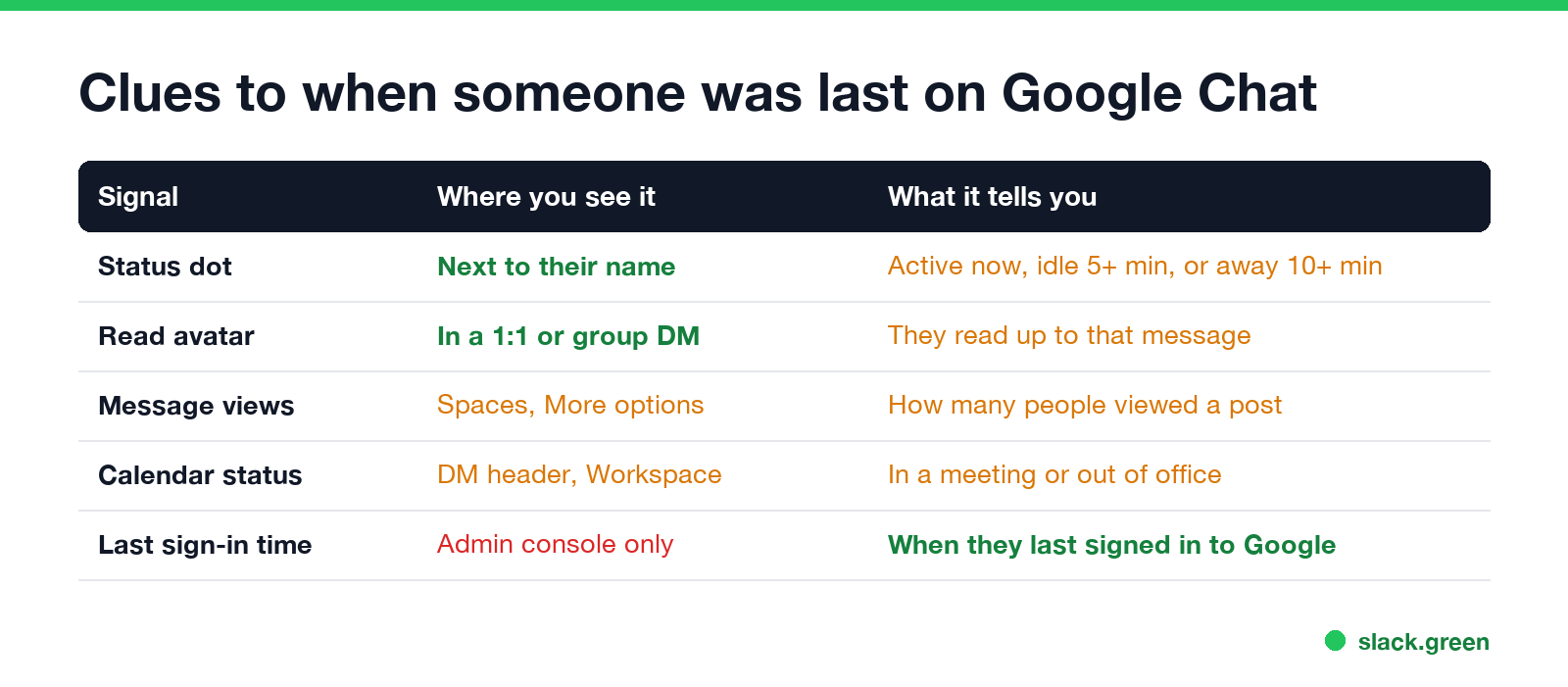
Calendar status. On Workspace accounts, Chat shows the person's Calendar status, such as in a meeting or out of office, next to their name at the top of a direct message. Group conversations and spaces do not show it. It tells you why they may be quiet, not when they were last active.
Custom status. Some people set an emoji and a line such as "Back at 3". If it is there, it is usually the most useful clue.
Replies and reactions. The time on their last message or reaction in a shared conversation is a hard lower bound: they were active at least then.
What Workspace admins can see
A Google Workspace admin has more than coworkers do:
- • Last sign-in. The Users list in the Google Admin console shows when each account last signed in.
- • Chat audit logs. Chat log events record actions such as sending messages, with times, for the admin's security and audit tools.
- • Usage reports. Admin reports show how many Chat messages each user sent over a period.
None of this appears in Google Chat for other users. If you need to know whether someone is working at all, asking them or their manager is the only reliable way; the status dot is not built for that.
How to show as active on Google Chat
If the question is the other way round, how your own status looks: Google Chat shows you Active only while Gmail or Chat is open and in use, and there is no setting for the Idle and Away timers. How to keep Google Chat active covers what works, and how long before Google Chat shows away explains the 5 and 10 minute timers.
Google Chat vs Slack, Teams and WhatsApp
Never appear "away" on Slack again
Cloud-based. No downloads. Works 24/7 even when your laptop is off.
| Google Chat | Slack | Microsoft Teams | ||
|---|---|---|---|---|
| Last seen time | No | No | Yes, on the profile card | Yes, if the person allows it |
| Idle state | Idle after 5 minutes, desktop only | Away after 10 minutes without input | Away after 5 minutes | No |
| Read receipts | Avatar at last read message in DMs | No | Seen, in chats up to 20 people | Blue ticks |
FAQ
Does Google Chat show last seen? No. It shows only the current status and, in DMs, how far someone has read.
What does the orange clock mean in Google Chat? Idle. The person has Gmail or Chat open on a computer but has not used either for 5 minutes.
Can someone see when I read their Google Chat message? Yes, in DMs. Your avatar moves to the last message you read.
Can I hide my online status in Google Chat? You can choose Set as away or Do not disturb, but there is no invisible mode. Blocking someone hides your status from them.
Stop Jiggling Your Mouse.
Join hundreds of remote workers who never worry about their Slack status. Set it up once, stay green forever.
Related Articles
Can My Employer See My iMessages on a Work Mac?
Not through device management or the network: Jamf or Intune cannot read Messages, and iMessage is end-to-end encrypted. But if you sign in to Messages on a work Mac, your texts are stored on that Mac, where monitoring screenshots, backups and admin access can reach them. How to check, and how to take iMessage off the Mac without deleting it from your iPhone.
Can My Boss See My Private Outlook Calendar Events?
Usually not the details. When you mark an Outlook event Private, someone who can read your calendar sees only Private appointment, the time and a lock. The exceptions are delegates you gave Can view private items, the people invited to the event, anyone with full access to your mailbox in new Outlook or the web, and compliance admins. How to check who has which access, and what Private does not hide.
Productivity Theater: Meaning, Numbers and How It Starts
Productivity theater is work done to look busy rather than to get results: extra messages, status updates, meetings to show progress, and keeping a green dot on. Slack's 2023 survey of 18,000 desk workers put it at 32% of the working week. Microsoft ties it to productivity paranoia, where 85% of leaders doubt remote staff are productive.