
How to Keep Slack Active on Android
Slack on Android reports you active only while the app is visible with the screen on. The settings that hold that state: screen timeout, the developer-options Stay awake switch, split screen, and why exempting Slack from battery optimization does not touch the green dot.
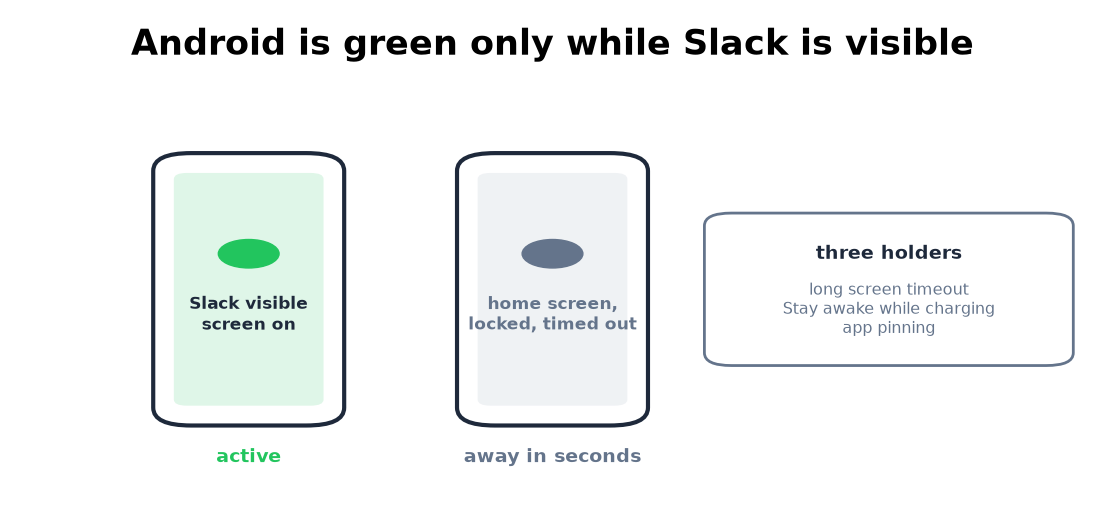
Slack on Android reports you active under one condition: the app is visible with the screen on. There is no idle timer to manage. Lock the phone, go to the home screen, or let the screen time out and the green dot drops within seconds. The mobile presence rules, and why phones are harsher than the desktop's 10-minute timer, live in keep Slack active on mobile; this page is the Android-specific part: the settings that keep the screen and the app up, the one trick iPhones do not have, and the battery-optimization myth. Where on-device options end, the alternatives are a desktop session or a server-side tool. We make one of those, Slack Green, which keeps your dot green from a server with the phone locked, free for 7 days with no card.
The settings that hold the screen
Screen timeout, set long. Settings, Display, Screen timeout. Most phones ship at 30 seconds to 2 minutes; most allow 10 or 30 minutes. Samsung and some others add "keep screen on while viewing", which helps only while the camera sees your face.
Stay awake, the developer option. Turn on developer options (tap the build number seven times), then enable Stay awake: the screen never sleeps while the phone is charging. It is the closest Android gets to a Never timeout and it survives reboots.
App pinning, to stop accidental exits. Settings, Security, App pinning. Pin Slack and the phone stays in it until you unpin, the Android counterpart of Guided Access. The screen timeout still applies, so pair it with Stay awake.
Every fix on Android stops once the screen turns off or you switch apps, because Slack then sets you away within seconds. A server-side tool keeps your Slack dot green with no input, even with the laptop closed or the phone locked.
The split-screen trick
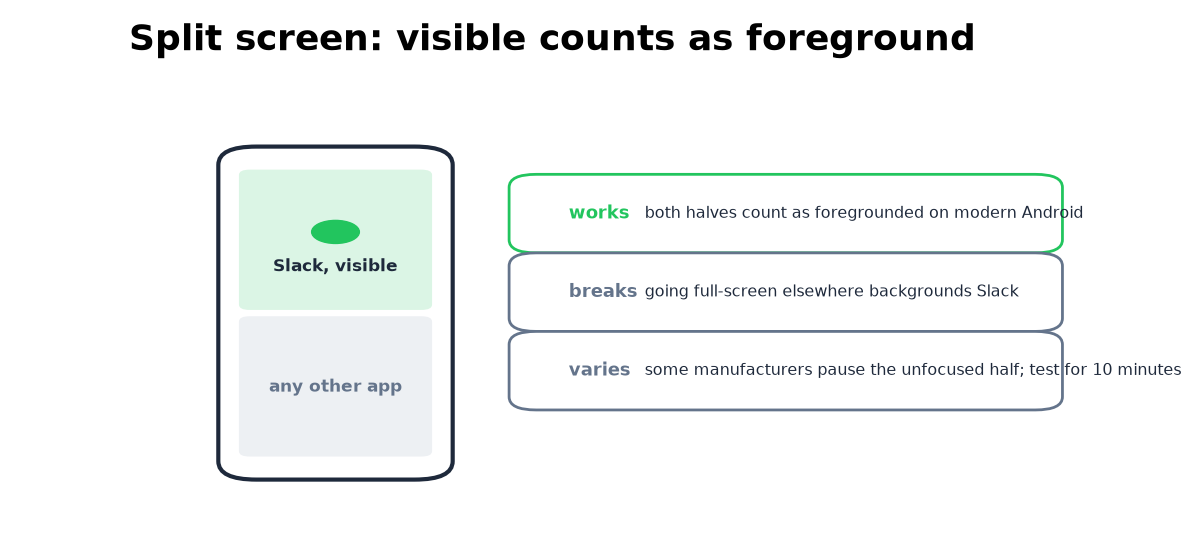
Android runs two apps on screen at once, and visible apps count as foregrounded. Slack parked in the top half of a split screen keeps reporting while you read something else in the bottom half. It is the one on-device way to be green while doing something else on the same phone. Two limits: both apps must stay on screen, so the moment you go full-screen elsewhere the dot starts dying, and a few manufacturers pause the unfocused half aggressively, so test yours for ten minutes before trusting it.
The battery-optimization myth
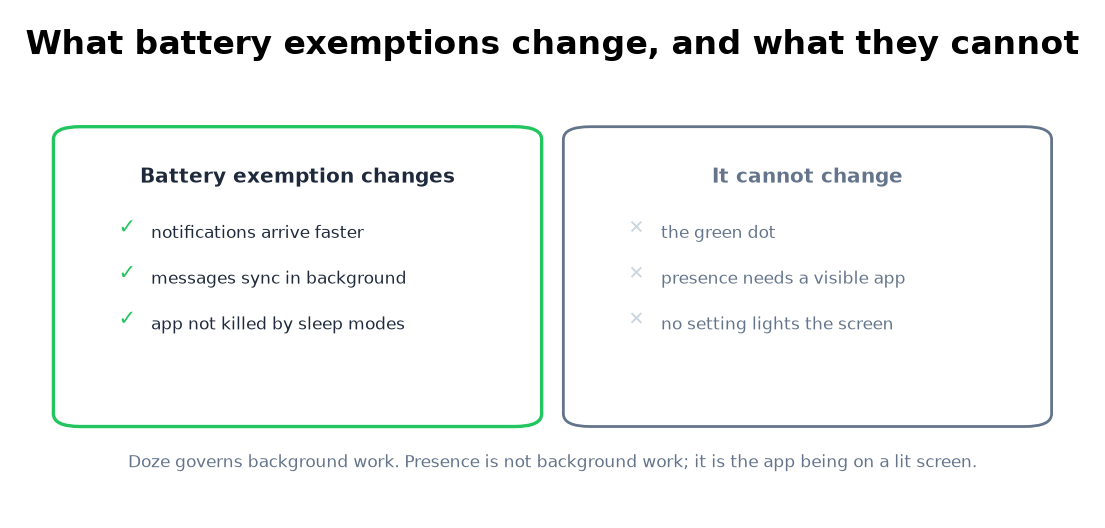
Exempting Slack from battery optimization is the most repeated Android tip and it does nothing for the dot. The exemption changes how Doze treats Slack's background work: notifications arrive faster, messages sync sooner. Presence is not background work. The dot needs the app visible on a lit screen, and no battery setting makes an invisible app visible. Same verdict for "unrestricted battery", autostart permissions, and disabling manufacturer sleep modes: real fixes for late notifications, covered in Slack's own docs, irrelevant to the green dot. Slack cannot see anything it does not draw itself.
The old-phone kiosk
The reliable version of Android-only presence is a spare phone: charger, Slack open, Stay awake on, app pinning on. It reports you active all day because it does nothing else. Costs: a dedicated device, a lit screen, and a dot with no schedule, on at 11pm if the phone is still plugged in. The recipe is the same on iOS, in keep Slack active on mobile.
A server-side tool is the version of the same idea with no phone at all: it holds your session active on its side on the hours you pick, with no spare phone and no lit screen, and the dot goes gray on schedule instead of at random. The trade is that it is paid and it holds a session token for you; what that means is in will I get caught.
Android questions people search
How do I keep Slack active on Android? Keep the app visible on a lit screen: long screen timeout or Stay awake while charging, app pinning against accidental exits, split screen if you need a second app. Everything else needs a desktop or a server, compared in how to keep Slack active.
Why does Slack show me away on Android with notifications on? Notifications are push delivery to an away phone. The dot needs the app on screen; the numbers per device are in how long does Slack stay active.
Does battery optimization affect my Slack status? No. It affects notification speed and sync. Presence needs a visible app, which battery settings cannot produce.
Does split screen keep Slack active? Yes, while both apps stay on screen and your manufacturer does not pause the unfocused half. Test yours for ten minutes.
Is there a Slack setting to stay active on Android? No. The app has no keep-active option and the mobile side has no timer to extend.
The short version
Android keeps your Slack dot green only while the app is visible on a lit screen. Stay awake plus app pinning holds a charging phone there; split screen extends it to two-app use; battery exemptions change notifications, not the dot. For a dot that survives the phone going in your pocket, hold the session from a desktop with the methods here or from a server-side presence tool.
Related Articles
How to Keep Slack Active in the Browser
Slack in a browser tab follows the same 10-minute timer as the desktop app, with two extra ways to die: tab discarding and the browser closing. What counts as input in a tab, the Memory Saver and sleeping-tabs exceptions, and when the tab beats the app.
How to Keep Slack Active on a Chromebook
A Chromebook runs Slack two ways, a browser tab or the Android app, and they follow different presence rules. The ChromeOS power settings that stop the instant away, the Memory Saver trap, what works on managed school and work devices, and what does not.
How to Appear Active on Slack, and Show You Are in a Meeting
The Slack desktop app shows you active while there was keyboard or mouse input on the computer, and away after about 10 minutes without it. Our presence test with tabs and Set yourself as active, and how to show that you are in a meeting instead.