
Can a Deactivated Slack Account Be Reactivated? Yes, by an Admin
Yes. A workspace Owner or Admin can reactivate a deactivated Slack account at any time from Admin, Workspace settings, People: click the three dots and Activate account. The member can sign in at once and sees messages they sent before, but is not added back to channels. Steps, Enterprise, and why an account gets deactivated.
Yes. A workspace Owner or Admin can reactivate a deactivated Slack account at any time, on every plan. You cannot do it yourself. The admin clicks Admin in the sidebar, chooses Workspace settings, then People, clicks the three dots next to the account, and selects Activate account. According to Slack's help center, the member can sign in immediately and has access to messages they sent before, but is not added back to the channels they were in. On Enterprise plans, an account deactivated at the organization level must be reactivated by an Org Owner or Admin first.
Coming back to a workspace also brings back the presence dot. It goes grey 10 minutes after your last input in Slack. Slack Green keeps it active during the working hours you set, from the cloud.
How to reactivate a Slack account
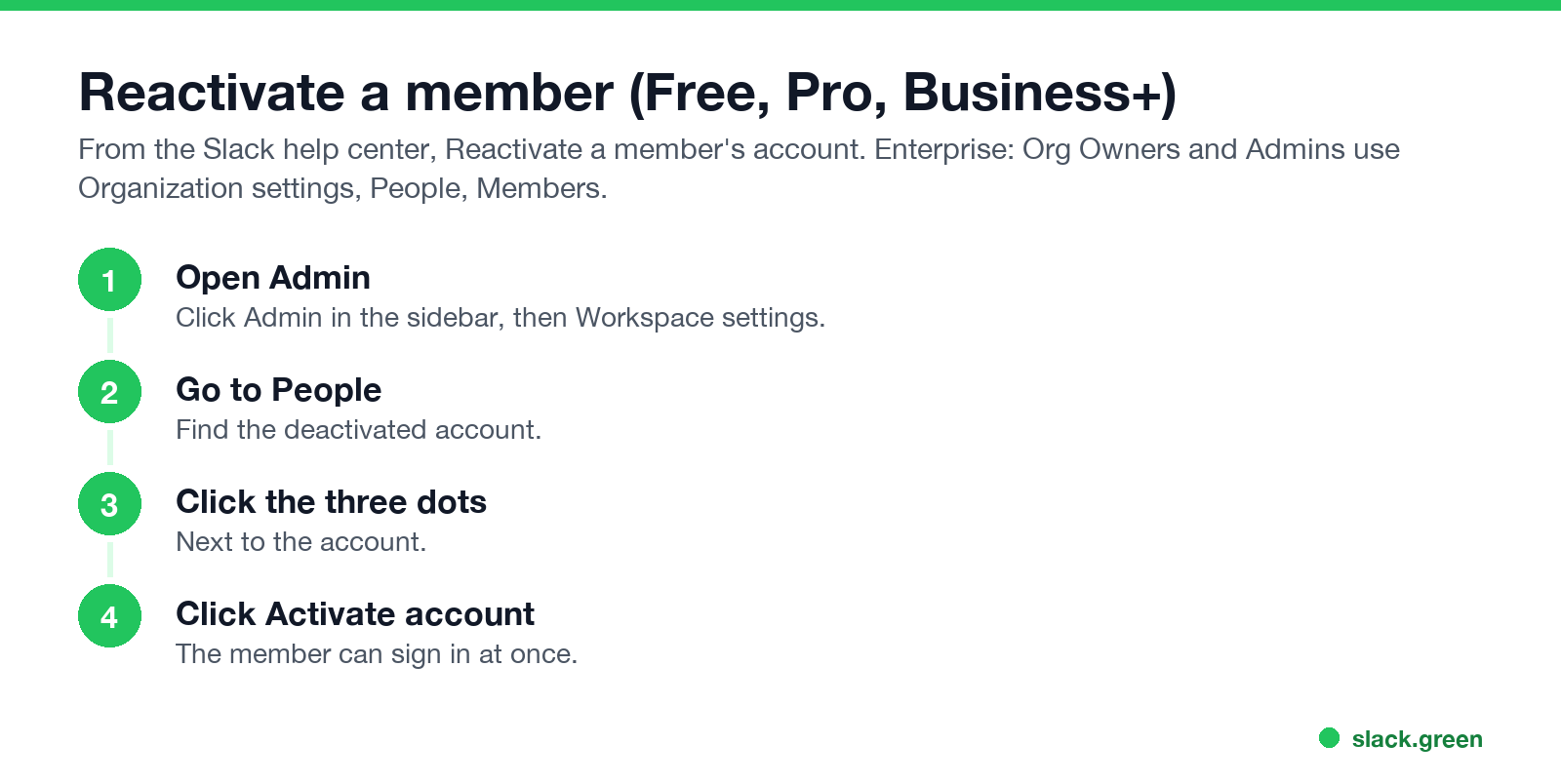
Free, Pro and Business+:
- Click Admin in the sidebar and select Workspace settings.
- Click People.
- Click the three dots next to the account.
- Click Activate account.
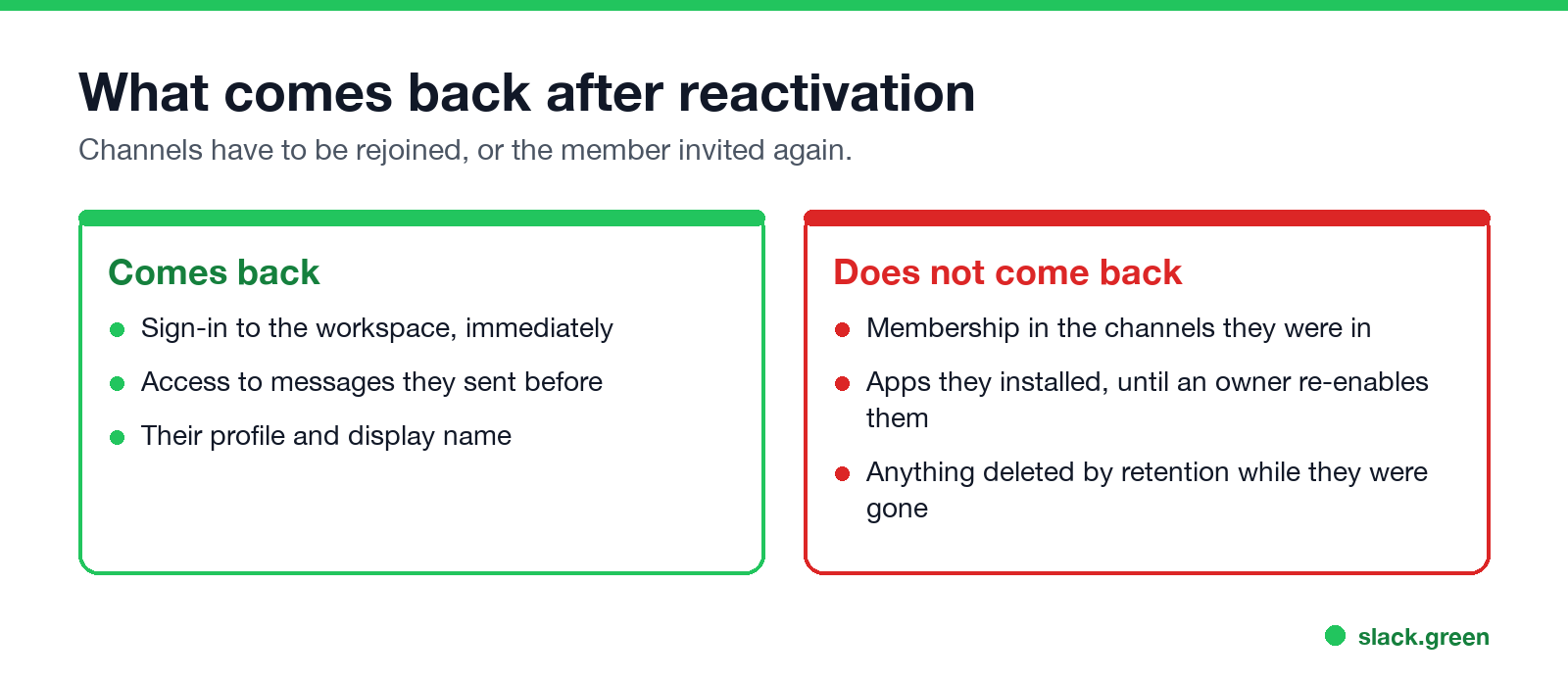
- • Comes back: sign-in, access to messages the person sent before, their profile.
- • Does not come back: membership in their old channels. They rejoin public channels themselves and need an invite to private ones. Apps they installed stay disabled until an owner re-enables them.
- • Retention still applies. Anything deleted by the workspace retention setting while they were away is gone; see Slack message retention.
Enterprise, org level: click your organization name, Tools & settings, Organization settings, People, Members, then View Deactivated Members. Select the accounts and choose a role: Member, Multi-Channel Guest or Single-Channel Guest.
Enterprise, workspace level: a Workspace Owner or Admin can reinstate someone who was removed from one workspace but is still active in the org, from Manage members, Filters, Members removed from the workspace, then Add to workspace.
What comes back, and what does not
Why is my Slack account deactivated?
Nunca mais apareça como "ausente" no Slack
Na nuvem. Sem downloads. Funciona 24/7 mesmo com seu notebook desligado.
Ask a workspace Owner or Admin. If you do not know who they are, anyone in the workspace can see owners and admins in the member directory.
How to tell if someone is deactivated on Slack
Deactivated people no longer appear as active members in the directory, and you cannot start new conversations with them. Their old messages stay. Admins see them in People as deactivated.
FAQ
Can I reactivate my own Slack account?
No. Ask a workspace Owner or Admin.
How long can a Slack account stay deactivated before it cannot be reactivated?
Slack's help center says an owner or admin can reactivate an account at any time.
Do I get my channels back after reactivation?
No. You have to rejoin them or be invited.
Are my old messages still there?
Yes, unless the workspace retention setting deleted them.
Is deactivation the same as deleting?
No. Deactivation removes access; messages stay. Deleting profile information is a separate step by the Primary Owner.
Pare de Mexer o Mouse.
Centenas de trabalhadores remotos não se preocupam mais com o status do Slack. Configure uma vez, fique verde para sempre.
Related Articles
Can Slack Admins See What You Search? And What Else They See
No. Slack gives admins no record of your search terms. On Enterprise they can see how many searches you ran each day. What admins see about edits, private channels, scheduled messages, analytics and read receipts.
Does Slack Notify When You Leave a Channel? Leave, Edit, Delete and More
Slack does not ping anyone when you leave a channel, but it posts a line saying you left, unless an admin turned join and leave messages off. Edits show (edited), deletes leave no alert, forwards do not tell the author, and removing someone does notify them. What each action shows, and how to leave quietly.
How to Share Audio in a Slack Huddle (Screen Share With Sound)
To share audio in a Slack huddle, click the share screen icon, pick a screen or window, check Share system audio, then click Share. Everyone hears what your computer plays. Where the option is missing, how Chrome differs, why a Mac needs a permission, and how to stop echo.