
How to Delete a Slack Emoji (and Replace a Custom One)
To delete a custom Slack emoji, click your workspace name, choose Customize [workspace], open the Emoji tab, find the emoji and click the delete icon. Members can delete only emoji they added; owners and admins can delete any. How to replace one, remove packs, and what happens to old messages.
To delete a custom emoji in Slack, click your workspace name in the top left, choose Customize [workspace name] (owners and admins click Settings & administration first), open the Emoji tab, search for the emoji, click the delete icon, and confirm with Delete Emoji. Members can delete only the emoji they added. Workspace Owners and Admins, or Org Owners and Admins on Enterprise, can delete any custom emoji. Built-in emoji such as 👍 cannot be deleted.
How to delete a custom emoji in Slack
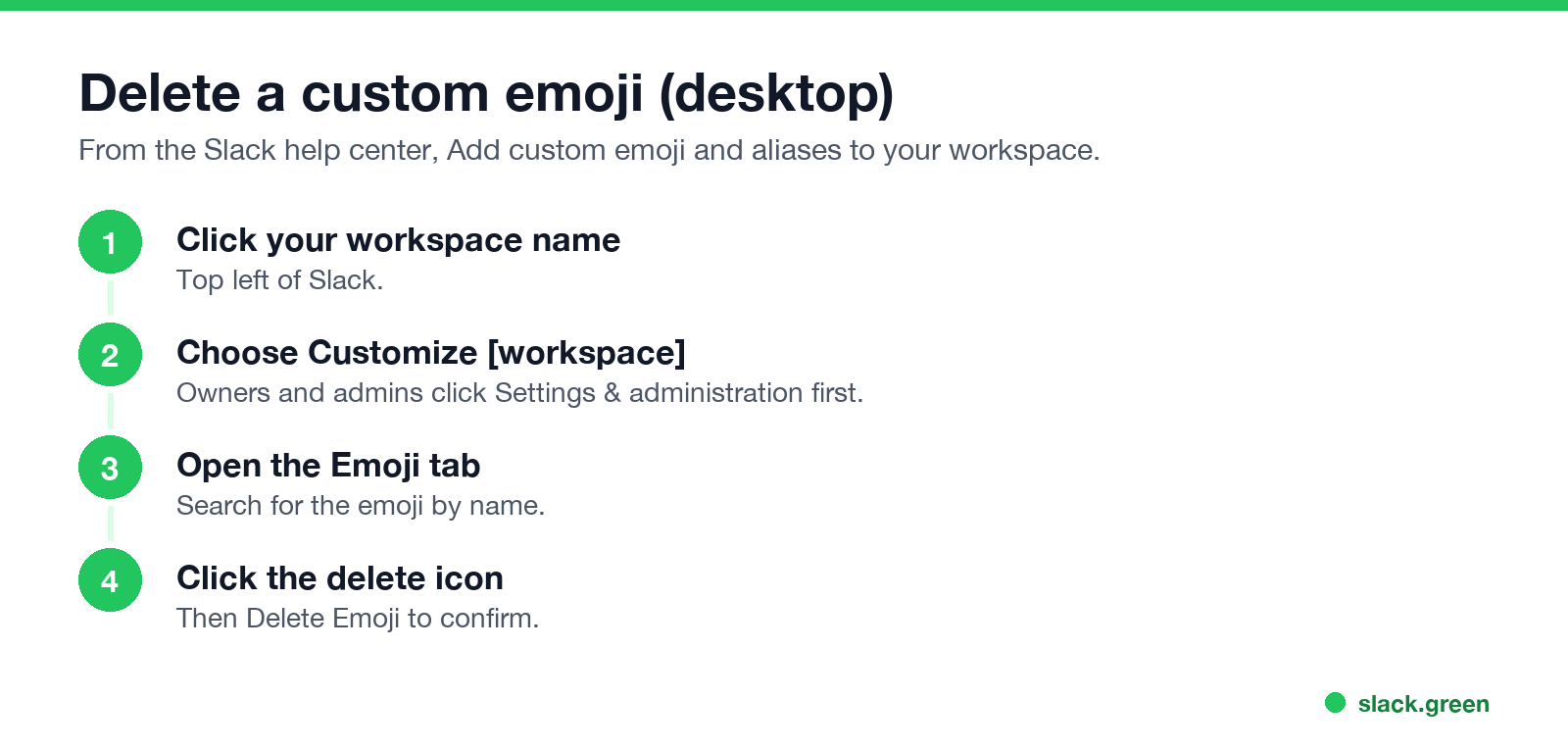
- Click your workspace name in the top left.
- Select Customize [workspace name]. If you are an owner or admin, click Settings & administration first.
- Click the Emoji tab at the top of the page.
- Search for the emoji you want to remove and click the delete icon.
- Select Delete Emoji to confirm.
This works on desktop. The mobile apps have no emoji management page.
Who can delete emoji in Slack
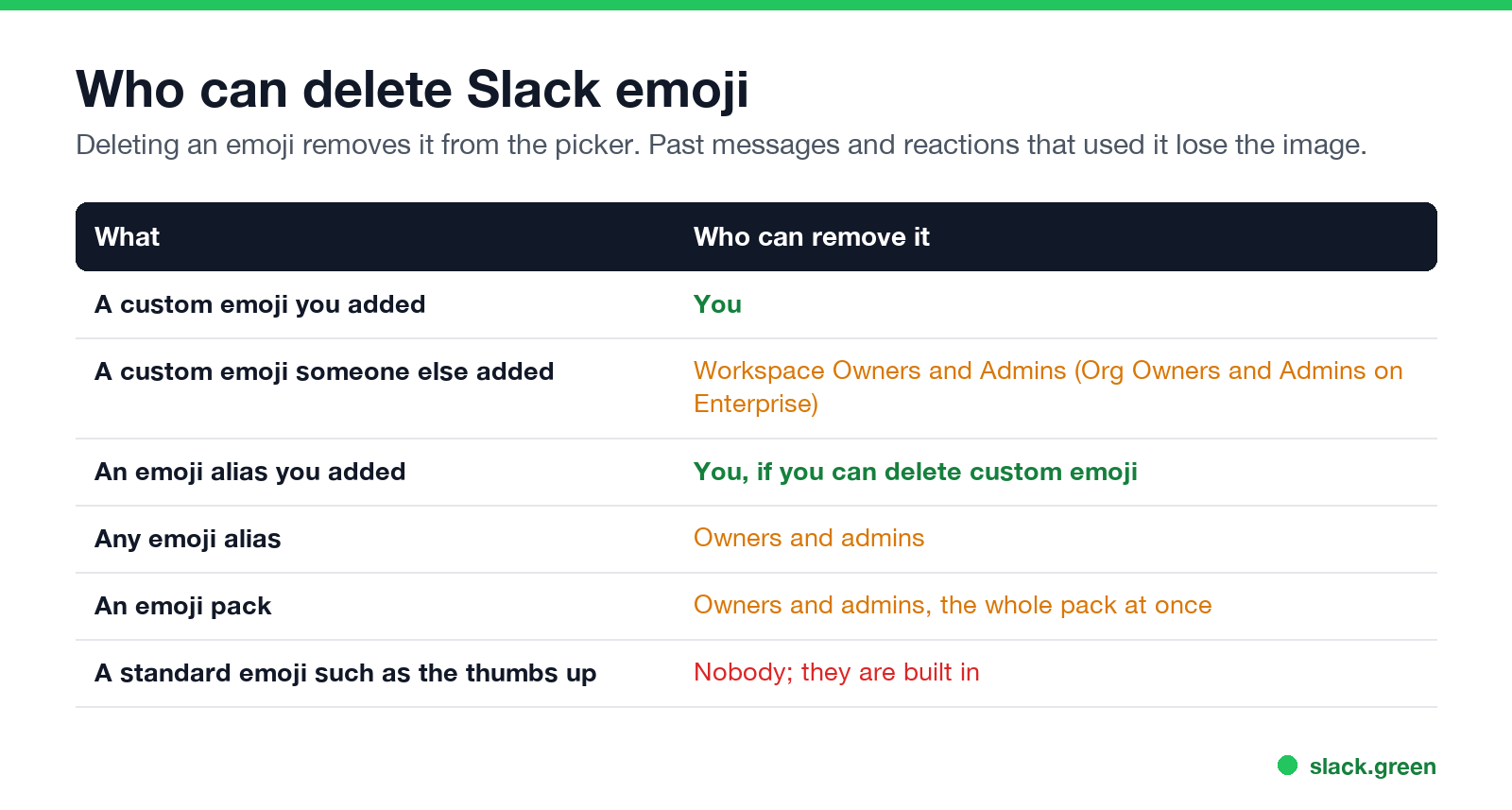
| What | Who can remove it |
|---|---|
| A custom emoji you added | You |
| Someone else's custom emoji | Owners and admins |
| An alias you added | You, if you can delete custom emoji |
| Any alias | Owners and admins |
| An emoji pack | Owners and admins, whole pack only |
| A standard emoji | Nobody |
If you do not see the delete icon, you did not add that emoji and you are not an admin. Ask an owner or admin.
How to replace a custom emoji
Больше никогда не показывать "отошёл" в Slack
Облачное решение. Без загрузок. Работает 24/7 даже при выключенном ноутбуке.
Slack has no "edit image" for an emoji. To replace one:
Messages and reactions that use the name then show the new image. If you need a better-sized image first, the Slack emoji resizer and Slack emoji maker prepare one in your browser.
How to remove an emoji pack
Owners and admins: open the emoji menu, click Add Emoji, open the Emoji packs tab, select the pack, and click Remove Pack. Slack does not let you remove single emoji from a pack.
What happens to old messages
Once an emoji is deleted, it disappears from the picker. Messages and reactions that used it can no longer show the image. If someone later adds a new emoji with the same name, those places show the new image.
FAQ
Больше никогда не показывать "отошёл" в Slack
Облачное решение. Без загрузок. Работает 24/7 даже при выключенном ноутбуке.
How do I delete a custom emoji in Slack?
Workspace name, Customize [workspace], Emoji tab, delete icon, Delete Emoji.
Why can't I delete an emoji in Slack?
You can delete only emoji you added, unless you are an owner or admin.
Can I delete Slack emoji on my phone?
No. Use Slack on a computer.
Can I delete a standard emoji?
No. Only custom emoji and packs can be removed.
How do I rename a Slack emoji?
Add an alias with the new name, or delete it and upload it again under the new name.
Хватит Двигать Мышкой.
Сотни удалённых работников больше не беспокоятся о статусе Slack. Настройте один раз, оставайтесь зелёными навсегда.
Related Articles
Can Slack Admins See What You Search? And What Else They See
No. Slack gives admins no record of your search terms. On Enterprise they can see how many searches you ran each day. What admins see about edits, private channels, scheduled messages, analytics and read receipts.
Does Slack Notify When You Leave a Channel? Leave, Edit, Delete and More
Slack does not ping anyone when you leave a channel, but it posts a line saying you left, unless an admin turned join and leave messages off. Edits show (edited), deletes leave no alert, forwards do not tell the author, and removing someone does notify them. What each action shows, and how to leave quietly.
How to Connect Slack and Microsoft Teams: Calls, Messages and Status
Slack and Teams do not connect natively for chat. You can start Teams calls from Slack with the free Microsoft Teams Calls app, relay messages with a paid bridge such as Mio, and sync your Teams status to Slack with a short script. Every option, what it costs, and the setup steps.