
Can My Employer See My Keystrokes? How to Tell and What Is Legal
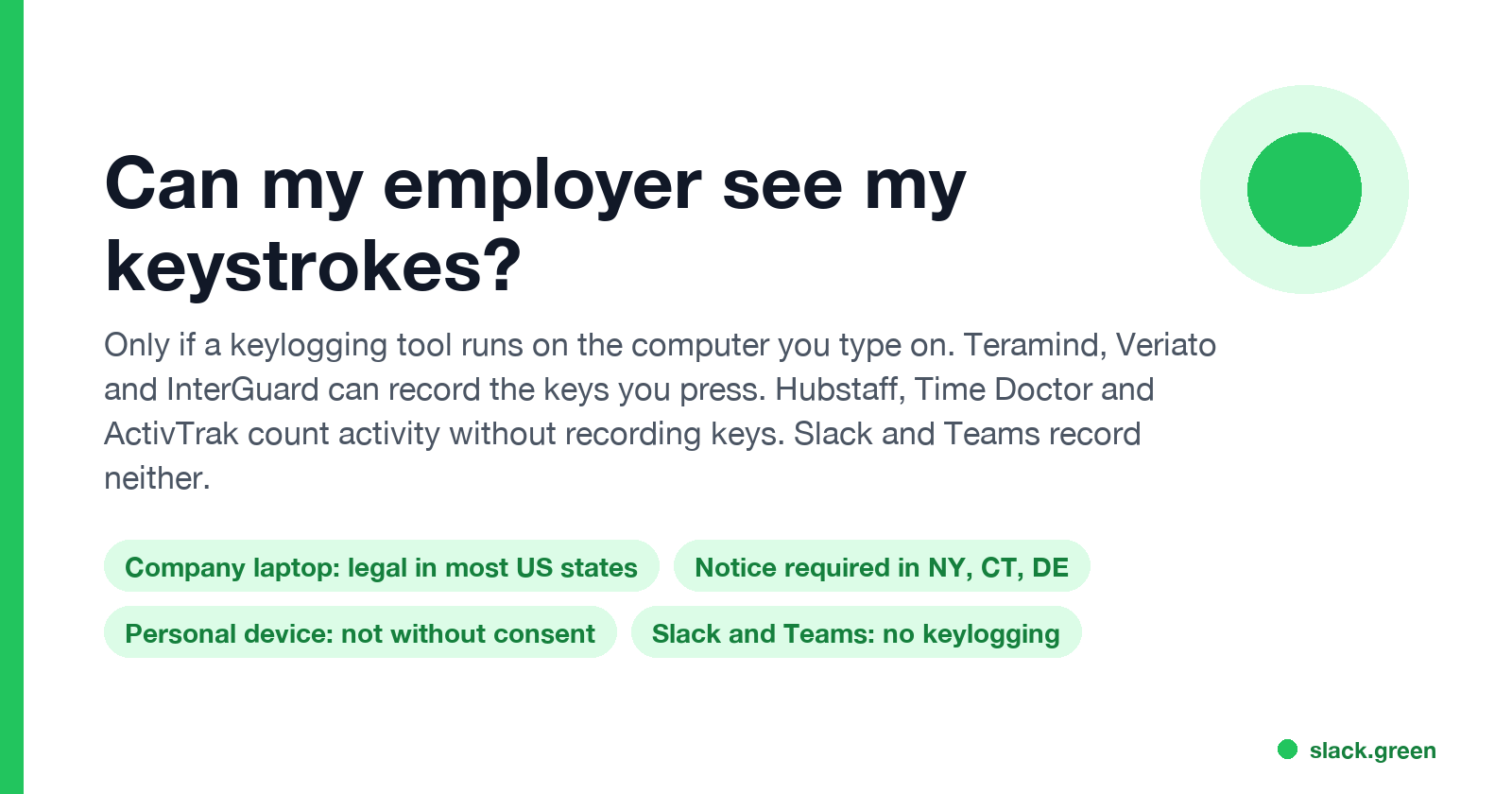
Your employer can see your keystrokes only if a keylogging tool runs on the computer you type on, such as Teramind, Veriato or InterGuard. Hubstaff, Time Doctor and ActivTrak count activity without recording which keys you press, and Slack and Teams record neither. On a company laptop, keystroke logging is legal in most US states; New York, Connecticut and Delaware require written notice.
Your employer can see your keystrokes only if a keylogging tool runs on the computer you type on. Some employee monitoring products can record every key: Teramind's knowledge base says its keystroke logger "captures all keyboard activity and every individual keystroke entered", and Veriato and InterGuard offer the same. Other common tools do not. Hubstaff, Time Doctor and ActivTrak count whether you are typing, not which keys you press. Slack and Microsoft Teams do not log keystrokes at all. On a company laptop, keystroke logging is legal in most US states. New York, Connecticut and Delaware require the employer to tell you in writing first.
What your employer can always see is the text you send through company accounts: email, Slack and Teams messages, and files. That needs no keylogger.
We build Slack Green, which keeps your Slack status active from a server during the hours you set. It installs nothing on your computer and reads no keystrokes. We write about workplace monitoring because our users ask what their employer can see besides the green dot.
Which tools record your keystrokes
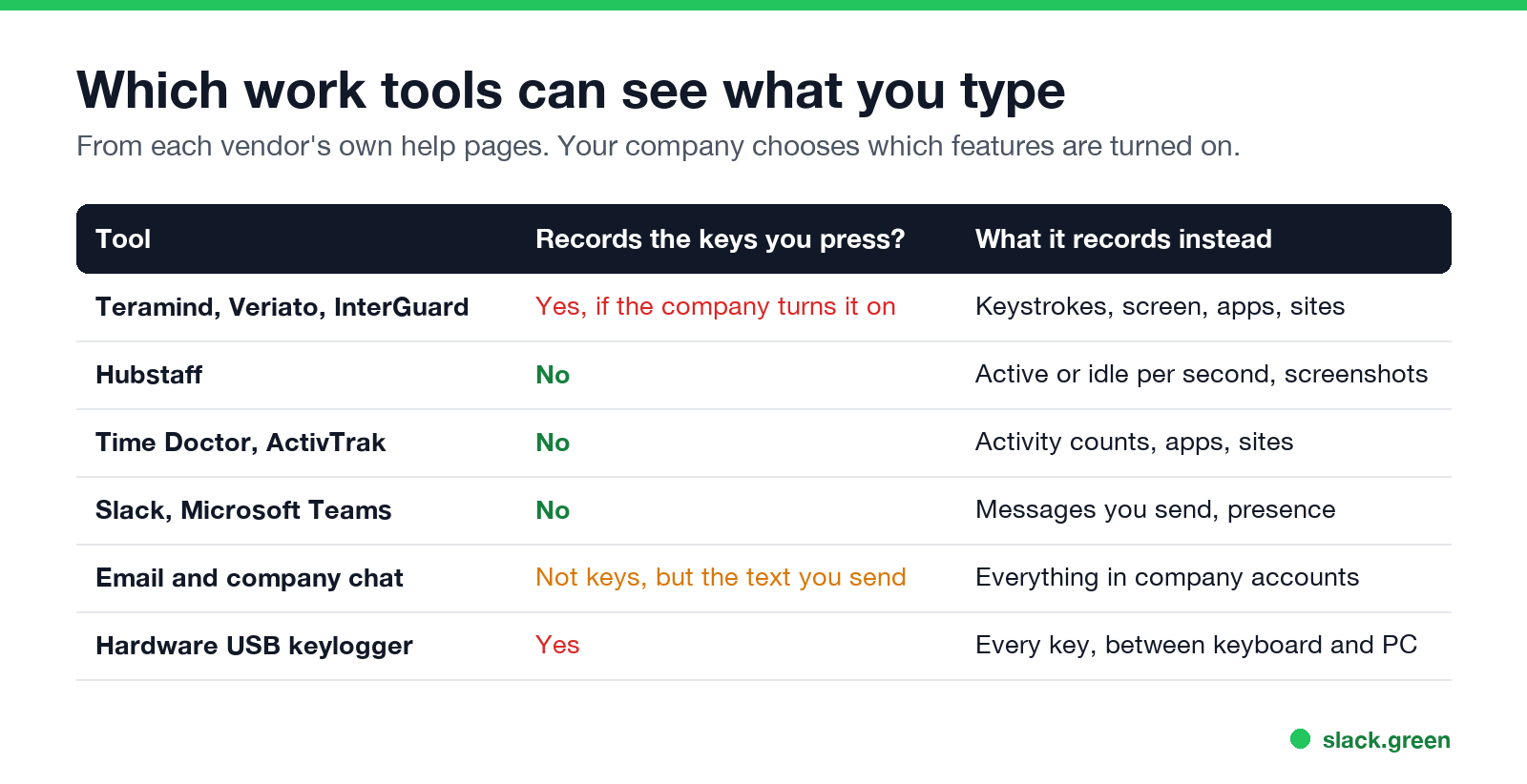
| Tool | Records the keys you press? | What it records |
|---|---|---|
| Teramind, Veriato, InterGuard | Yes, if the company turns it on | Keystrokes, screen, apps, websites |
| Hubstaff | No | Active or idle for each second, screenshots, apps, URLs |
| Time Doctor | No | Counts of keystrokes and clicks, apps, websites |
| ActivTrak | No | Apps, websites, active and idle time |
| Slack, Microsoft Teams | No | The messages you send, and your presence |
| Hardware USB keylogger | Yes | Every key, captured between the keyboard and the computer |
The vendors say this in their own help pages:
- • ActivTrak: "ActivTrak does not provide a keystroke-logging feature", to avoid capturing "banking information and passwords".
- • Time Doctor: it counts "mouse clicks and general keystrokes (without logging specific keys)" to detect idle time.
- • Hubstaff: the app "only records in binary (active=1, inactive=0) if there is activity and does not log individual keystrokes". What else it tracks is in can Hubstaff detect a mouse jiggler.
- • Teramind: keystroke logging is a listed feature, and it can also trigger rules on words you type.
- • Email in your work account, including drafts saved to the server.
- • Slack and Teams messages, in public channels, private channels and DMs, subject to your plan and your company's export settings. Details are in can Slack be used to monitor employees.
- • Documents in company Google Drive, OneDrive or SharePoint, with their version history.
- • Websites you visit on the company network or a managed browser. See can my employer see my browsing history.
- • Prompts you type into a company AI account. See can my employer see my ChatGPT history.
Security software is a separate category. Endpoint tools such as Microsoft Defender or CrowdStrike watch for malware, not your typing. Data loss prevention (DLP) tools can scan text you paste or upload for things like card numbers. The difference between bossware and security tools is in what is bossware.
What your employer can see without a keylogger
Most "can my employer see what I type" worries are about text you send, and that is visible without any keystroke logging:
Text you type and then delete in a chat box, without sending it, is not saved by Slack or Teams. Only a keylogger or screen recording would catch it.
How to tell if your employer is monitoring keystrokes
Never appear "away" on Slack again
Cloud-based. No downloads. Works 24/7 even when your laptop is off.
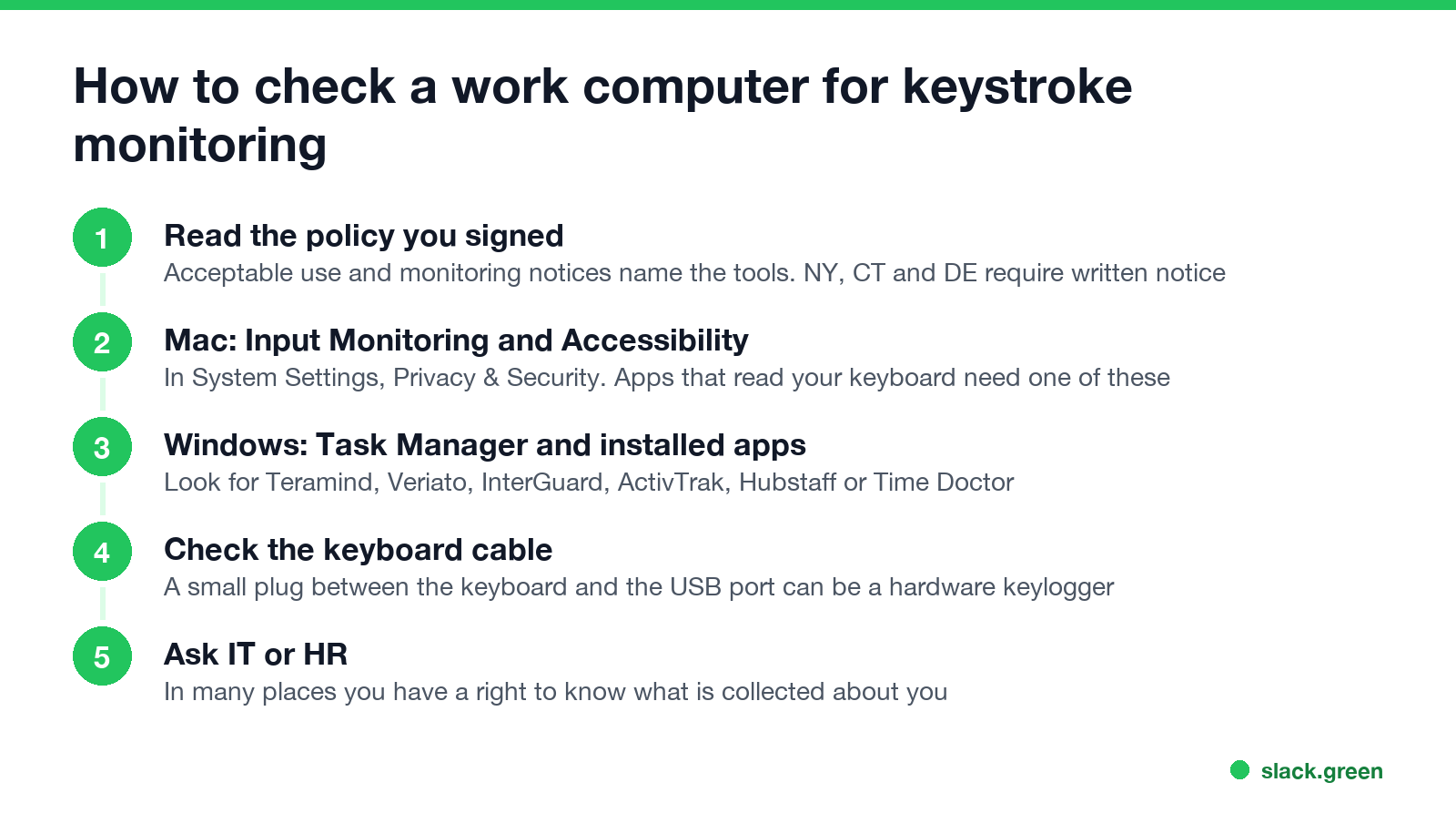
# lists running processes whose names match common monitoring agents
Get-Process | Where-Object { $_.ProcessName -match 'teramind|tmagent|veriato|interguard|activtrak|hubstaff|timedoctor|insightful|controlio' } | Select-Object ProcessName, Path
No output means none of those names are running. Agents can use other process names, so this check can miss them.
A longer checklist, including network and browser signs, is in how to tell if you are being monitored at work.
Is keystroke logging legal at work?
In the US, on a company computer, generally yes. The federal Electronic Communications Privacy Act has a business-use exception, and most states add no extra rule. The main limits:
Outside the US, the bar is higher. Under GDPR, monitoring must be necessary and proportionate, and data protection authorities treat full keylogging as hard to justify. In 2017 Germany's Federal Labour Court ruled that keylogger evidence collected without a concrete suspicion could not be used to support a dismissal (case 2 AZR 681/16). The rules by state and country are in is it legal for my employer to monitor me.
This page is general information, not legal advice.
Do Slack and Teams track your typing?
No. Slack sees the input inside its own window only to decide whether you are active, and it turns your dot grey 10 minutes after your last input there. It does not record which keys you press. Teams reads keyboard and mouse input on the whole computer for the same purpose, and sets you Away after about 5 minutes without it. Neither app reports keystrokes to your employer. What each one does report is in does Teams track your activity and does Slack track mouse movement.
FAQ
Never appear "away" on Slack again
Cloud-based. No downloads. Works 24/7 even when your laptop is off.
Can my employer see what I type on my work computer?
Only with a keylogger such as Teramind, Veriato or InterGuard, or a hardware keylogger. Without one, they see only what you send or save in company accounts.
Does Hubstaff or Time Doctor record keystrokes?
No. Both count keyboard activity to measure idle time. Neither records which keys you press.
Can my employer see my keystrokes on my personal computer?
Not unless monitoring software is installed on it, which in practice needs your consent.
Is it legal for my employer to log my keystrokes?
On a company device in the US, generally yes. New York, Connecticut and Delaware require written notice. The EU and UK apply stricter necessity and proportionality tests.
Can my employer see passwords I type?
A full keylogger can capture them. ActivTrak says it avoids keylogging for exactly that reason.
Stop Jiggling Your Mouse.
Join hundreds of remote workers who never worry about their Slack status. Set it up once, stay green forever.
Related Articles
Can My Employer See My Browsing If I Use a VPN? It Depends Whose
A personal VPN hides the sites you visit from the office network, but not from monitoring software, a managed browser or IT on a work laptop. The company VPN shows your employer every site it carries. What each setup hides.
Teams Status on Multiple Devices: The Last Device You Used Wins
Signed in to Teams on a computer and a phone? Your status comes from the device you used most recently. That is why a quick look at your phone can turn you Away, and why a phone in your pocket shows Away instead of Offline at night.
Zoom Do Not Disturb: How to Turn It On, Schedule It, and What It Blocks
To turn on Do not disturb in Zoom, click your profile picture, point at your status and choose Do not disturb, then a time from 20 minutes to 24 hours, or Custom for a daily schedule. It blocks pop-up notifications for Zoom Team Chat and Zoom Phone calls. Busy, by contrast, mutes nothing. How the two differ, and how to keep a Zoom meeting free of pop-ups.