
How to Message Yourself on Slack (and What It Notifies)
Your own name under Direct messages opens a private DM with yourself. We sent it a note, a file, a scheduled message and a reminder, and checked which ones raised a badge.
To message yourself on Slack, click your own name under Direct messages in the sidebar. It is marked "you". That opens a DM with only you in it, and the message box says "Jot something down". Anything you post there stays in that DM: notes, links, files, drafts you want to keep. On 10 October 2026 we sent our self-DM a note, a file and a scheduled message, and set a reminder for ourselves, on the Slack web app and the Free plan. None of the self-DM messages raised a badge or an Activity item. Only the reminder did.
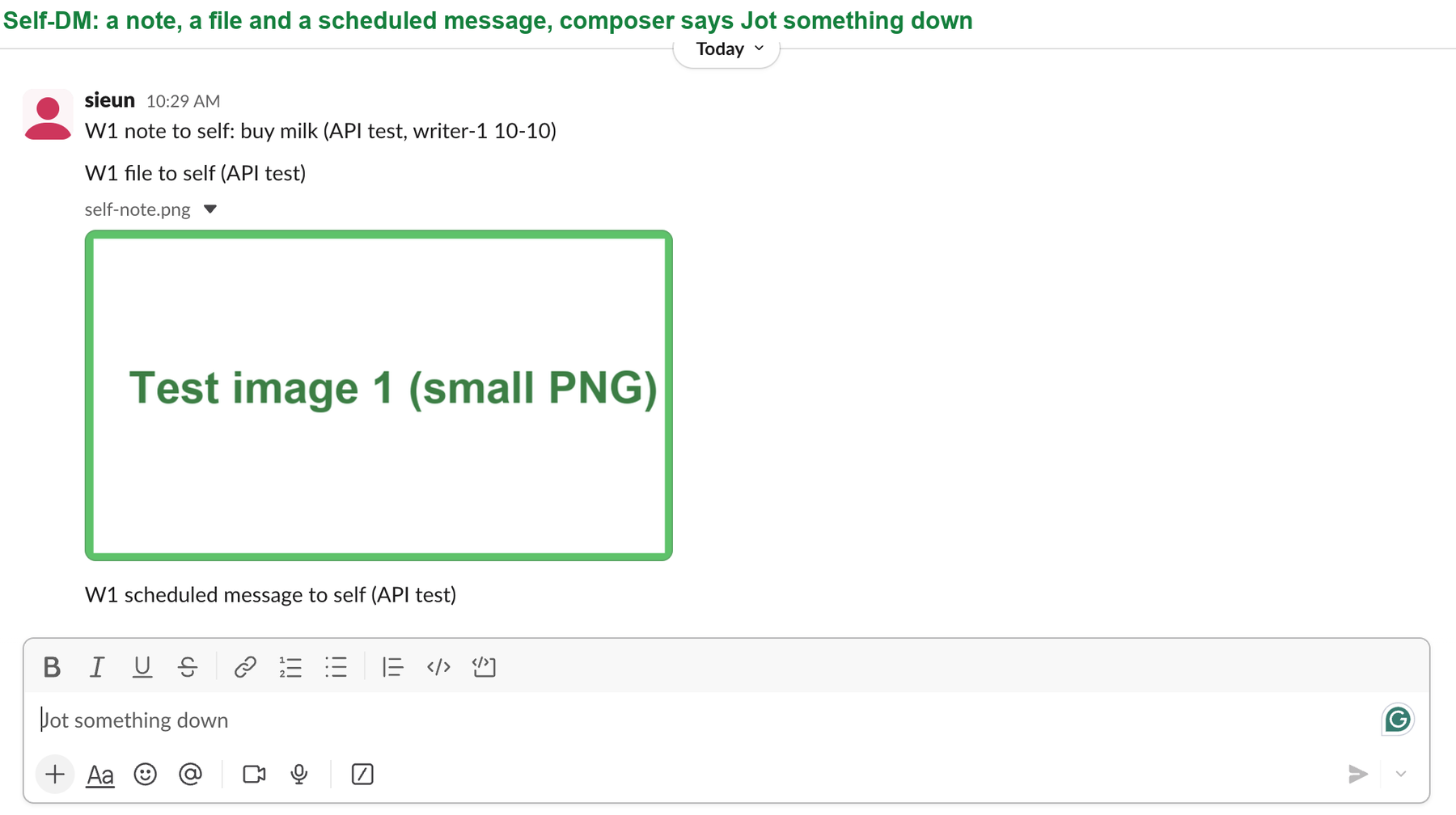
How to open your self-DM
- In the sidebar, find Direct messages.
- Click the entry with your name and the word "you".
If you hid it, press Cmd+K on a Mac or Ctrl+K on Windows, type your own name, and pick it.
The API agrees that this is a normal DM. We read it with conversations.info:
{"is_im": true, "user": "U0B7L4YK420", "is_open": true}The user field holds your own member ID, because you are the other side of the conversation.
What a self-DM does and does not notify
We posted to the self-DM through the API with the test account's own token, so nobody typed in the shared message box. Then we read the unread counts and the Activity feed.
| What we sent to ourselves | Shows in the self-DM | Unread badge | Activity item |
|---|---|---|---|
| A text note | Yes | No | No |
| An image file | Yes | No | No |
| A message scheduled 75 s ahead | Yes, at the set time | No | No |
| A reminder for ourselves, due in 70 s | No | Yes, on To-dos | Yes |
Your own messages count as read the moment you send them. So the self-DM is quiet, which suits notes, and is useless as an alarm. For anything you must not forget, use a reminder. It fired into Activity as "Reminder" with a Mark Complete button, and the To-dos tab got a badge.
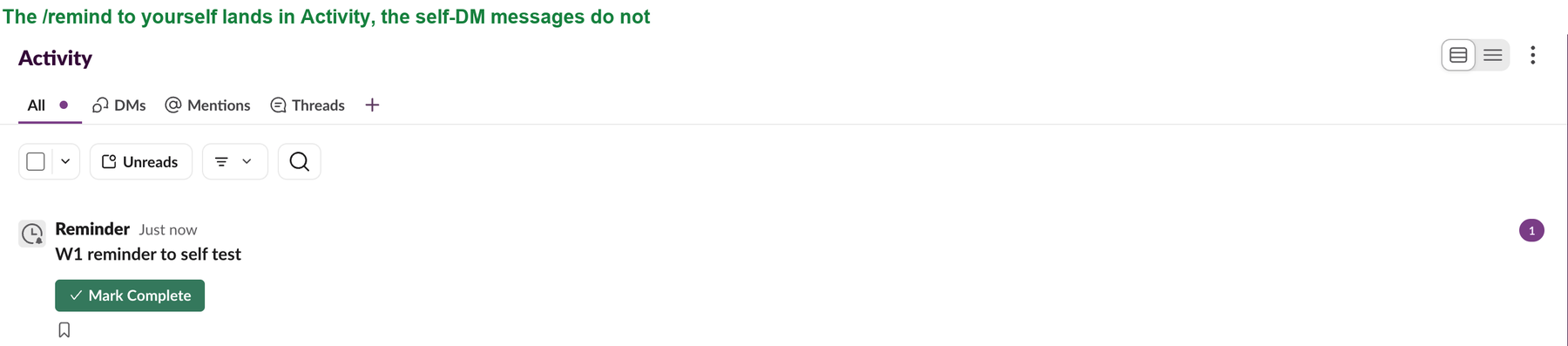
To set a reminder on a message you already wrote, use the message menu's Add a reminder, as shown in remind me about this message.
Never appear "away" on Slack again
Cloud-based. No downloads. Works 24/7 even when your laptop is off.
Can anyone else see your self-DM?
Other members cannot open it. Apps cannot read it either, unless you give them your own token. Our test app's bot token asked for the self-DM's history and got channel_not_found.
Workspace owners on paid plans can have export and retention tools that reach DMs. Those rules are the same as for any DM, and we cover them in can Slack admins see your DMs. Keep passwords out of your self-DM for the same reason.
Ways people use it
Questions
Did Slack remove the option to DM yourself?
No. It was in our sidebar on 10 October 2026, marked "you". If you cannot see it, search for your own name with Cmd+K.
Does a self-DM count toward the Free plan history limit?
Yes, it is a DM like any other, so the Free plan's history limit applies to it as well. See Slack free plan limits.
Can a bot send me a note in my self-DM?
No. Our test bot tried to post to the self-DM and got channel_not_found. A bot posts to its own DM with you instead, which shows under Apps in the sidebar.
Stop Jiggling Your Mouse.
Join hundreds of remote workers who never worry about their Slack status. Set it up once, stay green forever.
Related Articles
How to See All Your DMs in Slack, Including the Hidden Ones
The DMs tab lists your direct messages with people. App DMs, Slackbot and DMs with deleted accounts sit elsewhere. We compared the tab with the full list the Slack API returned.
Slack Images Not Showing? 5 Causes We Reproduced
We uploaded images to a Slack test channel and then switched each image setting off, ran /collapse, and posted from a bot that was not in the channel. Five causes, each reproduced.
Slack Keyword Notifications: What Triggers Them, Tested
We added three Slack keywords and had a bot post 12 test messages. Capitals and links matched; plurals, longer words, muted channels and unfollowed threads did not.