
Does Zoom Track Your Activity? What Hosts and Admins See
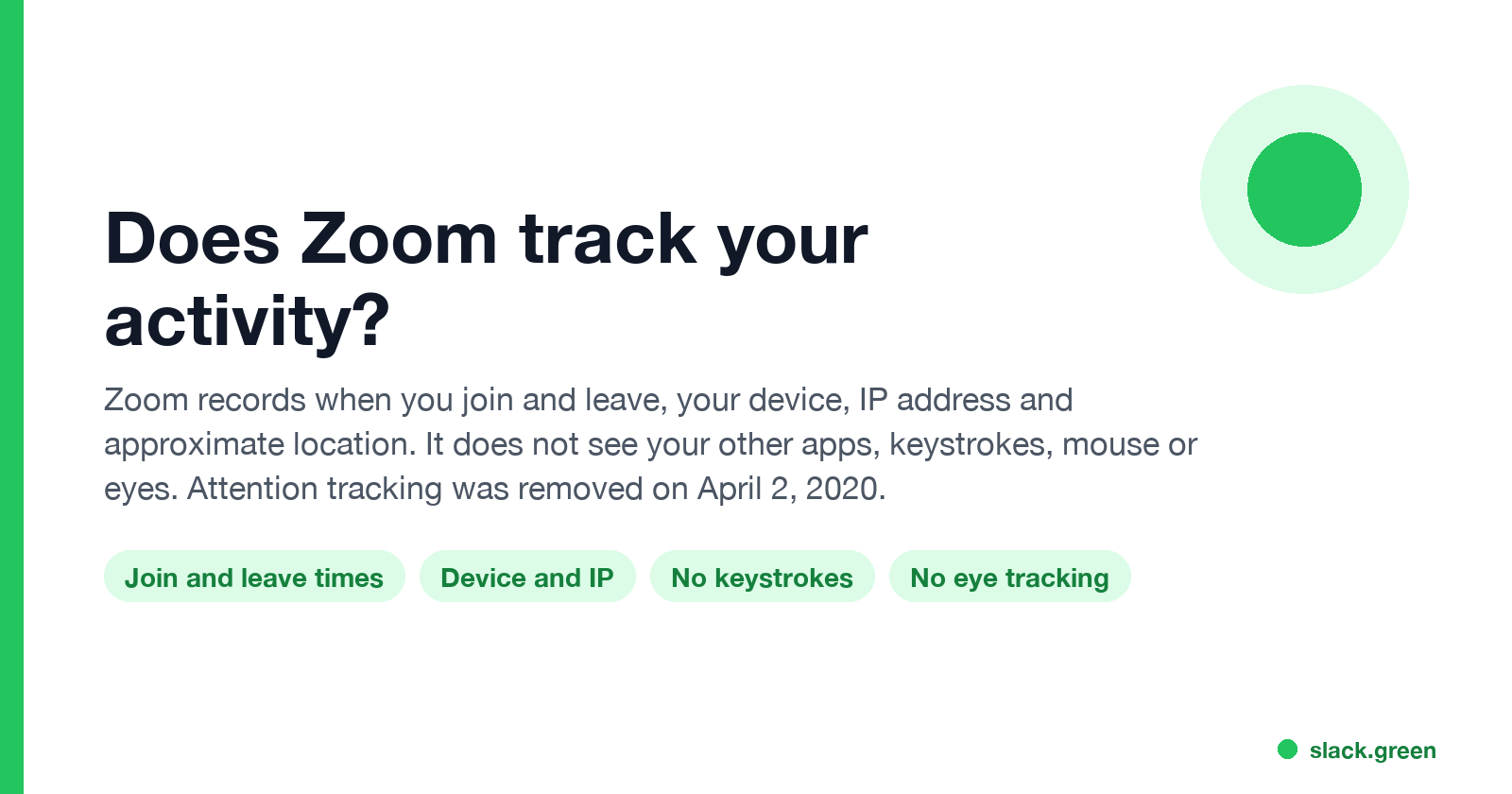
Zoom records when you join and leave a meeting, your device, IP address and approximate location. It does not see your other apps, tabs, keystrokes, mouse or eye movement; the attention tracker that flagged an unfocused Zoom window was removed on April 2, 2020. What each role can see, and where the real tracking happens.
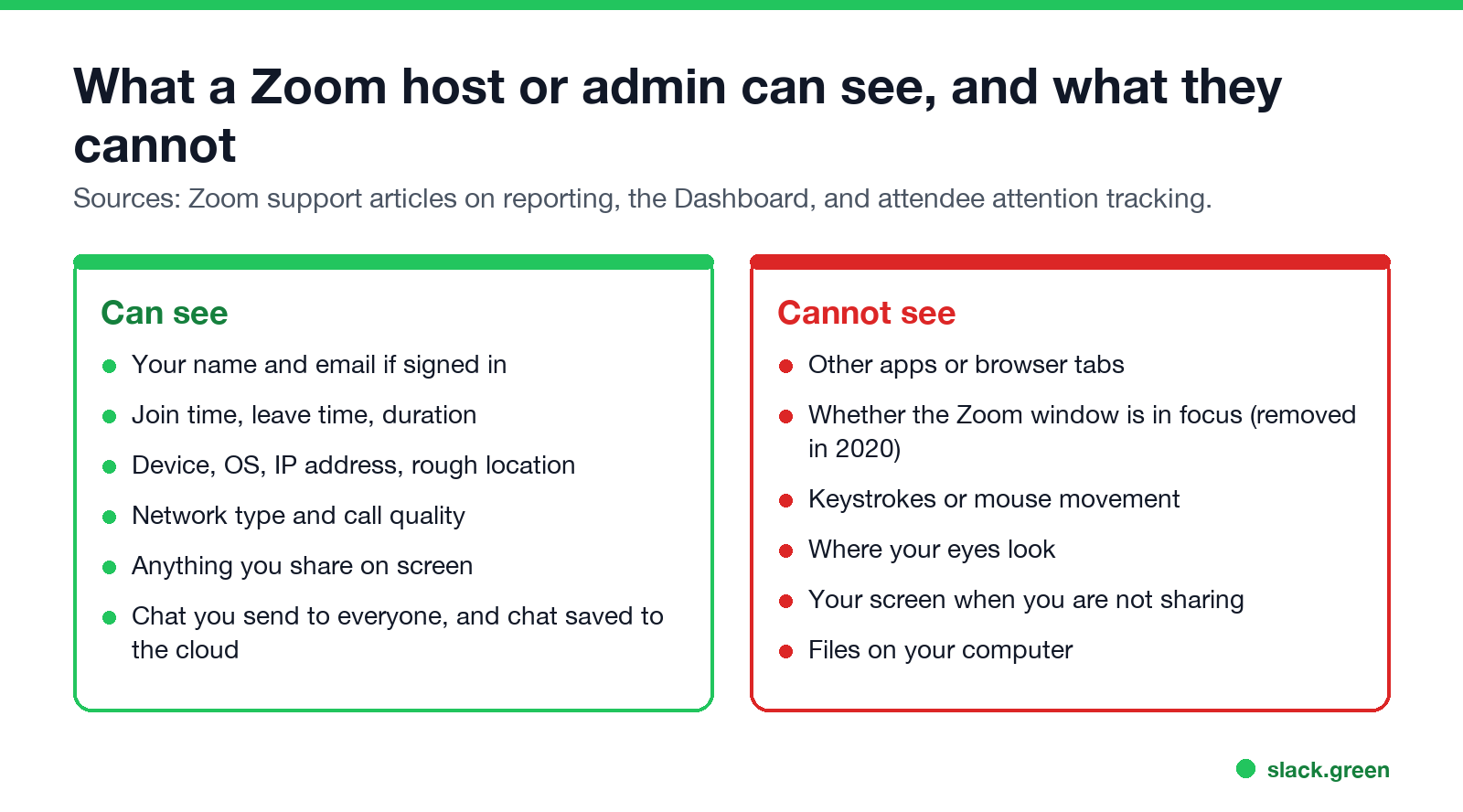
Zoom tracks your meeting activity, not your computer activity. A host can see who joined, when each person joined and left, and how long they stayed. An account admin on a business plan can also see each participant's device, operating system, IP address, approximate location and network quality. Zoom cannot see your other apps or browser tabs, your keystrokes, your mouse or where your eyes look. The one feature that came close, attendee attention tracking, flagged people whose Zoom window lost focus for 30 seconds during a screen share. Zoom's support page on it says: "As of April 2, 2020, we have removed the attendee attention tracker feature."
If the real question is what your employer sees, the laptop matters more than the meeting app. Monitoring software installed by IT sees far more than Zoom does. Chat apps also show presence: Slack turns you grey after 10 minutes without input in the Slack window. Slack Green keeps your Slack status active during the hours you set, from the cloud, and it does not touch Zoom.
What Zoom tracks, and what it does not
| Question | Answer |
|---|---|
| Does Zoom track attendance? | Yes. Paid hosts get a participants report with join time, leave time and duration per person. |
| Does Zoom track your screen? | Only what you share. When you share your whole screen, everyone sees it, including pop-up notifications. |
| Can the host see other tabs or apps? | No. Zoom does not report which apps or tabs you have open. |
| Does Zoom track eye movement? | No. Zoom has no eye tracking. The removed attention tracker only checked window focus, never your eyes. |
| Does Zoom track keystrokes or mouse movement? | No. Zoom has no keystroke or mouse logging. |
| Does Zoom know your location? | Roughly. Admins see a location derived from your IP address in the Dashboard. |
| Can the host read private chat? | Not chat between two other people. Saved chat holds messages to everyone and messages sent to the person who saves it. |
What a Zoom host can see during and after a meeting
During a meeting, the host sees the participant list, who has video and audio on, raised hands, reactions, and anything shared on screen. In Focus mode, the host and co-hosts see every participant's video and every participant's screen share, while participants only see the host.
After a meeting, a host on a paid plan opens Reports in the Zoom web portal and gets the participants list: name, email for signed-in users, join time, leave time and minutes in the meeting. Each rejoin shows as its own row. This is how teachers and managers check attendance, and it is also how they spot someone who joined for five minutes and left.
The host can save in-meeting chat, or have it saved with a cloud recording. That file holds messages sent to everyone and private messages sent to or from the host. A direct message you send to another participant does not appear in the host's copy.
What an account admin can see
Never appear "away" on Slack again
Cloud-based. No downloads. Works 24/7 even when your laptop is off.
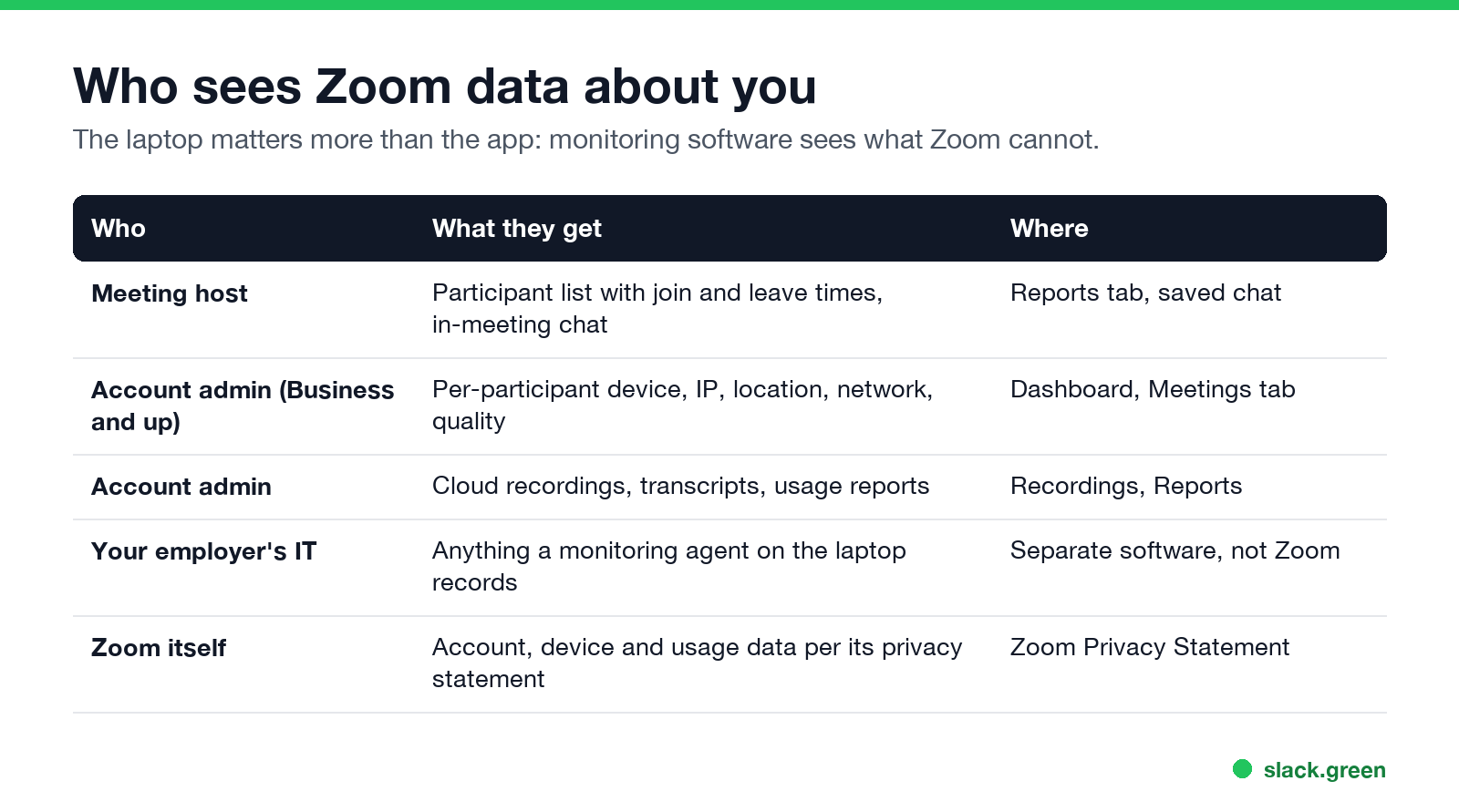
On Business, Education and Enterprise accounts, admins get the Dashboard. Zoom's support article on it says admins can see, for each attendee, "their name, device, IP address, location, network type" along with audio, video and screen-share quality. That is enough to tell whether you joined from home or the office, and from a phone or a laptop. It does not say what else ran on that device.
Admins can also open cloud recordings, transcripts and usage reports for the whole account. If your company uses Zoom's AI Companion, meeting summaries go to the host and can quote what was said.
The attention tracker: removed, but still searched for
Before April 2020, hosts could turn on attendee attention tracking. During a screen share, Zoom marked a participant whose Zoom window had not been in focus for more than 30 seconds, and reports carried an attentiveness score. It did not see the other window, only that Zoom was not the front window. After privacy complaints, Zoom removed it on April 2, 2020, and it has not come back. Guides and videos that tell you how to "turn off Zoom attention tracking" describe a setting that no longer exists.
So a host cannot tell that you switched to your email during a call. They can tell you stopped talking, turned off your camera, or took a while to answer a question.
Where the real tracking happens: your work computer
Zoom is one app. What your employer can learn about your day comes from the laptop and the network:
- • Monitoring software. Tools such as Teramind, ActivTrak or Hubstaff record apps, websites, idle time, and in some cases screenshots and keystrokes. Zoom has none of this, but a monitoring agent sees Zoom like any other app. How employers monitor remote workers lists what each kind of tool captures.
- • Screen capture. Whether anyone can watch your screen outside a meeting is covered in can my employer see my screen.
- • Presence in chat apps. Zoom, Teams and Slack each show a status dot that turns Away after inactivity. Zoom's own rules are in how to keep your Zoom status active and how to set Away on Zoom. For Teams, see does Teams track your activity.
- • Slack activity. Slack does not track mouse movement outside its own window; the details are in does Slack track mouse movement.
How to check what your own Zoom shares
Never appear "away" on Slack again
Cloud-based. No downloads. Works 24/7 even when your laptop is off.
FAQ
Can a Zoom host see if you leave the Zoom window?
No. That was the attention tracker, removed on April 2, 2020. A host sees only what happens in the meeting: camera, microphone, chat, reactions and join or leave times.
Does Zoom track your activity when you are not in a meeting?
Zoom logs account and usage data such as sign-ins and meetings, as its privacy statement describes. Your Zoom status also turns Away after a set idle time. It does not log your other apps.
Can my teacher see my screen on Zoom?
Only when you share it. In Focus mode, only the teacher sees your share. Nothing else on your screen is visible.
Does Zoom track attendance for free accounts?
A free host sees the participant list live during the meeting. Downloadable participant reports with join and leave times need a paid license.
Can Zoom see my location?
Admins on business plans see an approximate location based on your IP address in the Dashboard. Zoom does not use GPS for this.
Stop Jiggling Your Mouse.
Join hundreds of remote workers who never worry about their Slack status. Set it up once, stay green forever.
Related Articles
How to Keep Skype Status Active: Skype for Business Idle Timers
To keep your Skype for Business status active, open Options, Status, and raise both idle timers, Inactive and then Away, from 5 minutes to as much as 360 minutes each. Consumer Skype shut down on May 5, 2025 and Skype for Business Online in 2021, so for most people the real question is now Teams. What still works, status icons, Outlook, and status not updating.
Is It Legal for My Employer to Monitor Me? US, EU and UK Rules
In the US it is mostly legal for an employer to monitor company devices, accounts and premises, often without asking. The limits are state notice laws in New York, Connecticut and Delaware, consent rules for audio recording and biometrics, bans on cameras in restrooms, and your personal devices. The EU, UK and parts of Canada and Australia add notice and proportionality rules.
Can My Employer See My Personal Email on My Work Computer?
Your employer cannot sign in to your Gmail, and doing so without permission can break the Stored Communications Act. But on a work computer, screenshot and keystroke monitoring, browser history, HTTPS inspection and Outlook's local cache can all expose personal email. Work email is fully visible, deleted messages included. Case by case, with what to do.